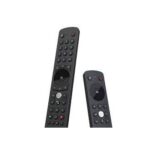
Tech4home Manuals & User Guides
Tech4home (t4h.) designs and manufactures innovative remote control solutions for the home entertainment industry, serving IPTV and Pay-TV service providers worldwide.
About Tech4home manuals on Manuals.plus
Tech4home, frequently styled as t4h., is a key global player in the development of remote control devices and technologies. Headquartered in Portugal, the company specializes in designing tailored wireless input devices for IPTV, cable, satellite, and OTT service providers.
Their product portfolio ranges from standard infrared remotes to advanced Bluetooth Low Energy (BLE) and voice-controlled units. While Tech4home operates primarily as a B2B partner for telecommunications operators, their remote controls are a staple in households around the world, often provided alongside set-top boxes for seamless home entertainment control.
Tech4home manuals
L-aħħar manwali minn manuals+ ikkurata għal din il-marka.
tech4home Notus L7 Manwal għall-Utent tal-Kontroll mill-bogħod
tech4home STREAMER V3 BLE Manwal għall-Utent tal-Kontroll mill-bogħod
Tech4home NTSSBLE08 Bluetooth Remote Control User Guide
tech4home Gwida għall-Utent tal-Kontroll Remot M1 Prinċipali
Gwida għall-Utent tal-Kontroll Remot Khamsin M4 tech1home
tech4home Gwida għall-Utent tal-Kontroll Remot Pali M4
Tech4home KMNMBLE02 Khamsin M2 Manwal għall-Utent tal-Kontroll mill-bogħod
tech4home Gwida għall-Utent tal-Kontroll mill-Bogħod PRINĊIPALI L1
Tech4home M2 Lda KHAMSIN RADIO (TL) Gwida għall-Utent
Lima M2 Remote Control Product Manual - Tech4home
Tech4home T4HU1722 45K Khamsin Remote Control User Manual
T4HU1709 31k Mini Fusion għal Kontroll mill-Bogħod Altice: Grafika tal-Prodott Fuqview
Kontroll mill-Bogħod Khamsin M2: Bidu u Setup Mgħaġġel
Manwal tal-Utent tal-Kontroll mill-Bogħod Bluetooth Notus M2
Tech4home support FAQ
Mistoqsijiet komuni dwar manwali, reġistrazzjoni, u appoġġ għal din il-marka.
-
How do I turn on or pair my Tech4home remote?
Most Tech4home remotes, such as the Main S1 or Notus series, are ready to operate shortly after inserting the batteries. If using a Bluetooth model, ensure your Set-Top Box is on and follow the specific pairing sequence provided in your operator's manual.
-
What type of batteries do Tech4home remotes use?
The majority of Tech4home remote controls generally require 2 AAA batteries. Always check the battery compartment label for confirmation.
-
My remote is not working. What should I do?
First, ensure fresh batteries are inserted correctly. If the remote uses Bluetooth (BLE), verify it is paired with your Set-Top Box. If interference occurs, try reorienting the box or moving other wireless devices away.