Introduzzjoni
Welcome to your new Baseus 100W Power Bank 20000mAh. This portable charger is designed to provide fast and efficient power to your devices, including laptops, tablets, and smartphones, with its 100W Power Delivery and built-in dual USB-C cables. Please read this manual carefully to ensure proper use and maintenance of your device.
Karatteristiċi Ewlenin
- 100W PD Iċċarġjar Mgħaġġel: Rapidly charges compatible laptops, tablets, and smartphones.
- Built-in Dual USB-C Cables: Integrated cables for convenience, eliminating the need for extra wires.
- Kapaċità Għolja ta' 20000mAh: Provides multiple charges for phones and tablets, and extends laptop battery life.
- Iċċarġjar Pass-through: Allows the power bank to be recharged while simultaneously charging other devices.
- Wiri Diġitali Intelliġenti: Real-time information on battery level and charging status.
- Disinn Ergonomiku: Features a 5D curved body for a comfortable grip and a slim, lightweight profile għall-portabbiltà.
- Sigurtà Avvanzata: Built with automotive-grade battery cells, an AI temperature control chip, and graphene cooling technology for stable and efficient power delivery.
- Approvat mit-TSA: Suitable for air travel.
X'hemm fil-Kaxxa
- 1 x Baseus Enerfill FC41 100W 20000mAh Laptop Power Bank Built in Dual Cables
- 1 x Gwida Quick Start
- 1 x Manwal tas-Sigurtà
- 1 x Emoji Stickers
Prodott Overview

The Baseus 100W Power Bank 20000mAh, featuring a sleek dark black design with integrated cables.
Official video demonstrating the features and usage of the Baseus Enerfill FC41 100W 20000mAh Power Bank.
Setup Inizjali
Iċċarġjar tal-Power Bank
- Connect the built-in USB-C cable or an external USB-C cable to the power bank's input port.
- Connect the other end of the cable to a compatible power adapter (not included).
- The digital display will show the charging progress. A full charge typically takes approximately 2 hours with a 65W charger.
L-Ewwel Użu
Għal prestazzjoni ottimali, iċċarġja l-power bank kompletament qabel l-ewwel użu tiegħu.

The power bank being recharged via a 65W adapter, illustrating its fast recharge capability.
Istruzzjonijiet Operattivi
Iċċarġjar tat-Tagħmir Tiegħek
The power bank supports charging up to four devices simultaneously using its built-in dual USB-C cables and additional USB-A and USB-C ports.
- Using Built-in USB-C Cables: Extend the integrated USB-C cables from the power bank. Connect one or both to your compatible devices.
- Użu ta' Portijiet Esterni: For devices requiring USB-A or an additional USB-C connection, use your own cables with the available ports.
- The smart digital display will show the current battery level and charging status.
Iċċarġjar Pass-Through
The power bank supports pass-through charging, allowing you to charge the power bank itself while it simultaneously charges other devices.

Close-up view of the Baseus power bank's dual built-in USB-C cables, highlighting the integrated cable buckle and durable braided design.

The Baseus power bank simultaneously charging a MacBook, iPhone, and AirPods, demonstrating its multi-port charging capability.
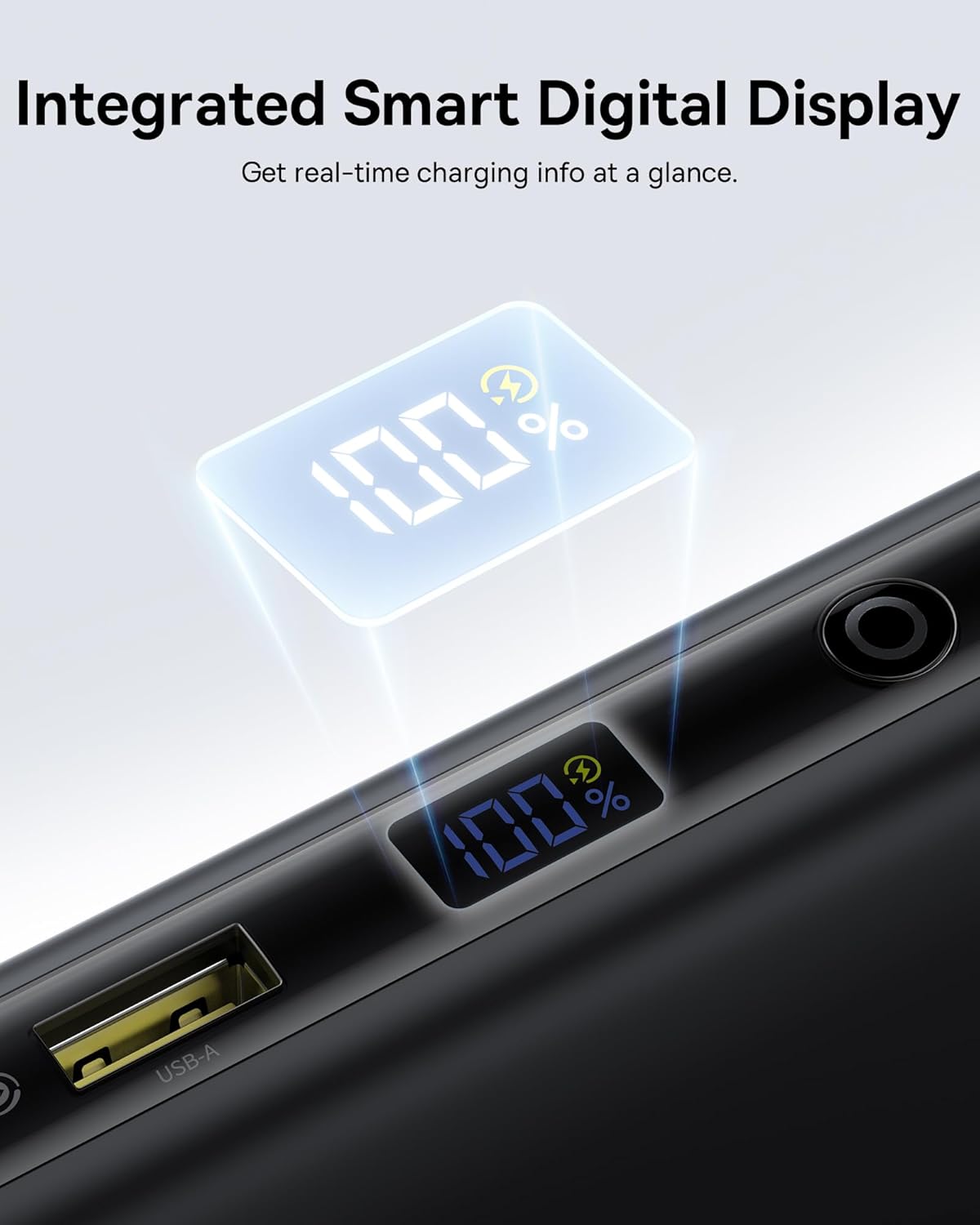
A close-up of the power bank's smart digital display showing the battery percentage.
Kura u Manutenzjoni
- Żomm il-power bank 'il bogħod minn temperaturi estremi, dawl tax-xemx dirett, u likwidi.
- Żarmax jew tipprova ssewwi l-apparat.
- Clean the surface with a soft, dry cloth. Avoid using harsh chemicals.
- Aħżen f'post frisk u niexef meta ma tkunx qed tintuża għal perjodi twal.
Issolvi l-problemi
Apparat Mhux Iċċarġja
- Ensure the power bank is sufficiently charged. Check the digital display.
- Verify that the cables are securely connected to both the power bank and your device.
- Ikkonferma li l-apparat tiegħek huwa kompatibbli mal-ispeċifikazzjonijiet tal-output tal-power bank.
- Ipprova uża kejbil jew port differenti.
Iċċarġjar bil-mod
- Ensure you are using a cable and device that support fast charging protocols (PD, QC).
- L-iċċarġjar ta' diversi apparati simultanjament jista' jnaqqas il-veloċità tal-iċċarġjar għal apparati individwali.
- Check if the power bank itself is being charged simultaneously (pass-through charging can affect output speed).
Il-Power Bank Mhux qed Jiċċarġja
- Ensure the charging adapter is functional and provides sufficient power (e.g., 65W for optimal speed).
- Check the charging cable for damage.
- Verify the input port on the power bank is clean and free of debris.
Speċifikazzjonijiet Tekniċi
| Brand | Baseus |
| Numru tal-Mudell | E0028Q |
| Kapaċità tal-batterija | 20000 Milliamp Sigħat |
| Tip ta' Konnettur | USB Tip A, USB Tip C |
| Sors tal-Enerġija | Batterija |
| Voltage | 5 Volts |
| Numru ta' Portijiet | 4 |
| Karatteristiċi Speċjali | 100W Fast Charging, Built In Dual USB-C Cables, Digital Display, Pass-through Charging, TSA-Approved |
| Apparati Kompatibbli | Gaming Devices: Steam Deck, ASUS ROG Ally, Nintendo Switch; Cameras & Drones: GoPro, DJI Osmo Action, Insta360, DJI Drones; Audio: AirPods, Galaxy Buds, Apple Watch, Samsung Watch; Laptops: MacBook Air (M1/M2/M3), MacBook Pro 13"/14"/16", Dell / HP / Lenovo / ASUS / Acer (XPS 13 / Inspiron / Spectre / Yoga / ThinkPad / ZenBook / Swift), Surface Laptop, Surface Pro, Pixelbook, Samsung Galaxy Chromebook; Phones: iPhone 17, iPhone 17 Air, iPhone 17 Pro, iPhone 17 Pro Max, iPhone 16, iPhone 16 Plus, iPhone 16 Pro, iPhone 16 Pro Max, iPhone 15, iPhone 15 Plus, iPhone 15 Pro, iPhone 15 Pro Max, iPhone 14, iPhone 14 Plus, iPhone 14 Pro, iPhone 14 Pro Max, iPhone 13, iPhone 13 Pro, iPhone 13 Pro Max, iPhone 13 mini, iPhone 12, iPhone 12 Pro, iPhone 12 Pro Max, iPhone 12 mini, Samsung Galaxy S25 Ultra, S24 Ultra, S23 / S22, Google Pixel 9 / 8 / 7 / 6 / 6 Pro, OnePlus / Motorola / LG / Sony phones; Tablets: iPad Pro / iPad Air / iPad Mini, Samsung Galaxy Tab S9 / S8, Microsoft Surface Go / Surface Pro |
| Item Dimensions (L x W x Th) | 6"T x 3"W x 1"Ħ |
| Tip taċ-Ċellula tal-Batterija | Polimeru tal-litju |
Garanzija u Appoġġ għall-Klijent
Dan il-prodott Baseus jiġi ma' garanzija ta 'sena. Additionally, Baseus offers a 24-Month Full Protection Plan and Lifetime Tech Support. For warranty claims, technical assistance, or any product-related inquiries, please contact Shenzhen Baseus Technology Co., Ltd. customer support. Refer to the included Safety Manual for detailed warranty terms and contact information.


