Introduzzjoni
The LOFREE Pudding Dual Mode Wireless Mouse (Model OE929) is designed for versatile use across various operating systems and devices. It offers both Bluetooth and 2.4G wireless connectivity, adjustable DPI settings, and a comfortable, ergonomic design. This manual provides instructions for setup, operation, maintenance, and troubleshooting to ensure optimal performance of your device.
Kontenut tal-Pakkett
- LOFREE Pudding Dual Mode Wireless Mouse
- Riċevitur USB (2.4G)
- Charging Cable (USB-C to USB-A, typically)
- Manwal għall-Utent
Prodott Overview
The LOFREE Pudding mouse features a unique transparent texture and an ergonomic design for comfortable use. It includes an adjustable ambient light feature and a scroll wheel with integrated button functionality.

Immaġni: The LOFREE Pudding mouse showcasing its high transparency texture and sleek design.

Immaġni: A hand holding the LOFREE Pudding mouse, illustrating its comfortable, skin-like touch and ergonomic grip.
Setup
1. Iċċarġjar tal-Maws
Before first use, ensure the mouse is fully charged. Connect the provided charging cable to the mouse's charging port and to a USB power source. The ambient light may indicate charging status (e.g., breathing light while charging, solid when full).

Immaġni: The LOFREE Pudding mouse, highlighting its approximately 100 hours of battery life on a single charge.
2. Konnessjoni b'Modalità Doppja
The mouse supports two wireless connection methods: 2.4G via USB receiver and Bluetooth.
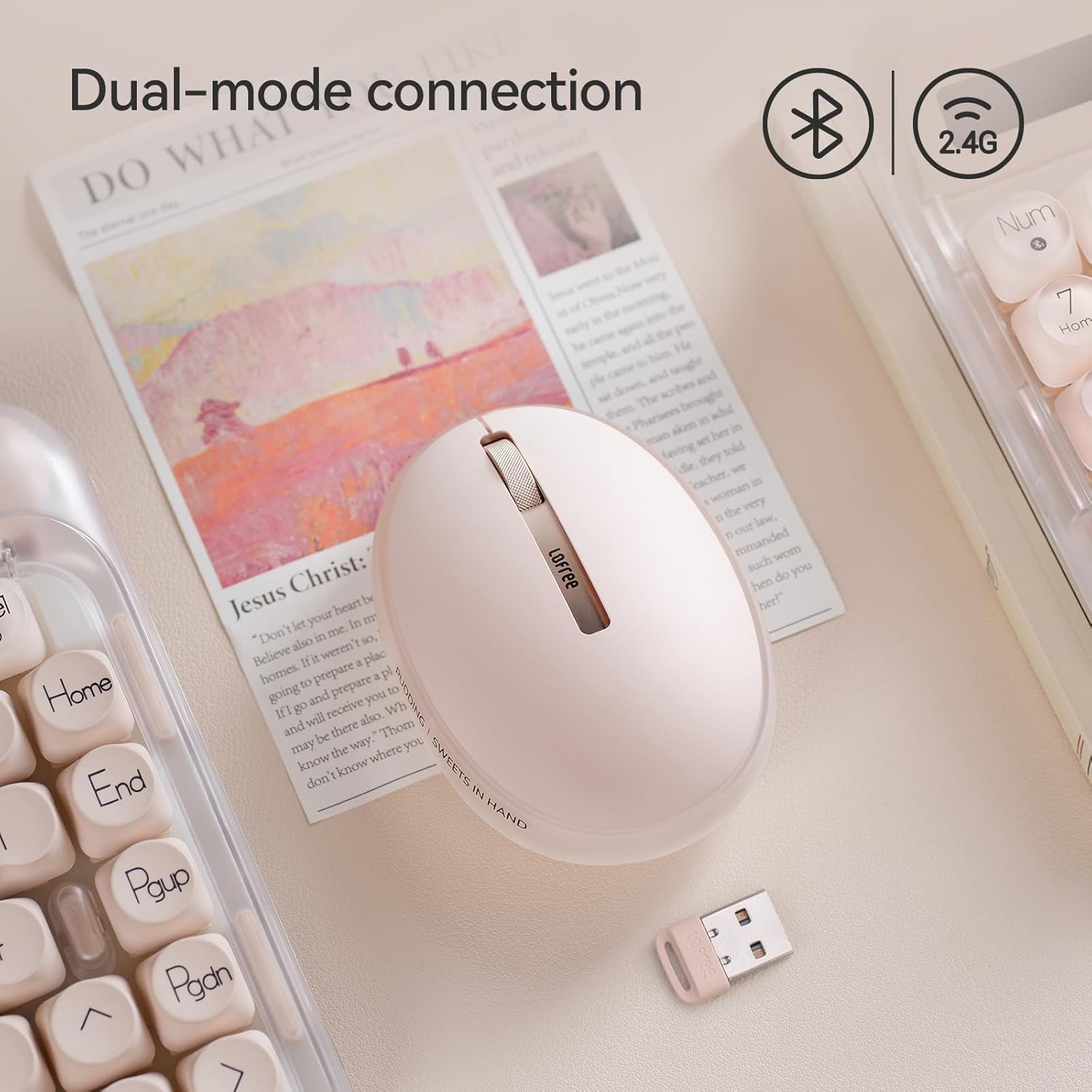
Immaġni: The LOFREE Pudding mouse demonstrating its dual-mode connection capability, supporting both Bluetooth and 2.4G wireless technologies.
2.1. Konnessjoni bla fili 2.4G
- Locate the USB receiver, typically stored in a compartment on the mouse or in the packaging.
- Ipplaggja r-riċevitur USB f'port USB disponibbli fuq il-kompjuter tiegħek.
- Turn on the mouse. The computer should automatically detect and install the necessary drivers.
- Nota: For systems below Windows 7, the 2.4G connection is recommended as Bluetooth mode may not be supported.
2.2. Konnessjoni Bluetooth
- Kun żgur li l-Bluetooth tat-tagħmir tiegħek huwa attivat.
- Switch the mouse to Bluetooth mode (refer to the mouse's bottom switch or button for mode selection).
- On your device, search for Bluetooth devices. The mouse should appear as "LOFREE Pudding Mouse" or similar.
- Agħżel il-maws biex tqabbad. Segwi kwalunkwe struzzjonijiet fuq l-iskrin biex tlesti l-proċess ta' tqabbil.
3. Kompatibilità
The LOFREE Pudding mouse is compatible with a wide range of operating systems and devices, including:
- Windows (Windows 7 and above for Bluetooth)
- macOS
- iOS
- Android
- PC, Mac, Laptop, and other compatible devices.
Istruzzjonijiet Operattivi
1. Adjusting DPI Levels
The mouse features 5 adjustable DPI levels to suit different tasks and preferences. You can cycle through these settings by pressing the DPI button, usually located near the scroll wheel or on the bottom of the mouse.
- Available DPI settings: 600, 800, 1200, 1600, 3600.
- Press the DPI button to switch between levels. The mouse cursor speed will change accordingly.

Immaġni: A hand demonstrating the adjustment of DPI levels on the LOFREE Pudding mouse, with available settings of 600, 800, 1200, 1600, and 3600.
2. Ambient Light Modes
The mouse is equipped with an adjustable ambient light feature, offering two modes:
- Constant Always On: The light remains steadily illuminated.
- Mod tan-nifs: The light gently pulses on and off.
To switch between these modes, refer to the dedicated light control button or combination of buttons on the mouse. In dormant state, the ambient light will turn off and can be reactivated by clicking any button on the mouse.

Immaġni: The LOFREE Pudding mouse displaying its adjustable ambient light feature, with options for "Always On" or "Breathing" modes.
3. Ġestjoni tal-Enerġija
The mouse is designed to conserve battery life. It will enter a dormant state after a period of inactivity, turning off the ambient light. To wake the mouse, simply click any button.
Manutenzjoni
1. Tindif
- Use a soft, dry, lint-free cloth to clean the mouse surface.
- Għal ħmieġ iebes, neħħi ftitampmt id-drapp bl-ilma jew cleaner ħafif u li ma jobrox.
- Evita li tuża kimiċi ħarxa, solventi, jew materjali li joborxu, għax dawn jistgħu jagħmlu ħsara lill-finitura tal-maws.
- Kun żgur li l-ebda likwidu ma jidħol fil-komponenti interni tal-maws.
2. Kura tal-batterija
- Iċċarġja l-maws regolarment biex iżżomm il-batterija f'saħħitha.
- Evita li tiċċarġja l-batterija kompletament ta' spiss.
- If storing the mouse for an extended period, charge it to approximately 50% to prevent deep discharge.
Issolvi l-problemi
Il-maws ma jirrispondix / qed jiskonnettja
- Iċċekkja l-batterija: Ensure the mouse is charged. Connect it to a power source.
- Konnessjoni 2.4G:
- Kun żgur li r-riċevitur tal-USB huwa mdaħħal sew f'port tal-USB li jaħdem.
- Ipprova port USB differenti.
- Ensure the mouse is switched to 2.4G mode.
- Konnessjoni Bluetooth:
- Kun żgur li l-Bluetooth huwa attivat fuq it-tagħmir tiegħek.
- Ensure the mouse is switched to Bluetooth mode.
- Unpair and re-pair the mouse from your device's Bluetooth settings.
- Ensure your device's operating system supports Bluetooth for mice (e.g., Windows versions below 7 may have limited support).
- Interferenza: Mexxi l-maws eqreb lejn ir-riċevitur/apparat. Evita li tużah ħdejn apparati oħra mingħajr fili li jistgħu jikkawżaw interferenza.
DPI Mhux qed Jinbidel
- Kun żgur li qed tagħfas il-buttuna korretta tal-aġġustament tad-DPI.
- If the mouse is unresponsive, try restarting it (turn off and on).
Ambient Light Not Working
- Check if the mouse is in a dormant state; click a button to wake it.
- Kun żgur li l-batterija tkun iċċarġjata biżżejjed.
- Verify you are using the correct button or combination to cycle through light modes.
Speċifikazzjonijiet
| Karatteristika | Dettall |
|---|---|
| Numru tal-Mudell | OE929 |
| Teknoloġija tal-Konnettività | Bluetooth, 2.4G Radio Frequency |
| Teknoloġija ta 'Sejbien tal-Moviment | Ottiċi |
| Livelli DPI | 600, 800, 1200, 1600, 3600 (Adjustable) |
| Kapaċità tal-batterija | 500mAh |
| Ħajja tal-batterija | Madwar sagħtejn |
| Karatteristiċi Speċjali | LED Lights (Ambient), Lightweight, Rechargeable, Wireless |
| Kompatibilità | Windows, macOS, iOS, Android (PC, Mac, Laptop) |
| Piż tal-oġġett | 8.9 uqija |
| Dimensjonijiet tal-Pakkett | 5.2 x 4.13 x 2.4 pulzieri |
Garanzija u Appoġġ
LOFREE products are manufactured to high-quality standards. For warranty information, technical support, or service inquiries, please refer to the official LOFREE webis-sit jew ikkuntattja l-appoġġ għall-klijenti tagħhom direttament. Żomm l-irċevuta tax-xiri tiegħek għal talbiet ta' garanzija.
Għal aktar informazzjoni, żur il- Ħanut LOFREE fuq Amazon.


