1. Introduzzjoni
Thank you for choosing the Thomson Go Plus Pro 4K UHD Smart Display. This 27-inch intelligent touchscreen device combines innovative mobile design with high-performance technology, offering an exceptional experience for streaming, working, and video calls. This manual provides essential information for the safe and efficient use of your new smart display.
Key features include a responsive 4K UHD (3840 x 2160) touchscreen, Dolby Audio with an integrated subwoofer, Android operating system, Google Assistant voice control, Google Cast, Wi-Fi 6, Bluetooth 5.2, a 5MP camera, and a 9000 mAh battery for up to 4 hours of autonomy. Its adjustable stand with five wheels allows for effortless movement and 360-degree rotation.
2. Informazzjoni dwar is-Sigurtà
Jekk jogħġbok aqra l-istruzzjonijiet kollha tas-sigurtà qabel ma tuża l-apparat. Żomm dan il-manwal għal referenza futura.
- Sors tal-Enerġija: Uża biss l-adapter tal-enerġija pprovdut. Kun żgur li l-volumtage jaqbel mar-rekwiżiti speċifikati fuq l-apparat.
- Pjazzament: Place the device on a stable, level surface. Avoid direct sunlight, heat sources, and areas with high humidity or dust.
- Ventilazzjoni: Timblokkax il-fetħiet tal-ventilazzjoni. Kun żgur li jkun hemm fluss tal-arja adegwat madwar l-apparat biex tevita li jisħon iżżejjed.
- Ilma u Umdità: Do not expose the device to rain, moisture, or liquids. Do not place objects filled with liquids, such as vases, on or near the device.
- Tindif: Skonnettja l-provvista tal-enerġija qabel it-tindif. Uża drapp artab u niexef. Tużax prodotti tat-tindif likwidi jew aerosol.
- Batterija: The device contains a Lithium-ion battery. Do not attempt to replace the battery yourself. Refer to qualified service personnel for battery replacement.
- Tfal: Żomm l-apparat u l-aċċessorji tiegħu fejn ma jintlaħaqx mit-tfal.
- Servizzi: Tippruvax isservi l-apparat int stess. Irreferi l-manutenzjoni kollha lil persunal tas-servizz kwalifikat.
3. Kontenut tal-Pakkett
Ivverifika li l-oġġetti kollha huma preżenti fil-pakkett:
- Thomson Go Plus Pro 4K UHD Smart Display
- Portable Stand with Wheels
- Kontroll mill-bogħod
- Kejbil tal-Enerġija
- Manwal għall-Utent (dan id-dokument)
4. Prodott Aktarview
4.1 Komponenti u Karatteristiċi
- 27-inch 4K UHD Touchscreen: High-resolution (3840 x 2160) display with touch functionality.
- Sistema Operattiva Android: Access to Google Play Store, streaming apps, and personalized recommendations.
- Integrated Subwoofer & Dolby Audio: Rich, immersive sound experience (20W Basses + 20W Mediums).
- 5MP Built-in Camera: For video calls and conferences.
- Batterija ta' 9000 mAh: Provides up to 4 hours of wireless operation.
- Portable Stand with 5 Wheels: Allows for easy movement and 360-degree rotation.
- Google Assistent: Voice control for content search and device operation.
- Google Cast & Hotspot: Share content from your smartphone or tablet.
- Konnettività: Wi-Fi 6 and Bluetooth 5.2 for fast and stable wireless connections.
- Storage & RAM: 64 GB internal storage and 8 GB RAM for smooth performance.
4.2 It-Tqassim tal-Apparat u l-Portijiet
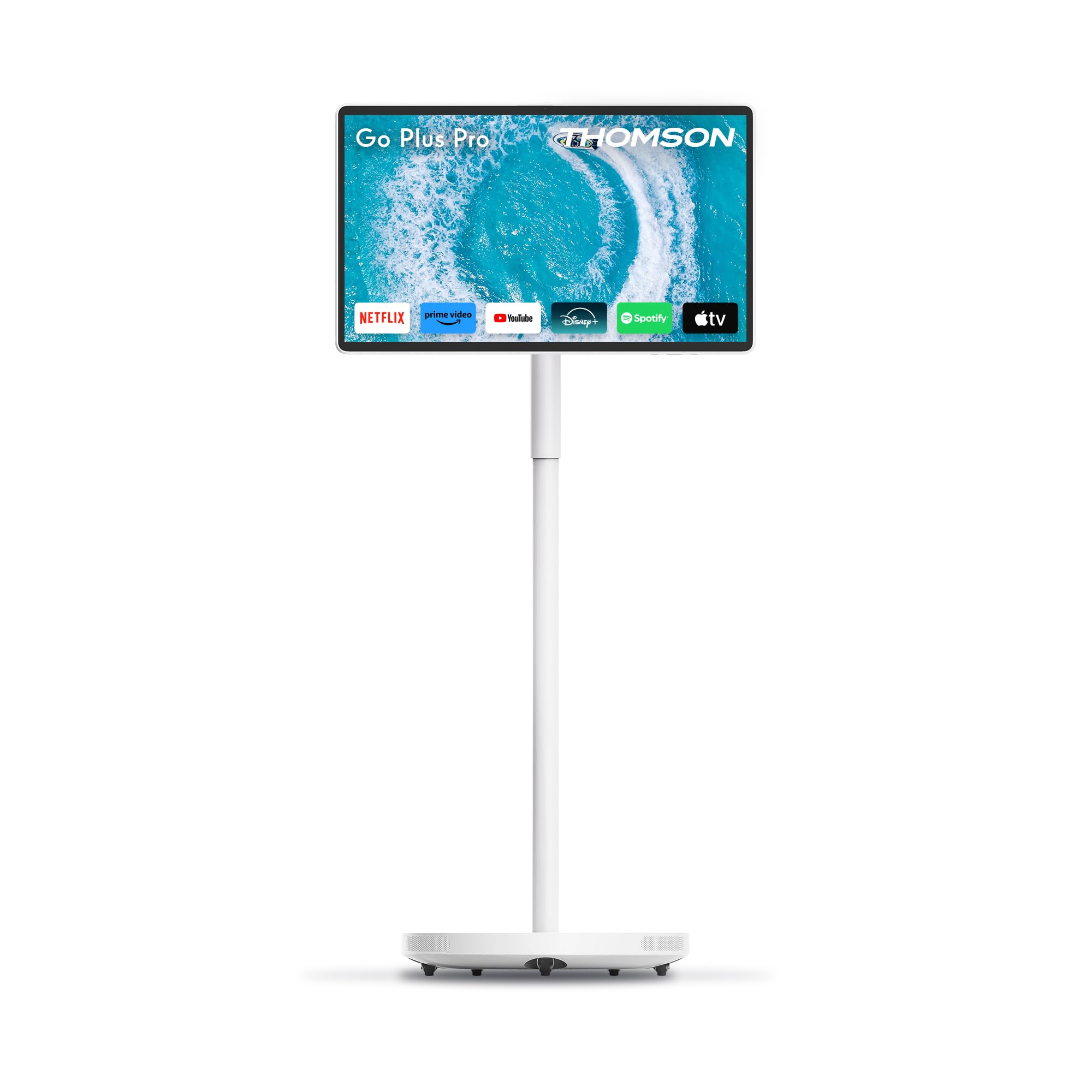
Figura 4.2.1: Quddiem view of the Thomson Go Plus Pro 4K UHD Smart Display.

Figura 4.2.2: Wara view showing connectivity ports.
The rear of the display features the following ports:
- 1x HDMI 2.0: Għall-konnessjoni ta' sorsi tal-vidjow esterni.
- 1x USB 3.0: For connecting USB devices like external storage or peripherals.
- 1x Type-C: For additional connectivity options.
- DC IN: Power input for the provided power adapter.

Figure 4.2.3: Base with five integrated wheels for mobility.

Figure 4.2.4: Built-in 5MP camera for video communication.
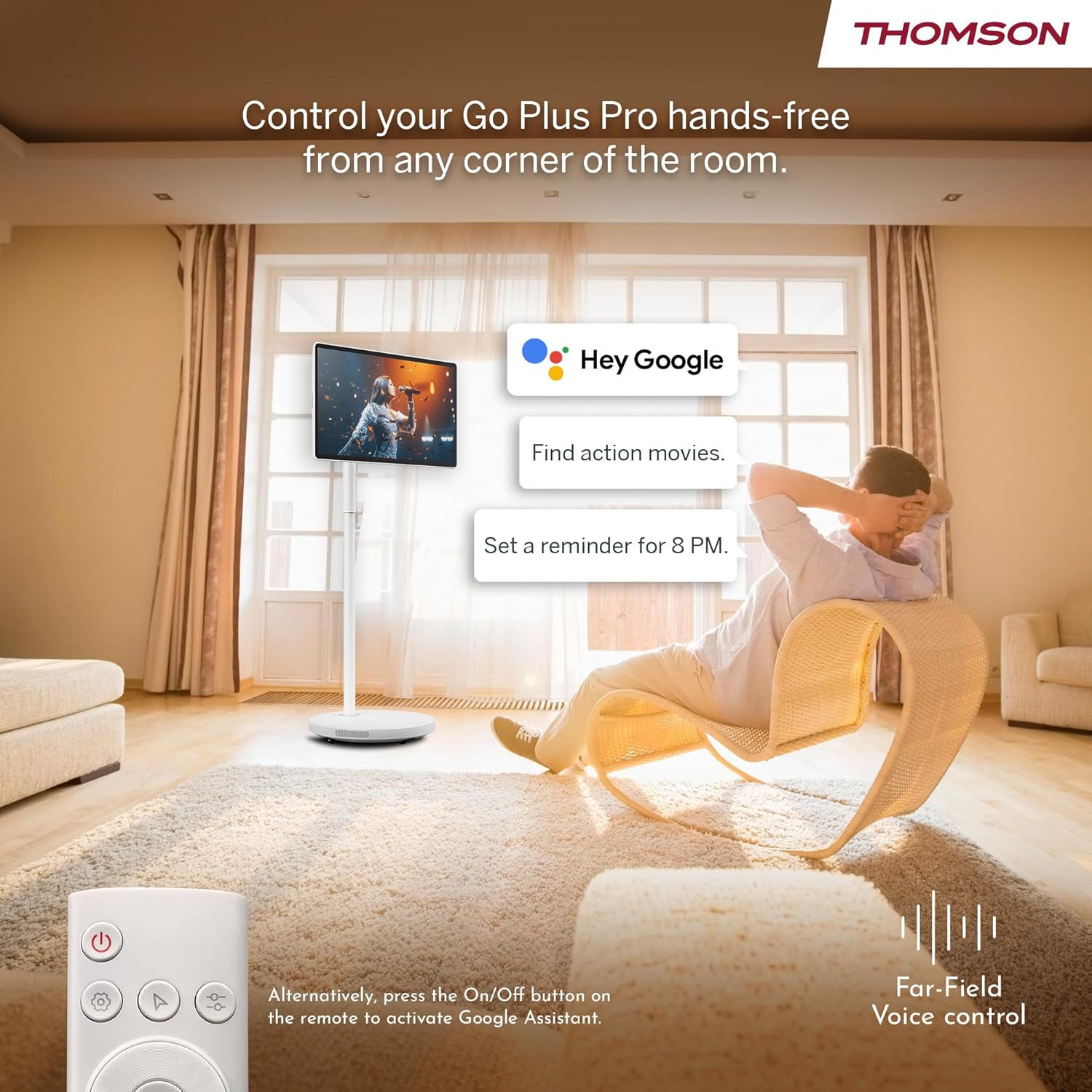
Figure 4.2.5: Location of the integrated subwoofer.
5. Setup
5.1 Assemblea
The Thomson Go Plus Pro comes with a pre-assembled stand. No complex assembly is required. Simply ensure the display is securely attached to the stand and the base is stable on a flat surface.
5.2 Konnessjoni tal-Enerġija
- Connect the power cable to the DC IN port on the back of the display.
- Ipplaggja t-tarf l-ieħor tal-kejbil tad-dawl fi żbokk tad-dawl adattat.
5.3 L-Ewwel Tixgħel u s-Setup tal-Android
- Press the Power button on the display or the remote control to turn on the device.
- Follow the on-screen instructions to complete the initial Android setup. This typically includes:
- Għażla tal-lingwa.
- Connecting to a Wi-Fi network (Wi-Fi 6 supported).
- Idħol bil-kont Google tiegħek.
- Aċċettazzjoni tat-termini u l-kundizzjonijiet.
- Once setup is complete, you will be presented with the Android home screen.
6. Istruzzjonijiet Operattivi
6.1 Power On/Off
- Biex Tixgħel: Press the Power button on the display or the remote control.
- Biex Tifi: Press and hold the Power button on the remote control, then select 'Power Off' from the on-screen menu. A short press will put the device into standby mode.
6.2 Tħaddim tat-Touchscreen
The 27-inch display is fully touch-enabled. Interact with the interface by tapping, swiping, and pinching as you would on a tablet or smartphone.

Figure 6.2.1: Touchscreen interaction.
6.3 Kontroll tal-Vuċi (Assistent tal-Google)
Your device integrates Google Assistant for hands-free control.
- Attiva: Say "Hey Google" or "Ok Google" to activate the voice assistant. Alternatively, press the dedicated Google Assistant button on your remote control.
- Kmandi: Use voice commands to search for content, launch applications, control playback, set reminders, and more.

Figure 6.3.1: Hands-free voice control with Google Assistant.
6.4 Streaming and Applications
Access a wide range of entertainment through the Android operating system.
- Google Play Store: Download and install your favorite streaming services (Netflix, Prime Video, Disney+, YouTube, Spotify, etc.) and other applications.
- Navigazzjoni: Use the touchscreen or remote control to navigate the Android interface and launch apps.

Figure 6.4.1: Android interface with popular streaming applications.
6.5 Casting and Hotspot
- Google Cast: Wirelessly cast content (photos, videos, music) from your compatible smartphone or tablet directly to the Go Plus Pro display.
- Hotspot: Utilize the device's hotspot functionality to share its internet connection with other devices.
6.6 Video Calls
The integrated 5MP camera allows for convenient video calls.
- Launch your preferred video calling application (e.g., Google Meet, Zoom) from the Google Play Store.
- Kun żgur li għandek konnessjoni tal-internet stabbli.
Figure 6.6.1: Using the built-in camera for video calls.
6.7 Screen Adjustment and Portability
The display offers flexibility in positioning and movement.
- Rotazzjoni u Mejjel: The screen can be rotated 360 degrees and tilted to achieve the optimal viewangolu tal-ing.
- Mobilità: The five integrated wheels on the base allow you to easily move the Go Plus Pro between rooms.

Figure 6.7.1: Screen rotation and tilt functionality.

Figure 6.7.2: Portability of the smart display.
6.8 Ġestjoni tal-batterija
The built-in 9000 mAh battery provides up to 4 hours of autonomy.
- Iċċarġjar: Connect the power cable to charge the battery. The battery indicator on the screen will show the charging status.
- Ħajja tal-batterija: Actual battery life may vary depending on usage, screen brightness, and connected devices.

Figure 6.8.1: Enjoying content with battery power.
6.9 Kontroll mill-Bogħod
Il-kontroll mill-bogħod inkluż jippermetti tħaddim konvenjenti mill-bogħod.
- Navigazzjoni: Use the directional pad and selection buttons to navigate the interface.
- Assistent tal-Vuċi: Press the dedicated button to activate Google Assistant.
- Qawwa: Ixgħel jew itfi l-apparat.

Figure 6.9.1: Convenient remote control storage.
7. Manutenzjoni
7.1 Tindif tal-Display
- Dejjem aqla l-apparat qabel it-tindif.
- Uża drapp artab u mingħajr suf biex timsaħ bil-mod l-iskrin u l-uċuħ ta' barra.
- Għal marki iebsa, d ftitampen the cloth with water or a screen-safe cleaning solution (do not spray directly onto the screen).
- Avoid using abrasive cleaners, solvents, or alcohol-based products.
7.2 Kura tal-Batterija
- Biex ittawwal il-ħajja tal-batterija, evita li tiċċarġja kompletament il-batterija ta' spiss.
- Aħżen l-apparat f'post frisk u niexef jekk ma jintużax għal perjodi twal.
8 Issolvi l-problemi
If you encounter issues with your Thomson Go Plus Pro, refer to the following common solutions:
| Problema | Kawża Possibbli | Soluzzjoni |
|---|---|---|
| L-apparat ma jixgħelx. | No power, low battery. | Ensure the power cable is securely connected and plugged into a working outlet. Charge the battery if operating wirelessly. |
| L-ebda konnessjoni Wi-Fi. | Router issue, incorrect password, out of range. | Check your Wi-Fi router. Re-enter the Wi-Fi password. Move the device closer to the router. |
| Il-kontroll mill-bogħod ma jaħdimx. | Low battery, obstruction, pairing issue. | Replace remote control batteries. Ensure no obstructions between remote and device. Re-pair the remote if necessary (refer to Android settings). |
| Kwalità fqira tar-ritratt. | Low resolution content, network speed. | Ensure you are streaming 4K content. Check your internet connection speed. Some apps may only support FHD quality. |
| L-ebda ħoss. | Volume too low, muted, external audio device connected. | Increase volume. Check if muted. Disconnect any external Bluetooth audio devices if sound is desired from the internal speakers. |
Jekk il-problema tippersisti, jekk jogħġbok ikkuntattja l-appoġġ għall-klijenti.
9. Speċifikazzjonijiet
The following table details the technical specifications of the Thomson Go Plus Pro 4K UHD Smart Display:
| Karatteristika | Speċifikazzjoni |
|---|---|
| Brand | Thomson |
| Numru tal-Mudell | 27UE7M45 |
| Daqs tal-Iskrin | 27 Pulzier (69 ċm) |
| Teknoloġija tal-Wiri | LED |
| Riżoluzzjoni | 4K UHD (3840 x 2160p) |
| Riffriskar Rata | 120 Hz |
| Sistema Operattiva | Android |
| Konnettività | Bluetooth 5.2, Wi-Fi 6, USB, HDMI |
| Portijiet | 1x HDMI 2.0, 1x USB 3.0, 1x Type-C, DC IN |
| Karatteristiċi Speċjali | Browser, Disney+, Netflix, Prime Video, Google Assistant, Google Cast, Hotspot, Built-in Camera, Built-in Subwoofer |
| Kamera | 5MP |
| Tip ta 'batterija | Lithium-ion (9000 mAh) |
| Ħajja tal-batterija | Sa 4 sigħat |
| Ħażna Interna | 64 GB |
| RAM | 8 GB |
| Proċessur | Quad-Core |
| Proporzjon ta' l-aspett | 16:9 |
| Dimensjonijiet tal-Prodott (DxWxH) | 5.8 x 62.8 x 37.6 cm (Display only) |
| Kulur | Abjad |
| Manifattur | STREAMVIEW GMBH |
| Pajjiż ta' Oriġini | Iċ-Ċina |

Figure 9.1: 4K UHD Resolution Detail.

Figure 9.2: Energy Label for Model 27UE7M45. For more details, visit Database EPREL.
10. Garanzija u Appoġġ
Your Thomson Go Plus Pro 4K UHD Smart Display comes with a manufacturer's warranty.
- Garanzija tal-Manifattur: 3 snin.
- Manifattur: STREAMVIEW GMBH
- Websit: www.streamview.com
- Indirizz elettroniku: kuntatt@streamview.com
- Telefon: +4318900066
For detailed warranty terms and conditions, please refer to the documentation provided with your purchase or contact the manufacturer directly.


