1. Introduzzjoni
This manual provides detailed instructions for the installation, operation, and maintenance of your Zebronics ZEB-WR3004G 4G/5G SIM Router. Please read this manual thoroughly before using the device to ensure proper functionality and safety. This router is designed to provide high-speed internet access using 4G or 5G nano SIM cards, featuring LAN/WAN auto-switching and WPA2-PSK security.
2. Informazzjoni dwar is-Sigurtà
- Uża biss l-adapter tal-enerġija fornut mal-apparat.
- Tesponix ir-router għall-ilma, umdità, jew temperaturi estremi.
- Avoid placing the router near heat sources or in direct sunlight.
- Kun żgur li jkun hemm ventilazzjoni xierqa madwar ir-router biex tevita li jisħon iżżejjed.
- Tippruvax tiftaħ jew issewwi l-apparat int stess. Irreferi għal kull manutenzjoni f'idejn persunal kwalifikat.
- Keep the router away from children and pets.
3. Kontenut tal-Pakkett
Ivverifika li l-oġġetti kollha huma preżenti fil-pakkett:
- Zebronics ZEB-WR3004G Router
- Adapter tal-Enerġija
- Cable tan-Netwerk
- Manwal għall-Utent (dan id-dokument)
4. Prodott Aktarview
The Zebronics ZEB-WR3004G router is designed for reliable and high-speed internet connectivity. It features multiple external antennas for enhanced signal coverage and performance.
Immaġni: Quddiem view of the Zebronics ZEB-WR3004G router, showcasing its sleek white design and external antennas.
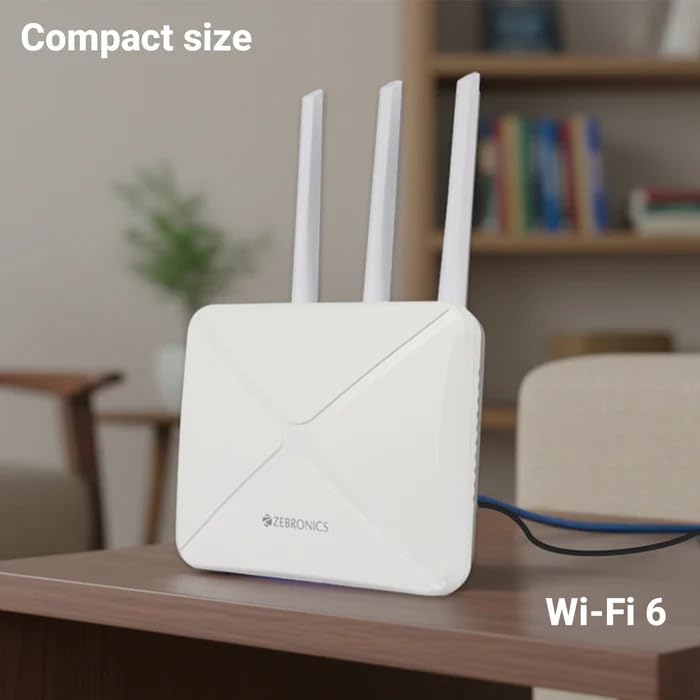
Image: The Zebronics ZEB-WR3004G router placed on a desk, illustrating its compact size and modern aesthetic.
4.1. Portijiet u Indikaturi
Iffamiljarizza ruħek mal-portijiet u l-indikaturi fuq ir-router tiegħek:
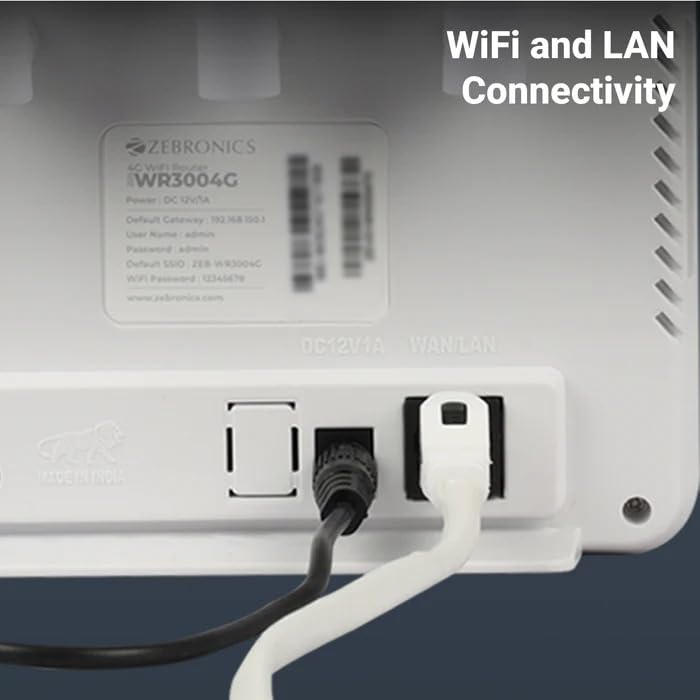
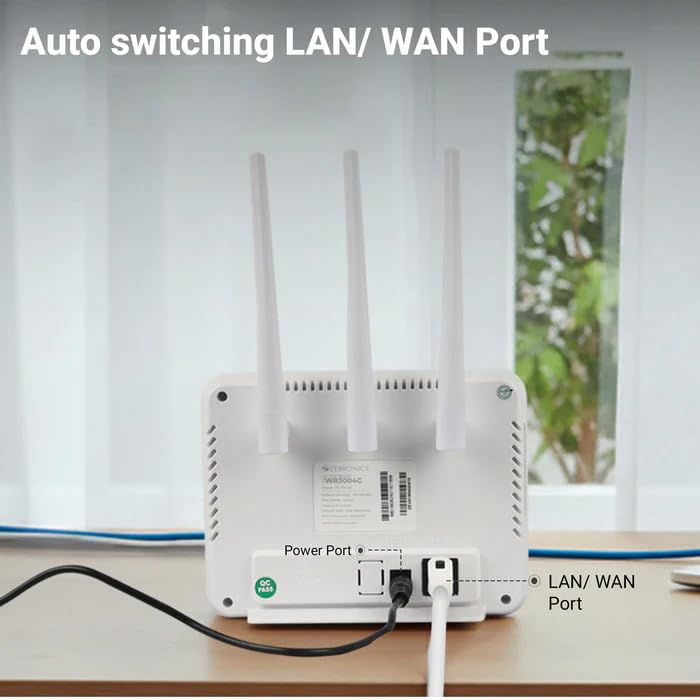
Immaġni: Wara view of the Zebronics ZEB-WR3004G router, highlighting the power port and the auto-switching LAN/WAN port.
- Port tal-Enerġija: Tqabbad mal-adapter tal-enerġija.
- Port tal-LAN/WAN: An auto-switching port for connecting to a wired network or an external modem.
- Slot tal-Kard SIM: For inserting a nano SIM card.
- Buttuna Irrisettja: Used to restore factory default settings (usually a small pinhole button).
- Indikaturi LED: Provide status information for power, internet connectivity, Wi-Fi, and signal strength.
5. Setup
5.1. Installazzjoni ta' SIM Card
- Kun żgur li r-router huwa mitfi.
- Locate the SIM card slot on the router.
- Insert a nano SIM card into the slot with the gold contacts facing down and the notched corner aligned correctly. Push until it clicks into place.
5.2. Konnessjoni tal-Enerġija
- Connect the supplied power adapter to the router's power port.
- Ipplaggja l-adapter tal-enerġija f'iżbokk tal-ħajt.
- The router will power on automatically. Wait for the LED indicators to stabilize, which may take a few minutes.
5.3. Konfigurazzjoni Inizjali
- Qabbad mal-Wi-Fi: On your computer or mobile device, search for available Wi-Fi networks. The default Wi-Fi name (SSID) and password are usually printed on a label on the bottom of the router.
- Access Admin Panel: Iftaħ a web browser u daħħal l-indirizz IP tal-gateway awtomatiku (eż.,
192.168.1.1) into the address bar. This IP address is also typically found on the router's label. - Idħol: Daħħal l-isem tal-utent u l-password awtomatiċi (eż.,
adminfor both). It is highly recommended to change these default credentials immediately for security. - Issettjar tan-Netwerk: Follow the on-screen wizard or navigate to the network settings to configure your internet connection. The router should automatically detect the SIM card and establish a connection.
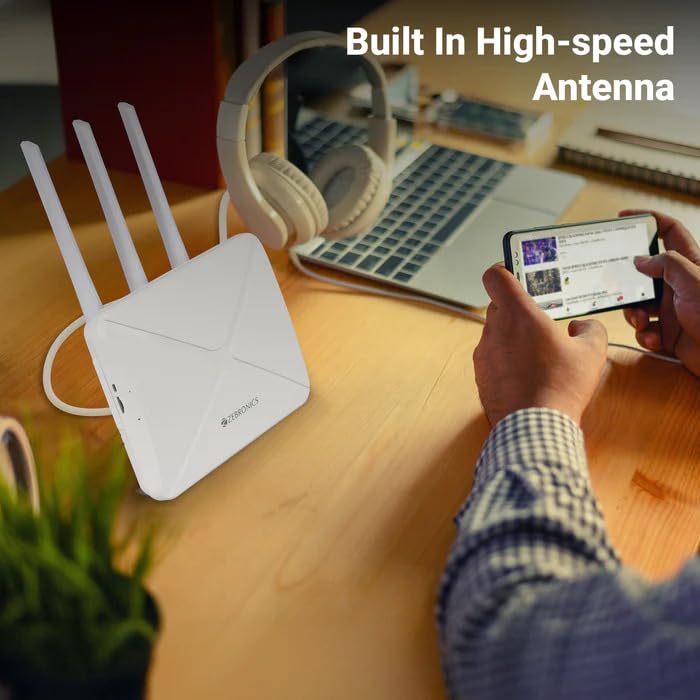
Image: The Zebronics ZEB-WR3004G router on a desk, emphasizing its built-in high-speed antenna system for optimal signal reception.
6. Istruzzjonijiet Operattivi
6.1. Mezzi ta 'Konnessjoni
- Konnessjoni Wi-Fi: On your wireless devices (smartphones, laptops, tablets), select the router's Wi-Fi network name (SSID) and enter the Wi-Fi password.
- Konnessjoni LAN: Use an Ethernet cable to connect devices like desktop computers, smart TVs, or gaming consoles to the LAN/WAN port on the router. The port automatically switches to LAN mode when a device is connected.
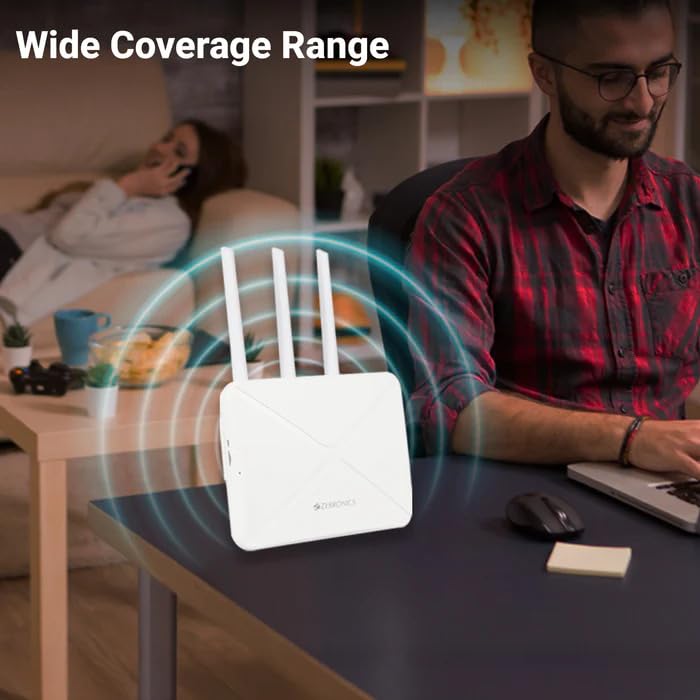
Image: The Zebronics ZEB-WR3004G router emitting a wide coverage range, indicating its ability to provide internet across a large area.
6.2. Settings tar-router
Aċċessa r-router web-based management interface (as described in Section 5.3) to configure advanced settings:
- Settings tal-Wi-Fi: Change SSID, password, security type (WPA2-PSK is recommended), and channel.
- Modalità tan-Netwerk: Configure 4G/5G specific settings if required by your service provider.
- LAN/WAN Configuration: Adjust IP address, DHCP server settings, or switch between LAN and WAN modes manually if auto-switching is not desired.
- Sigurtà: Set up firewall rules, port forwarding, and parental controls.
Image: The Zebronics ZEB-WR3004G router with visual cues indicating a faster and more efficient internet connection.
Image: The Zebronics ZEB-WR3004G router with visual representation of minimized network congestion, ensuring smoother data flow.
7. Manutenzjoni
7.1. Aġġornamenti tal-Firmware
Periodically check the Zebronics official website for firmware updates. Keeping your router's firmware up-to-date ensures optimal performance, security, and access to new features. Follow the instructions provided with the firmware update carefully.
7.2. Tindif
Uża drapp artab u niexef biex tnaddaf il-barra tar-router. Tużax prodotti tat-tindif likwidi jew aerosols, għax jistgħu jagħmlu ħsara lill-apparat.
7.3. Tqegħid Ottimali
For the best Wi-Fi coverage and signal strength, place the router in a central location in your home or office, away from obstructions like thick walls, metal objects, and other electronic devices that may cause interference.
8 Issolvi l-problemi
| Problema | Kawża Possibbli | Soluzzjoni |
|---|---|---|
| Ebda konnessjoni tal-internet | SIM card not inserted correctly, no data plan, network issue, incorrect APN settings. | Check SIM card insertion. Verify data plan with your service provider. Check APN settings in the router's admin panel. Restart the router. |
| Sinjal Wi-Fi dgħajjef | Router placement, interference, outdated firmware. | Relocate the router to a central, open area. Avoid placing near other electronics. Update firmware. |
| Cannot access admin panel | Incorrect IP address, wrong credentials, network conflict. | Ensure correct IP address (e.g., 192.168.1.1). Verify username and password. Try a different browser. Reset router to factory defaults if necessary. |
| LAN/WAN port not working | Faulty cable, incorrect settings, device issue. | Try a different Ethernet cable. Ensure the connected device is working. Check LAN/WAN settings in the admin panel. |
9. Speċifikazzjonijiet
| Karatteristika | Dettall |
|---|---|
| Mudell | ZEB-WR3004G |
| Kompatibilità | 4G and 5G Nano SIM cards |
| Sistema tal-antenna | Built-in High-speed Antenna, Multiple External Antennas |
| Portijiet | 1x LAN/WAN Auto-switching Port, Power Port |
| Sigurtà | WPA2-PSK encryption |
| Standards bla fili | 802.11b, 802.11g, 802.11n |
| Rata ta' Trasferiment tad-Data | Sa 150 Mbps |
| Kompatibilità tas-Sistema Operattiva | Android, iOS, macOS, Windows |
| Input tal-Enerġija | 12 Volts |
| Dimensjonijiet (LxWxH) | 20 x 15.2 x 18.5 ċm |
| Piż | 200 g |
10. Garanzija u Appoġġ
For warranty information and technical support, please refer to the warranty card included with your product or visit the official Zebronics websit. Żomm l-irċevuta tax-xiri tiegħek bħala prova tax-xiri għal talbiet ta' garanzija.
Zebronics Customer Support:
- Websit: www.zebronics.com
- Contact information can typically be found in the 'Support' or 'Contact Us' section of the websit.