1. Introduzzjoni
The Honeywell Xenon 1902GSR is a high-performance wireless handheld barcode scanner designed for efficient and reliable data capture. This device utilizes advanced area-imaging technology to read both 1D and 2D barcodes, including those that are damaged, smudged, or displayed on digital screens. With Bluetooth connectivity, it offers cordless operation, enhancing mobility and reducing workspace clutter. This manual provides essential information for the proper setup, operation, and maintenance of your barcode reader.
2. Informazzjoni dwar is-Sigurtà
- Tesponix l-apparat għal temperaturi estremi, umdità, jew sustanzi korrużivi.
- Avoid direct eye exposure to the scanner's light source.
- Uża biss aċċessorji u adapters tal-enerġija approvati mill-manifattur.
- Tippruvax tiżżarma jew issewwi l-apparat int stess. Irreferi għal persunal tas-servizz kwalifikat.
- Armi l-batteriji skont ir-regolamenti lokali.
3. Kontenut tal-Pakkett
Ivverifika li l-oġġetti kollha huma preżenti fil-pakkett tiegħek:
- Honeywell Xenon 1902GSR Barcode Reader
- Communication/Charging Cradle (CCB01-010BT)
- Cable USB
- Gwida Quick Start (dan il-manwal)
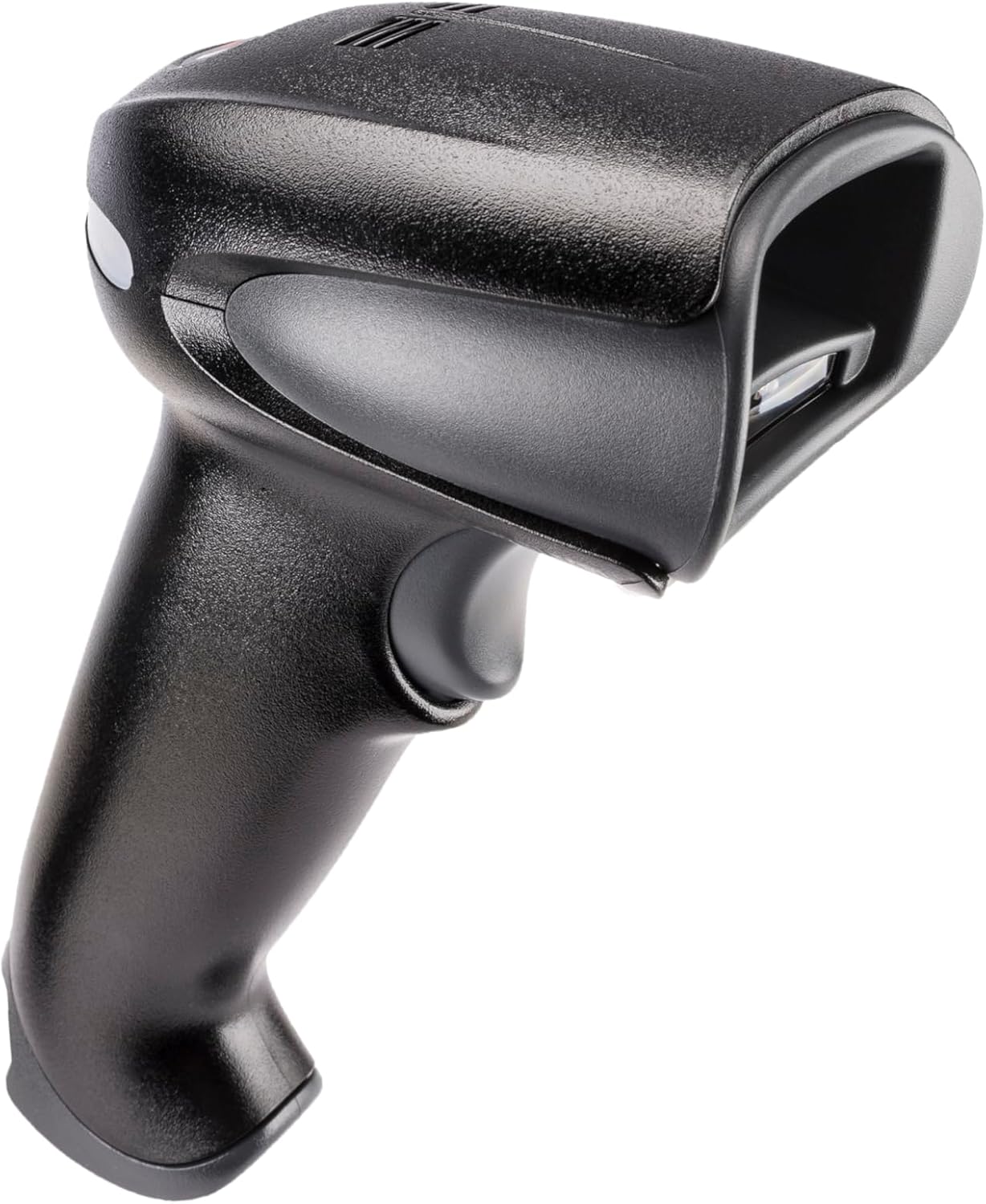
Figure 1: Honeywell Xenon 1902GSR Barcode Reader (Handheld Unit)

Figure 2: Honeywell Xenon 1902GSR Barcode Reader with its Communication/Charging Cradle
4. Setup u Installazzjoni
4.1 Iċċarġjar tal-batterija
- Connect the USB cable to the communication/charging cradle.
- Plug the other end of the USB cable into a powered USB port on your computer or a USB wall adapter.
- Place the barcode reader into the cradle. Ensure it is seated correctly.
- The scanner's indicator light will show charging status. Allow several hours for a full charge before first use.
4.2 Connecting the Cradle to a Host System
The cradle connects to your host system (e.g., computer, POS terminal) via the supplied USB cable.
- Ensure the host system is powered on.
- Connect the USB cable from the cradle to an available USB port on your host system.
- The system should automatically detect and install the necessary drivers. If not, refer to the Honeywell support websit għat-tniżżil tas-sewwieqa.
4.3 Pairing the Scanner with the Cradle
The scanner and cradle are typically pre-paired at the factory. If re-pairing is necessary:
- Kun żgur li l-iskaner huwa ċċarġjat u mixgħul.
- Scan the "Link" barcode found on the bottom of the communication/charging cradle.
- The scanner will emit a series of beeps to indicate successful pairing.
5. Istruzzjonijiet Operattivi
5.1 Skennjar Bażiku
- Hold the scanner with the scan window facing the barcode.
- Press and hold the trigger button. An aiming beam will appear.
- Iċċentra r-raġġ li jimmira fuq il-barcode.
- Once the barcode is successfully read, the scanner will emit a beep and the indicator light will flash green.
- Itlaq il-grillu.
5.2 Reading 1D and 2D Barcodes
The Xenon 1902GSR is capable of reading a wide variety of 1D (e.g., UPC/EAN, Code 39) and 2D (e.g., QR Code, Data Matrix, PDF417) barcodes. For optimal performance, ensure the barcode is well-lit and the scanner is held at an appropriate distance.
5.3 Medda Bluetooth
The scanner operates wirelessly up to 33 feet (10 meters) from its communication cradle. Performance may vary depending on environmental factors and obstacles.
6. Manutenzjoni
6.1 Tindif tal-Apparat
- Uża drapp artab u nadifampened with water or a mild cleaning solution to wipe the exterior of the scanner and cradle.
- Tużax prodotti tat-tindif li joborxu, solventi, jew kimiċi ħarxa.
- Keep the scan window clean and free of dust and smudges for optimal reading performance.
6.2 Kura tal-Batterija
- For best battery life, avoid fully discharging the battery frequently.
- Aħżen l-apparat f'post frisk u niexef meta ma jkunx qed jintuża għal perjodi twal.
- If the battery performance significantly degrades, it may need replacement. Contact Honeywell support for authorized battery replacement options.
7 Issolvi l-problemi
| Problema | Kawża Possibbli | Soluzzjoni |
|---|---|---|
| L-iskaner mhux qed jixgħel | Batterija baxxa jew eżawrita | Place scanner in cradle to charge. Ensure cradle is powered. |
| L-iskaner mhux qed jaqra l-barcodes | Barcode damaged/poor quality; improper scanning technique; dirty scan window | Try scanning a different barcode. Adjust distance/angle. Clean scan window. |
| No data transmitted to host | Scanner not paired; USB cable disconnected; incorrect host interface settings | Re-pair scanner with cradle. Check USB cable connection. Verify host system settings. |
| Konnessjoni intermittenti | Out of range; interference | Move scanner closer to cradle. Reduce sources of interference (e.g., other Bluetooth devices, Wi-Fi routers). |
8. Speċifikazzjonijiet
| Karatteristika | Dettall |
|---|---|
| Mudell | 1902GSR |
| Konnettività | Bluetooth Class 2, v2.1 EDR; USB (via cradle) |
| Skennjar Mudell | Area Image (838 x 640 pixel array) |
| Kapaċità tad-Dekowdjar | 1D, 2D, PDF417 |
| Firxa Wireless | Up to 33 ft (10 m) line of sight |
| Batterija | Lithium-Ion, 1800 mAh (minimum) |
| Dimensions (Scanner) | 4 x 6 x 3 pulzieri (approssimattiv) |
| Weight (Scanner) | 1 libbra (approssimattiv) |
| Temperatura operattiva | 0°C sa 50°C (32°F sa 122°F) |
9. Garanzija u Appoġġ
Honeywell products are designed for reliability and performance. For specific warranty details, please refer to the warranty card included with your product or visit the official Honeywell website. For technical support, driver downloads, or service inquiries, please visit www.honeywell.com/us/en/support or contact your local Honeywell representative.
ASIN: B0G1PTY418
Data L-Ewwel Disponibbli: 10 ta’ Novembru, 2025