1. Introduzzjoni
This manual provides essential information for the setup, operation, maintenance, and troubleshooting of your Thunderobot Zero 18 Pro Gaming Laptop. Please read this manual thoroughly before using your device to ensure optimal performance and longevity.
2. Setup
2.1 Tneħħija tal-kaxxa u Spezzjoni Inizjali
Neħħi l-komponenti kollha mill-imballaġġ bir-reqqa. Ivverifika li l-oġġetti kollha elenkati fit-taqsima "X'hemm fil-Kaxxa" huma preżenti u mhux imħassra. Jekk xi oġġetti huma neqsin jew imħassra, ikkuntattja l-appoġġ għall-klijenti immedjatament.
- THUNDEROBOT Zero 18 Laptop
- Adapter tal-Enerġija
- Dokumentazzjoni (dan il-manwal)
2.2 Konnessjoni tal-Adapter tal-Enerġija
Qabbad l-adapter tal-enerġija mal-port tad-dħul tal-enerġija tal-laptop u mbagħad daħħalha f'sokit tal-ħajt. Huwa rakkomandat li tiċċarġja l-batterija kompletament qabel l-ewwel użu.
Immaġni: Wara view of the Thunderobot Zero 18 Pro laptop showing the power input port and other connections.
2.3 L-Ibbutjar Inizjali u s-Setup tal-Windows
Agħfas il-buttuna tal-qawwa biex tixgħel il-laptop. Segwi l-istruzzjonijiet fuq l-iskrin biex tlesti l-proċess tas-setup tal-Windows 11 Home. Dan jinkludi l-għażla tar-reġjun tiegħek, il-lingwa, il-konnessjoni ma' netwerk, u l-ħolqien ta' kont tal-utent.
3. Istruzzjonijiet Operattivi
3.1 Tastiera u Touchpad
The laptop features a full-featured backlit keyboard with a numeric pad and a responsive touchpad. Refer to the image below for key layout and special function keys.
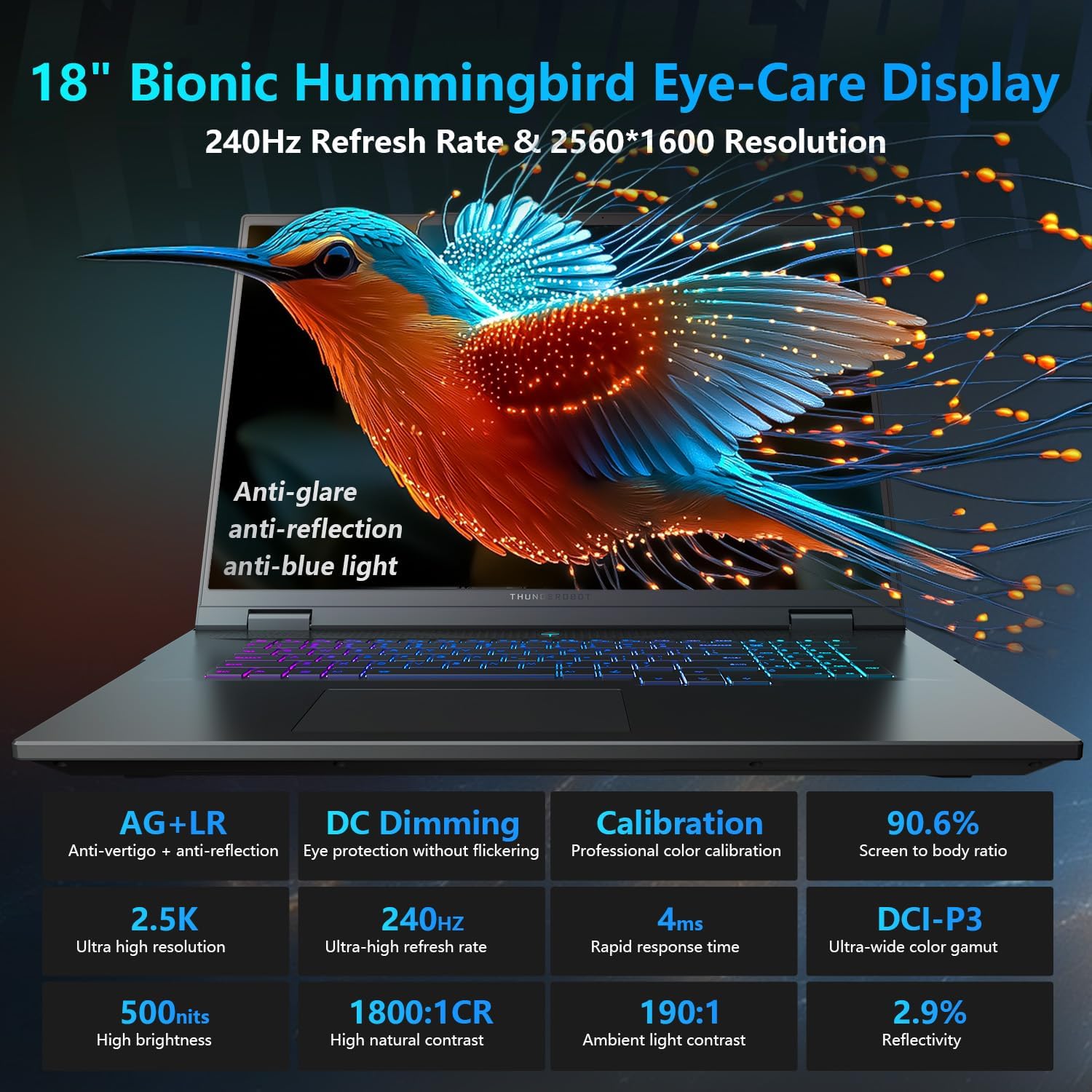
Image: Close-up of the Thunderobot Zero 18 Pro's per-key RGB backlit keyboard and touchpad.
Ċwievet tal-Funzjoni: Uża l- Fn key in combination with the F1-F12 keys for various functions such as adjusting brightness, volume, and toggling Wi-Fi.
3.2 Karatteristiċi tal-Wiri
Your laptop is equipped with an 18-inch QHD+ 2.5K Eye-Care display with a 240Hz refresh rate. This display offers anti-glare, anti-reflection, and blue-light reduction features for extended viewkumdità.

Image: The Thunderobot Zero 18 Pro laptop display showcasing its vibrant QHD+ resolution and narrow bezels.
3.3 Portijiet tal-Konnettività
The laptop provides a range of ports for connecting peripherals and external devices:
- 3x SuperSpeed USB-A ports
- 2x USB-C ports (including Thunderbolt 5)
- Port HDMI
- Port Ethernet RJ-45
- Jack awdjo

Immaġni: Ġenb view of the Thunderobot Zero 18 Pro laptop highlighting the various connectivity ports.
3.4 AI Intelligent Control Center
Utilize the pre-installed AI Intelligent Control Center software to manage performance modes, RGB lighting, and monitor system status. System mode switching requires the device to be connected to a power source.
Image: Screenshot of the AI Intelligent Control Center software interface, showing options for performance tuning, intelligent light adjustment, and comprehensive system adjustments.
4. Manutenzjoni
4.1 Tindif tal-Laptop
Regularly clean the screen with a soft, lint-free cloth and a screen-safe cleaning solution. Use a soft brush or compressed air to remove dust from the keyboard and ventilation grilles. Avoid using harsh chemicals or abrasive materials.
4.2 Kura tal-Batterija
To prolong battery life, avoid fully discharging the battery frequently. Store the laptop in a cool, dry place when not in use for extended periods. The laptop supports 100W PD charging.
4.3 Aġġornamenti tas-Software
Keep your operating system and drivers updated to ensure optimal performance and security. Check the Thunderobot official websit għall-aħħar aġġornamenti tas-sewwieqa għall-mudell speċifiku tiegħek.
5 Issolvi l-problemi
5.1 Il-Laptop Ma Jixgħelx
- Kun żgur li l-adapter tal-enerġija huwa konness sew kemm mal-laptop kif ukoll ma' sokit tal-enerġija li jaħdem.
- Ivverifika li s-sokit tal-enerġija jaħdem billi tqabbad apparat ieħor.
- Jekk il-batterija tkun ixxotta kompletament, ħalliha tiċċarġja għal mill-inqas 30 minuta qabel ma tipprova tixgħelha.
5.2 Kwistjonijiet tal-Wiri
- If the screen is black, try adjusting the brightness using the function keys.
- Qabbad monitor estern biex tivverifika jekk il-problema hijiex fid-displej tal-laptop jew fil-karta grafika.
- Update your graphics drivers via the AI Intelligent Control Center or Thunderobot's official websit.
5.3 Tnaqqis fil-Prestazzjoni
- Check for background applications consuming high CPU or RAM resources using Task Manager.
- Ensure the laptop's cooling system is not obstructed and is functioning correctly. Use the AI Intelligent Control Center to monitor temperatures and fan speeds.
- Run a disk cleanup and defragmentation (for HDDs) or TRIM (for SSDs) to optimize storage.
6. Speċifikazzjonijiet
| Karatteristika | Dettall |
|---|---|
| Isem tal-Mudell | ZERO 18 Pro |
| Proċessur | Intel Core Ultra 9 275HX (24 Cores, up to 5.40GHz) |
| Grafika | GeForce RTX 5070 Ti (Dedicated) |
| RAM | 32GB DDR5 (4800 MHz) |
| Ħażna | SSD PCIe M.2 ta' 1TB |
| Wiri | 18-inch QHD+ (2560x1600) 240Hz Eye-Care Display |
| Sistema Operattiva | Windows 11 Home |
| Konnettività bla fili | Wi-Fi 6E, Bluetooth |
| Portijiet | 3x USB-A, 2x USB-C (Thunderbolt 5), HDMI, RJ-45, Audio Jack |
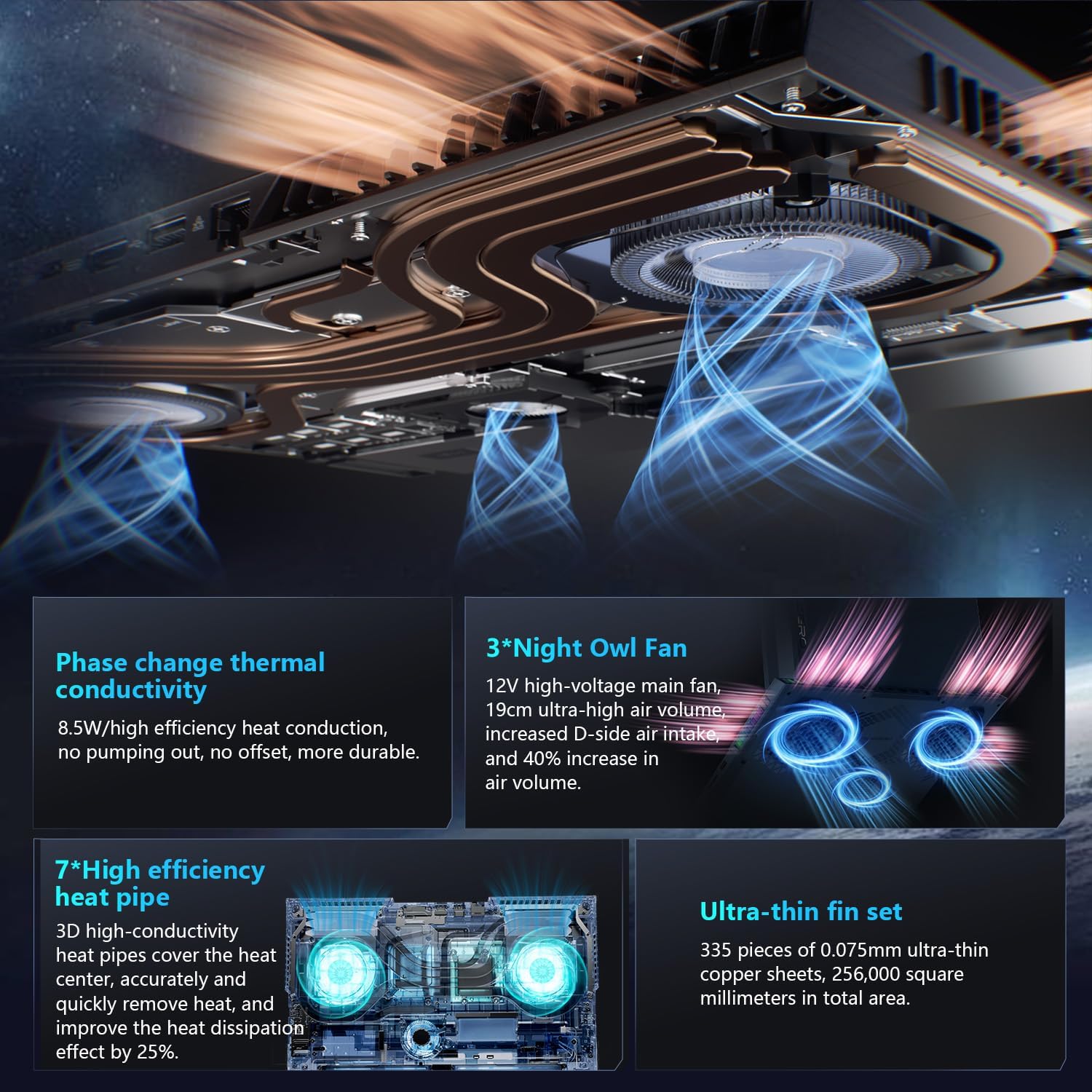
| Sistema tat-tkessiħ | 270W Thermal System with 3x Night Owl fans, 7x heat pipes |
| Dimensjonijiet (LxWxH) | 16.04 x 11.78 x 1.41 pulzieri |
| Piż | 15 liri |
7. Garanzija u Appoġġ
Every Thunderobot laptop includes a 12-month warranty, offering expert support, thorough diagnostics, and genuine parts if a repair is needed. A 90-day warranty is provided on all warranty replacement parts, ensuring hassle-free repairs.
For technical assistance, warranty claims, or further information, please visit the official Thunderobot support website or contact their customer service. Upgrading RAM or adding a second SSD may void the warranty; please consult with customer service before making such modifications.
Image: Graphic detailing Thunderobot's warranty and support policy.
8. Vidjows tal-Prodott
8.1 THUNDEROBOT Gaming E-Sports Partner
Vidjo: Overview of Thunderobot's involvement in e-sports and their commitment to gaming performance.
8.2 THUNDEROBOT Series Display
Video: A demonstration of the display features and visual quality of the Thunderobot Zero series laptops.
8.3 Thunderobot RGB lights
Video: A showcase of the customizable RGB lighting features on Thunderobot laptops, including keyboard and chassis lighting.


