1. Prodott Aktarview
The VENTION 6-in-1 USB C Docking Station is a versatile adapter designed to expand the connectivity of your USB-C enabled laptop or device. It integrates multiple essential ports into a single, compact unit, making it ideal for mobile professionals and streamlined workstations.

Figure 1: VENTION 6-in-1 USB C Docking Station with various connected devices.
Karatteristiċi ewlenin:
- Ħruġ HDMI 4K: Connect to external displays for high-resolution video output.
- Twassil tal-Enerġija ta' 100W (PD): Charge your host device while using the hub.
- Trasferiment tad-Data USB 3.0: Two USB-A ports for high-speed peripheral connections.
- Qarrejja tal-Kards SD/TF: Direct access to photos and files minn karti tal-memorja.
- Disinn Durabbli: Constructed with an aluminum body for effective heat dissipation and portability.

Figura 2: Dettaljat view of the VENTION 6-in-1 USB C Docking Station ports.
2. Istruzzjonijiet ta' Setup
2.1 Kontenut tal-Pakkett
Before you begin, ensure all items are present:
- VENTION 6-in-1 USB C Docking Station (Model THJHB)
- Integrated USB-C Host Cable
2.2 Konnessjoni tal-Istazzjon tad-Docking
- Connect the integrated USB-C host cable from the docking station to a compatible USB-C port on your laptop or device. Ensure your device's USB-C port supports DisplayPort Alternate Mode (DP Alt Mode) for video output and Power Delivery for charging.
- For Power Delivery (PD) charging, connect your laptop's original USB-C power adapter to the USB-C PD IN port on the docking station. This allows the hub to pass power through to your host device while providing power to connected peripherals.
- The docking station is plug-and-play and typically does not require driver installation for basic functionality.

Figure 3: Connecting the docking station for 100W Power Delivery.
2.3 Kompatibilità
The VENTION 6-in-1 USB C Docking Station is widely compatible with various operating systems and devices:
- Sistemi Operattivi: Windows, Mac OS, iPad OS, Chrome OS, Android.
- Apparati Kompatibbli: MacBook Air, MacBook Pro, iMac, Mac mini, iPad Pro, iPad Air, iPad, iPad mini, Galaxy Tab, Surface Pro, Samsung S22/S21, OnePlus 11, Steam Deck, and other USB-C devices that support DP Alt Mode.
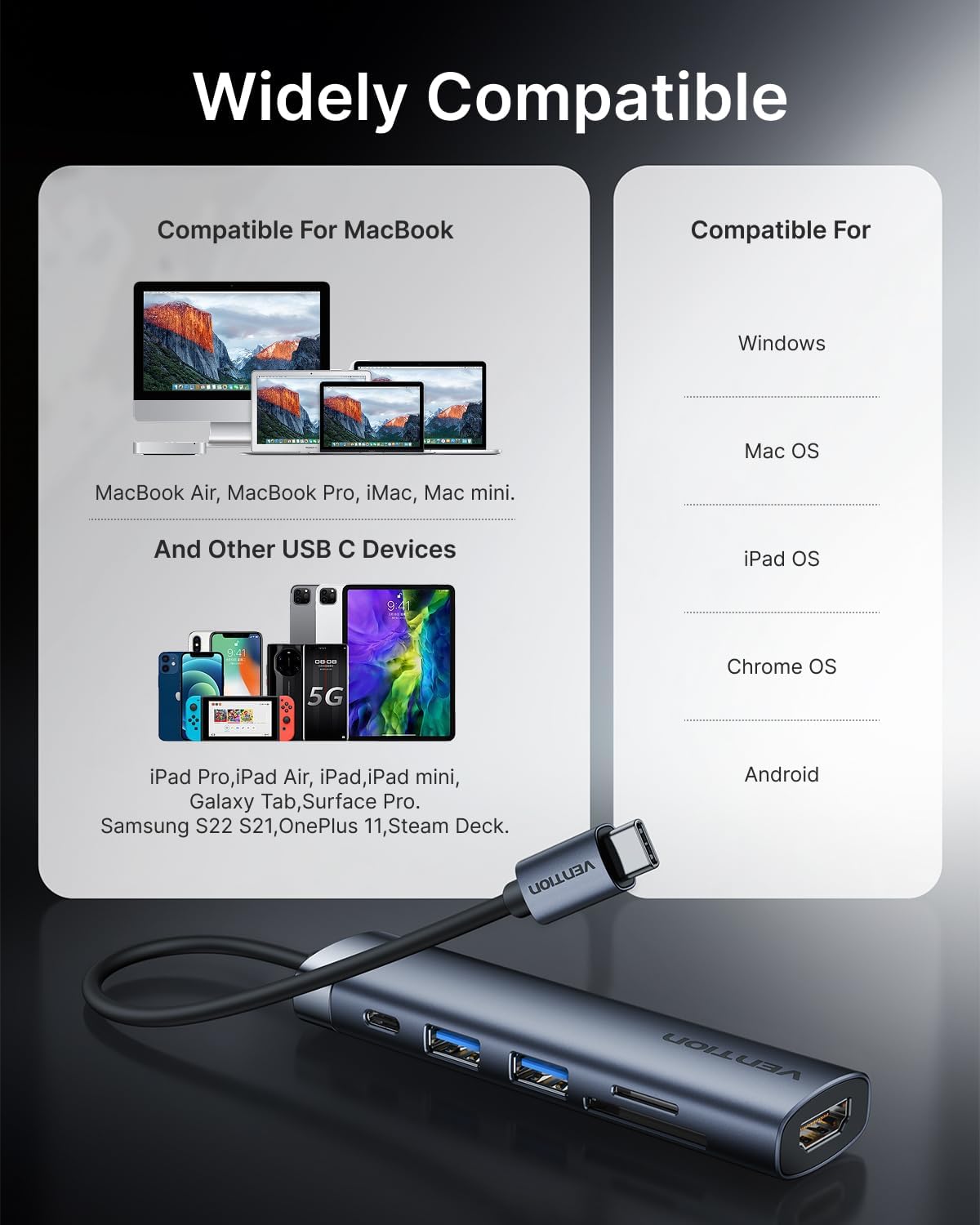
Figura 4: Kompatibbiltà fuqview for the docking station.
Importanti: For full functionality, especially video output and Power Delivery, ensure your host device's USB-C port supports DisplayPort Alternate Mode (DP Alt Mode) and Power Delivery. Refer to your device's specifications or user manual.
3. Tħaddim tal-Istazzjon tad-Docking
Ħruġ tal-Vidjo HDMI 3.1
Connect an HDMI cable from the docking station's HDMI port to your external monitor, TV, or projector. The hub supports resolutions up to 4K at 30Hz.
- Modalità mera: Duplicate your laptop's screen on the external display.
- Modalità Estendi: Extend your desktop across multiple screens for increased workspace.
Adjust display settings through your operating system's display preferences.
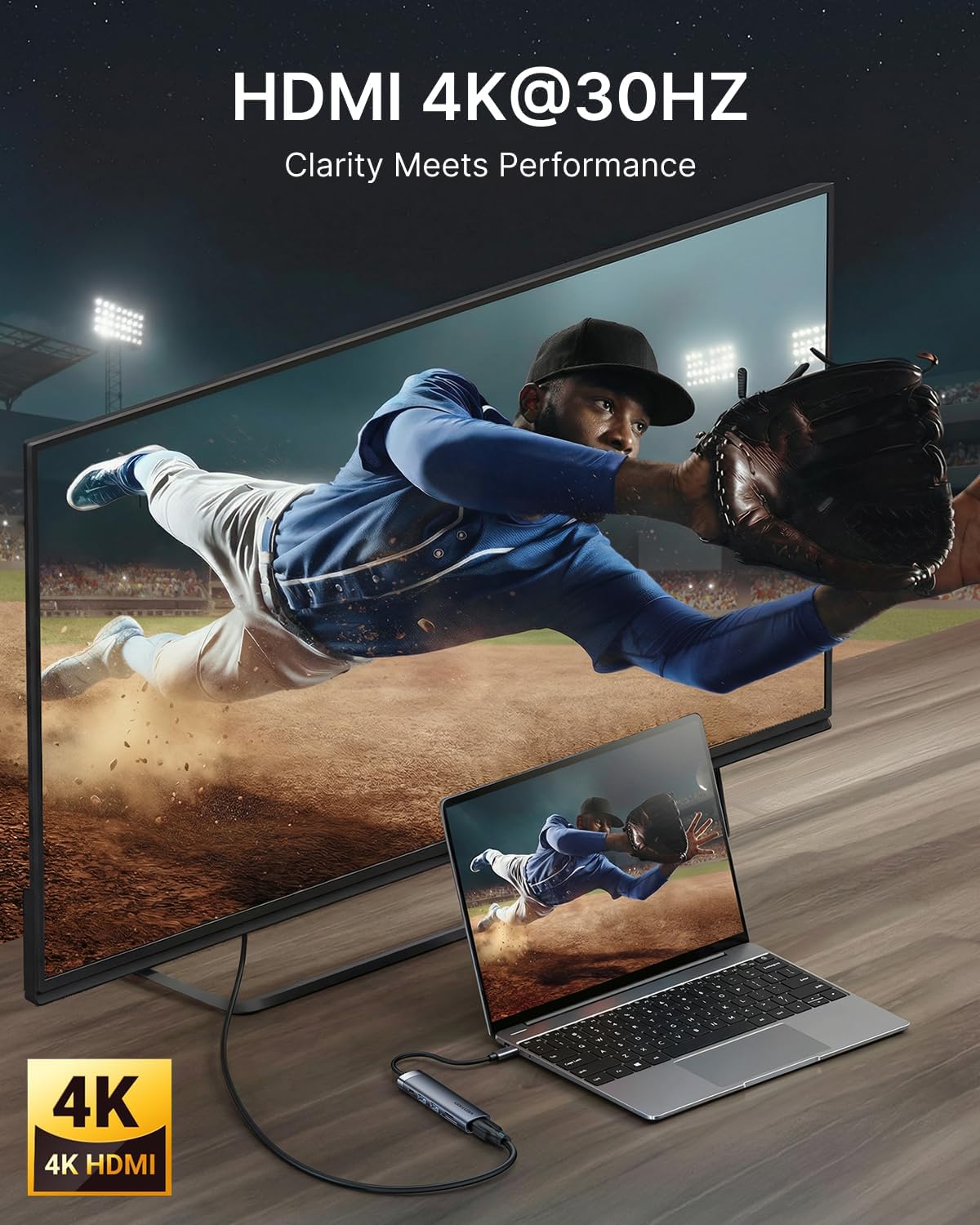
Figure 5: 4K HDMI output connection.
3.2 Trasferiment tad-Data tal-USB
The docking station features two USB 3.0 ports, offering data transfer speeds up to 5Gbps. These ports are suitable for connecting a variety of USB peripherals:
- Hard drives esterni
- USB flash drives
- Tastieri u ġrieden
- Printers and other USB-enabled accessories

Figure 6: USB 3.0 ports for high-speed data transfer.
Qarrej tal-Kards SD/TF 3.3
Insert your SD or microSD (TF) card into the corresponding slot for quick access to your media files. The card readers support various card types and offer fast data transfer speeds (up to 104MB/s).

Figure 7: Using the integrated SD and TF card readers.
4. Manutenzjoni
4.1 Tindif
To maintain optimal performance and appearance, clean the docking station regularly:
- Disconnect the device from all power sources and host devices before cleaning.
- Use a soft, dry, lint-free cloth to wipe the exterior.
- Avoid using harsh chemicals, abrasive cleaners, or solvents, as these can damage the finish.
- For ports, use compressed air to gently remove dust and debris.
4.2 Ħażna u Immaniġġjar
Proper storage and handling will extend the life of your docking station:
- Aħżen l-apparat f'post frisk u niexef 'il bogħod mix-xemx diretta u minn temperaturi estremi.
- Avoid bending or twisting the integrated USB-C cable excessively.
- The aluminum body is designed for heat dissipation; ensure adequate airflow around the device during operation.
5 Issolvi l-problemi
If you encounter issues with your VENTION 6-in-1 USB C Docking Station, refer to the following common problems and solutions:
5.1 No Display on External Monitor
- Iċċekkja l-Konnessjonijiet tal-Cable: Kun żgur li l-kejbil HDMI huwa konness sew kemm mad-docking station kif ukoll mal-monitor.
- Verify USB-C Port: Confirm that your laptop's USB-C port supports DisplayPort Alternate Mode (DP Alt Mode). Not all USB-C ports support video output.
- Input tal-monitor: Select the correct HDMI input source on your monitor.
- Settings tar-Riżoluzzjoni: Try lowering the display resolution on your laptop to see if the monitor detects the signal.
- Irristartja l-Apparati: Disconnect and reconnect the docking station, then restart your laptop and monitor.
5.2 USB Devices Not Recognized
- Ikkonnettja mill-ġdid: Unplug and re-plug the USB device into the docking station.
- Ittestja Port Ieħor: Try connecting the USB device to a different USB port on the docking station or directly to your laptop.
- Provvista tal-Enerġija: If using power-hungry USB devices (e.g., external hard drives), ensure your laptop's power adapter is connected to the docking station's USB-C PD IN port.
- Aġġornamenti tas-sewwieq: Ensure your laptop's USB-C drivers are up to date.
5.3 Veloċitajiet Baxxi tat-Trasferiment tad-Dejta
- Kompatibilità USB 3.0: Ensure both the connected device and your laptop's USB-C port support USB 3.0 or higher for optimal speeds.
- Interferenza: Avoid placing the docking station near sources of electromagnetic interference.
5.4 Charging Issues (PD)
- Adapter tal-Enerġija: Use your laptop's original power adapter or a certified USB-C PD charger with sufficient wattage (up to 100W supported).
- Port USB-C: Confirm your laptop's USB-C port supports Power Delivery.
- Kwalità tal-Kejbil: Ensure the USB-C cable connecting your power adapter to the hub is rated for Power Delivery.
6. Speċifikazzjonijiet
| Karatteristika | Dettall |
|---|---|
| Dimensjonijiet tal-Prodott | 4.34 x 1.12 x 0.59 pulzieri |
| Piż tal-oġġett | 2.08 uqija |
| Numru tal-Mudell tal-Oġġett | THJHB |
| Brand | VENZZJONI |
| Kulur | Griż |
| Rata ta' Trasferiment tad-Data | 5 Gigabits Kull Sekonda (USB 3.0) |
| Materjal | Aluminju |
| Karatteristiċi Speċjali | Fast Data Transfer, Lightweight, Pass Through Charge, Plug and Play, Portable |
| Ħruġ HDMI | 4K@30Hz |
| Input USB-C PD | Sa 100W |
| Qarrej tal-Kard | SD, MikroSD (TF) |
7. Garanzija u Appoġġ
For warranty information or technical support, please refer to the documentation included with your purchase or visit the official VENTION website. Contact details for customer service can typically be found on the product packaging or the manufacturer's support page.


