Introduzzjoni
This manual provides comprehensive instructions for the safe and effective use of your Jadfezy 1080P Action Camera. Please read this manual thoroughly before operating the device and retain it for future reference.
Karatteristiċi ewlenin:
- Ultra HD 1080P Video Recording: Capture videos at 1080P / 30fps and 12MP photos.
- Skrin LCD ta' 2 pulzieri: View recorded moments in real-time.
- Multifunzjonalità: Supports time-lapse video, loop recording, dash cam mode, timed photo, burst photo, self-timer, and long-exposed photo modes.
- Batteriji Riċarġabbli Doppji: Equipped with 2x900mAh batteries, each providing over 2 hours of recording.
- 30M/98FT Waterproof: IP68 certified waterproof case for underwater activities.
- Extensive Accessories Kit: Includes mounts for helmets, bicycles, and other uses.
X'hemm fil-Kaxxa
Your Jadfezy Action Camera package includes the following items:
- Kamera ta 'Azzjoni 1080P
- Kawża li ma jgħaddix ilma minnha
- 2x 900mAh Rechargeable Batteries
- Ċarġer tal-batterija
- Cable tal-Iċċarġjar tal-USB
- Helmet Mounting Kit
- Bicycle Mounting Kit
- Diversi Muntaturi u Adapters
- Drapp tat-Tindif
- Manwal tal-Utent (Gwida ta' Bidu Mgħaġġel)

Image: Contents of the Jadfezy Action Camera package, including the camera, waterproof case, batteries, and various mounts.
Setup
1. Installazzjoni u Iċċarġjar tal-batterija
- Iftaħ l-għatu tal-kompartiment tal-batterija fil-qiegħ tal-kamera.
- Insert a fully charged 900mAh Lithium-Ion battery, ensuring correct polarity.
- Agħlaq il-kompartiment tal-batterija sew.
- To charge, use the provided USB cable and battery charger. Each battery provides over 2 hours of recording time.

Image: Two rechargeable 900mAh batteries for the action camera.
2. Memory Card Installation (Micro SD)
A Micro SD card (not included with all models) is required for storing photos and videos. Insert the Micro SD card into the designated slot until it clicks into place. Ensure the card is formatted before first use via the camera settings.
3. Attaching the Waterproof Case
For underwater use or protection against dust and impact, place the camera inside the waterproof case. Ensure the case is properly sealed before use. The case is rated for depths up to 30 meters (98 feet).
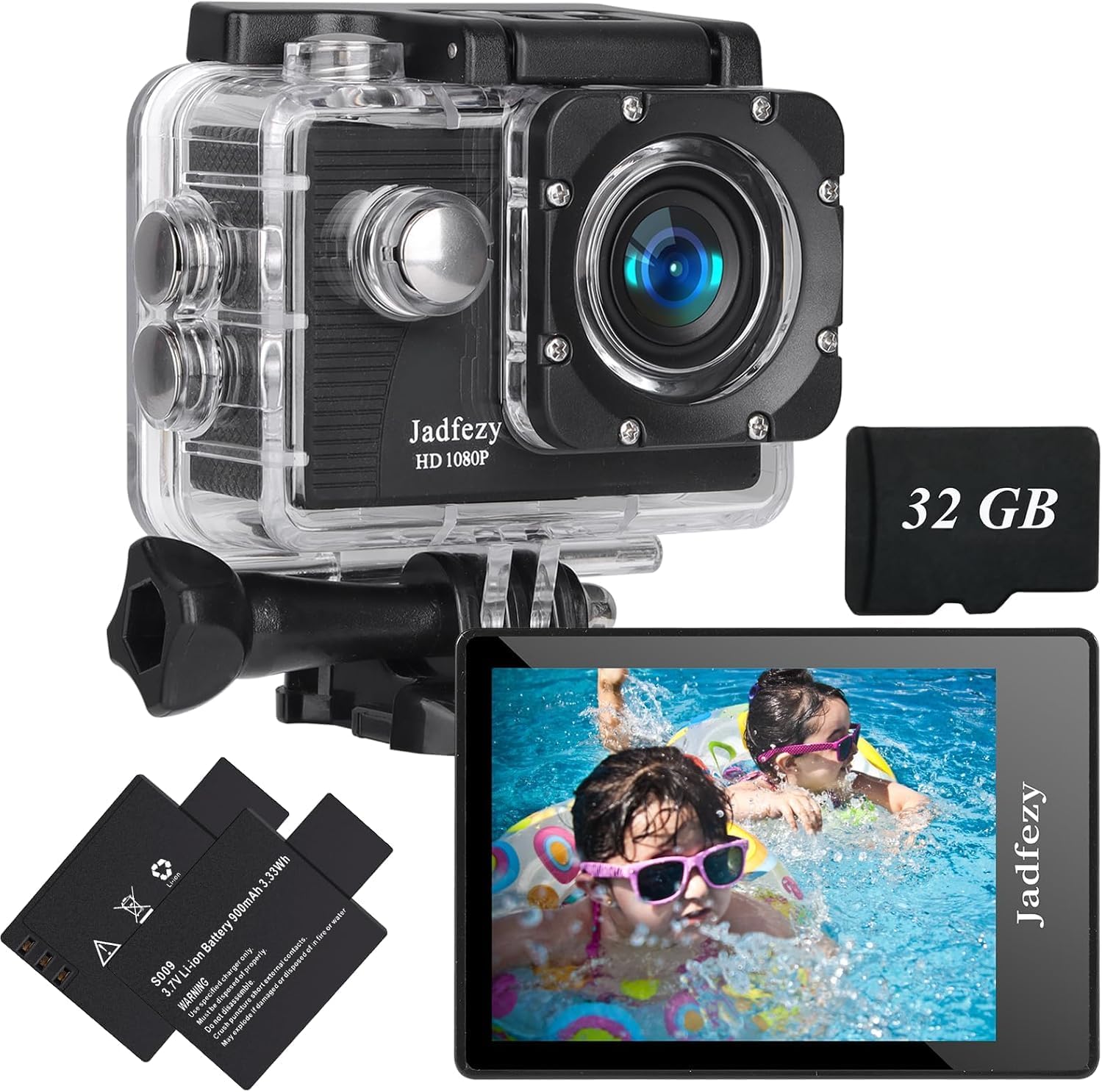
Image: The Jadfezy Action Camera enclosed within its transparent waterproof housing, ready for use.
Istruzzjonijiet Operattivi
1. Power On/Off
Press and hold the Power/Mode button (usually on the front or top) for a few seconds to turn the camera on or off.
2. Qlib tal-Modi
Press the Power/Mode button repeatedly to cycle through different modes (Video, Photo, Playback, Settings).
3. Recording Videos / Taking Photos
In Video mode, press the OK/Shutter button to start recording. Press again to stop. In Photo mode, press the OK/Shutter button to take a picture.
4. Konnettività tal-Wi-Fi u Użu tal-App
To enable Wi-Fi, power on the camera and press the Up/Wi-Fi button. The Wi-Fi icon will appear on the screen. Download the "Fun DV" app from your device's app store (scan the QR code in the quick start guide for direct link). Connect your phone/tablet to the camera's Wi-Fi network (usually named "Fun DV_XXXX"). The temporary password will be displayed on the camera screen. Once connected, you can control the camera, view foo ħajtage, u trasferiment files permezz tal-app.
Video: Demonstrates how to connect the Jadfezy Action Camera to a mobile device via Wi-Fi and use the companion app for remote control and file trasferiment.
Vidjo: Preċedenza qasiraview showing the camera's Wi-Fi connectivity and app interface for remote operation.
5. Advanced Modes
Explore various shooting modes like time-lapse video, loop recording (for dash cam use), burst photos, and self-timer photos through the camera's settings menu.

Image: Visual representation of various shooting modes including self-timer, dash cam, time-lapse, and burst photo.
Manutenzjoni
- Tindif: Use the provided cleaning cloth to gently wipe the camera lens and screen. Do not use harsh chemicals.
- Ħażna: Aħżen il-kamera f'post frisk u niexef 'il bogħod mix-xemx diretta u minn temperaturi estremi.
- Kura tal-batterija: Neħħi l-batteriji jekk il-kamera ma tkunx se tintuża għal perjodu twil ta’ żmien.
- Kawża li ma jgħaddix ilma minnha: After each use in water, rinse the waterproof case with fresh water and allow it to air dry. Check the rubber seal for any damage regularly.
Issolvi l-problemi
- Kamera ma Tixgħel: Kun żgur li l-batterija hija ċċarġjata kompletament u mdaħħla b'mod korrett.
- Żball fil-Karta tal-Memorja: Reformat the Micro SD card via the camera settings. If the issue persists, try a different, compatible Micro SD card.
- Kwistjonijiet ta' Konnessjoni Wi-Fi: Ensure Wi-Fi is enabled on the camera and your mobile device. Verify the correct network name and password. Restart both devices if necessary.
- Poor Video/Photo Quality: Check the selected resolution settings. Ensure the lens is clean and free from smudges.
- Ħajja Qasira tal-Batterija: Kun żgur li l-batteriji huma ċċarġjati kompletament. Ikkunsidra li ġġorr batteriji ċċarġjati żejda għal użu estiż.
Speċifikazzjonijiet
| Brand | Jadfezy |
| Numru tal-Mudell | J-03series |
| Riżoluzzjoni tal-vidjo | 1080p / 30fps (Max) |
| Riżoluzzjoni tar-Ritratti | 12MP |
| Daqs tal-Iskrin | LCD ta' 2 pulzieri |
| Fond li ma jgħaddix ilma minnu | 30m / 98ft (with waterproof case) |
| Kapaċità tal-batterija | 2x 900mAh Lithium Ion |
| Tip ta' Memorja Flash | Mikro SD |
| Teknoloġija tal-Konnettività | HDMI, USB, Wi-Fi |
| Piż tal-oġġett | 12.3 uqija |
Garanzija u Appoġġ
For warranty information and customer support, please refer to the detailed user manual provided in the package or contact Jadfezy customer service. Keep your purchase receipt as proof of purchase for warranty claims.


