1. Introduzzjoni
This manual provides detailed instructions for the installation, operation, and maintenance of your GUOANVISION S300 6MP Dual Lens 5G Outdoor Security Camera. This camera features 6MP UHD resolution, dual lenses for comprehensive coverage, 6x manual zoom, color night vision, 5G/2.4G WiFi connectivity, IP66 waterproofing, 2-way audio, motion tracking, and multiple alarm modes. Please read this manual thoroughly before use to ensure proper functionality and safety.
2. X'hemm fil-Kaxxa
- Unità tal-kamera
- Korda tal-enerġija
- Installation parts (screws, wall anchors)
- Manwal għall-utent
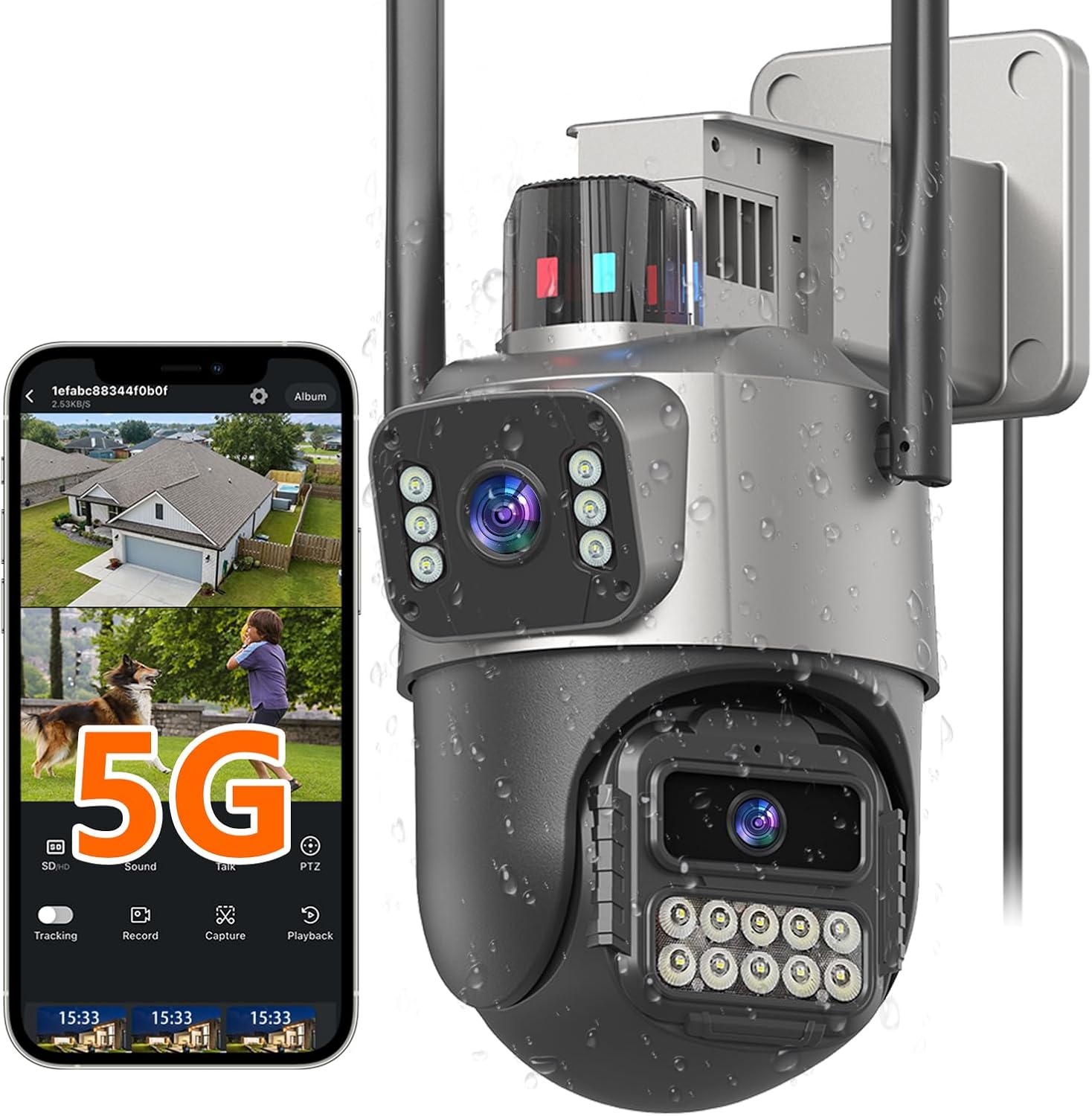
Image: The GUOANVISION S300 camera with its power cord, installation parts, and user manual.
3. Prodott Aktarview
The S300 camera is designed for robust outdoor security, offering advanced features for comprehensive surveillance.
Karatteristiċi ewlenin:
- 6MP UHD Dual Lens: Combines a fixed wide-angle lens with a 360° rotation lens for complete coverage and detailed tracking.
- 6X Manual Zoom: Jippermetti għal dettalji viewoqsma speċifiċi.
- Viżjoni bil-lejl bil-kulur: Jaqbad ikel ċar u dettaljattage in low light conditions up to 30 feet, with IR, full-color, and smart light modes.
- Stable 5G & 2.4G WiFi: Supports dual-band WiFi for a reliable connection.
- IP66 Reżistenti għat-Temp: Iddisinjat biex jiflaħ diversi kundizzjonijiet tat-temp.
- Awdjo 2-Way: Built-in microphone and speaker for clear communication.
- Motion Tracking & Alarm: Automatically tracks moving objects and offers light, bell, and notification alarms.
- Ħażna Flessibbli: Supports up to 128GB microSD card (not included) and cloud storage.

Image: The S300 camera highlighting its 6X PTZ dual lens capability, showing both fixed and rotating lens perspectives.
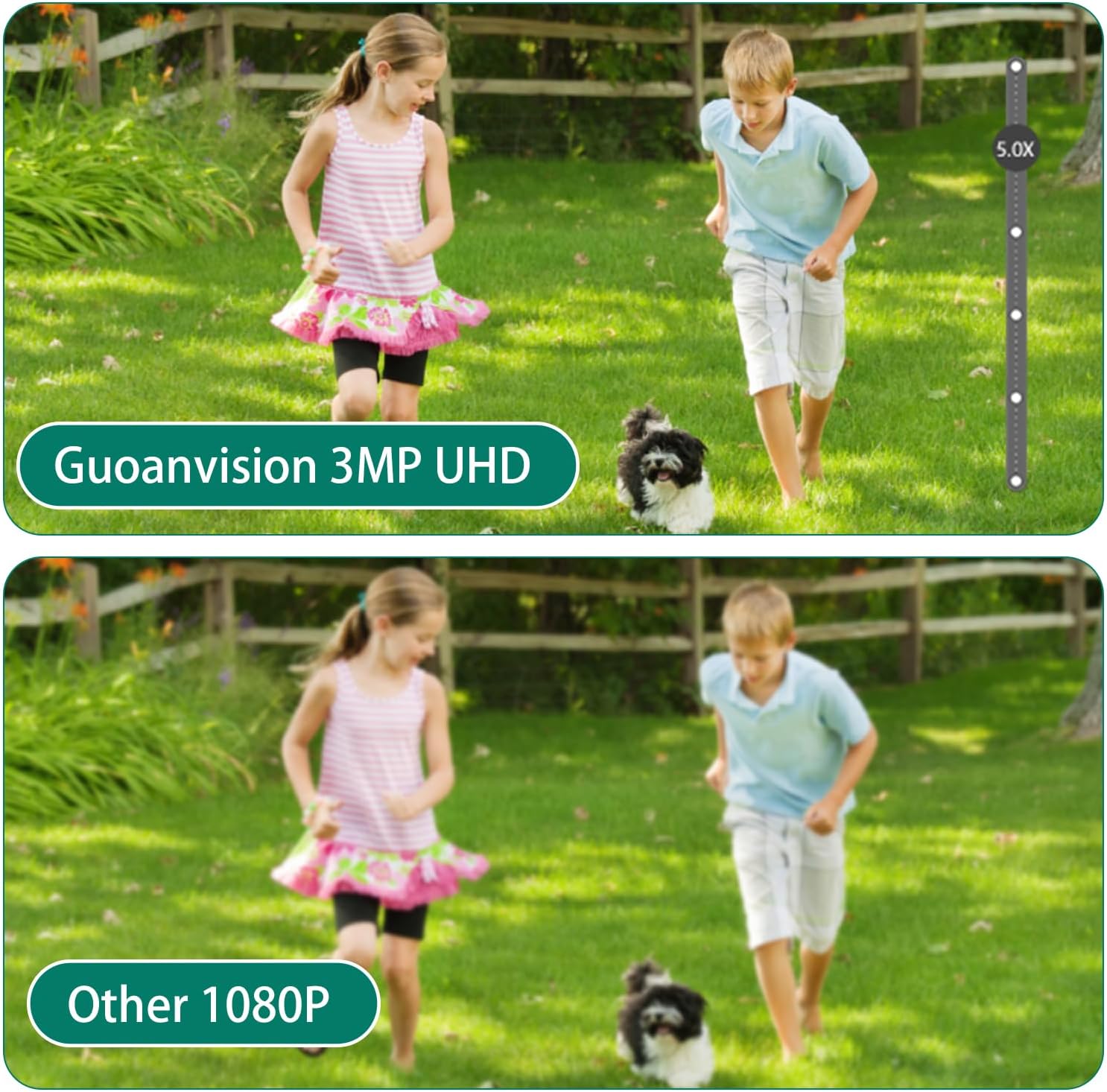
Image: A visual comparison demonstrating the superior clarity of GUOANVISION's 3MP UHD resolution compared to standard 1080P.

Image: The S300 camera shown in a rainy environment, illustrating its IP66 waterproof design.
4. Setup
4.1 Installazzjoni Fiżika
The camera can be mounted on a wall or ceiling. Ensure the mounting location provides a clear view and is within range of your WiFi network. Use the provided installation parts (screws and wall anchors) for secure mounting.
Video: Demonstrates how to assemble and install the camera parts, including attaching the mounting bracket and connecting cables.
4.2 Konnessjoni tal-Enerġija
Connect the camera to the power supply using the provided power cord. This camera is corded and cannot be charged. Ensure the connection is secure and protected from environmental elements if installed outdoors.
4.3 Konnessjoni tan-Netwerk
The S300 supports both 5G and 2.4G WiFi networks. For initial setup, download the companion application to your smartphone and follow the in-app instructions to connect the camera to your home network. Ensure your router is broadcasting a compatible WiFi signal.
5. Istruzzjonijiet Operattivi
5.1 Ħaj View u Kontroll PTZ
Access the live feed through the mobile application. Use the on-screen controls to pan (355°), tilt (90°), and utilize the 6X manual zoom feature to adjust the camera's view. The dual-lens system allows simultaneous monitoring of a fixed wide-angle view and a rotating, zoomed-in view.
Video: Illustrates the 6X zoom and motion tracking capabilities of the camera, showing how to zoom in on specific areas and follow movement.
5.2 Sejbien u Traċċar tal-Mozzjoni
The camera features intelligent motion detection and automatic tracking. When motion is detected, the rotating lens will follow the object, and you will receive instant alerts on your smartphone. You can customize detection zones and sensitivity settings within the app.
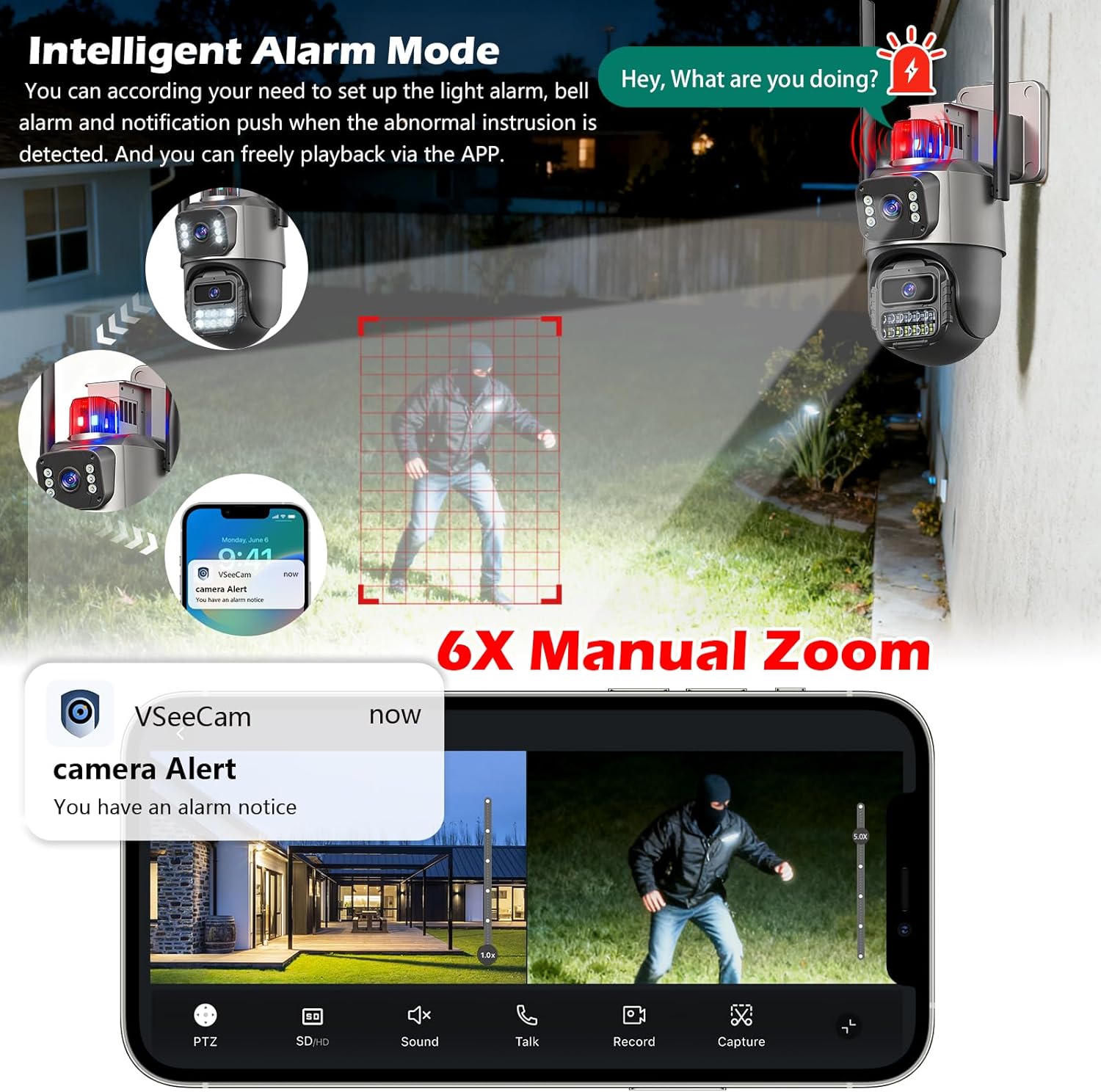
Image: Depicts the camera's AI detection and tracking in action, highlighting how it identifies and follows human movement.
5.3 Modi ta' Viżjoni bil-Lejl
The S300 offers three night vision modes: IR mode (black and white), full-color mode (using built-in spotlights), and smart light mode (switches to color upon motion detection). Adjust these settings in the app based on your surveillance needs.

Image: Comparison of infrared, full-color, and double-light (smart light) night vision modes provided by the camera.
5.4 Awdjo b'żewġ direzzjonijiet
Use the two-way audio feature to communicate with visitors or deter intruders. Activate the microphone and speaker functions within the mobile application.
5.5 Modi ta' Allarm
Configure various alarm modes, including light alarms (flashing lights), bell alarms (audible siren), and notification pushes to your smartphone when abnormal intrusion is detected. These settings are managed through the app.

Image: Illustration of the intelligent alarm mode, showing light and bell alarms activated upon detecting an intruder, with a smartphone notification.
5.6 Reġistrazzjoni u Ħażna
The camera supports 24/7 continuous recording to a microSD card (up to 128GB, not included) or cloud storage (subscription may be required). Review irreġistrat footage via the mobile application.
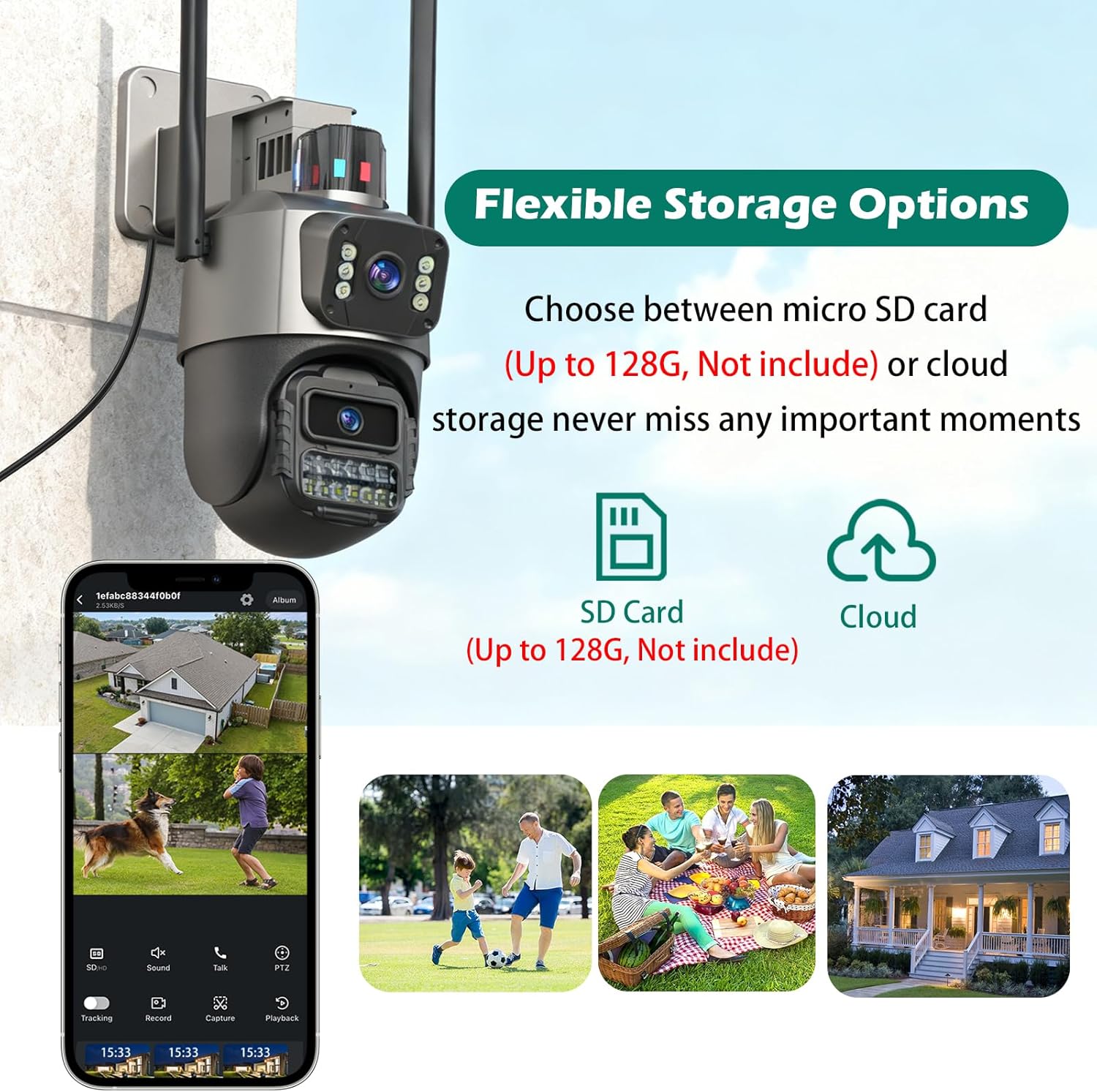
Image: Shows the flexible storage options for the S300 camera, including microSD card and cloud storage.
6. Manutenzjoni
To ensure optimal performance and longevity of your S300 camera:
- Tindif: Periodically wipe the camera lenses and housing with a soft, damp drapp biex tneħħi t-trab u l-ħmieġ. Tużax kimiċi ħarxa.
- Spezzjoni tal-Cable: Regularly check the power cable and any other connections for signs of wear or damage. Ensure waterproof connections are sealed properly.
- Aġġornamenti tas-Software: Keep the camera's firmware and mobile application updated to the latest versions for improved features and security.
Video: Highlights the waterproof features of the security camera, demonstrating its resilience to outdoor conditions.
7 Issolvi l-problemi
If you encounter issues with your GUOANVISION S300 camera, refer to the following common solutions:
| Problema | Kawża Possibbli | Soluzzjoni |
|---|---|---|
| Il-kamera mhux qed tikkonnettja mal-WiFi | Incorrect WiFi password, camera too far from router, 5G/2.4G band conflict. |
|
| Kwalità fqira tal-vidjo | Weak WiFi signal, dirty lens, insufficient lighting. |
|
| Twissijiet ta' moviment mhux riċevuti | Incorrect app settings, motion detection sensitivity too low, network issues. |
|
| Awdjo two-way mhux jaħdem | Microphone/speaker disabled in app, volume too low, network latency. |
|
8. Speċifikazzjonijiet
| Karatteristika | Dettall |
|---|---|
| Numru tal-Mudell | S300 |
| Riżoluzzjoni tal-Qbid tal-Vidjo | 6MP |
| Teknoloġija tal-Konnettività | Bil-fili (Enerġija), Wi-Fi (Data) |
| Teknoloġija tal-Komunikazzjoni mingħajr Fili | Wi-Fi (5G/2.4G) |
| Sors tal-Enerġija | Corded Elettriku |
| Zoom ottiku | 6x |
| Medda tal-Viżjoni Lejl | Sa 30 pied (Viżjoni bil-Lejl bil-Kulur) |
| Klassifikazzjoni tal-Protezzjoni Internazzjonali | IP66 (Li ma jgħaddix ilma) |
| Għażliet ta' Ħażna | Mikro SD (sa 128GB), Ħażna fis-Sħab |
| Tip ta 'Immuntar | Muntatura tal-Limitu, Muntatura tal-Ħajt |
| Dimensjonijiet tal-oġġett (L x W x H) | 4.7 x 4.3 x 7.8 pulzieri |
| Piż tal-oġġett | 1.72 liri |
9. Garanzija u Appoġġ
GUOANVISION provides a one-year warranty for the S300 camera and offers lifetime after-sales support. For any technical assistance or inquiries, please contact GUOANVISION customer service.
Pjanijiet ta' protezzjoni fakultattivi huma disponibbli għal kopertura estiża:
- Pjan ta' Protezzjoni ta' Sentejn
- Pjan ta' Protezzjoni ta' Sentejn
- Complete Protect (kontijiet ta' kull xahar)
For more information and support, visit the official GUOANVISION store: GUOANVISION Store

Image: Information regarding GUOANVISION's customer service and support.


