1. Prodott Aktarview
The AOSU T2 Ultra 4-Cam Kit is a comprehensive 4K solar security camera system designed for wireless outdoor home surveillance. It features TrueColor Night Vision, AI recognition, motion tracking, and 360-degree pan and tilt capabilities, ensuring extensive coverage and intelligent monitoring.
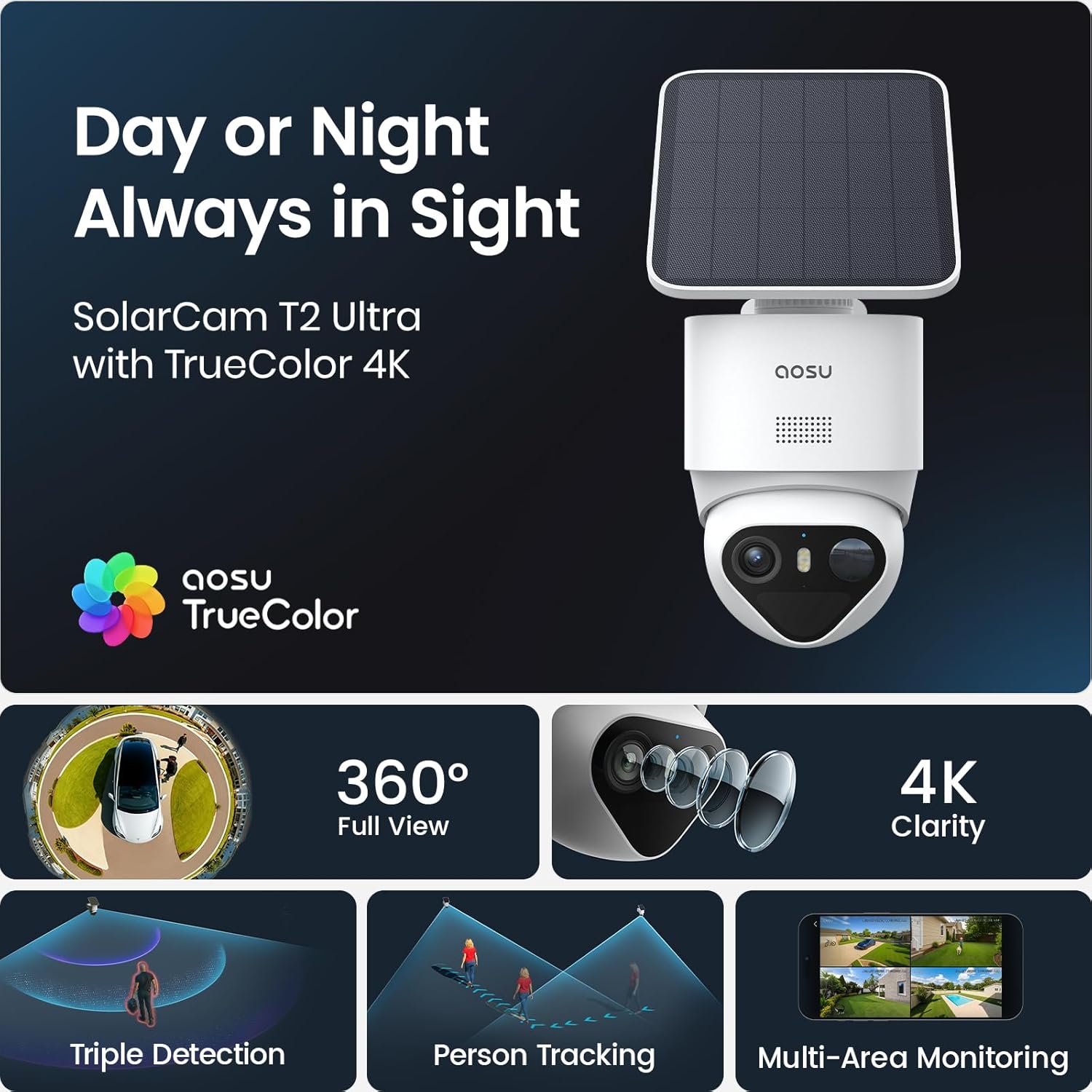
Image: AOSU T2 Ultra camera with solar panel, illustrating its 24/7 surveillance capability.
2. X'inhu Inkluż
The AOSU T2 Ultra 4-Cam Kit includes the following components:
- 1 × AOSU SolarCam Max System 4-Cam Kit
- 1 × aosuCortex/Power Adapter/Ethernet
- 4 × Solar Panel
- 4 × Mounting Kit & Screw Packs
- 1 × Gwida għall-Utent
The system is designed for easy installation with all necessary hardware provided.
3. Setup u Installazzjoni
Follow these steps to set up and install your AOSU T2 Ultra 4-Cam Kit:
- Download the AOSU App: Download the "aosu" application from your device's App Store or Google Play.
- Oħloq Kont: Open the app and create your user account by filling in the registration information.
- Żid Apparat: Click "Add devices" within the app.
- Skennja l-Kodiċi QR: Scan the QR code located on the camera to pair it with the app.
- Ixgħel il-Kamera: Open the waterproof plug at the bottom of the camera. Press and hold the power button for 5 seconds until you hear "Hello aosu" and the blue light flashes.
- Reset Camera (if needed): Press and hold the RST button for 5 seconds until hearing a beep to reset the camera for pairing.
- Qabbad mal-Wi-Fi: Select your 2.4GHz Wi-Fi network and enter the password. Wait for the camera to connect successfully.
- Agħżel Post ta' Installazzjoni: Select a location with strong Wi-Fi signal, 7-10 feet from the ground, and up to 30 feet from the motion detection zone. Ensure the solar panel has optimal sunlight exposure.
- Mount Solar Panel: Attach the positioning sticker for the solar panel, drill holes with a 16/64" (6mm) drill bit, insert anchors, and tighten screws. Connect the solar panel to its base.
- Mount Camera: Attach the positioning sticker for the camera, drill holes, insert anchors, and secure the camera base with screws. Install the camera into the base.
- Connect Solar Panel to Camera: Plug the cord from the solar panel into the USB port of the camera.
For a visual guide, please refer to the setup video below:
Video: Step-by-step guide on how to set up and install the AOSU SolarCam D1 Lite, demonstrating app connection and physical mounting.

Image: A woman easily installing an AOSU camera with a solar panel, highlighting the quick and easy DIY setup without messy wires or professional installers.
4. It-Tħaddim tas-Sistema Tiegħek
The AOSU T2 Ultra system offers intuitive control via the AOSU app. Once connected, you can view live feeds, manage settings, and review avvenimenti rreġistrati.
- Live View: Aċċessa l-ikel f'ħin realitage mill-kameras kollha konnessi.
- Pan & Mejjel: Control the camera's 360-degree pan and tilt directly from the app.
- Taħdita f'żewġ direzzjonijiet: Ikkomunika mal-viżitaturi jew tiskoraġġixxi l-intrużi billi tuża l-mikrofonu u l-ispiker integrati.
- Modi ta' Viżjoni bil-lejl: Switch between black & white IR, full-color night vision (with spotlight activation), or turn night vision off.
- Sejbien tal-Moviment: Customize sensitivity and detection zones to receive alerts only when necessary.

Image: A smartphone showing a multi-camera live view from the AOSU system, demonstrating simultaneous monitoring of different areas.
5. Karatteristiċi ewlenin
- 4K Color Night Vision: The F/1.0 ultra-wide aperture and large 1/1.8'' starlight sensor capture full-color footage even in total darkness without a floodlight.
- 90-Day Local Storage: Store up to 90 days of footage with built-in 32GB memory, expandable to 16TB via an external drive, with no subscription fees.
- 360° Coverage + Auto Patrol: Pan 355° and tilt 90° for wide-area monitoring. Tap-to-view and app-based patrol functions allow instant angle checks. Supports up to 4 cameras for full property coverage.
- Triple Smart Detection: PIR, radar, and on-device AI accurately detect human activity, filtering out false alarms from trees, pets, or vehicles.
- Solar + Battery Power: Stay powered all year long with just 90 minutes of direct sunlight daily. The large-capacity battery ensures reliable operation during cloudy days, and the detachable solar panel allows optimal mounting.
- Multi-Camera Tracking: The system links clips from multiple cameras into one video for a complete event context, sending a single alert for comprehensive understanding.
- AI-Powered aosuCortex: Enjoy disguise detection, smart event tracking, and multi-camera live view for clearer event understanding.
- Optional AI Features: Customize surveillance with pay-as-you-go features via the aosu App, including Smart Search, Daily Security Reports, and Abnormal Behavior Analysis (subscription-based).

Image: A clear demonstration of AOSU's TrueColor Night Vision, showing vivid, natural colors in low-light conditions without a spotlight.

Image: The aosuCortex hub with an external hard drive, emphasizing the private and expandable local storage solution.
6. Speċifikazzjonijiet
| Attribut | Valur |
|---|---|
| Tip ta 'immuntar | Mount Wall |
| Riżoluzzjoni tal-qbid tal-vidjo | 2160p, 4k |
| Kulur | Abjad |
| Numru ta' Oġġetti | 4 |
| Teknoloġija tal-komunikazzjoni bla fili | Bluetooth, WiFi |
| Fattur tal-forma | Koppla |
| Viewangolu tal-ing | 360 Grad |
| Medda ta 'viżjoni bil-lejl | 32.8 Saqajn |
| Rata tal-qafas | 15 frejm kull sekonda |
| Livell ta 'reżistenza għall-ilma | Waterproof |
| Batteriji | Meħtieġa 2 batteriji ta' 9V. (inklużi) |
| Karatteristiċi Speċjali | 32G Local Recording, Face Recognition, True Color Vision in Darkness, aosuCortex AI With Behavior Detection |
| Użi rakkomandati għall-prodott | Sigurtà ta 'barra |
| Teknoloġija tal-konnettività | Wireless |
| Apparati kompatibbli | Smartphone |
| Sors tal-enerġija | Mħaddma Solari |
| Tip ta' kontrollur | Amazon Alexa, Apple HomeKit, Google Assistant |
7. Manutenzjoni
To ensure optimal performance and longevity of your AOSU T2 Ultra 4-Cam Kit, regular maintenance is recommended:
- Lentijiet Naddaf: Imsaħ il-lentijiet tal-kamera perjodikament b'ċarruta ratba u damp drapp biex tneħħi t-trab u d-debris.
- Iċċekkja l-Pannelli Solari: Ensure solar panels are free from obstructions (leaves, dirt) to maximize charging efficiency.
- Aġġornamenti tal-Firmware: Keep your camera firmware updated through the AOSU app for the latest features and security enhancements.
- Saħħa tal-batterija: Monitor battery levels via the app and ensure consistent solar charging.
8 Issolvi l-problemi
If you encounter issues with your AOSU T2 Ultra 4-Cam Kit, consider the following troubleshooting steps:
- Ebda Konnessjoni: Verify your Wi-Fi network is 2.4GHz and the password is correct. Ensure the camera is within Wi-Fi range.
- Kwalità Fqira tal-Vidjo: Check your Wi-Fi signal strength. Ensure camera lenses are clean and free from obstructions.
- Allarmi Foloz: Adjust motion detection sensitivity and detection zones in the AOSU app to minimize unwanted alerts.
- Batterija Mhux Iċċarġja: Ensure solar panels are receiving direct sunlight for at least 90 minutes daily and are free from obstructions.
- Kwistjonijiet tal-App: Ensure your AOSU app is updated to the latest version. Try restarting the app or your smartphone.
Jekk il-problemi jippersistu, ikkuntattja l-appoġġ tal-klijent.
9. Garanzija u Appoġġ
The AOSU T2 Ultra 4-Cam Kit comes with a 1-Sena Garanzija. For any questions or assistance, AOSU provides responsive customer support.
You can find support and additional resources through the AOSU app or by visiting the official AOSU websit.


