1. Introduzzjoni
Thank you for choosing the ecomoment GT801 Dash Cam. This device is designed to provide comprehensive road surveillance with its dual front and rear cameras, offering high-resolution recording, advanced safety features, and smart connectivity. This manual will guide you through the setup, operation, and maintenance of your new dash cam.
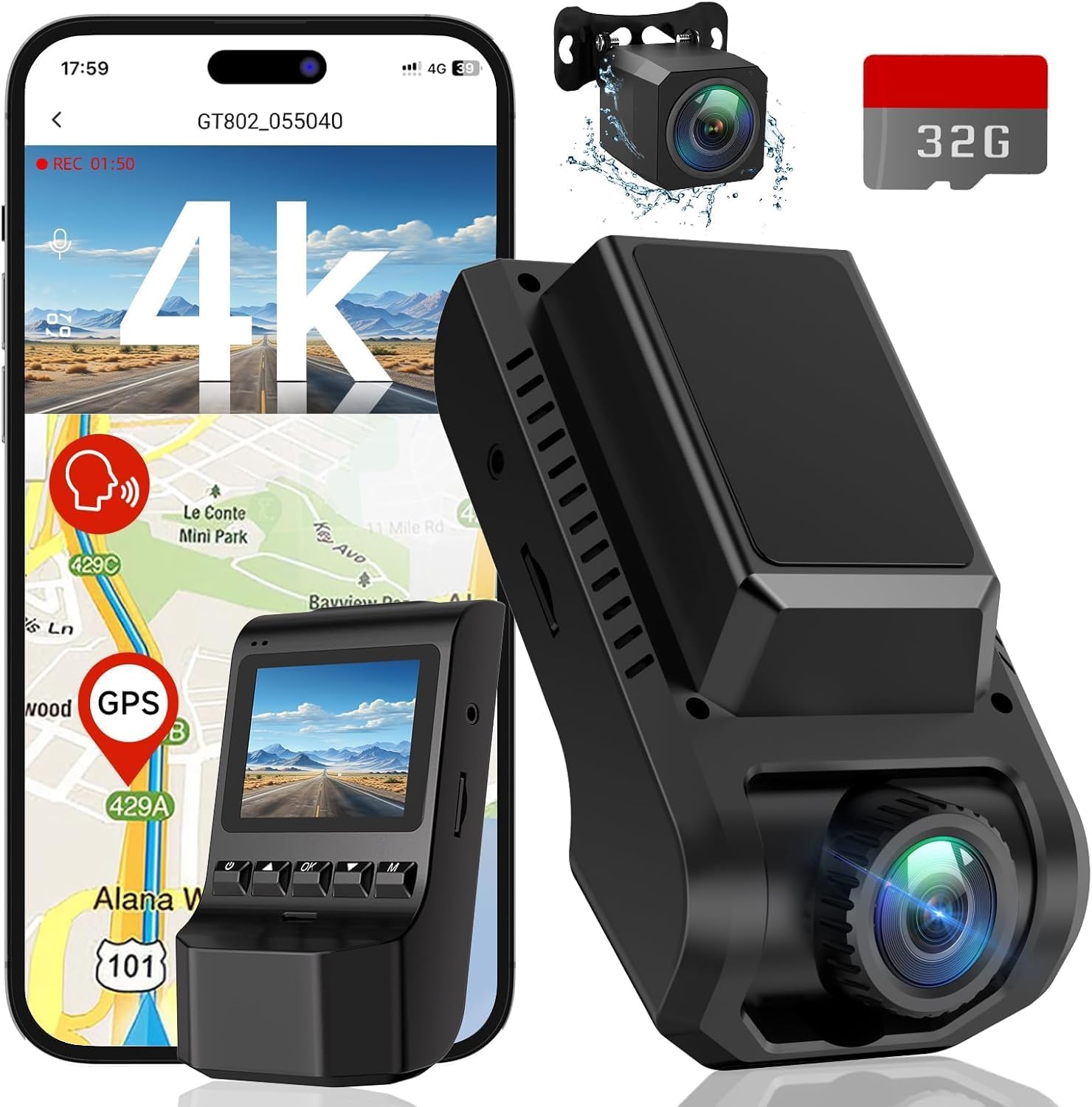
Image 1.1: ecomoment GT801 Dash Cam with its components and app interface.
2. X'hemm fil-Kaxxa
Jekk jogħġbok iċċekkja l-kontenut tal-pakkett biex tiżgura li l-oġġetti kollha huma preżenti:
- 1 x GT801 Dash Cam (Front Camera)
- 1 x Rear Camera (22.5ft cable)
- 1 x 32GB SD Card (pre-installed into GT801)
- 1 x Car Charger (11.5ft cable)
- 2 x Pads li jwaħħlu
- 1 x Għodda Faċli għall-Pry
- 1 x Manwal għall-Utent
- 1 x Gwida għall-Installazzjoni
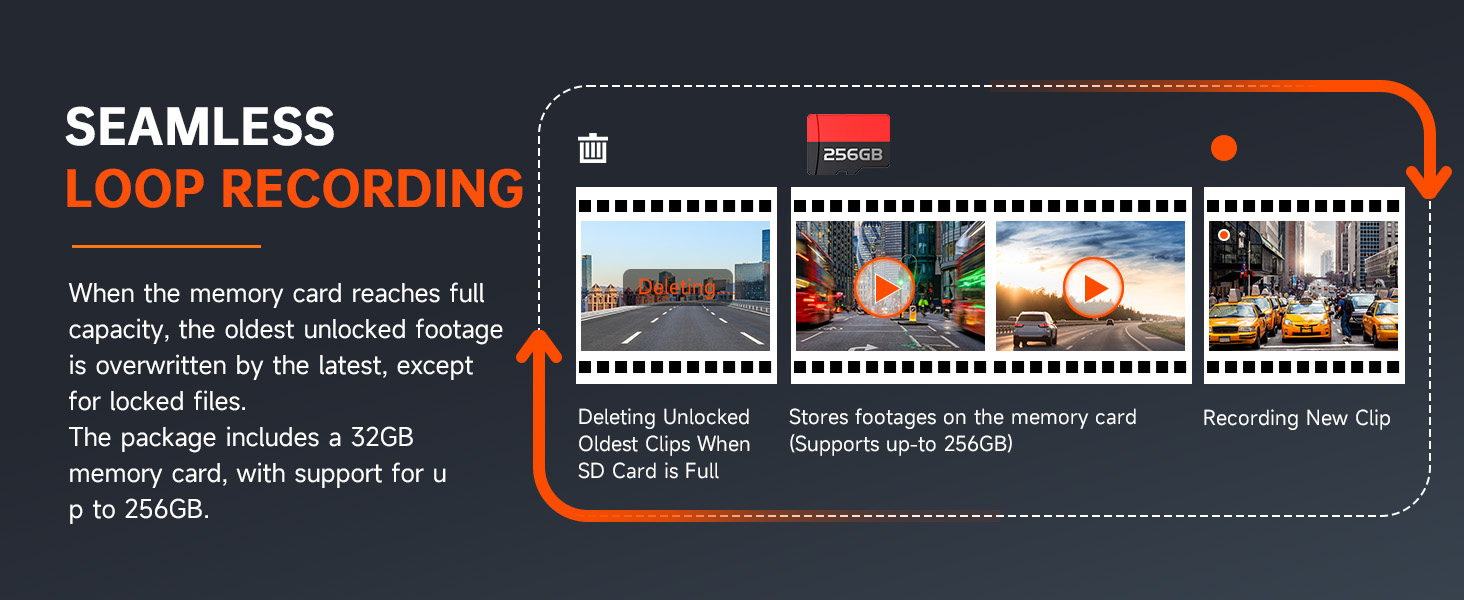
Image 2.1: Visual representation of the ecomoment GT801 Dash Cam package contents.
3. Konfigurazzjoni u Installazzjoni
Follow these steps for proper installation of your ecomoment GT801 Dash Cam:
- Ipprepara ż-Żona tal-Immuntar: Clean the windshield area where you intend to mount the front dash cam. Use one of the provided adhesive pads.
- Immuntar il-Kamera ta' Quddiem: Attach the front dash cam to the prepared area on your windshield, typically behind the rearview mera biex tevita li tostakola tiegħek view. Ensure the lens has a clear view tat-triq 'il quddiem.
- Installa l-Kamera ta' wara: Mount the rear camera on your rear windshield. Use the long 22.5ft cable to route it discreetly along the car's interior trim to the front dash cam. The easy pry tool can assist in tucking the cable.
- Qabbad l-Enerġija: Plug the car charger into your vehicle's cigarette lighter socket. Connect the other end to the front dash cam's USB Type-C port.
- Daħħal SD Card: The 32GB SD card is pre-installed. If you need to replace it or ensure it's properly seated, gently insert it into the designated slot on the dash cam.
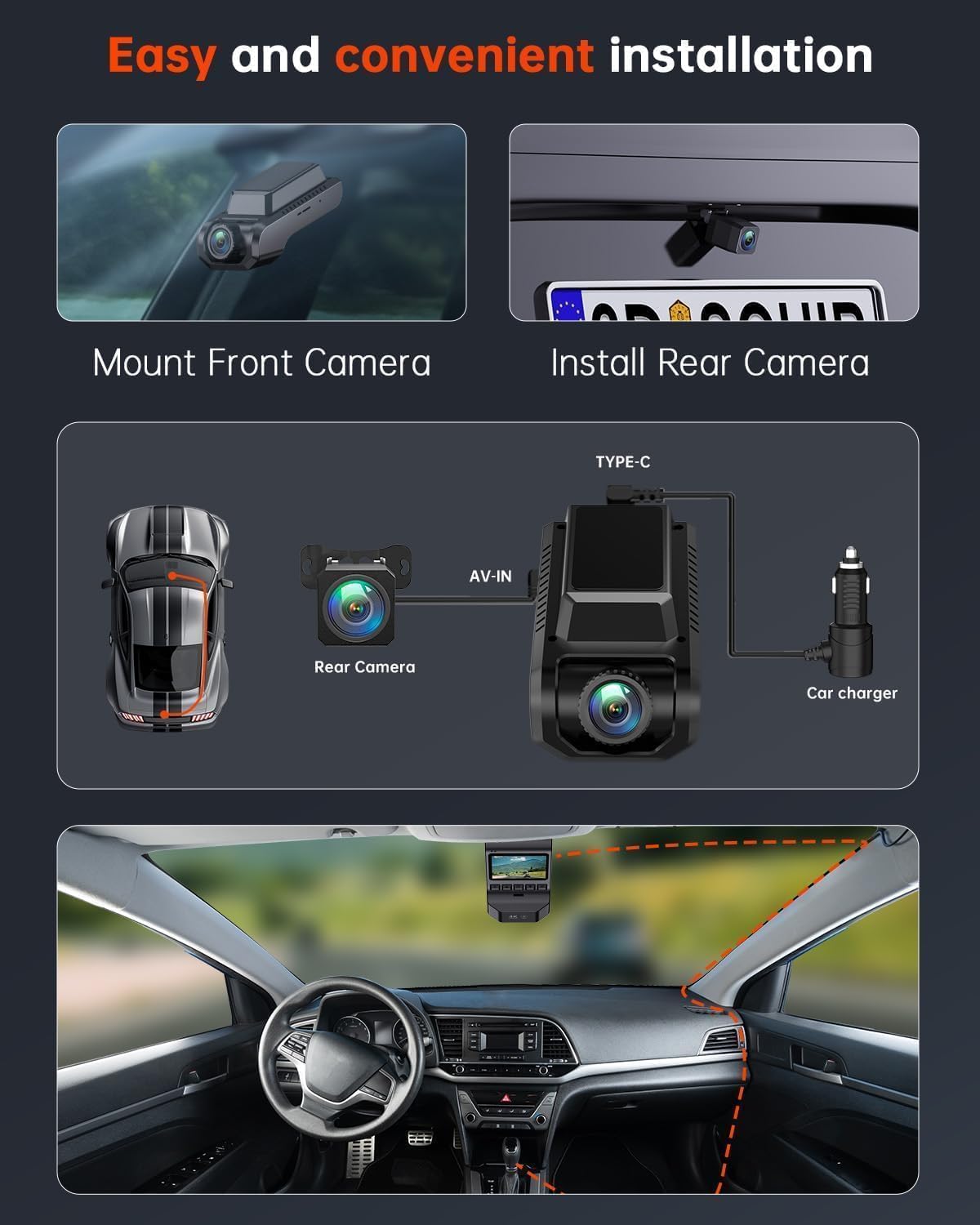
Image 3.1: Visual guide for installing the front and rear dash cameras and routing cables.

Image 3.2: Simplified installation diagram for the ecomoment GT801 Dash Cam.
Installazzjoni Video
Video 3.1: An official video from ecomoment Direct demonstrating the installation process of the GT801 Dual Dash Cam.
4. Istruzzjonijiet Operattivi
Operazzjoni Bażika
The dash cam features a 2.0-inch IPS screen and physical buttons for direct control. Refer to the included Installation Guide for specific button functions.
Wi-Fi & Smart App Control
The GT801 dash cam includes built-in 2.4G Wi-Fi for seamless connection to your smartphone via the VeeCar app. This allows you to:
- View foo ħajtage miż-żewġ kameras.
- Niżżel vidjows u ritratti rreġistrati direttament fuq it-telefon tiegħek.
- Adjust device settings conveniently.
- Aqsam l-ikeltagfaċilment.
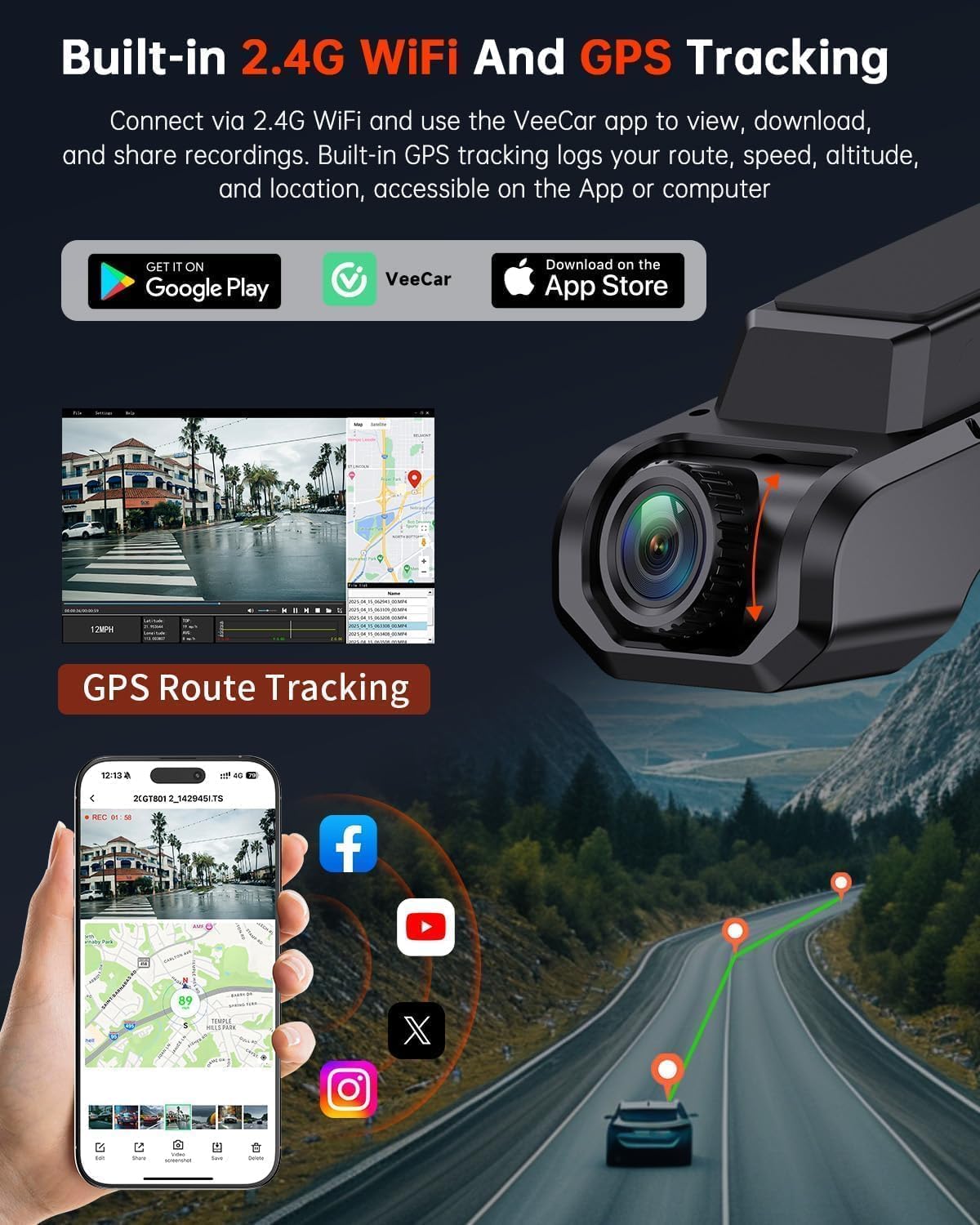
Image 4.1: The VeeCar app displaying live footage and GPS route tracking from the dash cam.

Image 4.2: The VeeCar app's interface for Wi-Fi control and footage ġestjoni.
Funzjonalità GPS
The integrated GPS module provides precise tracking of your driving routes. You can review your speed, location, and route history on computers and mobile devices, adding an extra layer of security and information.
Loop Recording
When the memory card reaches its full capacity, the loop recording feature automatically overwrites the oldest unlocked footage with new recordings. This ensures continuous recording without manual intervention. Locked files (triggered by the G-sensor) are protected from being overwritten.
G-Sensor (Sensor tal-Gravità)
The built-in G-sensor detects sudden impacts or collisions. Upon detection, it automatically locks and saves the current video footage, preventing it from being overwritten by loop recording. This secures critical evidence in case of an incident.

Image 4.3: Automatic collision detection and video lock feature in action.
24-Hour Parking Mode
For continuous surveillance when your vehicle is parked, the 24-hour parking mode utilizes a time-lapse function. If the G-sensor detects any impact or movement, it will trigger recording. Note: A hardwire kit is required for this feature to function continuously (ASIN: B0D93KLNJR, sold separately).

Immaġni 4.4: Fuqview of the 24/7 parking monitoring capabilities.
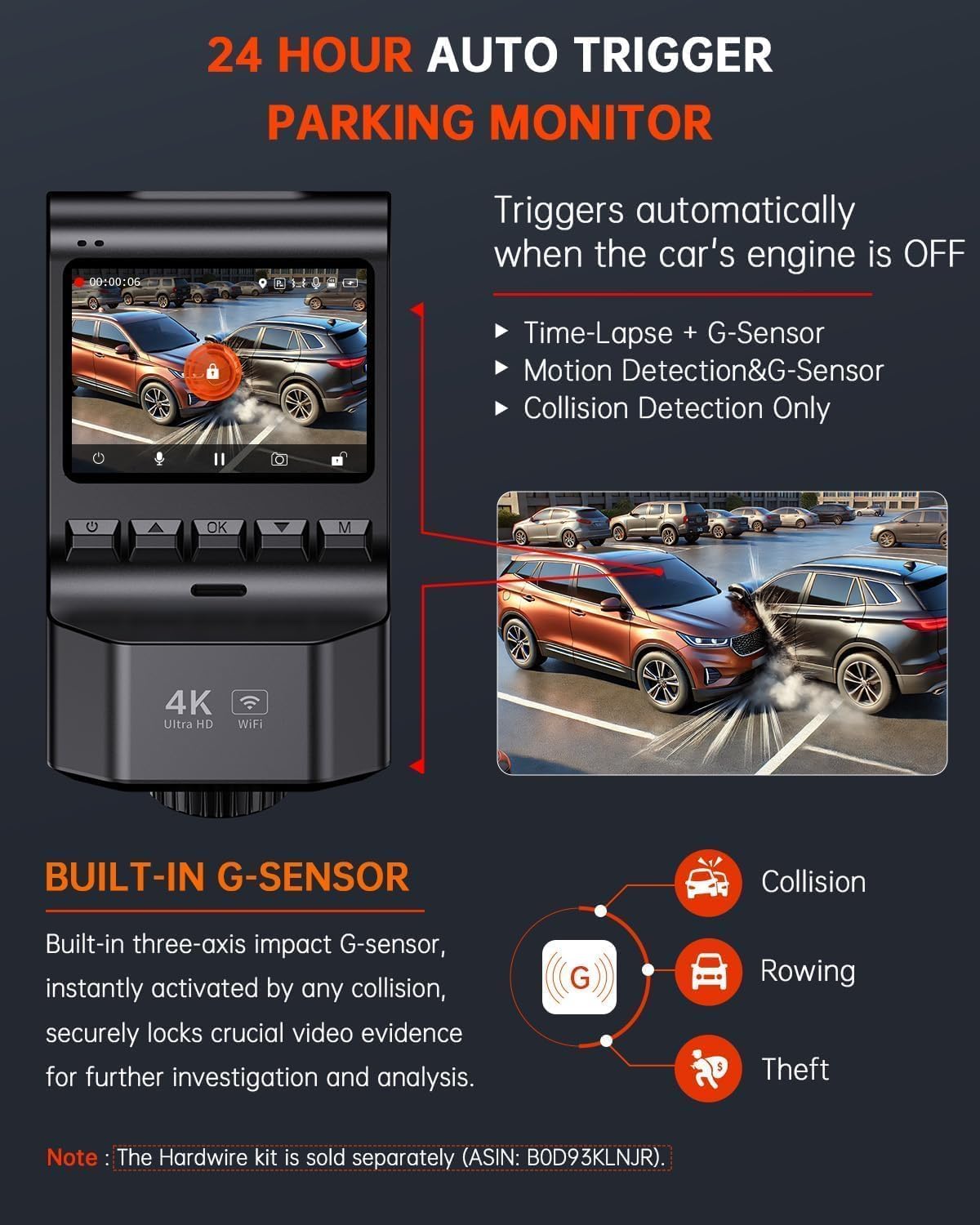
Image 4.5: Details of the 24-hour auto-trigger parking monitor.
5. Karatteristiċi ewlenin
- Dual-Camera Recording: Records Ultra HD 4K (3840*2160P) from the front camera and Full HD 1080P from the rear camera simultaneously.
- Lentijiet b'Angolu Wiesa': Front camera with a 170° wide angle and rear camera with a 160° wide angle to minimize blind spots.
- Viżjoni bil-lejl Superjuri: Equipped with a starlight night vision sensor and a 6-layer glass lens (F1.8 aperture) for clear footage f'kundizzjonijiet ta 'dawl baxx.
- Skrin IPS ta' 2.0 pulzieri: Compact display for easy viewing of recordings and direct setting adjustments.
- USB Type-C Compatibility: Offers higher data transfer rates and enhanced durability.
- Included 32GB SD Card: Ready to use out of the box, supports up to 256GB.

Image 5.1: Key features of the ecomoment GT801 Dash Cam.

Image 5.2: Dual-view protection with front and rear cameras.
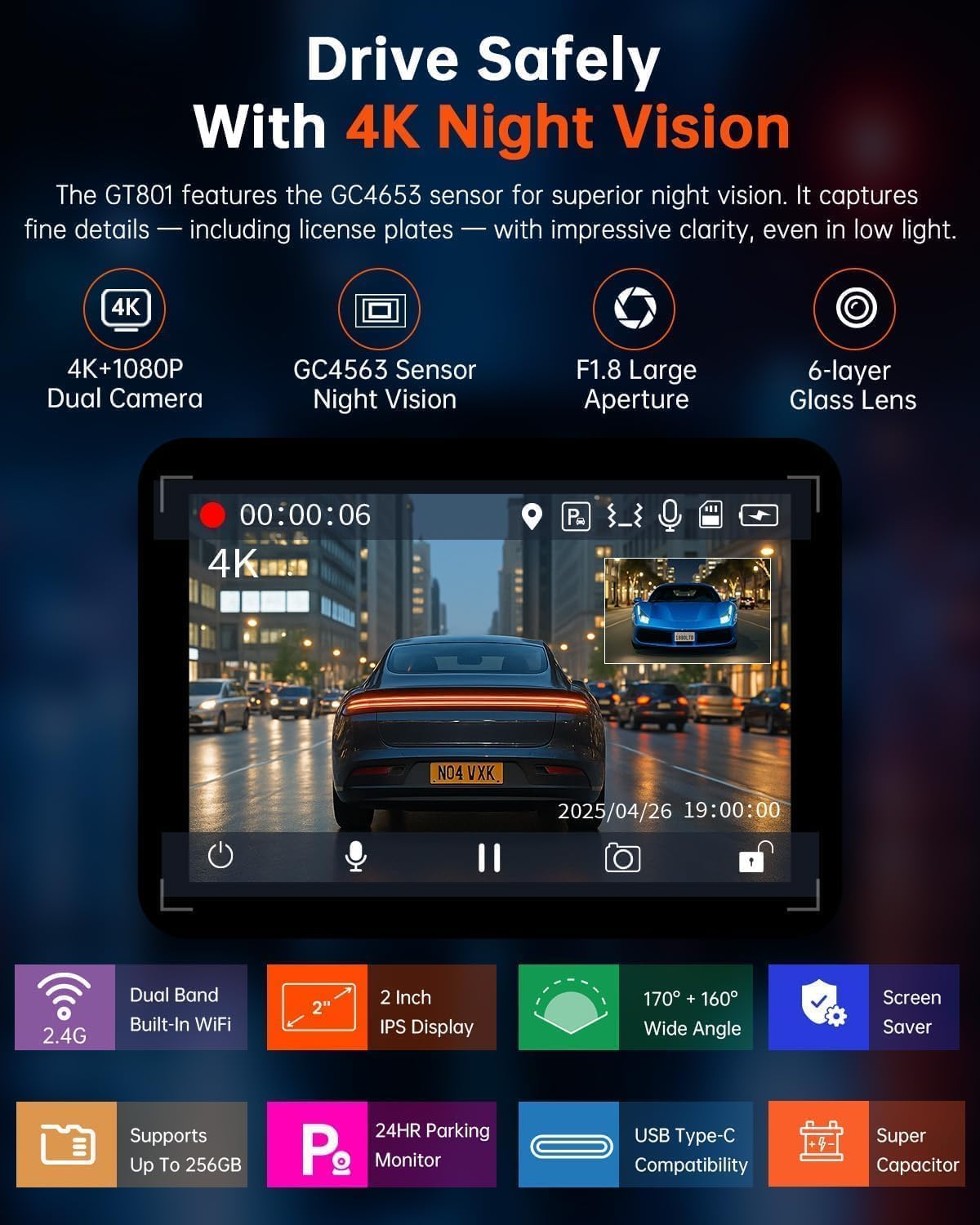
Image 5.3: Enhanced night vision for clear recordings in low light.
6. Manutenzjoni
- Naddaf il-Lentijiet: Naddaf il-lentijiet tal-kamera ta’ quddiem u ta’ wara regolarment b’ċarruta ratba u mingħajr suf biex tiżgura kwalità ċara tal-vidjow.
- Format SD Card: It is recommended to format the SD card monthly to maintain optimal performance and prevent data corruption. This can usually be done through the dash cam's settings menu or the VeeCar app.
- Aġġornamenti tal-Firmware: Check the ecomoment website or VeeCar app periodically for any available firmware updates to ensure your dash cam has the latest features and bug fixes.
- Konsiderazzjonijiet tat-Temperatura: Evita li tesponi d-dash cam għal temperaturi estremi għal perjodi twal, għax dan jista' jaffettwa l-ħajja u l-prestazzjoni tagħha.
7 Issolvi l-problemi
| Problema | Soluzzjoni Possibbli |
|---|---|
| Id-dash cam ma tixgħelx. | Check the car charger connection and ensure the vehicle's power outlet is functioning. Try a different USB cable or power source. |
| Video footage hija mċajpra jew mhux ċara. | Clean the camera lenses. Ensure the protective film has been removed from the lenses. Check resolution settings in the menu or app. |
| SD card error or recording issues. | Format the SD card. Ensure the SD card is properly inserted. Replace the SD card if the issue persists (supports up to 256GB). |
| Problemi bil-konnessjoni tal-Wi-Fi. | Ensure the VeeCar app is installed and updated. Restart the dash cam and your smartphone. Check Wi-Fi settings on both devices. |
| Il-GPS mhux qed isegwi. | Kun żgur li l-kamera tad-daxxbord għandha viżibilità ċara view of the sky. Check GPS settings in the menu or app. Allow a few minutes for GPS signal acquisition. |
| Il-modalità tal-parkeġġ mhux qed taħdem. | Verify that a hardwire kit is installed and correctly connected, as it is required for continuous 24-hour parking mode. Check parking mode settings. |
8. Speċifikazzjonijiet
- Dimensjonijiet tal-Prodott: 4 x 1.6 x 2.2 pulzieri
- Piż tal-oġġett: 3.52 uqija
- Numru tal-Mudell tal-Oġġett: GT801
- Teknoloġija tal-Konnettività: Wi-Fi
- Karatteristiċi Speċjali: 24H Parking Monitor, App Control, Built-In GPS & UHD 2.0” Display, Built-In WiFi, G-Sensor & Loop Recording, Night Vision
- Riżoluzzjoni tal-Qbid tal-Vidjo: 2160p (Quddiem), 1080p (Wara)
- Tip ta 'Immuntar: Mount Windskrin
- Qasam Ta ' View: 170 Grad (Quddiem), 160 Grad (Wara)
- Metodu ta' Kontroll: App, Physical Buttons
- Komponenti Inklużi: GT801 Dash Cam, Rear Camera, 32G SD Card, Car Charger, Adhesive Pads, Easy Pry Tool, User Manual, Installation Guide
9. Garanzija u Appoġġ
ecomoment offers a garanzija ta 'sena on the GT801 Dash Cam. Additionally, lifetime professional technical support is available. For any assistance, questions, or warranty claims, please feel free to contact ecomoment customer support.
You may also activate an extended warranty (up to 36 months) by visiting the ecomoment website or scanning the QR code provided in the packaging within the initial 15 days of receipt.


