HP 15.6 inch Laptop Computer User Manual
Model: Essential
Introduzzjoni
This manual provides comprehensive instructions for setting up, operating, maintaining, and troubleshooting your new HP 15.6 inch Laptop Computer, Model Essential. Designed for everyday needs, this laptop features an Intel Processor N100 CPU, 32GB DDR4 RAM, and a 1TB PCIe SSD, running on Windows 11 Pro. It offers a 15.6-inch Full HD display, long battery life, and a quiet operation for an optimal user experience.
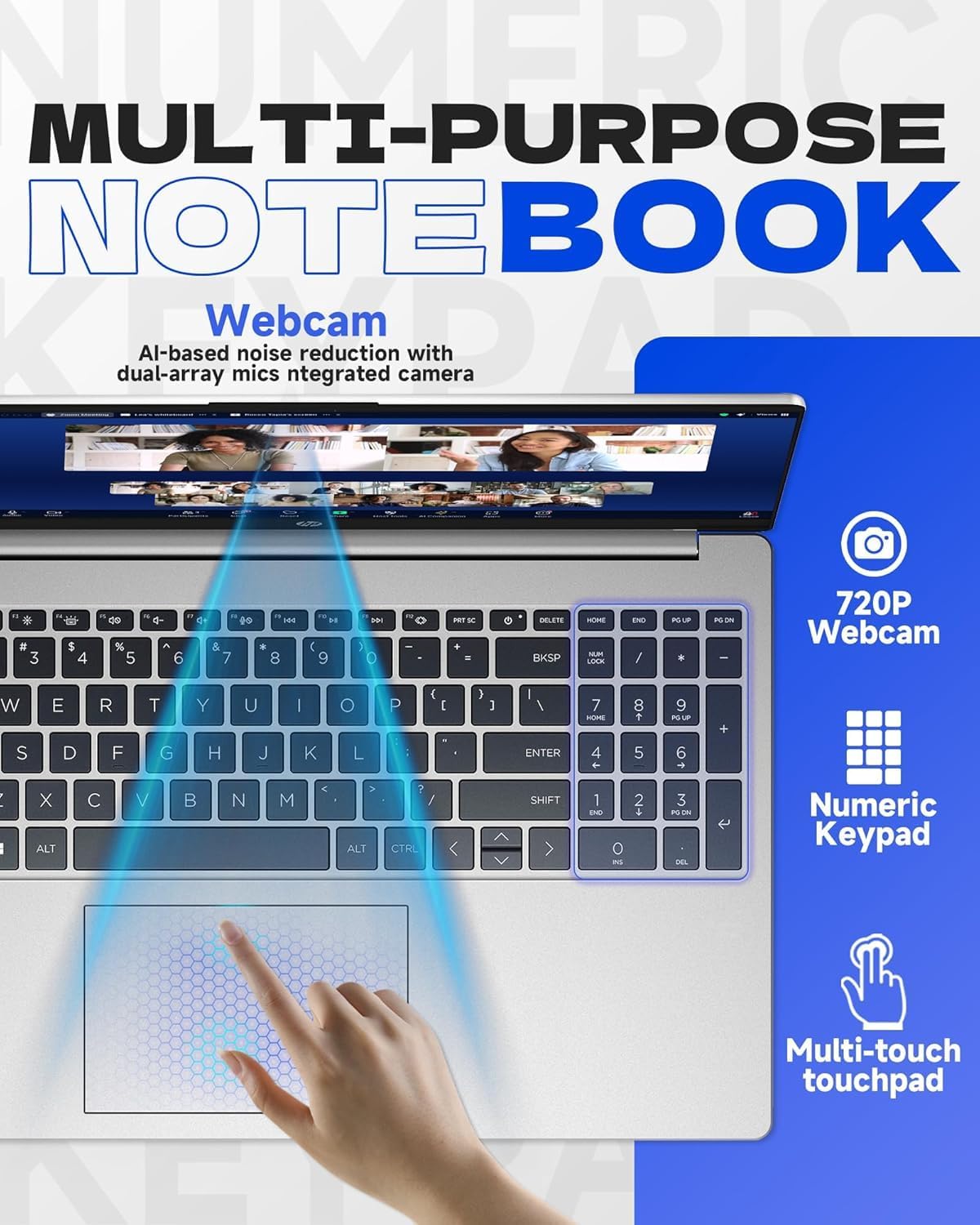
Figure 1: HP 15.6 inch Laptop Computer, closed view.
Setup
1. Il-Ftuħ tal-Kaxxa u l-Inizzjali Tixgħel
- Oħroġ il-laptop u l-aċċessorji kollha mill-imballaġġ bir-reqqa.
- Connect the charger to the laptop's AC smart pin port and plug it into a power outlet.
- Open the laptop lid and press the power button, typically located on the top right of the keyboard, to turn on the device.
2. Konfigurazzjoni tal-Windows 11 Pro
Segwi l-istruzzjonijiet fuq l-iskrin biex tlesti s-setup inizjali tal-Windows 11 Pro. Dan jinkludi l-għażla tar-reġjun tiegħek, il-lingwa, il-konnessjoni ma' netwerk Wi-Fi, u l-ħolqien ta' kont tal-utent.
3. Microsoft Office Activation
To receive your Microsoft Office license key, please contact the seller with your Amazon Order ID. Full instructions for activation are included in the laptop's package.
Tħaddim tal-Laptop
Karatteristiċi tal-Wiri
The laptop features a 15.6-inch diagonal, IPS, micro-edge, BrightView display with 250 nits brightness and 45% NTSC color gamut. The anti-glare coating helps reduce reflections for comfortable viewing.

Figure 2: Display features including 15.6-inch size, micro-edge, and anti-glare properties.
Tastiera u Touchpad
The full-size, soft grey keyboard includes a numeric keypad for efficient data entry. The multi-touch touchpad provides responsive navigation and gesture support.
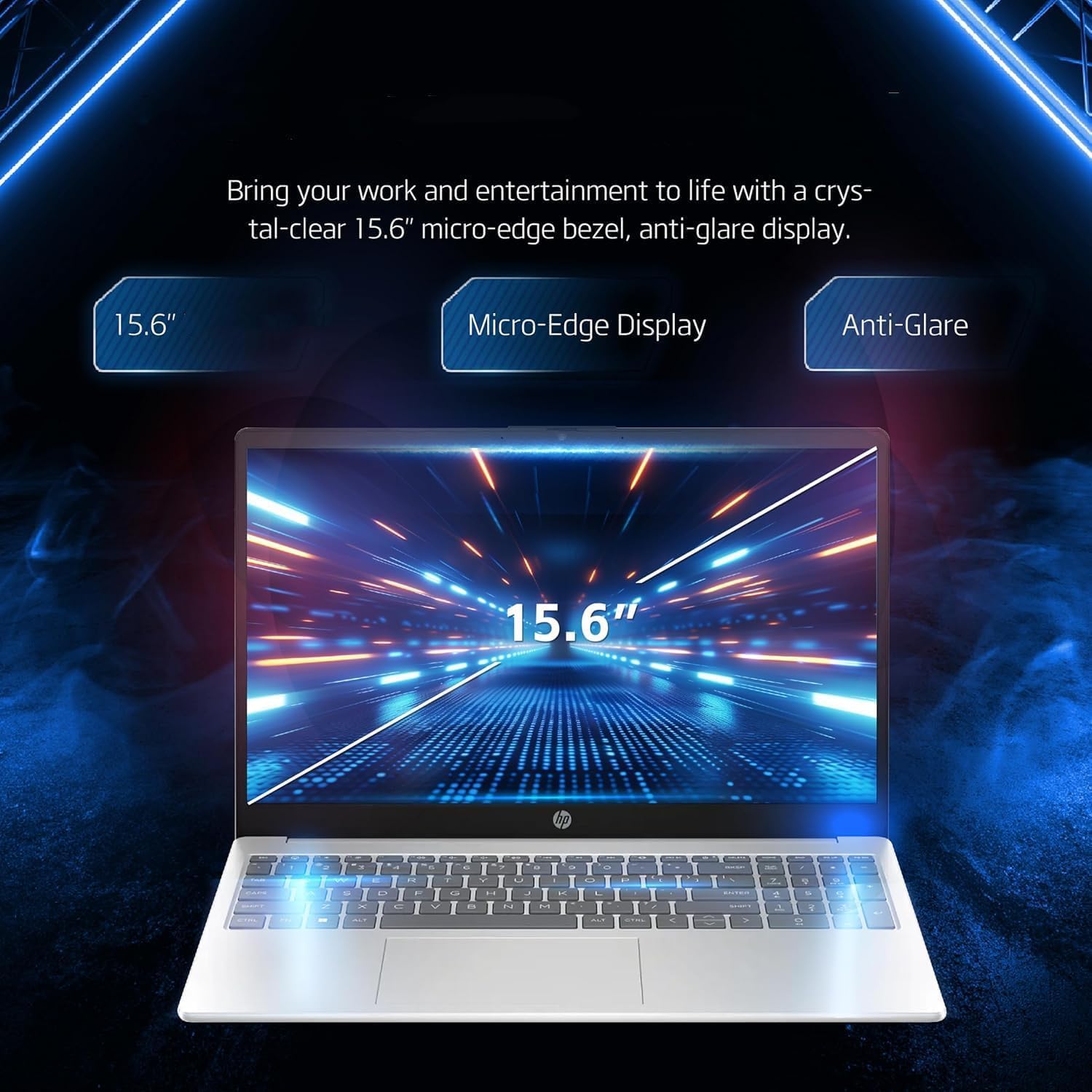
Figure 3: Keyboard, numeric keypad, and multi-touch touchpad.
Konnettività
The laptop supports MediaTek Wi-Fi 6E MT7902 (1x1) for fast wireless internet and Bluetooth 5.3 for connecting wireless accessories. It features a variety of ports for external devices:
- 1 x USB Type-C 5Gbps signaling rate (data transfer only, no charging or external monitors)
- 2 x Rata ta' sinjalar USB tat-Tip A ta' 5Gbps
- 1 x HDMI 1.4b
- 1 x Jack kombinat għall-headphones/mikrofonu
- 1 x Multi-format SD media card reader
- 1 x AC smart pin (for power adapter)

Figure 4: Laptop ports and connectivity options.
Battery Life and Quiet Operation
The laptop is designed for long battery life, capable of lasting up to 11 hours depending on usage. It also features an ultra-quiet design, minimizing operational noise.

Figure 5: Laptop highlighting long battery life with WiFi and Bluetooth connectivity.
Prodott Overview Video
Vidjo 1: Overview detailing five key features of the HP laptop, including display quality, portability, battery life, quiet operation, and port availability.
Manutenzjoni
Tindif tal-Laptop Tiegħek
- Uża drapp ratba u mingħajr ħelu ftit dampNaddaf bl-ilma jew b'prodott tat-tindif tal-iskrin biex tnaddaf id-displej.
- Għat-tastiera u x-chassis, uża drapp artab u niexef. Evita kimiċi ħarxa jew materjali li joborxu.
- Uża arja kkompressata perjodikament biex tneħħi t-trab mill-ventijiet biex tiżgura fluss tal-arja u tkessiħ xieraq.
Aġġornamenti tas-Software
Regularly check for and install operating system updates (Windows Update) and driver updates (HP Support Assistant) to ensure optimal performance and security.
Kura tal-batterija
To prolong battery life, avoid extreme temperatures and do not leave the laptop fully charged or fully discharged for extended periods. For long-term storage, charge the battery to about 50%.
Issolvi l-problemi
This section addresses common issues you might encounter with your HP laptop. For more detailed troubleshooting or issues not listed here, please refer to the official HP support websit jew ikkuntattja lis-servizz tal-konsumatur.
Kwistjonijiet ta' Enerġija
- Il-laptop ma jixgħelx: Ensure the power adapter is securely connected to both the laptop and a working power outlet. Try a different outlet. If the battery is completely drained, it may take a few minutes to show signs of life after plugging in.
- Il-batterija mhix qed tiċċarġja: Iċċekkja li l-adapter tal-enerġija qed jaħdem sew. Iċċekkja jekk hemmx xi ħsara fil-port jew fil-kejbil tal-iċċarġjar.
Problemi tal-Wiri
- Skrin vojt: Connect an external monitor to the HDMI port to check if the issue is with the laptop's internal display. Try pressing Fn + F4 (or the key with a monitor icon) to switch display output.
- Dim or flickering screen: Adjust brightness settings. Ensure display drivers are up to date.
Kwistjonijiet ta' Konnettività
- Il-Wi-Fi mhux qed jikkonnettja: Check if Wi-Fi is enabled in Windows settings. Restart your router and the laptop. Ensure correct Wi-Fi password is entered.
- Apparat Bluetooth mhux qed jitqabbad: Ensure Bluetooth is enabled on both the laptop and the device. Place devices close to each other and try re-pairing.
Speċifikazzjonijiet
| Komponent | Dettall |
|---|---|
| Proċessur | Intel Processor N100 (up to 3.4 GHz, 4 cores, 4 threads) |
| Grafika | Grafika Intel Iris Xe |
| Sistema Operattiva | Windows 11 Pro |
| Memorja (RAM) | 32 GB DDR4 |
| Ħażna | SSD ta' 1 TB PCIe NVMe M.2 |
| Wiri | 15.6-inch diagonal, IPS, micro-edge, BrightView, 250 nits, 45% NTSC |
| Konnettività bla fili | MediaTek Wi-Fi 6E MT7902 (1x1) and Bluetooth 5.3 |
| Portijiet | 1x USB Type-C, 2x USB Type-A, 1x HDMI 1.4b, 1x Headphone/Mic Combo, 1x SD Card Reader, 1x AC Smart Pin |
| Webcam | HP True Vision 720p HD camera with temporal noise reduction |
| Tastiera | Tastiera griża ċara ta' daqs sħiħ b'tastiera numerika |
| Dimensjonijiet (LxWxH) | 14.11 x 9.53 x 0.71 pulzieri |
| Piż | 3.75 lbs |
| Kulur | Fidda |
Garanzija u Appoġġ
Garanzija tal-Prodott
Your HP laptop is covered by a standard manufacturer's warranty. Please refer to the warranty card included in your product packaging for specific terms, conditions, and duration. Keep your proof of purchase for warranty claims.
Appoġġ għall-Klijent
For technical assistance, driver downloads, or further information, please visit the official HP Support webis-sit. Tista' ssib ukoll informazzjoni ta' kuntatt għas-servizz tal-klijenti tal-HP fir-reġjun tiegħek fuq is-sit tagħhom websit.
For issues related to your Microsoft Office license key, please contact the seller directly with your Amazon Order ID as instructed during setup.