1. Introduzzjoni
The House of Marley Get Together Go is a portable Bluetooth speaker designed for high-quality audio and outdoor durability. It features sustainable materials, multiple sound modes, and a robust, adventure-ready design.

Figure 1: Get Together Go Speaker in an outdoor environment.
Key features include IP67 waterproof and dustproof rating, up to 20 hours of playtime, customizable EQ modes, and Auracast multi-speaker pairing. The speaker is crafted from renewable bamboo and REGRIND silicone, reflecting a commitment to sustainable design.

Figura 2: Aktarview of main features including EQ settings, playtime, IP67 protection, and ambient lighting.
2. Kontenut tal-Pakkett
Kun żgur li l-oġġetti kollha huma preżenti fil-pakkett:
- House of Marley Get Together Go Portable Bluetooth Speaker
- Cable tal-Iċċarġjar tal-USB-C
- Gwida ta' Bidu Mgħaġġel (mhux inkluża f'dan il-manwal)
3. Setup
3.1 Iċċarġjar tal-Ispeaker
- Qabbad il-kejbil tal-iċċarġjar USB-C ipprovdut mal-port tal-iċċarġjar tal-ispiker.
- Qabbad it-tarf l-ieħor tal-kejbil ma' adapter tal-enerġija USB kompatibbli (mhux inkluż).
- Id-dawl indikatur tal-iċċarġjar jixgħel waqt l-iċċarġjar u jintefa meta jkun iċċarġjat kompletament.
3.2 Tixgħel/Jitfi
- To power on, press and hold the Power button until the indicator lights activate.
- Biex titfi, agħfas u żomm il-buttuna tal-Qawwa mill-ġdid sakemm id-dwal indikatur jintfew.

Figura 3: Quddiem view of the speaker, illustrating general layout and control area.
3.3 Tqabbil tal-Bluetooth
- Kun żgur li l-kelliem ikun mixgħul.
- Press and hold the Bluetooth button on the speaker until the Bluetooth indicator light begins to flash, indicating pairing mode.
- Fuq l-apparat tiegħek (smartphone, tablet, eċċ.), attiva l-Bluetooth u fittex apparati disponibbli.
- Select "Get Together Go" from the list of devices.
- Ladarba tkun konness, id-dawl indikatur tal-Bluetooth se jixgħel b'mod solidu.
3.4 Auracast Multi-Speaker Pairing
The Get Together Go supports Auracast for connecting multiple compatible speakers for a larger sound experience. Refer to the official House of Marley website for detailed instructions on Auracast setup.
4. Istruzzjonijiet Operattivi
4.1 Daqq tal-Awdjo
- Once paired via Bluetooth, play audio from your connected device.
- Uża l-buttuni Volume Up (+) u Volume Down (-) fuq l-ispiker biex taġġusta l-volum.
- Agħfas il-buttuna Play/Pause biex tikkontrolla l-plejbek.

Figure 4: Speaker control panel for power, Bluetooth, volume, and playback.
4.2 Custom EQ Modes
The speaker features three customizable EQ modes to optimize sound for different environments:
- Marley Signature Sound: Awdjo professjonali bbilanċjatfile.
- Spinta baxxa: Enhanced low-frequency response.
- Modalità ta' barra: Optimized for open-air listening.
To switch between EQ modes, briefly press the Power button while the speaker is on. The ambient lighting may change to indicate the active mode.

Figure 5: Speaker in an outdoor setting, demonstrating its durability and suitability for various environments, where EQ modes can be adjusted.
4.3 Dawl ambjentali
The speaker includes ambient lighting at its base. This lighting can be toggled or adjusted by pressing a dedicated button (refer to the speaker's physical controls for exact button location, often integrated with power or EQ controls).
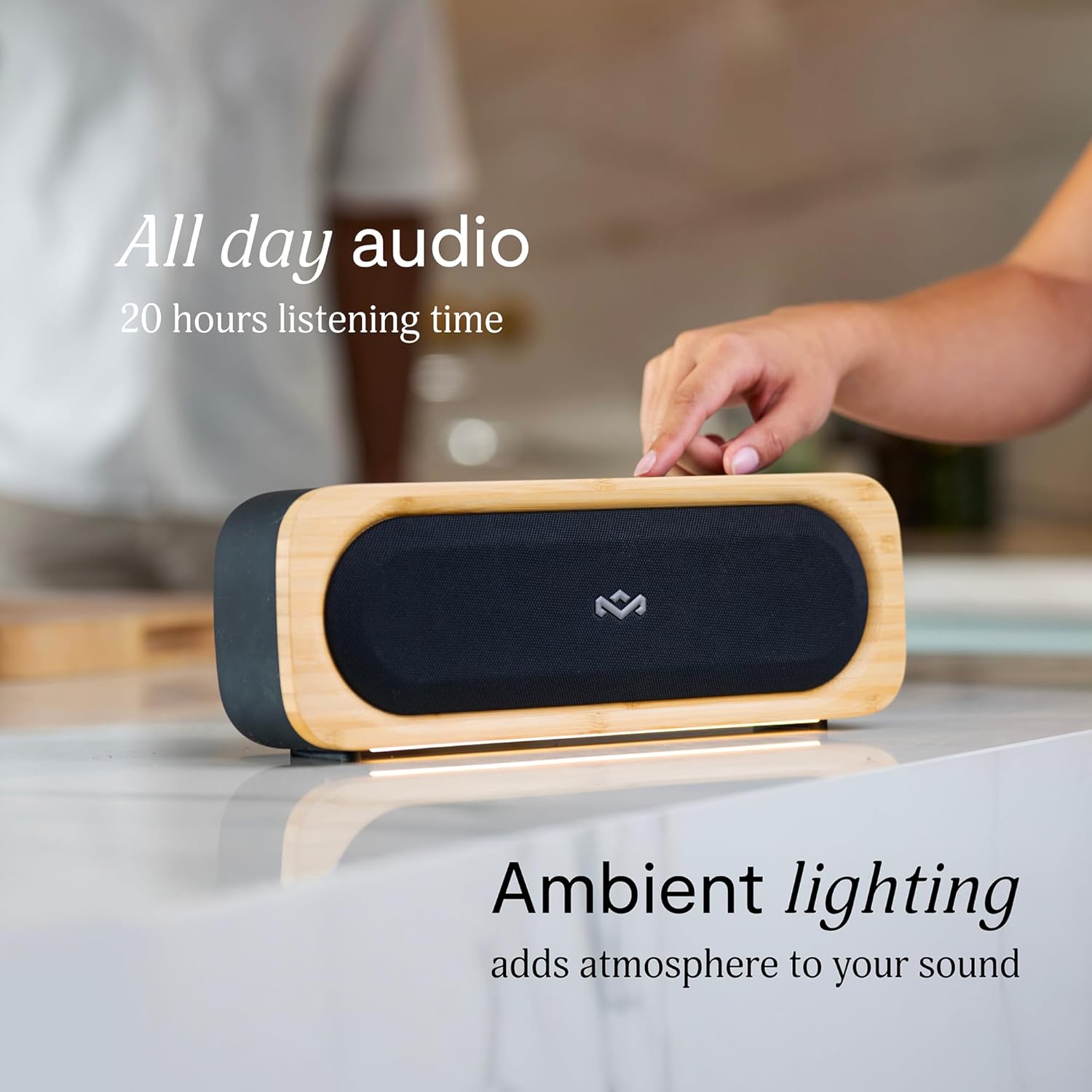
Figure 6: Speaker with ambient lighting active.
4.4 Ftuħ tal-Fliexken Inkorporat
A bottle opener is integrated into the speaker's design for convenience. Locate the bottle opener on the rear or side of the speaker and use it as you would a standard bottle opener.

Figure 7: Demonstrating the use of the built-in bottle opener.
5. Manutenzjoni
5.1 Tindif
- The speaker features a removable grill for easy cleaning. Gently detach the grill to clean any dust or debris from the speaker drivers.
- Imsaħ il-barra tal-ispiker b'ċarruta ratba uamp drapp. Evita li tuża kimiċi ħarxa jew tindif li joborxu.
- Ensure the speaker is completely dry before reattaching the grill or using it near water.

Figure 8: Speaker with removable grill detached for cleaning.
5.2 Water and Dust Protection (IP67)
- The IP67 rating means the speaker is protected from dust ingress and can withstand immersion in water up to 1 meter for 30 minutes.
- Dejjem kun żgur li l-għatu tal-port tal-iċċarġjar ikun magħluq sew qabel ma tesponi l-ispiker għall-ilma jew għat-trab.
- Wara li jkun espost għall-ilma, nixxef l-ispiker sewwa qabel ma tiċċarġjah.
5.3 Kura tal-Batterija
- For optimal battery life, avoid fully discharging the speaker frequently.
- Aħżen l-ispiker f'post frisk u niexef meta ma jkunx qed jintuża għal perjodi twal.
6 Issolvi l-problemi
6.1 Speaker Not Powering On
- Kun żgur li l-batterija hija ċċarġjata. Qabbad l-ispiker ma' sors ta' enerġija u ħallih jiċċarġja għal mill-inqas 30 minuta qabel ma tipprova tixgħelu mill-ġdid.
- Press and hold the Power button for a few seconds to ensure it's not a brief press.
6.2 Kwistjonijiet ta' Tqabbil tal-Bluetooth
- Make sure the speaker is in pairing mode (flashing Bluetooth indicator).
- Ensure your device's Bluetooth is enabled and within range (typically 10 meters or 33 feet).
- Try forgetting the speaker from your device's Bluetooth settings and re-pairing.
- Erġa' ibda kemm l-ispiker kif ukoll l-apparat Bluetooth tiegħek.
6.3 Ebda Ħoss jew Volum Baxx
- Iċċekkja l-livelli tal-volum kemm fuq l-ispiker kif ukoll fuq l-apparat konness tiegħek.
- Ensure the speaker is properly paired and connected to your device.
- Try playing audio from a different application or source on your device.
7. Speċifikazzjonijiet
| Karatteristika | Dettall |
|---|---|
| Isem tal-Mudell | INGĦAQDU FLIMKIEN IMORRU |
| Numru tal-Mudell tal-Oġġett | EM-JA036-SB |
| Teknoloġija tal-Konnettività | Bluetooth |
| Qawwa tal-Ħruġ Massimu tal-Ispeaker | 20 Watts |
| Klassifikazzjoni tal-IP | IP67 (Reżistenti għall-Ilma u t-Trab) |
| Ħin tal-logħob | Sa 20 sigħat |
| Dimensjonijiet tal-Prodott | 5.75"D x 16.13"W x 4.75"H |
| Piż tal-oġġett | 4.05 liri |
| Materjali | Renewable Bamboo, REGRIND Silicone, REWIND Fabric |
| UPC | 846885011706 |
8. Garanzija u Appoġġ
For warranty information and technical support, please refer to the official House of Marley webis-sit jew ikkuntattja lis-servizz tal-konsumatur tagħhom direttament. Żomm il-prova tax-xiri tiegħek għal talbiet ta' garanzija.
9. Impenn għas-Sostenibbiltà
The House of Marley Get Together Go speaker is designed with sustainability in mind, utilizing:
- Renewable Bamboo: Crafted from one of the world's fastest-growing plants.
- REWIND Fabric: Made from recycled plastic bottles for a durable finish.
- REGRIND Silicone: Produced using reclaimed and upcycled post-process and post-consumer waste.

Figure 9: Details on the sustainable materials used in the speaker's construction.


