Introduzzjoni
The Victrola Century Essential 5-in-1 Music Center is designed to provide versatile audio playback options in a compact, mid-century modern design. This unit integrates a 3-speed turntable, CD player, Bluetooth input, VINYLSTREAM Bluetooth output, and a 3.5mm auxiliary input. It features built-in stereo speakers for a complete audio experience.
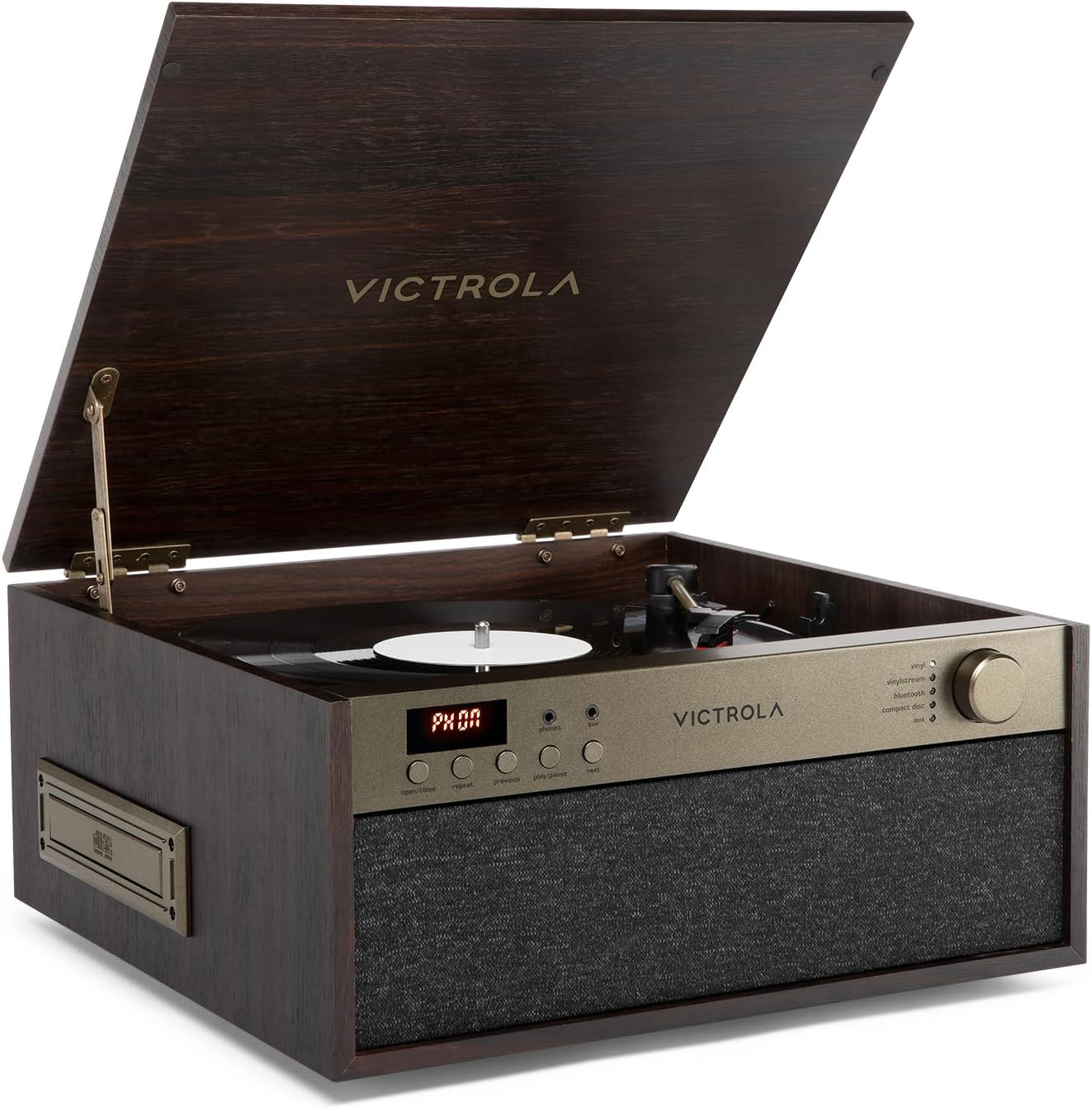
Quddiem view of the Victrola Century Essential music center, showcasing its elegant espresso wood finish and integrated speaker grille. The lid is open, revealing the turntable.
Informazzjoni dwar is-Sigurtà
Please read and understand all safety instructions before using this product. Keep these instructions for future reference.
- Tesponix l-unità għax-xita, umdità, jew temperaturi estremi.
- Aċċerta ruħek li jkun hemm ventilazzjoni xierqa; timblokkax xi fetħiet tal-ventilazzjoni.
- Uża biss aċċessorji/aċċessorji speċifikati mill-manifattur.
- Aqla 'l-unità waqt maltempati tas-sajjetti jew meta ma tintużax għal perjodi twal.
- Irreferi l-manutenzjoni kollha lil persunal tas-servizz kwalifikat.
Kontenut tal-Pakkett
Iċċekkja li l-oġġetti kollha elenkati hawn taħt huma inklużi fil-pakkett tiegħek:
- Victrola Century Essential Music Center
- Adapter tal-Enerġija
- Manwal għall-Utent
Prodott Overview

An annotated image illustrating the various components and functionalities of the Victrola Century Essential, including its 3-speed belt-driven turntable, CD player, Bluetooth connectivity, VINYLSTREAM output, 3.5mm auxiliary input, headphone jack, RCA output, and built-in speakers.
Kontrolli tal-Panew ta' Quddiem:
- Skrin tad-displej: Shows current mode and track information.
- Buttuna Miftuħa/Agħlaq: For the CD tray.
- Irrepeti l-buttuna: Repeats current track or entire CD.
- Buttuni Preċedenti/Li Jmiss: Navigates tracks on CD or cassette.
- Buttuna Play/Pause: Controls playback for CD and cassette.
- Jack tat-telefowns: 3.5mm output for headphones.
- Aux Jack: Input ta' 3.5mm għal apparati awdjo esterni.
- Volume/Mode Knob: Rotates to adjust volume, presses to cycle through input modes (Vinyl, VINYLSTREAM, Bluetooth, Compact Disc, Cassette, Aux).
Konnessjonijiet tal-Panew ta' wara:

The rear panel of the music center, displaying the RCA Line Out ports for connecting to external audio systems and the DC IN port for power.
- ĦRUĠ TAL-LINJA (R/XELL): Outputs RCA għall-konnessjoni ma' kelliema esterni jew ampaktar ħaj.
- DC IN: Dħul tal-enerġija għall-adapter inkluż.
Dimensjonijiet:

An image of the Victrola Century Essential with its key dimensions clearly marked, providing a visual reference for its size.
- Wisa': 14.57 pulzieri (370mm)
- Fond: 14.02 pulzieri (356mm)
- Għoli: 6.42 pulzieri (163mm)
Setup
- Ippakkja: Neħħi bir-reqqa l-unità mill-ippakkjar tagħha.
- Pjazzament: Place the unit on a flat, stable surface away from direct sunlight, heat sources, and excessive dust or vibration.
- Konnessjoni tal-Enerġija: Connect the included power adapter to the DC IN port on the rear of the unit, then plug the adapter into a wall outlet.
Istruzzjonijiet Operattivi
Power On/Off & Għażla tal-Modalità
- Biex iddawwar l-unità ON, press the Volume/Mode knob. The display will illuminate.
- Biex iddawwar l-unità OFF, press and hold the Volume/Mode knob for a few seconds.
- To select an input mode (Vinyl, VINYLSTREAM, Bluetooth, Compact Disc, Cassette, Aux), press the Volume/Mode knob repeatedly until the desired mode is indicated on the display and by the corresponding LED light.
- Rotate the Volume/Mode knob to adjust the volume level.
Turntable (Vinyl) Operation
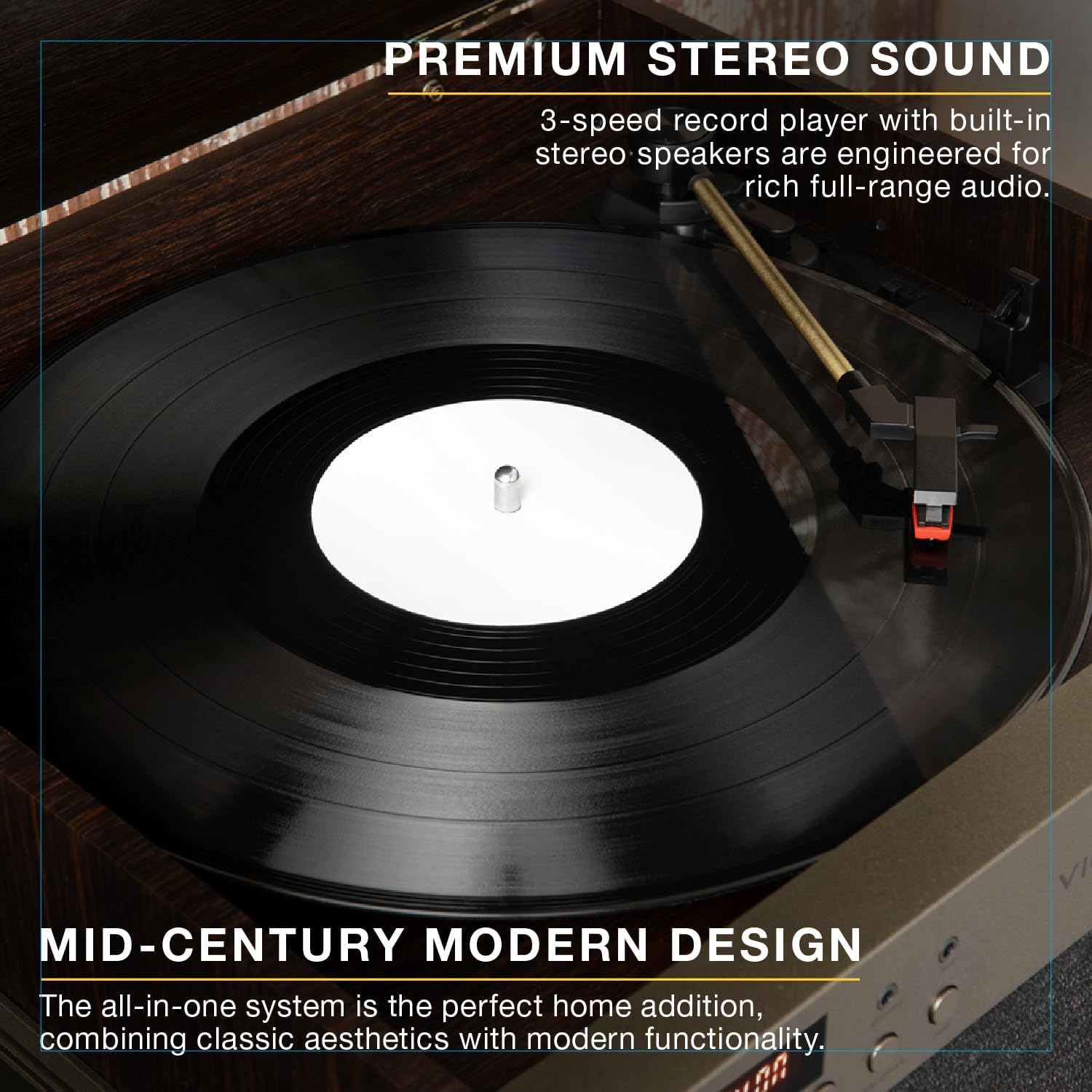
A dettaljata view of the 3-speed belt-driven turntable, showcasing a vinyl record spinning and the tonearm in position, emphasizing the premium stereo sound.
- Iftaħ l-għatu tat-turntable.
- Poġġi rekord tal-vinil fuq il-platter tat-turntable.
- Agħżel il-veloċità xierqa (33 1/3, 45, jew 78 RPM) billi tuża s-swiċċ tas-selettur tal-veloċità li jinsab ħdejn id-driegħ tat-tone.
- Itlaq il-lock tat-tonearm.
- Erfa' d-driegħ bil-mod billi tuża l-lieva tal-kjuwijiet.
- Pożizzjona d-driegħ tat-tonearm fuq it-trakka mixtieqa fuq ir-rekord.
- Slowly lower the cueing lever to place the stylus onto the record. Playback will begin.
- At the end of the record, lift the tonearm, return it to its rest, and engage the tonearm lock.
Operazzjoni ta' CD Player

The integrated CD player of the Victrola Century Essential with its tray extended, ready for a compact disc to be inserted for playback.
- Select the "Compact Disc" mode using the Volume/Mode knob.
- Press the "Open/Close" button to open the CD tray.
- Place a CD onto the tray with the label side facing up.
- Press the "Open/Close" button again to close the tray. The unit will read the CD.
- Press the "Play/Pause" button to start playback.
- Use the "Previous" and "Next" buttons to skip tracks.
- Press the "Repeat" button to repeat the current track or all tracks.
Bluetooth Input Operation

A smartphone wirelessly connected to the Victrola Century Essential via Bluetooth, illustrating the ability to stream music from compatible smart devices.
- Select the "Bluetooth" mode using the Volume/Mode knob. The Bluetooth indicator light will flash.
- Enable Bluetooth on your smart device (smartphone, tablet, etc.).
- Fittex għal "Victrola Century" in your device's Bluetooth settings and select it to pair.
- Ladarba jkun imqabbad, id-dawl indikatur tal-Bluetooth jieqaf iteptep u jibqa' solidu.
- You can now stream audio from your device to the music center.
VINYLSTREAM Bluetooth Output Operation

The Victrola Century Essential actively streaming music from a vinyl record to Bluetooth-enabled headphones, demonstrating the VINYLSTREAM feature for flexible listening.
- Kun żgur li l-headphones jew l-ispiker Bluetooth tiegħek jinsabu fil-modalità ta' tqabbil.
- Select the "VINYLSTREAM" mode using the Volume/Mode knob. The VINYLSTREAM indicator light will flash.
- The music center will automatically search for and connect to nearby Bluetooth audio devices.
- Once connected, the VINYLSTREAM indicator light will stop flashing and remain solid.
- Begin playing a vinyl record on the turntable. The audio will stream to your connected Bluetooth device.
Auxiliary Input Operation
- Connect an external audio device (e.g., MP3 player, smartphone) to the 3.5mm "Aux" jack on the front panel using a 3.5mm audio cable (not included).
- Select the "Aux" mode using the Volume/Mode knob.
- Play audio from your connected external device.
Headphone Jack Usage
- Connect 3.5mm headphones to the "Phones" jack on the front panel.
- Audio will be routed to the headphones, and the built-in speakers will be muted.
RCA Output Usage
- Connect RCA cables (not included) from the "LINE OUT" ports on the rear of the unit to the audio input of an external amplifier jew kelliema powered.
- Ensure the external audio system is set to the correct input.
- The built-in speakers of the Victrola Century Essential will continue to play unless manually muted or turned off on the external system.
Manutenzjoni
- Tindif: Imsaħ l-unità b'ċarruta ratba u niexfa. Tużax prodotti tat-tindif jew solventi li joborxu.
- Kura tal-istilus: Handle the turntable stylus with care. Clean it periodically with a soft brush designed for styli.
- Kura tas-CD/Kassett: Keep CDs and cassettes clean and free of dust and scratches.
Issolvi l-problemi
- Ebda Qawwa: Kun żgur li l-adapter tal-enerġija huwa konness sew mal-unità u ma' sokit tal-enerġija li jaħdem.
- Ebda Ħsejjes: Check the volume level. Ensure the correct input mode is selected. If using external speakers, verify their connection and power.
- It-turntable mhux qed idur: Ensure the unit is powered on and in Vinyl mode. Check that the platter is correctly seated.
- Qbiż fuq il-Vinil: Kun żgur li r-rekord ikun nadif u ħieles mit-trab. Poġġi l-unità fuq wiċċ stabbli biex tnaqqas il-vibrazzjonijiet.
- Kwistjonijiet ta' Tqabbil tal-Bluetooth: Ensure the unit is in Bluetooth pairing mode and your device's Bluetooth is enabled and searching. Try restarting both devices.
Speċifikazzjonijiet
| Numru tal-Mudell | VTA-810SB |
| Brand | Victrola |
| Dimensjonijiet (W x D x H) | 14.57 x 14.02 x 6.42 pulzieri (370 x 356 x 163 mm) |
| Piż | 13.6 liri |
| Veloċitajiet tat-turntable | 33 1/3, 45, 78 RPM |
| Konnettività | Bluetooth Input, VINYLSTREAM Bluetooth Output, 3.5mm Aux Input, RCA Line Out |
| Daqq tal-Midja | Vinyl Records, Compact Discs, Cassette Tapes |
| Komponenti Inklużi | Record Player, Power Adapter |
| Materjal | Injam |
Garanzija u Appoġġ
For warranty information and technical support, please refer to the documentation included with your product or visit the official Victrola websit. Żomm l-irċevuta tax-xiri tiegħek bħala prova tax-xiri.


