Introduzzjoni
This manual provides essential instructions for setting up and operating your AT&T DLP73190 1-Handset DECT 6.0 Bluetooth Cordless Phone. Please read this guide thoroughly to ensure proper use and to take full advantage of its features, including the 5-inch large color display, Smart Call Blocking, and Connect-to-Cell technology.
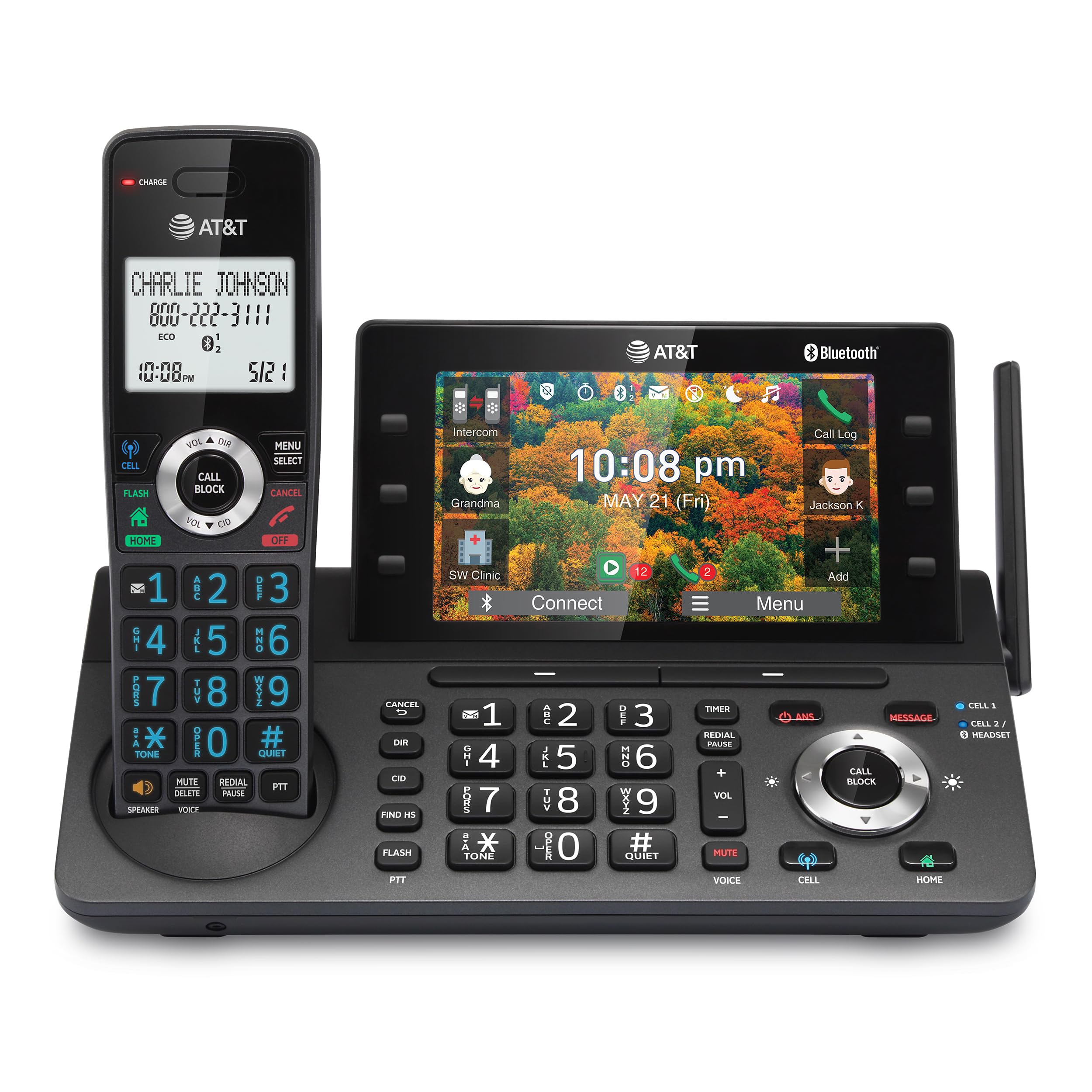
Figure 1: AT&T DLP73190 Cordless Phone System Overview
Setup
1. Verifika tal-Kontenut tal-Pakkett
Kun żgur li l-komponenti kollha jkunu preżenti:
- (1) Main Base Unit
- (1) Cordless Handset
- (1) A/C Adapter
- (1) Rechargeable Ni-MH Battery
- (1) Qoxra tal-batterija
- (1) RJ-11 Telephone Cable
- (1) Wall Mount Bracket for Base
- (1) Gwida tal-Bidu Mgħaġġel
2. Installazzjoni tal-batterija
- Sib il-kompartiment tal-batterija fuq wara tat-telefon mingħajr fili.
- Insert the rechargeable Ni-MH battery, ensuring correct polarity.
- Ibdel l-għatu tal-batterija.
- Place the handset on the base unit to charge for at least 16 hours before initial use.
3. Konnessjoni tal-Unità Bażi
- Connect the A/C adapter to the base unit and a power outlet.
- Connect the RJ-11 telephone cable to the base unit and your telephone wall jack (for landline service).
- For wall mounting, use the provided bracket and follow the instructions in the Quick Start Guide.
4. Connect-to-Cell Setup (Bluetooth Pairing)
The system supports pairing up to two cell phones or one cell phone and one Bluetooth headset.
- On the base unit's 5-inch color display, navigate to the Bluetooth pairing menu.
- Enable Bluetooth on your cell phone or headset and set it to discoverable mode.
- Select your device from the list on the phone's display and follow the on-screen prompts to complete pairing.

Figure 2: Bluetooth Connect-to-Cell Functionality
This feature allows you to make and receive cellular calls using the cordless handset.
Istruzzjonijiet Operattivi
1. Tagħmel u Riċeviment Sejħiet
- Telefonati minn Linja Fissa: Agħfas il- HOME button on the handset or base, then dial the number.
- Cellular Calls: Agħfas il- ĊELLA button on the handset or base, then dial the number.
- Twieġeb Sejħiet: Press any talk key (HOME or ĊELLA) on the handset or base.
2. Using the 5-inch Color Base Display
The large color display on the base unit provides easy access to various functions and information.
- Navigazzjoni: Use the soft keys on the side and bottom of the screen to navigate menus and select options.
- Personalized Shortcuts: Assign frequently used features or contacts to shortcuts on the display for quick access.
- Wallpaper Options: Customize the display with lifestyle wallpaper options.

Figure 3: 5-inch Color Base Display with Shortcuts
3. Imblokkatur Intelliġenti tas-Sejħiet
This feature helps to filter out unwanted calls, including robocalls.
- Automatic Blocking: Robocalls are automatically blocked from ringing through.
- Manual Blocking: Agħfas il- SEJĦA BLOCK button during or after a call to add a number to the block list.
- The system can store up to 1,000 names and numbers in the block list.
4. Sistema ta' Tweġib Diġitali
The integrated digital answering system can record up to 40 minutes of incoming messages.
- Aċċess għal Messaġġi: Use the controls on the base unit or handset to play, skip, or delete messages.
- Aċċess mill-bogħod: Access your messages remotely by calling your landline number and entering your PIN.

Figure 4: Digital Answering System Interface
5. Funzjoni Intercom
Use the intercom feature to communicate between the handset and the base unit, or between multiple handsets if additional handsets are registered.
- Push-To-Talk: Agħfas il- PTT button on the handset to initiate an intercom call.

Figure 5: Push-To-Talk Intercom Feature
6. Simulated Full-Duplex Handset Speakerphone
The handset features a speakerphone that allows both parties to speak and be heard simultaneously, enhancing hands-free communication.
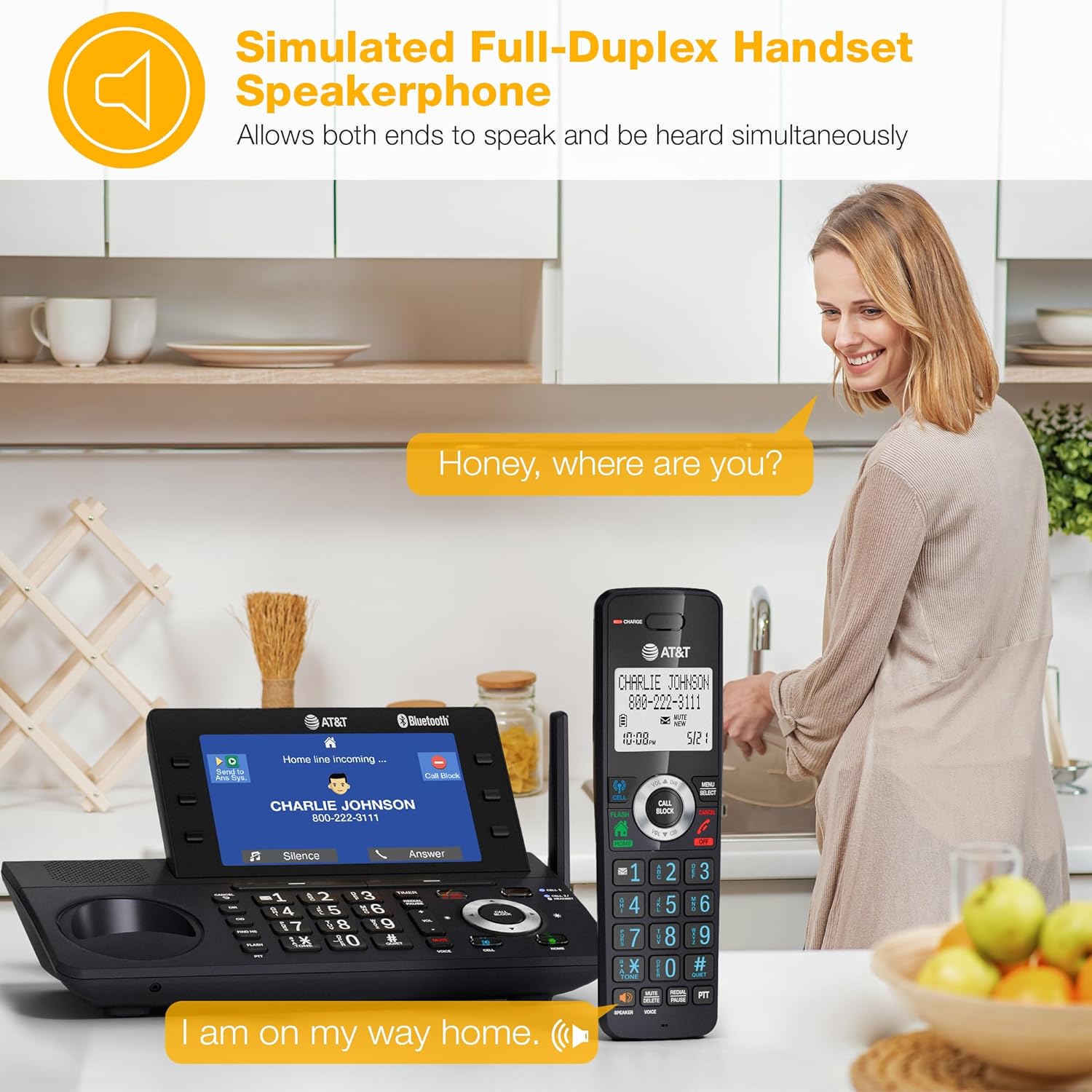
Figure 6: Handset Speakerphone in Use
7. Cell Phone Phonebook Download
Download up to 1,200 names and numbers from your paired cell phone to the cordless phone system's directory.
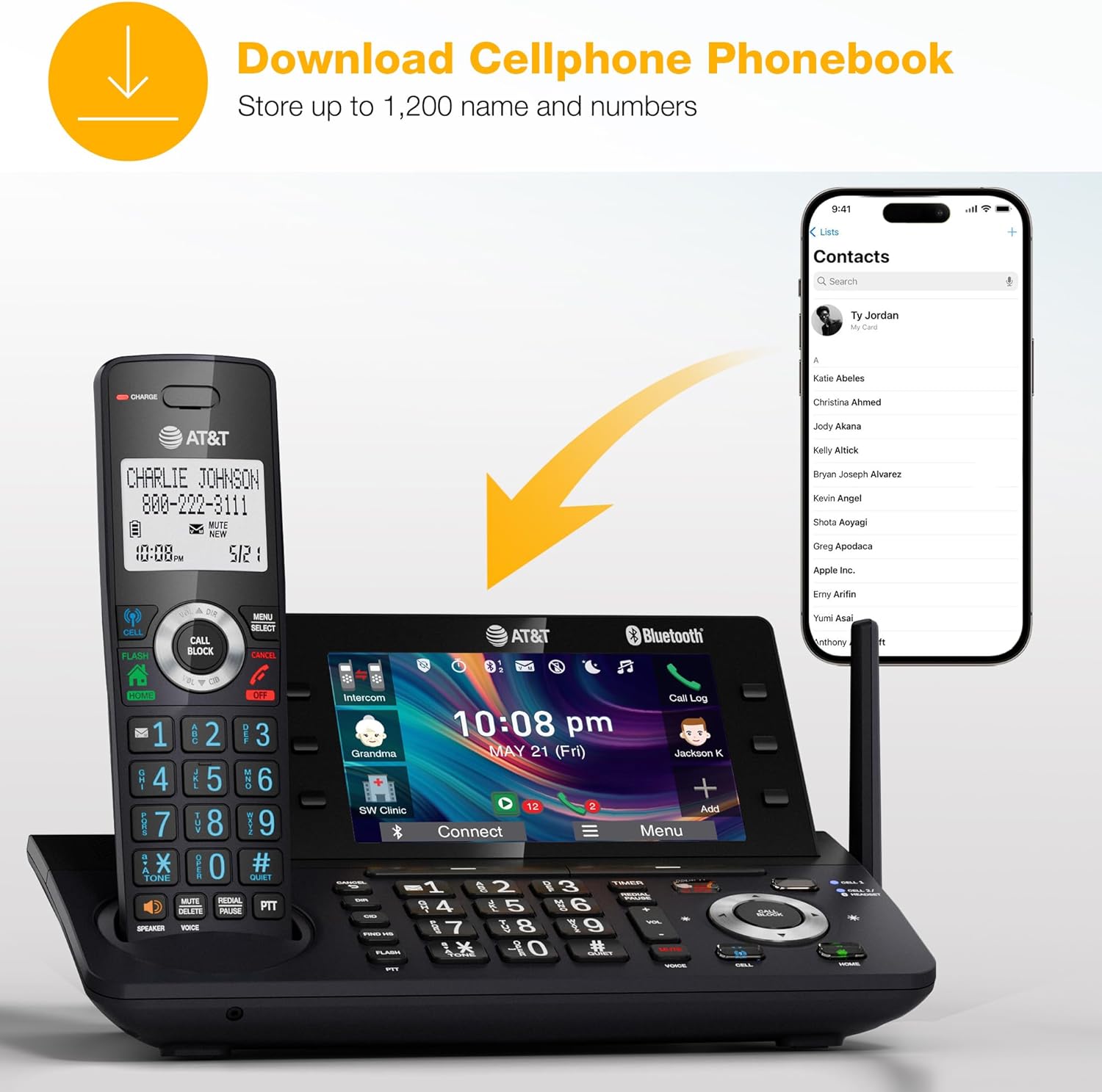
Figure 7: Cell Phone Phonebook Download
Manutenzjoni
- Tindif: Clean the phone's surfaces with a soft, damp drapp. Evita li tuża kimiċi ħarxa jew tindif li joborxu.
- Kura tal-batterija: For optimal battery life, ensure the handset is placed on the charger when not in use. Replace the Ni-MH battery when its performance significantly degrades.
- Kundizzjonijiet Ambjentali: Evita li tesponi t-telefon għal temperaturi estremi, dawl tax-xemx dirett, jew umdità.
Issolvi l-problemi
If you encounter issues with your AT&T DLP73190 phone, try the following basic troubleshooting steps:
- Ebda Ton tal-Dial:
- Kun żgur li l-korda tat-telefon hija konnessa sew mal-unità bażi u mal-ġakk tal-ħajt.
- Verify that the A/C adapter is properly connected to the base unit and a working power outlet.
- It-telefon mhux qed jiċċarġja:
- Check that the handset is correctly seated in the charging cradle.
- Ensure the charging contacts on both the handset and base are clean.
- Confirm the A/C adapter is plugged in.
- Poor Call Quality/Range:
- Mexxi l-idejn eqreb lejn l-unità bażi.
- Avoid placing the base unit near large metal objects or other electronic devices that may cause interference.
- Kwistjonijiet ta' Tqabbil tal-Bluetooth:
- Ensure your cell phone's Bluetooth is enabled and discoverable.
- Delete previous pairings on both the phone system and your cell phone, then attempt to pair again.
- Answering System Not Recording:
- Iċċekkja jekk is-sistema tat-tweġib tat-telefonati hijiex mixgħula.
- Ensure there is sufficient recording time available.
For more detailed troubleshooting or complex issues, please refer to the comprehensive user manual or contact AT&T customer support.
Speċifikazzjonijiet
| Karatteristika | Dettall |
|---|---|
| Brand | AT&T |
| Numru tal-Mudell | DLP73190 |
| Tip tat-Telefon | Mingħajr fili (DECT 6.0) |
| Handsets Included | 1 |
| Espandibbiltà | Up to 5 handsets (DLP73X90 system) |
| Wiri | 5" Color Base Display |
| Tip ta' Sistema ta' Tweġiba | Digital (up to 40 minutes recording) |
| Imblukkar tas-Sejħiet | Smart Call Blocker (up to 1,000 numbers) |
| Connect-to-Cell | Bluetooth (pair up to 2 cell phones or 1 cell phone + 1 Bluetooth headset) |
| Apparati Kompatibbli | Cell Phones (Android or iPhone), BLUETOOTH Headsets |
| Sors tal-Enerġija | Li jaħdem bil-batterija, elettriku bil-fili |
| Tip ta 'batterija | NiMH (rechargeable) |
| Materjal | Plastik |
| Dimensjonijiet tal-Prodott | 11.5 x 18.3 x 24.5 ċm; 1.02 kg |
Garanzija u Appoġġ
For warranty information, please refer to the documentation included with your product or visit the official AT&T website. If you require technical assistance or have questions regarding your AT&T DLP73190 cordless phone, please contact AT&T customer support.
Appoġġ onlajn: www.att.com/support/
Appoġġ bit-Telefon: Refer to your local AT&T service provider for contact numbers.
Vidjows Uffiċjali tal-Prodott
No official seller-created videos are available for this product at this time.


