Introduzzjoni
Thank you for choosing the VONROC CH516AC 2500W WiFi Electric Convector Heater. This manual provides essential information for the safe and efficient operation, installation, and maintenance of your new heater. Please read these instructions carefully before use and retain them for future reference.
Istruzzjonijiet Importanti dwar is-Sigurtà
Always observe basic safety precautions when using electrical appliances to reduce the risk of fire, electric shock, and injury to persons. This includes:
- Aqra l-istruzzjonijiet kollha qabel tuża dan il-heater.
- Tużax dan il-heater fil-viċinanza immedjata ta’ banju, doċċa jew pixxina.
- Do not cover the heater. A warning label "DO NOT COVER" is present on the appliance.
- Tiżgura l-voltage indikat fuq it-tikketta tal-klassifikazzjoni jikkorrispondi mal-mejn voltage fid-dar tiegħek.
- Żomm lit-tfal u l-annimali domestiċi 'l bogħod mill-heater.
- Daħħalx oġġetti fil-fetħiet tal-ħiter.
- Qabbad il-heater meta ma tkunx qed tużah.
- Jekk il-korda tal-provvista tkun bil-ħsara, għandha tiġi sostitwita mill-manifattur, mill-aġent tas-servizz tiegħu jew minn persuni kwalifikati bl-istess mod sabiex jiġi evitat periklu.

Karatteristiċi tal-Prodott
- 2500W heating power.
- Integrated WiFi for smart control via Tuya App.
- Adjustable thermostat (5-50 °C).
- Funzjoni ta 'timer.
- Multiple operating modes: Eco, Comfort, Anti-freeze.
- IP24 splash-proof rating.
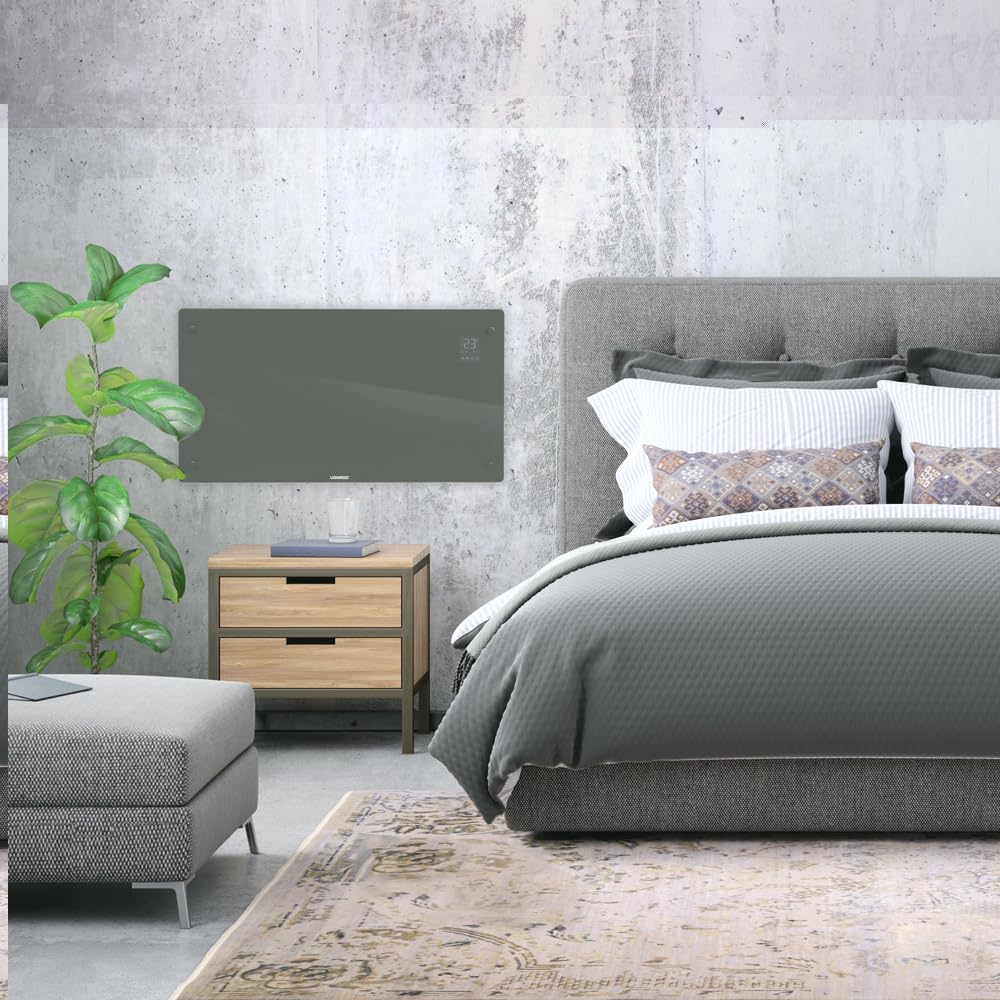
- Suitable for wall mounting or floor standing.
- Heats areas up to 30 m².
Kontenut tal-Pakkett
Ivverifika li l-komponenti kollha huma preżenti u mhux imħassra meta tiftaħ il-pakkett:
- VONROC CH516AC Konvector Heater
- Feet for floor standing (if applicable)
- Wall mounting kit (screws, anchors)
- Manwal għall-Utent
Setup u Installazzjoni
1. Floor Standing Installation
- Oħroġ il-ħiter u l-aċċessorji kollha mill-pakkett bir-reqqa.
- Attach the provided feet to the bottom of the heater using the screws. Ensure they are securely fastened.
- Place the heater on a flat, stable surface, away from flammable materials and at least 1 meter from furniture or curtains.

2. Installazzjoni tal-Immuntar mal-Ħajt
- Choose a suitable wall location, ensuring sufficient clearance around the heater (at least 15 cm from the floor and ceiling, and 30 cm from side walls).
- Mark the drilling points on the wall using the provided template or by measuring the mounting brackets on the back of the heater.
- Drill toqob u daħħal l-ankri tal-ħajt.
- Secure the wall mounting brackets to the wall with screws.
- Carefully hang the heater onto the wall brackets, ensuring it is securely seated.

Istruzzjonijiet Operattivi
1. L-Ewwel Tixgħil
Plug the heater into a suitable electrical outlet. The digital display will illuminate.

2. Kontroll manwali
- Buttuna tal-Qawwa: Agħfas biex ixgħel/itfi l-heater.
- Aġġustament tat-temperatura: Use the '+' and '-' buttons on the control panel or app to set the desired temperature between 5°C and 50°C.
- Għażla tal-Modalità: Cycle through Eco, Comfort, and Anti-freeze modes using the mode button.
- Timer: Issettja tajmer għall-għeluq awtomatiku.
3. WiFi and App Control (Tuya App)
- Download the "Tuya Smart" app from your smartphone's app store.
- Irreġistra jew idħol fil-kont Tuya tiegħek.
- Ensure your heater is powered on and the WiFi indicator on the display is blinking (if not, press and hold the WiFi button on the heater for 5 seconds to enter pairing mode).
- In the Tuya app, tap '+' to add a device. Select "Heater" or "Convector Heater" from the list.
- Follow the on-screen instructions to connect the heater to your home WiFi network.
- Once connected, you can control the heater remotely, set schedules, and monitor its status via the app.
Manutenzjoni
Manutenzjoni regolari tiżgura prestazzjoni ottimali u lonġevità tal-ħiter tiegħek.
- Tindif: Disconnect the heater from the power supply before cleaning. Wipe the exterior with a soft, damp drapp. Tużax tindif jew solventi li joborxu.
- Ħażna: If storing the heater for an extended period, unplug it, allow it to cool completely, and store it in a dry, dust-free location.
- Spezzjoni: Periodically check the power cord and plug for any signs of damage. If damaged, contact qualified personnel for repair.

Issolvi l-problemi
| Problema | Kawża Possibbli | Soluzzjoni |
|---|---|---|
| Il-heater ma jixgħelx. | No power supply; Power button not pressed; Overheat protection activated. | Check power connection; Press power button; Unplug and allow to cool for 30 minutes. |
| Il-ħiter mhux qed jisħon b'mod effettiv. | Temperature setting too low; Room size too large; Obstruction of air vents. | Increase temperature setting; Ensure heater is appropriate for room size; Clear any obstructions. |
| Problemi bil-konnessjoni tal-WiFi. | Incorrect WiFi password; Heater too far from router; Router issues; Heater not in pairing mode. | Verify WiFi password; Move heater closer to router; Restart router; Put heater in pairing mode (long press WiFi button). |
| Ħsejjes jew irwejjaħ mhux tas-soltu. | Dust accumulation; Internal fault. | Unplug and clean the heater; If problem persists, discontinue use and contact customer support. |
Speċifikazzjonijiet
| Karatteristika | Dettall |
|---|---|
| Brand | VONROC |
| Numru tal-Mudell | CH516AC |
| Qawwa tat-Tisħin | 2500 Watts |
| Voltage | 230 Volts |
| Thermostat Temperature Range | 5 - 50 °C |
| Issettjar tat-Temperatura Massima | 35 °C |
| Klassifikazzjoni tal-IP | IP24 (li ma titlaqx) |
| Kontroll | Digital display, Buttons, Tuya App (WiFi) |
| Għażliet ta 'Immuntar | Wall-mounted or Floor standing |
| Daqs tal-Kamra Rakkomandat | Sa 30 m² |
Garanzija u Appoġġ
VONROC products are manufactured to high quality standards. In the unlikely event of a defect, please contact your retailer or VONROC customer service for assistance. Keep your proof of purchase for warranty claims.
For further support, visit the official VONROC websit jew ikkuntattja lid-dipartiment tas-servizz tal-konsumatur tagħhom.


