1. Introduzzjoni
This manual provides detailed instructions for the safe and effective use of your NBD 5K 64MP Digital Camera, Model K100C. Please read this manual thoroughly before operating the camera and retain it for future reference.
2. Informazzjoni dwar is-Sigurtà
- Tesponix il-kamera għall-ilma jew l-umdità.
- Evita li twaqqa’ l-kamera jew li tissottomettiha għal impatti qawwija.
- Keep the camera away from extreme temperatures and direct sunlight.
- Use only NBD-approved accessories and power adapters.
- Tippruvax tiżżarma jew issewwi l-kamera int stess. Ikkuntattja l-appoġġ għall-klijenti għall-għajnuna.
- Żomm il-batteriji fejn ma jintlaħaqx mit-tfal.
3. Kontenut tal-Pakkett
Ivverifika li l-oġġetti kollha huma preżenti fil-pakkett tiegħek:
- NBD 5K 64MP Digital Camera (Model K100C)
- 2 x Rechargeable Lithium-Ion Batteries (1500mAh)
- Ċarġer tal-batterija
- Karta TF 64GB
- Cable USB
- Ċinga tal-Għonq tal-Kamera
- Manwal għall-Utent (dan id-dokument)

Figure 3.1: Included accessories with the NBD K100C Digital Camera.
4. Camera Matulview
4.1 Quddiem View
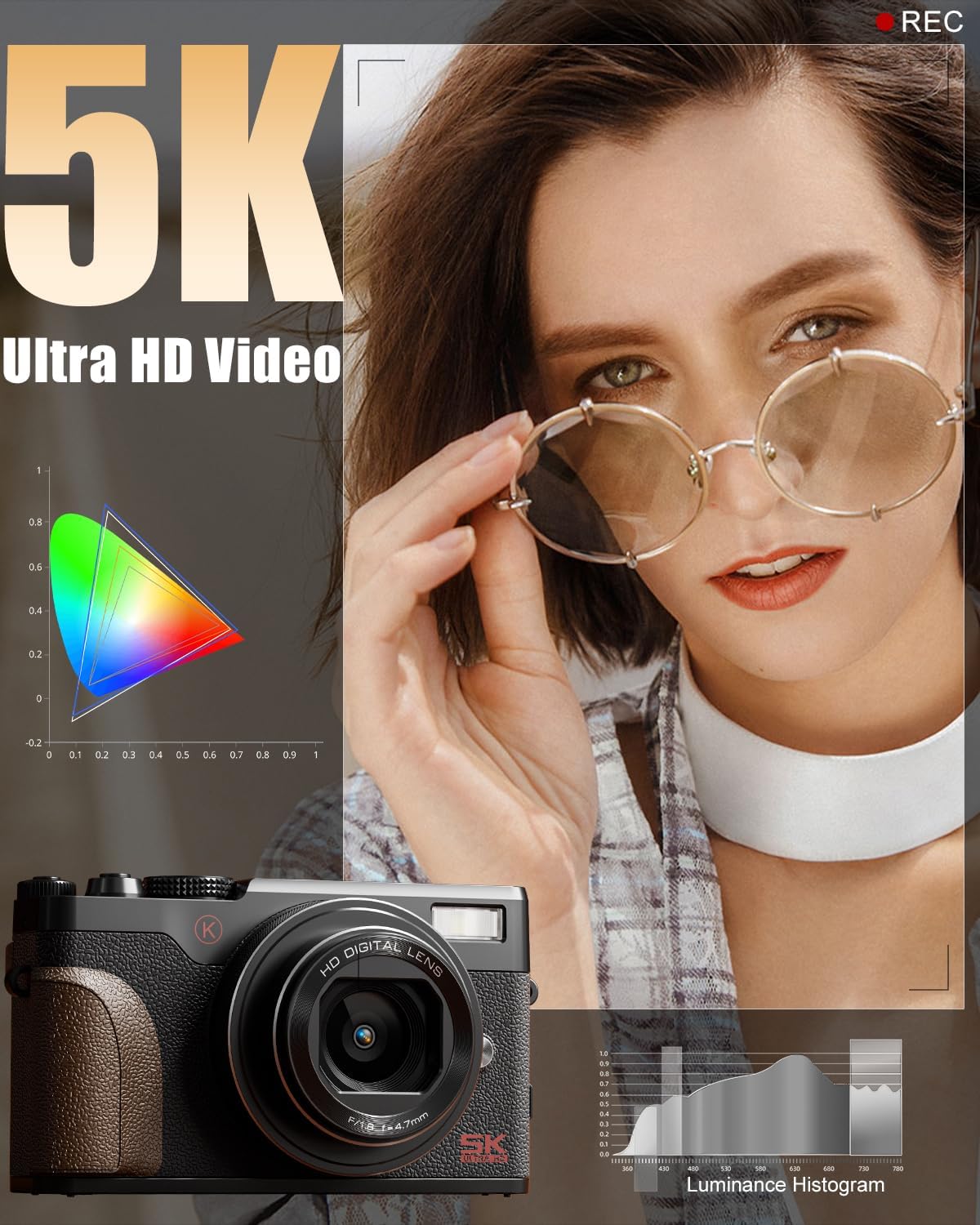
Figura 4.1: Quddiem view of the camera, highlighting the lens and built-in flash.
- Lenti: 18X Digital Zoom Lens (F/1.8 f=5.04mm Macro 52mm)
- Flash built-in: Jipprovdi dawl f'kundizzjonijiet ta' dawl baxx.
- Qabda: Textured surface for secure handling.
4.2 Wara View u Kontrolli

Figura 4.2: Wara view of the camera with the LCD screen and control layout.
- 180° Flip Screen: Rotates for vlogging and selfies.
- Tastiera Direzzjonali (buttuna OK fiċ-ċentru): Jinnaviga l-menus u jagħżel l-għażliet.
- Buttuna tal-menu: Jaċċessa s-settings tal-kamera.
- Buttuna DISP: Changes display information on the screen.
- Buttuni taż-Żum (T/W): Controls 18X digital zoom.
4.3 Fuq View and Mode Dial

Figura 4.3: Fuq view of the camera, featuring the physical mode dial for quick setting changes.
- Buttuna tas-shutter: Captures photos.
- Buttuna Rekord: Jibda u jwaqqaf ir-reġistrazzjoni tal-vidjo.
- Physical Mode Dial: Allows quick selection between Photo, Video, Time-lapse, Slow-motion, Macro, Scene, and Filter modes.
4.4 Side Ports
- Port USB: Għall-iċċarġjar u t-trasferiment tad-dejta.
- Input tal-mikrofonu: For external microphone connection.
5. Setup
5.1 Iċċarġjar tal-batterija
- Insert a rechargeable battery into the provided battery charger.
- Connect the charger to a power source using the USB cable.
- The indicator light on the charger will show charging status. A full charge typically takes approximately 2-3 hours.
5.2 Inserting the Battery and TF Card
- Open the battery/TF card compartment cover on the bottom of the camera.
- Insert the charged battery into the battery slot, ensuring correct orientation.
- Insert the 64GB TF card into the TF card slot until it clicks into place.
- Agħlaq l-għatu tal-kompartiment sew.
6. Operazzjoni Bażika
6.1 Power On/Off
Press and hold the Power button (usually located on the top or side) to turn the camera on or off.
6.2 Tieħu Ritratti
- Turn the Physical Mode Dial to the Photo mode icon.
- Frame your shot using the 180° Flip Screen.
- Press the Shutter button halfway to activate autofocus. The focus frame will turn green when focused.
- Agħfas il-buttuna tax-Xutter kompletament biex tieħu r-ritratt.

Figure 6.1: Precision autofocus ensures sharp images.
6.3 Reġistrar Vidjows
- Turn the Physical Mode Dial to the Video mode icon.
- Press the Record button to start recording. A red indicator will typically appear on the screen.
- Agħfas il-buttuna Irrekordja mill-ġdid biex tieqaf tirrekordja.

Figure 6.2: The camera is capable of capturing 5K Ultra HD video.
6.4 Using the Zoom
Use the T (Telephoto) and W (Wide) buttons on the rear of the camera to adjust the 18X digital zoom.

Figure 6.3: The 18X digital zoom allows for detailed close-ups.
6.5 Activating the Flash
Press the flash release button (if available) or navigate through the menu to activate the built-in flash for additional lighting.

Figure 6.4: The built-in smart flash enhances photos in low-light conditions.
6.6 Using the 180° Flip Screen
Gently pull the screen outwards and rotate it 180 degrees to face forward for self-recording or vlogging. Adjust the angle as needed.

Figure 6.5: The 180° flip screen is ideal for vlogging and self-portraits.
7. Karatteristiċi Avvanzati
7.1 Shooting Modes and Filters
The Physical Mode Dial allows quick access to various shooting modes including:
- Modalità tar-Ritratti: Qbid standard ta' immaġni fissi.
- Modalità Video: Reġistrazzjoni standard tal-vidjow.
- Reġistrazzjoni Time-lapse: Captures a series of images over time to create a sped-up video.
- Slow-motion Recording: Captures video at a higher frame rate for slow-motion playback.
- Modalità Makro: Għal fotografija mill-qrib ta' suġġetti żgħar.
- Modi tax-Xena: Pre-set modes optimized for specific shooting conditions (e.g., Portrait, Landscape).
- Modi ta' Iffiltra: Apply various creative filters directly to your photos and videos.

Figure 7.1: Explore various photo modes for creative expression.

Figure 7.2: Utilize different video modes for diverse recording needs.
Video 7.1: Demonstration of various built-in filters available on the NBD K100C camera.
7.2 Anti-Shake Stabilization
The camera features anti-shake technology to minimize blur in handheld shots, especially useful in telephoto, macro, and low-light scenes.

Figure 7.3: Anti-shake feature helps in capturing clear images and videos.
7.3 WebModalità cam
Connect the camera to your PC via the USB cable and select "PC Camera Mode" to use it as a webkamera għal sejħiet bil-vidjo jew xandir dirett.

Figure 7.4: The camera can be used as a webcam for interactive sessions.
8. Manutenzjoni
- Tindif tal-Lenti: Use a soft, lint-free cloth specifically designed for camera lenses. Do not use abrasive materials.
- Tindif tal-Iskrin: Wipe the screen gently with a microfiber cloth. Avoid pressing too hard.
- Ħażna: When not in use, store the camera in a cool, dry place, away from dust and direct sunlight. Remove the battery if storing for extended periods.
- Kura tal-batterija: Fully charge batteries before first use. Avoid completely draining batteries regularly to prolong their lifespan.
9 Issolvi l-problemi
| Problema | Kawża Possibbli | Soluzzjoni |
|---|---|---|
| Il-kamera ma tixgħelx. | Battery is drained or incorrectly inserted. | Iċċarġja l-batterija kompletament. Kun żgur li l-batterija tkun imdaħħla bil-polarità korretta. |
| L-immaġini huma mċajpra. | Autofocus not engaged, camera shake, or low light. | Press the shutter button halfway to focus. Enable Anti-Shake. Use flash in low light. |
| Ma nistax nirrekordja vidjow. | TF card is full or not inserted. | Check TF card storage. Insert TF card correctly. |
| Problemi bil-konnessjoni tal-Wi-Fi. | Settings mhux korretti jew interferenza. | Ensure Wi-Fi is enabled on camera and device. Check for interference. Refer to the app's instructions. |
10. Speċifikazzjonijiet
| Brand | NBD |
| Isem tal-Mudell | K100C |
| Riżoluzzjoni Għadha Effettiva | 64 MP |
| Riżoluzzjoni tal-vidjo | 5K Ultra HD |
| Zoom Diġitali | 18X |
| Teknoloġija tas-Sensor tar-Ritratti | CMOS |
| Daqs tas-Sensor tar-Ritratti | 1/2.3-il pulzier |
| Appoġġjati File Format | MOV (Video) |
| Karatteristika Speċjali | 180° Flip Screen, Autofocus, Anti-Shake, Built-in Flash, WebModalità cam |
| Batteriji | 2 Lithium Ion batteries (1500mAh each) |
| Piż tal-oġġett | 1.28 liri |
| Dimensjonijiet tal-Pakkett | 6.02 x 4.92 x 3.23 pulzieri |
11. Garanzija u Appoġġ
For warranty information or technical support, please refer to the contact details provided with your purchase or visit the official NBD websit. Żomm il-prova tax-xiri tiegħek għal talbiet ta' garanzija.
You can visit the NBD Store for more information: NBD Official Flagship Store


