1. Introduzzjoni
Thank you for choosing the SOVMIKU 4K NVR 5MP PoE Camera System. This system provides advanced surveillance capabilities with 4K NVR recording, 5MP PoE cameras featuring human detection, 300° pan and 90° tilt functionality, auto-tracking, and two-way audio. Designed for home and business security, this manual will guide you through the installation, operation, and maintenance of your new security system.
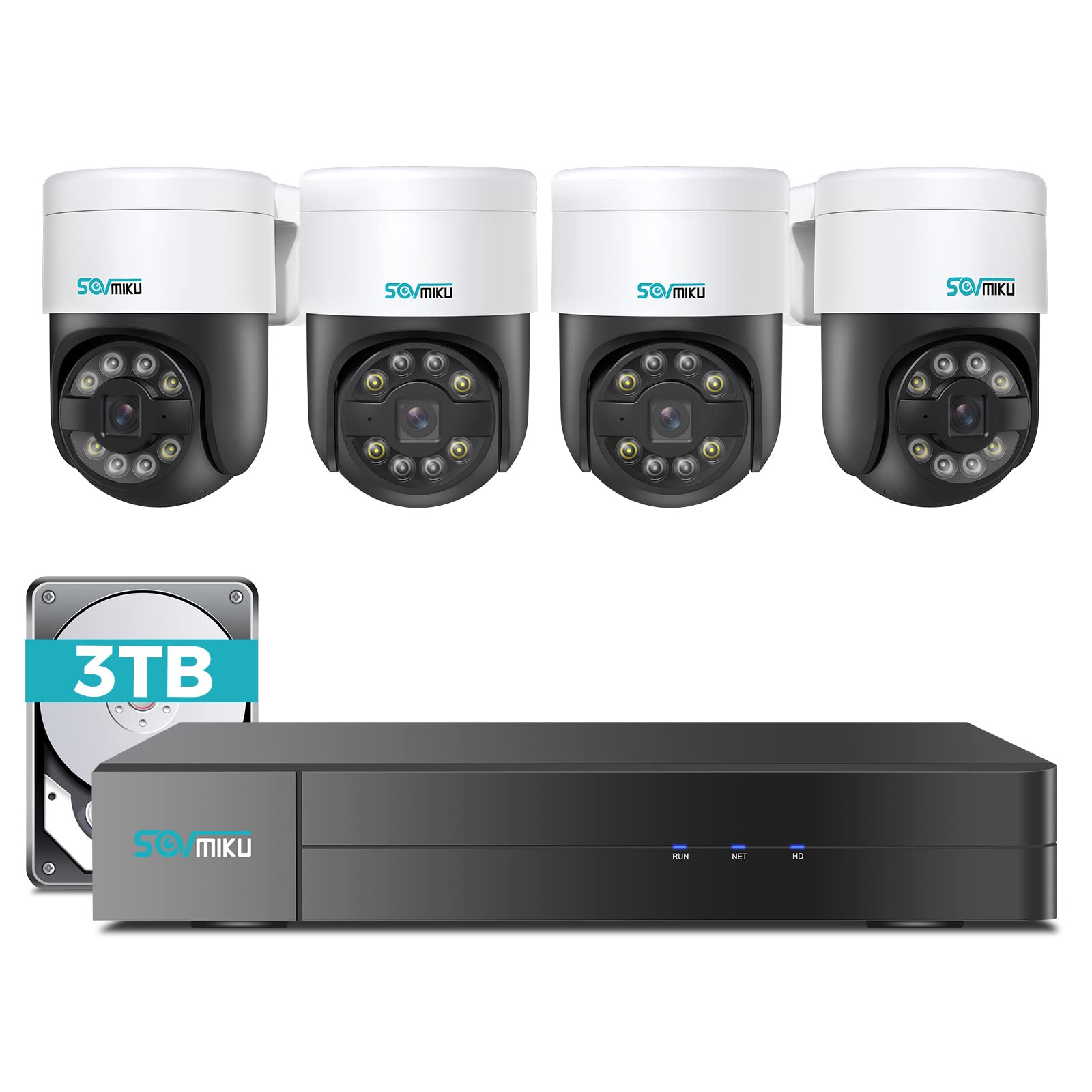
Immaġni 1.1: Fuqview of the SOVMIKU 4K NVR 5MP PoE Camera System components.
2. Kontenut tal-Pakkett
Please check the package contents carefully upon opening. If any items are missing or damaged, contact SOVMIKU customer support.
- 1x 4K Network Video Recorder (NVR) with 3TB HDD
- 4x 5MP PoE Outdoor Security Cameras (PTZ, IP66 rated)
- 1x Adapter tal-Enerġija NVR
- 1x USB Mouse
- 1x Cable HDMI
- 4x Ethernet Cables (for cameras)
- 4x Mounting Screw Kits
- 1x Gwida tal-Bidu Mgħaġġel
- 1x Warning Sticker Set

Image 2.1: Illustration of typical package contents for the SOVMIKU PoE Camera System.
3. Setup
3.1 NVR Initial Setup
- Qabbad il-Monitor: Connect the NVR to a monitor or TV using the provided HDMI cable.
- Qabbad il-ġurdien: Plug the USB mouse into a USB port on the NVR.
- Qabbad in-Netwerk: Qabbad l-NVR mar-router tiegħek billi tuża kejbil Ethernet għal aċċess għall-internet u remot viewing.
- Qabbad l-Enerġija: Plug the NVR power adapter into the NVR and then into a power outlet. The NVR will power on automatically.
- Initial Wizard: Follow the on-screen setup wizard to configure language, date/time, password, and network settings.

Image 3.1: Diagram showing NVR connections to monitor, mouse, network, and power.
3.2 Installazzjoni tal-Kamera
- Post tal-Immuntar: Choose a suitable location for each camera, ensuring good coverage and a stable mounting surface. Consider the camera's IP66 rating for outdoor use.
- Drill toqob: Use the provided mounting template to mark and drill holes for the camera base. Insert wall anchors if necessary.
- Kamera Sikura: Waħħal il-bażi tal-kamera mal-wiċċ tal-immuntar billi tuża l-viti pprovduti.
- Connect PoE Cable: Connect one end of an Ethernet cable to the camera's PoE port and the other end to an available PoE port on the NVR. The camera will power on and connect automatically.
- Aġġusta Angolu: Loosen the adjustment screws on the camera to set the desired pan, tilt, and rotation angle. Tighten the screws once positioned.

Image 3.2: Step-by-step guide for mounting a PoE camera.
3.3 Konfigurazzjoni tal-App Mobbli
- Niżżel l-App: Fittex għal the official SOVMIKU security app in your device's app store (iOS or Android).
- Irreġistra Kont: Open the app and register a new user account.
- Żid Apparat: Follow the in-app instructions to add your NVR system. This typically involves scanning a QR code on the NVR or manually entering its device ID.
- Live View: Ladarba żżidha, tista' view live feeds from your cameras, access playback, and control PTZ functions remotely.
4. Tħaddim tas-Sistema
4.1 Ħaj View u Daqq
- Live View: On the NVR monitor or mobile app, select the 'Live View'għażla biex tara l-ikel f'ħin realitage mill-kameras kollha konnessi.
- Daqq: Access the 'Playback' menu to review irreġistrat footage. You can search by date, time, and event type (e.g., motion detection, human detection).

Immaġni 4.1: Eż.ample of the mobile app's live view interface.
4.2 PTZ Control and Two-Way Audio
- Kontroll PTZ: For PTZ cameras, use the on-screen controls (NVR interface or mobile app) to pan (300°), tilt (90°), and zoom the camera lens.
- Awdjo f'żewġ direzzjonijiet: Select a camera with two-way audio support in live view. Use the microphone icon to speak through the camera and the speaker icon to listen to audio from the camera's location.
4.3 Human Detection and Auto Tracking
- Sejbien tal-Bniedem: The system is configured to detect human shapes, reducing false alarms from pets or inanimate objects. Configure alert settings in the NVR or app.
- Traċċar awtomatiku: When human detection is triggered, the PTZ camera can automatically track the detected person's movement within its field of view. Enable this feature in the camera settings.
5. Manutenzjoni
- Tindif tal-Kamera: Naddaf il-lentijiet tal-kamera perjodikament b'drapp artab u dryer.amp drapp biex tiżgura kwalità ta' immaġni ċara. Tużax kimiċi ħarxa.
- Aġġornamenti tal-Firmware: Check the SOVMIKU official website or the mobile app for available firmware updates for your NVR and cameras. Keeping firmware updated ensures optimal performance and security.
- Ġestjoni tal-Hard Drive: The 3TB HDD will automatically overwrite the oldest footage when full. You can configure recording schedules and retention policies in the NVR settings. Regularly back up important footage.
6 Issolvi l-problemi
| Problema | Kawża Possibbli | Soluzzjoni |
|---|---|---|
| L-ebda wiri tal-vidjo fuq il-monitor | Loose HDMI cable, NVR not powered on, incorrect monitor input. | Check HDMI connection, ensure NVR power, select correct monitor input. |
| Camera not showing video | Loose Ethernet cable, camera not powered, faulty cable. | Check PoE Ethernet connection, try a different NVR PoE port or cable. |
| L-ebda aċċess remot permezz tal-app | NVR not connected to internet, incorrect network settings, app not configured. | Ensure NVR is connected to router, verify network settings, re-add device in app. |
| Il-kontroll PTZ mhux qed jaħdem | Camera not a PTZ model, PTZ function disabled, network issue. | Confirm camera model, enable PTZ in settings, check network stability. |
7. Speċifikazzjonijiet
- NVR Channels: 8-channel (supports up to 8 cameras)
- Riżoluzzjoni tal-vidjo: Up to 4K (NVR), 5MP (Cameras)
- Ħażna: HDD ta' 3TB (installat minn qabel)
- Tip ta' Kamera: PoE PTZ (Pan 300°, Tilt 90°)
- Karatteristiċi tal-kamera: Human Detection, Auto Tracking, 2-Way Audio
- Klassifikazzjoni tat-Temp: IP66 (Kameras)
- Konnettività: Ethernet (PoE), HDMI, USB
- Dimensjonijiet tal-pakkett: 16.5 x 14.5 x 12.5 pulzieri
- Piż tal-oġġett: 18.96 liri
8. Garanzija u Appoġġ
SOVMIKU products typically come with a standard manufacturer's warranty. Please refer to the warranty card included in your package or visit the official SOVMIKU websit għal termini u kundizzjonijiet dettaljati tal-garanzija.
For technical support, troubleshooting assistance, or warranty claims, please contact SOVMIKU customer service through their official webis-sit jew l-informazzjoni ta' kuntatt ipprovduta fid-dokumentazzjoni tal-prodott tiegħek.
Websit: www.sovmiku.com (Example URL, please refer to actual product documentation)
Email: support@sovmiku.com (Example Email, please refer to actual product documentation)