1. Introduzzjoni
The NICGIGA 24 Port 2.5Gb Ethernet Switch (Model S25-2400) is an unmanaged network switch designed to provide high-speed connectivity for your home or office network. Featuring 24 2.5 Gigabit Ethernet ports, this switch offers a robust solution for expanding your network capacity and enhancing data transfer rates. Its plug-and-play design ensures easy installation without complex configuration, making it suitable for various environments, including desktop and 19-inch rack mount setups. The fanless metal design ensures quiet operation and efficient heat dissipation, contributing to device stability and longevity.
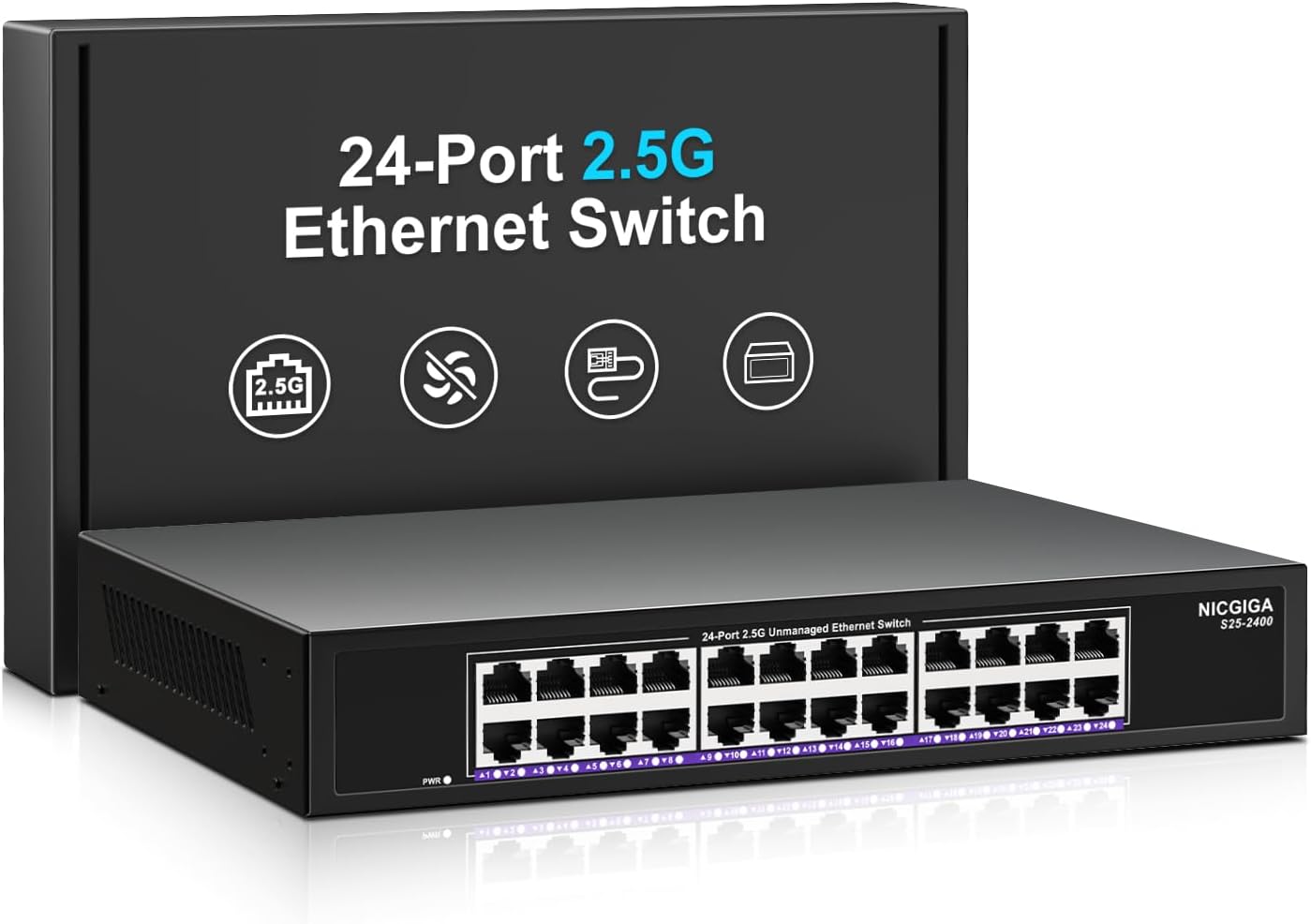
Stampa 1.1: Quddiem view of the NICGIGA 24 Port 2.5Gb Ethernet Switch, showcasing its 24 RJ45 ports and LED indicators.
2. Kontenut tal-Pakkett
Iċċekkja li l-oġġetti li ġejjin huma inklużi fil-pakkett tiegħek:
- NICGIGA 24 Port 2.5Gb Ethernet Switch (Model S25-2400)
- Adapter tal-Enerġija
- Rack Mount Kit (for 19-inch rack installation)
- Manwal għall-Utent (dan id-dokument)
3. Prodott Aktarview
3.1 Panel ta 'Quddiem
The front panel of the NICGIGA 24 Port 2.5Gb Ethernet Switch features 24 RJ45 ports and LED indicators for monitoring network activity.
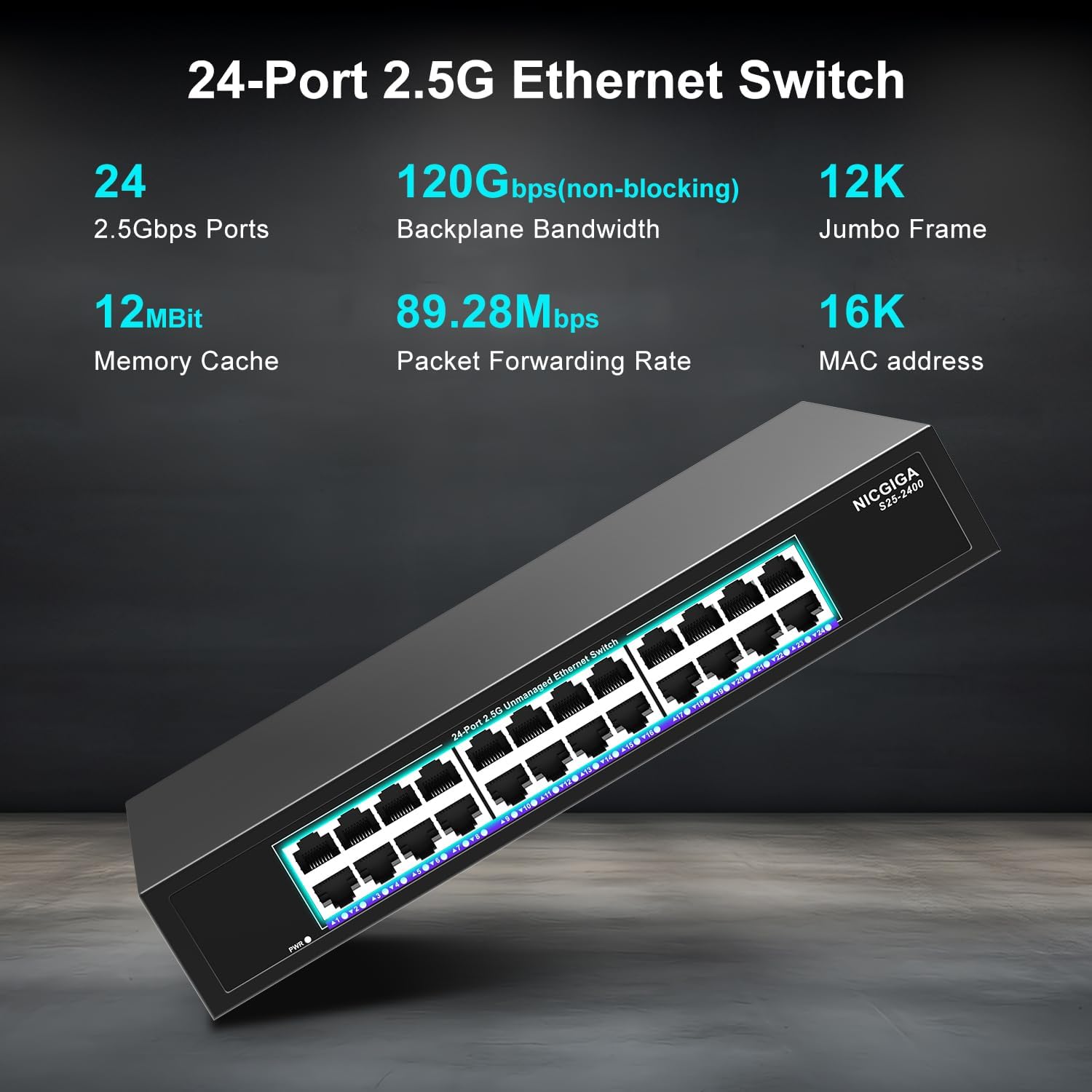
Immaġni 3.1: Dettaljata view of the switch's front panel, highlighting the 24 RJ45 ports and power input.
- Portijiet RJ45 (1-24): These ports support 100/1000/2500Mbps Ethernet connections. They automatically detect and adjust to the speed of the connected device.
- Indikaturi LED: Each port has an associated LED that indicates link status and activity.
- Aħdar Solidu: A stable link is established at 2.5Gbps.
- Isfar Solidu: A stable link is established at 1Gbps.
- Oranġjo solidu: A stable link is established at 100Mbps.
- Teptip: Qed isseħħ attività tad-dejta fuq il-port.
- Mitfi: No link is established or the device is not connected.
- LED tal-qawwa: Jindika l-istatus tal-qawwa tas-swiċċ.
- Aħdar Solidu: Is-swiċċ huwa mixgħul.
- Mitfi: Is-swiċċ huwa mitfi.
3.2 Panel ta 'wara
The rear panel typically contains the power input and ventilation openings.
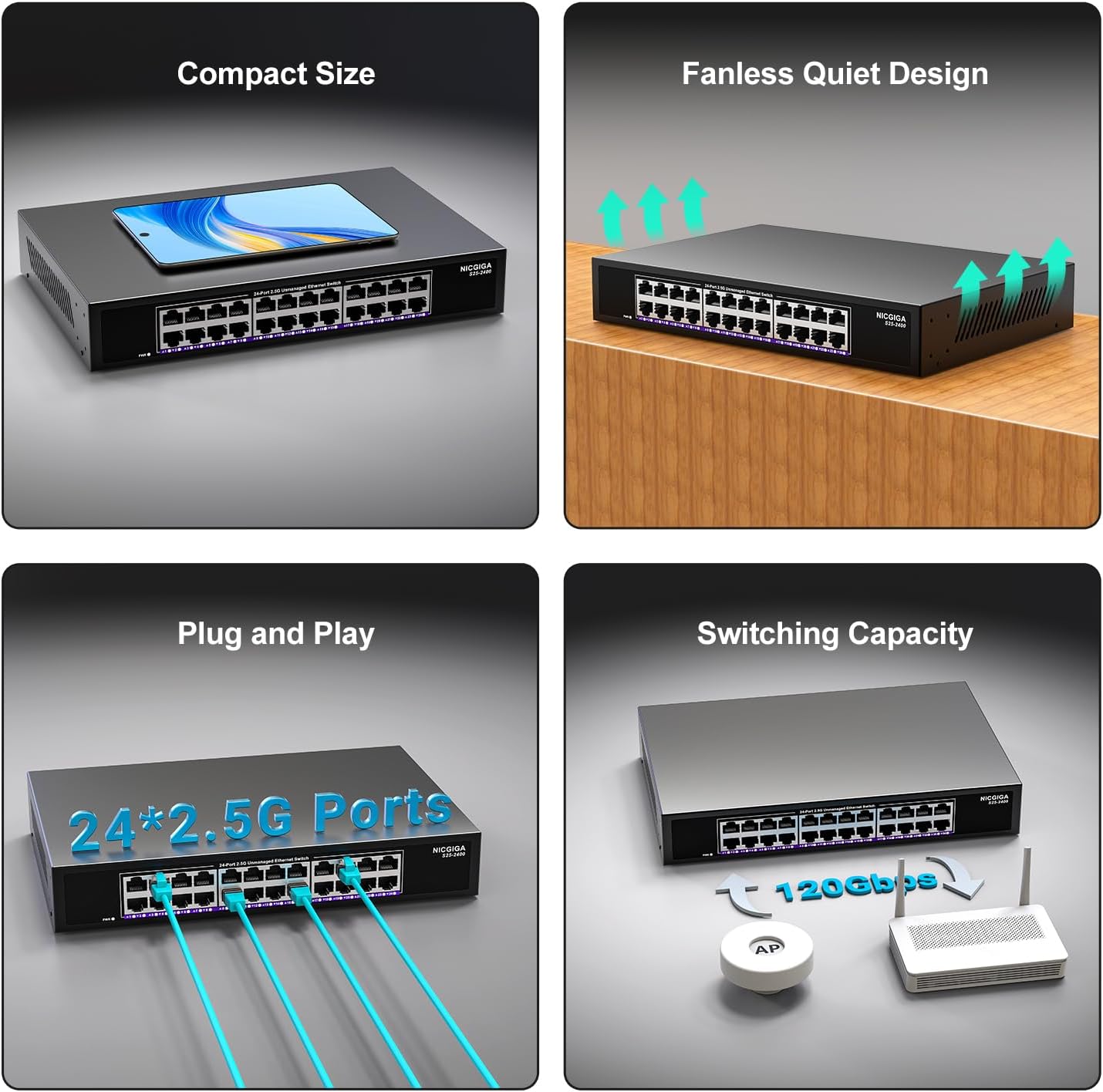
Stampa 3.2: Wara view of the switch, showing the power input and fanless design.
4. Setup
The NICGIGA 24 Port 2.5Gb Ethernet Switch is designed for simple plug-and-play operation, requiring no software installation or complex configuration.
4.1 Installazzjoni tad-Desktop
- Place the switch on a stable, flat surface, ensuring adequate ventilation around the device.
- Qabbad l-adapter tal-enerġija mad-dħul tal-enerġija tas-swiċċ u mbagħad ma' sokit tal-enerġija.
- Connect your network devices (e.g., computers, NAS, Wi-Fi 6 APs, routers) to any of the 24 RJ45 ports using standard Ethernet cables. The switch will automatically detect the link speed.

Immaġni 4.1: Eż.ample of desktop setup, showing the switch connected to a laptop and a Wi-Fi router.
4.2 19-inch Rack Mount Installation
The switch can be installed in a standard 19-inch equipment rack using the included rack mount kit.
- Attach the two rack-mount brackets to the sides of the switch using the provided screws.
- Secure the switch into an available slot in your 19-inch rack using appropriate rack screws (not included).
- Connect the power adapter and network cables as described in the desktop installation.

Image 4.2: Diagram illustrating the dimensions for rack mounting and an example of the switch installed in a 19-inch rack.
5. Istruzzjonijiet Operattivi
Once the switch is powered on and devices are connected, it operates automatically.
- Awto-Negozjar: Each port automatically detects the speed (100Mbps, 1Gbps, or 2.5Gbps) and duplex mode (half/full) of the connected device and adjusts accordingly. This ensures optimal performance and compatibility across various network devices.
- Non-Blocking Architecture: The switch provides full wire-speed forwarding on all ports simultaneously, ensuring maximum throughput for all connected devices without bottlenecks.
- Unmanaged Operation: No configuration or software is required. Simply connect your devices, and the switch will manage data traffic efficiently.

Image 5.1: Illustration of the auto-negotiation feature, showing how the switch adapts to different link speeds.
6. Manutenzjoni
The NICGIGA 24 Port 2.5Gb Ethernet Switch is designed for minimal maintenance.
- Tindif: Uża drapp artab u niexef biex tnaddaf il-barra tas-swiċċ. Tużax prodotti tat-tindif likwidi jew aerosol.
- Ventilazzjoni: Ensure that the ventilation openings are not blocked to allow for proper airflow and heat dissipation. The fanless design relies on natural convection.
- Ambjent: Operate the switch within its specified environmental conditions (temperature, humidity) to ensure optimal performance and longevity.
7 Issolvi l-problemi
If you encounter issues with your NICGIGA 24 Port 2.5Gb Ethernet Switch, refer to the following common troubleshooting steps:
- Ebda Qawwa:
- Ensure the power adapter is securely connected to both the switch and a working power outlet.
- Ivverifika li s-sokit tal-enerġija jaħdem billi tqabbad apparat ieħor.
- Check the Power LED on the switch; it should be solid green when powered on.
- Ebda Link/Attività fuq Port:
- Verify that the Ethernet cable is securely connected to both the switch port and the connected device.
- Kun żgur li l-apparat imqabbad huwa mixgħul u li l-adapter tan-netwerk tiegħu qed jaħdem sew.
- Ipprova kejbil Ethernet differenti biex teskludi problemi bil-kejbil.
- Test with a different port on the switch.
- Check the LED indicator for the specific port; if it's off, there's no link.
- Veloċità baxxa tan-Netwerk:
- Ensure all connected devices and network adapters support 2.5Gbps speeds for optimal performance. The switch will auto-negotiate to the highest common speed.
- Use Cat5e or higher-rated Ethernet cables for 2.5Gbps connections.
- Iċċekkja għal traffiku eċċessiv tan-netwerk jew konġestjonijiet fuq apparati oħra tan-netwerk.
- Konnettività intermittenti:
- Inspect Ethernet cables for damage.
- Ensure the switch is placed in a well-ventilated area to prevent overheating, although it has a fanless design.
- Iċċekkja għal interferenza elettromanjetika potenzjali minn apparati elettroniċi oħra.
8. Speċifikazzjonijiet
| Karatteristika | Speċifikazzjoni |
|---|---|
| Mudell | S25-2400 |
| Numru ta' Portijiet | 24 x 2.5Gbps RJ45 Ports |
| Tip ta' Interface | RJ45 |
| Rata ta' Trasferiment tad-Data | 100/1000/2500Mbps (Auto-Negotiation) |
| Kapaċità tal-Qlib | 160Gbps |
| Qafas Jumbo | 12K |
| Daqs tat-Tabella tal-Indirizz MAC | 16K |
| Memorja Cache | 12Mbit |
| Rata ta' Tressiq ta' Pakketti | 89.28Mpps |
| Disinn | Fanless Metal Design |
| Protezzjoni mis-sajjetti | 4KV |
| Installazzjoni | Desktop or 19-inch Rack Mount |
| Dimensjonijiet (L x W x H) | 270.5 x 181 x 44.5 mm (10.6 x 7.1 x 1.7 pulzieri) |
| Piż tal-oġġett | 1.9 Kilogrammi (4.18 libbra) |
| Apparati Kompatibbli | Desktop, Konsoll tal-Logħob, Laptop |
| UPC | 790885830235 |
Nota: L-ispeċifikazzjonijiet huma soġġetti għal bidla mingħajr avviż.
9. Garanzija u Appoġġ
NICGIGA provides a one-year warranty for this product, ensuring reliability, quality, and performance. Additionally, lifetime technical support is available for the entire product lifecycle.
For technical assistance or warranty claims, please contact NICGIGA customer support through the official webis-sit jew il-pjattaforma tax-xiri tiegħek.


