Informazzjoni Importanti dwar is-Sigurtà
- Tesponix l-apparat għal temperaturi estremi, dawl tax-xemx dirett, jew umdità għolja.
- Evita li twaqqa’ jew tissuġġetta l-apparat għal impatti qawwija.
- Żomm 'il bogħod mill-ilma u likwidi oħra.
- Tippruvax iżarma, isewwi jew timmodifika l-apparat.
- Use only the provided 45W power adapter and Type-C cable.
- Żgura ventilazzjoni xierqa waqt l-użu biex tevita sħana żejda.
- Żomm fejn ma jintlaħaqx mit-tfal.
Kontenut tal-Pakkett
Ivverifika li l-oġġetti kollha huma preżenti fil-pakkett tiegħek:
- Baseus Picogo AF21 3-in-1 Wireless Charging Station
- Adapter tal-Enerġija 45W
- 3.3ft Type-C to Type-C Cable
- Manwal għall-Utent (dan id-dokument)
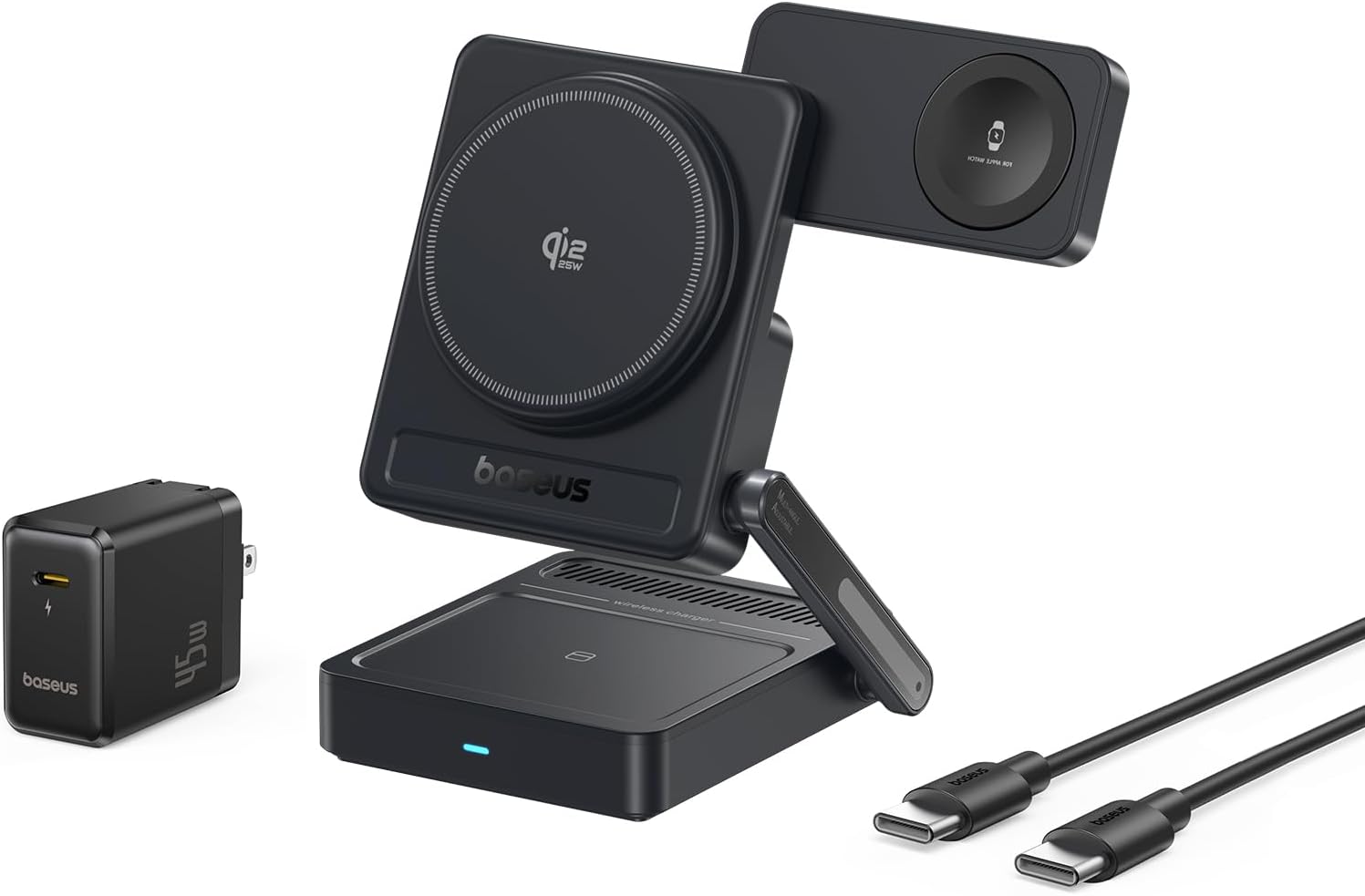
Image: Contents of the Baseus Picogo AF21 package, showing the charging station, power adapter, and cable.
Prodott Overview
The Baseus Picogo AF21 is a versatile 3-in-1 wireless charging station designed to simultaneously charge your iPhone, Apple Watch, and AirPods. It features Qi2.2 25W fast charging for compatible iPhones, magnetic alignment, and a foldable design for portability.
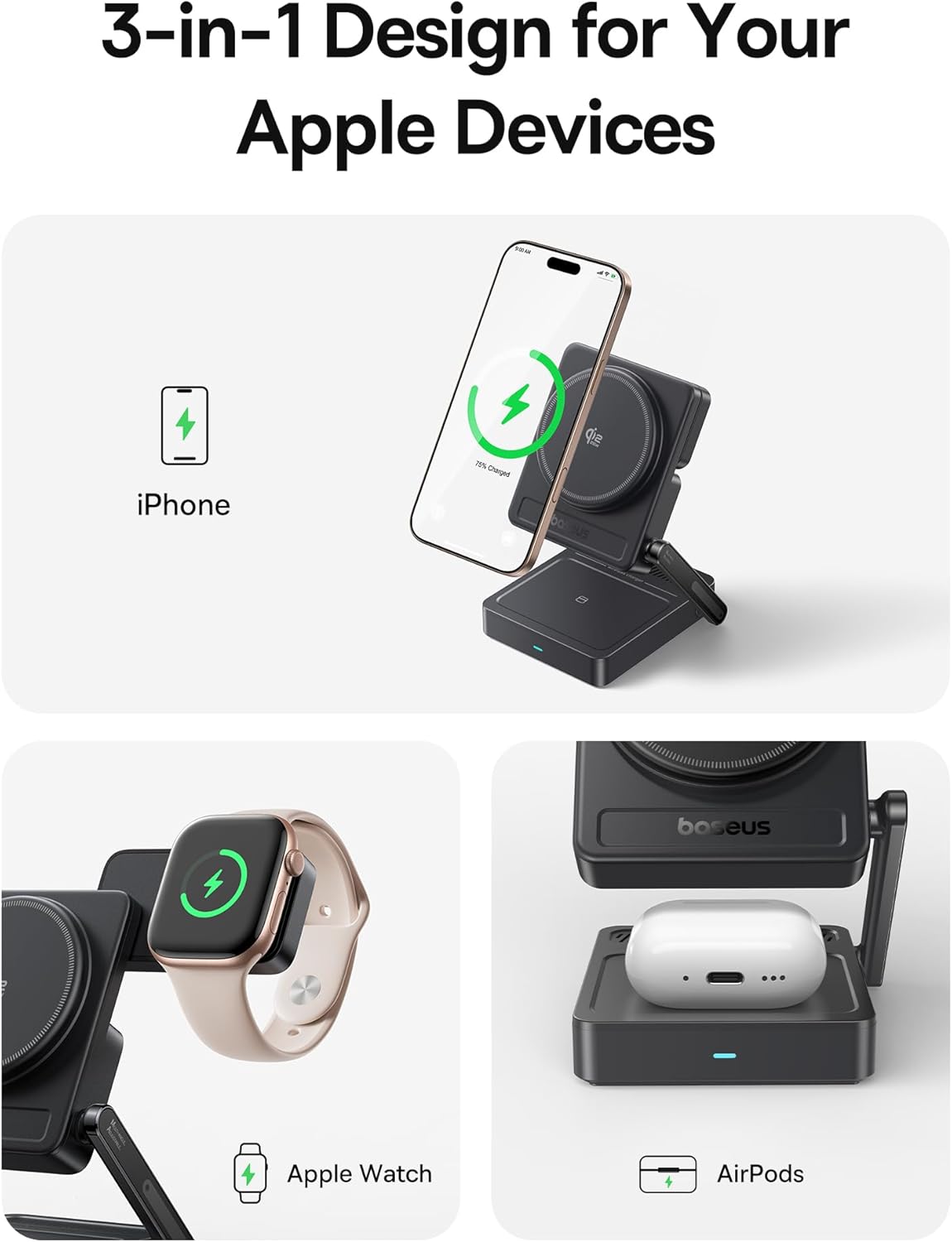
Image: The Baseus Picogo AF21 charging station highlighting its three charging zones for an iPhone, Apple Watch, and AirPods.
Gwida ta' Setup
- Żona l-Istazzjon tal-Iċċarġjar: Gently unfold the charging station from its compact travel state. The phone charging panel and watch charging panel can be adjusted to your desired angle.
- Qabbad l-Enerġija: Insert the provided Type-C to Type-C cable into the charging station's input port and connect the other end to the 45W power adapter.
- Ipplaggja l-Power Outlet: Plug the 45W power adapter into a wall outlet. The LED indicator on the base will illuminate, indicating the station is ready for use.

Image: Visual guide demonstrating the adjustable angles of the charging station's base, phone panel, and watch panel.
Istruzzjonijiet Operattivi
Charging Your iPhone (Qi2.2 25W)
Place your MagSafe-compatible iPhone (iPhone 12 and newer) onto the main magnetic charging panel. The strong N52M magnets will automatically align your device for optimal charging. For iPhone 17 series, 25W charging is supported. For iPhone 16 series, update to iOS 26 or later for 25W. iPhone 12-15 series support up to 15W Qi2.0 charging.

Image: An iPhone 16 Pro Max charging wirelessly on the station, illustrating the speed of Qi2.2 25W charging.
Charging Your Apple Watch (5W Max)
Place your Apple Watch (all models S1-S10, SE, Ultra) onto the dedicated magnetic watch charging puck. The puck can be rotated 180 degrees for convenient placement.

Image: An Apple Watch charging on the side puck of the Baseus Picogo AF21.
Charging Your AirPods (5W Max)
Place your Qi-enabled AirPods case onto the flat charging pad at the base of the station.
StandBy Mode
When your iPhone is charging horizontally, it will automatically enter Apple's StandBy mode, displaying widgets, clocks, or photo galleries.
Video: Demonstration of the Baseus Picogo AF21 3-in-1 Charging Station in use, showing an iPhone in StandBy mode, Apple Watch, and AirPods charging simultaneously.
Karatteristiċi Ewlenin
- Qi2.2 25W Wireless Fast Charging: Provides rapid charging for compatible iPhones, significantly faster than previous Qi standards.
- Iċċarġjar 3-in-1: Simultaneously charges iPhone, Apple Watch, and Qi-enabled AirPods.
- Foldable & Compact Design: Easily folds down to a small size (2.97 × 3.15 × 1.5 inches, 0.56 lbs) for convenient travel and storage.
- Allinjament manjetiku: Features 16 N52M magnets for secure and precise alignment of your iPhone, ensuring efficient charging.
- Aġġustabbli ViewIng Angolu: Base bracket (0–55°), phone panel (0–115°), and watch panel (180° rotation) offer flexible viewing and charging positions.
- 8-Layer Protection: Built-in safeguards against over-temperature, over-current, over-voltage, foreign object detection, under-voltage, no fire risk, static shielding, and short-circuit detection.

Immaġni: Sploda view of the charging station highlighting its internal safety features and protection layers.
Kompatibilità
- iPhone: iPhone 12 series and newer (including iPhone 17, 16, 15, 14, 13, 12 series). Requires iOS 26 or later for full 25W Qi2.2 charging on iPhone 16 series. iPhone 12-15 series support up to 15W Qi2.0.
- Apple Watch: All Apple Watch models (Series 1-10, SE, Ultra).
- AirPods: All Qi-enabled AirPods models (with wireless charging case).
- Other Qi-enabled Devices: Compatible with other Qi-enabled smartphones and earbuds, though charging speeds may vary.
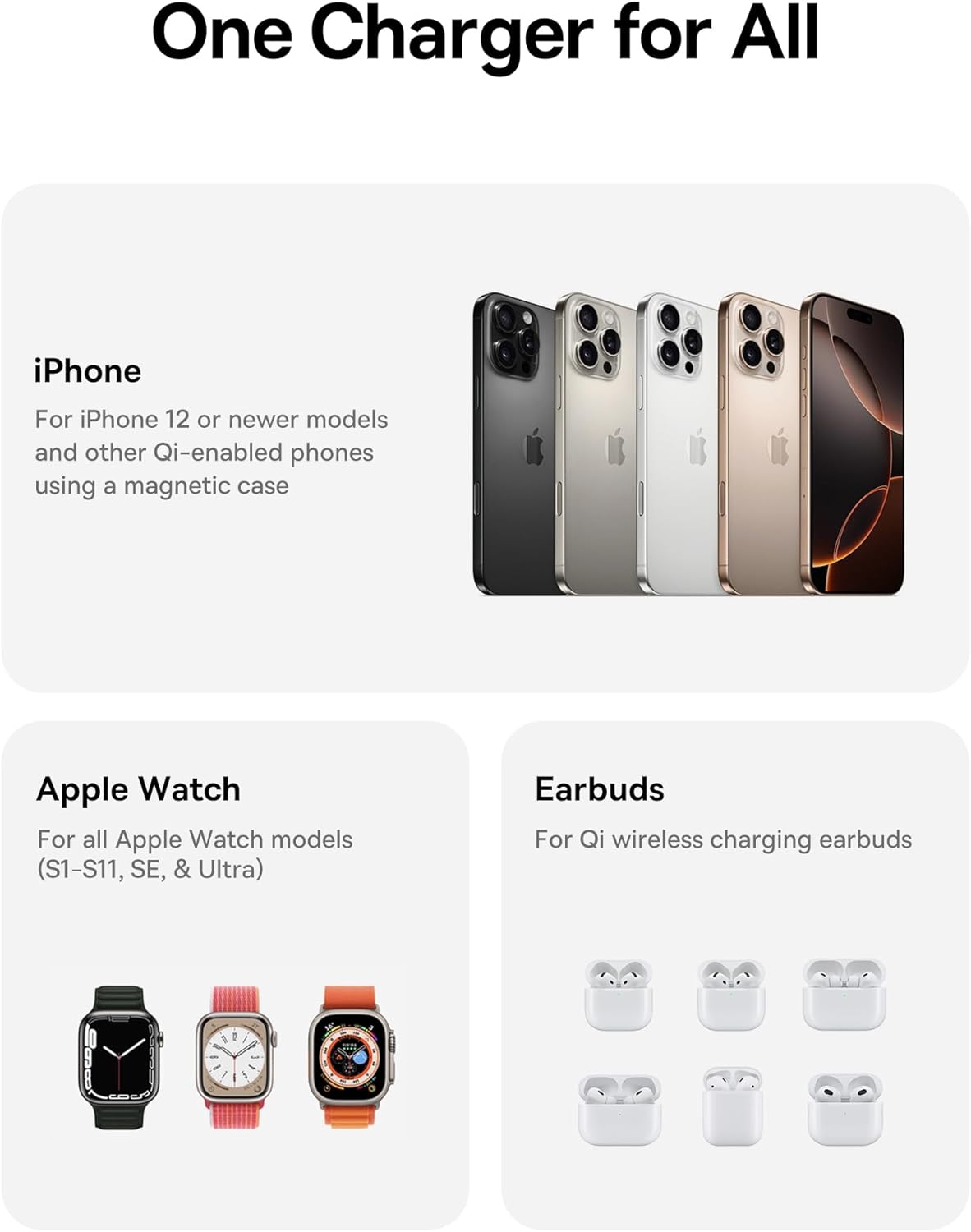
Image: A visual representation of the charging station's compatibility with different Apple devices.
Speċifikazzjonijiet
| Numru tal-Mudell | E02054 |
| Input Voltage | 240 Volts |
| Ampetà | 3 Amps |
| Wattage | 25 Watt (Mass) |
| Tip ta' Konnettur | USB Tip Ċ |
| Dimensjonijiet tal-Prodott (Mitwija) | 3.15 x 2.97 x 1.5 pulzieri |
| Piż tal-oġġett | 1.08 liri |
| Karatteristiċi Speċjali | Charging Indicator, Magsafe Compatible, Multi Device Charging, Travel, Wireless Charging |
Issolvi l-problemi
- Apparat mhux qed jiċċarġja:
- Ensure the charging station is properly connected to the 45W power adapter and a live power outlet.
- Verify your device is correctly aligned on the charging pad. For iPhones, ensure magnetic connection.
- Neħħi kwalunkwe kisi ħoxnin jew oġġetti metalliċi mit-tagħmir tiegħek li jistgħu jinterferixxu mal-iċċarġjar mingħajr fili.
- Check if your device is Qi-enabled or MagSafe-compatible.
- Iċċarġjar bil-mod:
- Confirm you are using the provided 45W power adapter and cable. Lower wattage adapters may result in slower charging.
- Ensure your iPhone's software is up to date, especially for 25W Qi2.2 charging on iPhone 16 series (requires iOS 26 or later).
- Evita li tuża t-tagħmir tiegħek b'mod qawwi waqt li jkun qed jiċċarġja, għax dan jista' jnaqqas il-proċess tal-iċċarġjar.
- L-indikatur LED mhux jixgħel:
- Check the power connection from the wall outlet to the adapter and to the charging station.
- Ipprova żbokk tad-dawl differenti.
Kura u Manutenzjoni
- Clean the charging surfaces regularly with a soft, dry cloth to remove dust and debris.
- Tużax kimiċi ħarxa jew tindif li joborxu.
- Store the charging station in a cool, dry place when not in use.
Garanzija u Appoġġ
For warranty information or technical support, please refer to the official Baseus webis-sit jew ikkuntattja s-servizz tal-konsumatur tagħhom. Żomm l-irċevuta tax-xiri tiegħek għal talbiet ta’ garanzija.
Manifattur: Shenzhen Baseus Technology Co., Ltd.
Data L-Ewwel Disponibbli: 18 ta’ Settembru, 2025
Rabta tal-Prodott: Paġna tal-Prodott tal-Amazon


