Introduzzjoni
This manual provides essential information for the proper setup, operation, and maintenance of your Blaupunkt Smart TV 24HCG4000S. Please read these instructions carefully before using your television and retain them for future reference. This 24-inch HD Ready LED TV features Google TV, Wi-Fi, Bluetooth 5.0, multiple HDMI and USB ports, and integrated Chromecast, offering a comprehensive entertainment experience.
X'hemm fil-Kaxxa
Iftaħ il-kaxxa bir-reqqa u kun żgur li l-oġġetti kollha li ġejjin huma preżenti:
- Blaupunkt Smart TV 24HCG4000S
- Kontroll mill-bogħod
- Kejbil tal-Enerġija
- Stand (2 biċċiet)
- Manwal għall-Utent (dan id-dokument)
Note: A 12V adapter for vehicle compatibility is not included and must be purchased separately.
Prodott Overview
The Blaupunkt 24HCG4000S Smart TV is designed for versatile use, offering clear visuals and smart functionalities in a compact form factor.
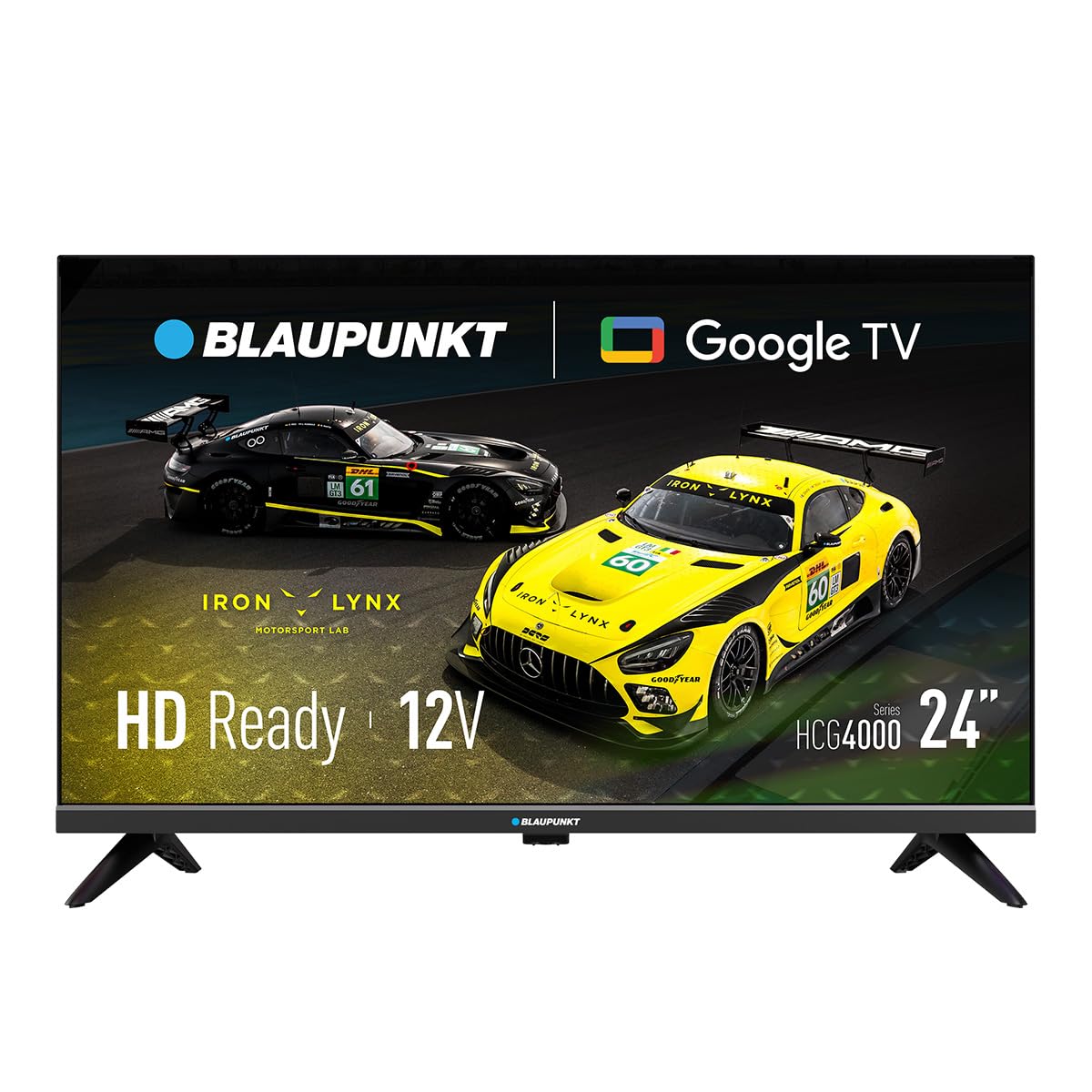
Figura 1: Quddiem view of the Blaupunkt 24HCG4000S Smart TV.
Il-karatteristiċi ewlenin jinkludu:
- Wiri: 24-inch HD Ready LED screen (1366 x 768 pixels) with vivid colors and a 178° viewangolu tal-ing.
- Karatteristiċi intelliġenti: Integrated Google TV platform providing access to popular streaming services like Netflix, YouTube, Disney+, Prime Video, and thousands of other applications.
- Awdjo: Dolby Audio with 12W output for enhanced sound quality.
- Kontroll tal-Vuċi: Google Assistant for convenient voice commands.
- Tidwib: Built-in Chromecast for easy content sharing from mobile devices.
- Konnettività: Advanced options including WiFi 2T2R, Bluetooth 5.0, 3 HDMI ports, 2 USB ports, RJ45 Ethernet, CI+ slot, and a headphone output.
- Disinn: Compact and lightweight (2.25 kg) with VESA 200x200 mm support for wall mounting.
- Effiċjenza tal-Enerġija: Low power consumption of 17W.

Figura 2: Wara view of the TV, highlighting the port layout.

Figura 3: Ġenb view of the TV, showing accessible ports.
Setup
1. Twaħħil tal-Istand
- Poġġi l-iskrin tat-TV 'l isfel fuq wiċċ artab u ċatt biex tevita l-ħsara.
- Allinja l-biċċiet tal-istand mas-slots korrispondenti fil-qiegħ tat-TV.
- Secure the stand pieces using the provided screws. Do not overtighten.
2. Qawwa tal-Konnessjoni
Connect the power cable to the TV's power input and then to a wall outlet. The TV is compatible with 12V power sources, but a specific 12V adapter is required and sold separately.
3. Setup Inizjali
Upon first power-on, the TV will guide you through the initial setup process, including language selection, network connection (Wi-Fi or Ethernet), and Google TV account setup. Follow the on-screen instructions.
It-tħaddim tat-TV
Qawwa mixgħul/mitfi
Agħfas il- Qawwa buttuna fuq il-kontroll remot jew fuq it-TV biex tixgħel jew titfi l-unità.
Għażla tal-Input
Uża l- Input button on the remote to cycle through available input sources (HDMI 1, HDMI 2, HDMI 3, USB, AV, etc.).
Interfaċċja tat-TV tal-Google
Navigate the Google TV interface using the remote control's directional pad and OK button. Access apps, settings, and content recommendations from the home screen.
Assistent tal-Vuċi
Agħfas il- Google Assistent button on your remote control and speak into the microphone to search for content, control smart home devices, or get information.
Konnettività
Your Blaupunkt Smart TV offers a range of connectivity options:
- Wi-Fi (2T2R): Qabbad man-netwerk mingħajr fili tad-dar tiegħek għal aċċess għall-internet u karatteristiċi intelliġenti.
- Bluetooth 5.0: Pair with compatible Bluetooth devices such as headphones, soundbars, or game controllers.
- HDMI (x3): Connect external devices like gaming consoles, Blu-ray players, or set-top boxes. One HDMI port supports ARC (Audio Return Channel).
- USB (x2): Daqq tal-midja files from USB storage devices or power compatible accessories.
- RJ45 (Ethernet): Għal konnessjoni stabbli tal-internet bil-fili.
- Slott CI+: For conditional access modules (CAM) to decrypt encrypted digital TV channels.
- Ħruġ tal-headphones: Qabbad headphones għal smigħ privat.
- S/PDIF (Optical Audio Output): Għall-konnessjoni ma' sistemi awdjo esterni.
Vidjo 1: Fuqview of a 24-inch television, demonstrating its features and connectivity options. This video provides a visual guide to the product's design and functionality.
Manutenzjoni
Tindif tal-Iskrin
Imsaħ l-iskrin bil-mod b'ċarruta ratba u mingħajr suf. Għal marki persistenti, nixxef ftit.ampLaħlaħ id-drapp bl-ilma jew b'prodott speċjalizzat għat-tindif tal-iskrin. Qatt ma tisprejja likwidu direttament fuq l-iskrin.
Tindif tal-Kabinett
Imsaħ il-kabinett tat-TV b'ċarruta ratba u niexfa. Evita li tuża prodotti tat-tindif jew solventi li joborxu.
Ventilazzjoni
Ensure proper ventilation around the TV. Do not block the ventilation openings on the back or sides of the TV. Allow sufficient space for air circulation.
Issolvi l-problemi
Jekk tiltaqa' ma' problemi bit-TV tiegħek, irreferi għas-soluzzjonijiet komuni li ġejjin:
- Ebda Qawwa: Iċċekkja jekk il-kejbil tal-enerġija huwiex imqabbad sew kemm mat-TV kif ukoll mas-sokit tal-ħajt. Kun żgur li s-sokit qed jaħdem.
- Ebda Stampa/Ħoss: Ivverifika li s-sors tad-dħul korrett intgħażel. Iċċekkja l-konnessjonijiet tal-kejbil kollha (HDMI, AV, eċċ.) għal laxkezza.
- Il-Kontroll mill-bogħod Mhux Jaħdem: Ibdel il-batteriji fir-remote control. Kun żgur li m'hemm l-ebda ostaklu bejn ir-remote u s-sensor IR tat-TV.
- Kwistjonijiet ta' Konnessjoni Wi-Fi: Restart your router and the TV. Check your Wi-Fi password. Ensure the TV is within range of your Wi-Fi network.
- Smart App Problems: Try restarting the app or clearing its cache in the TV settings. Ensure your TV's software is up to date.
If the problem persists, consult the Blaupunkt support websit jew ikkuntattja lis-servizz tal-konsumatur.
Speċifikazzjonijiet
| Karatteristika | Speċifikazzjoni |
|---|---|
| Brand | Blaupunkt |
| Isem tal-Mudell | 24HCG4000S |
| Daqs tal-Wiri | 24 Pulzier |
| Teknoloġija tal-Wiri | LED |
| Riżoluzzjoni | HD Ready (1366 x 768 pixels) |
| Riffriskar Rata | 60 Hz |
| Sistema Operattiva | Google TV |
| Output Awdjo | 12W (Dolby Audio) |
| Konnettività | WiFi 2T2R, Bluetooth 5.0, 3x HDMI, 2x USB, RJ45, CI+ |
| Karatteristiċi Speċjali | Built-in Speaker, Chromecast, Parental Control, Game Mode |
| Kompatibilità tal-Immuntar | VESA 200x200 mm |
| Dimensjonijiet tal-Prodott | 15.6 x 53.6 x 36 ċm |
| Piż tal-Prodott | 2.25 kg |
| Konsum tal-Enerġija | 17W |
| 12V Compatibility | Iva (l-adapter mhux inkluż) |
Garanzija u Appoġġ
Your Blaupunkt Smart TV 24HCG4000S comes with a standard manufacturer's warranty. Please refer to the warranty card included in your product packaging for specific terms and conditions, including the warranty period and coverage details.
For technical support, troubleshooting assistance, or warranty claims, please visit the official Blaupunkt support webis-sit jew ikkuntattja lid-dipartiment tas-servizz tal-konsumatur tagħhom. L-informazzjoni ta' kuntatt tipikament tista' tinstab fuq is-sit tal-manifattur websit jew fid-dokumentazzjoni tal-prodott.
Always ensure you have your product model number (24HCG4000S) and serial number ready when contacting support.


