Introduzzjoni
This manual provides detailed instructions for the setup, operation, and maintenance of your Zebronics Juke Bar 4120 200W Soundbar. Please read this manual thoroughly before using the product to ensure proper functionality and to maximize your audio experience. Keep this manual for future reference.

Image: The Zebronics Juke Bar 4120 Soundbar system, including the soundbar unit, subwoofer, wireless microphone, and remote control.
X'hemm fil-Kaxxa
Iftaħ il-kontenut bir-reqqa u kun żgur li l-oġġetti kollha huma preżenti:
- Sound Bar - 1 unit
- Subwoofer - 1 Unit
- Wireless Mic - 1 Unit
- Remote Control - 1 Unit
- Input Cable - 1 Unit
- Wall Mount Fasteners - 1 Unit
- QR Code Guide - 1 Unit
Karatteristiċi Ewlenin
- Riżultat b'saħħtu: Delivers an impressive total output power of 200W RMS, with 120W from the subwoofer and 80W (40W x 2) from the soundbar.

Image: A soundbar and subwoofer setup in a modern living room, illustrating the powerful 200W RMS output with visual sound waves.
- Incredible Audio: The soundbar features two (5 cm x 9 cm) drivers that provide balanced audio across a wide range of frequencies. Complementing this, the subwoofer houses a single 13.33 cm driver, specially designed to deliver deep, powerful bass that enhances the overall sound experience.
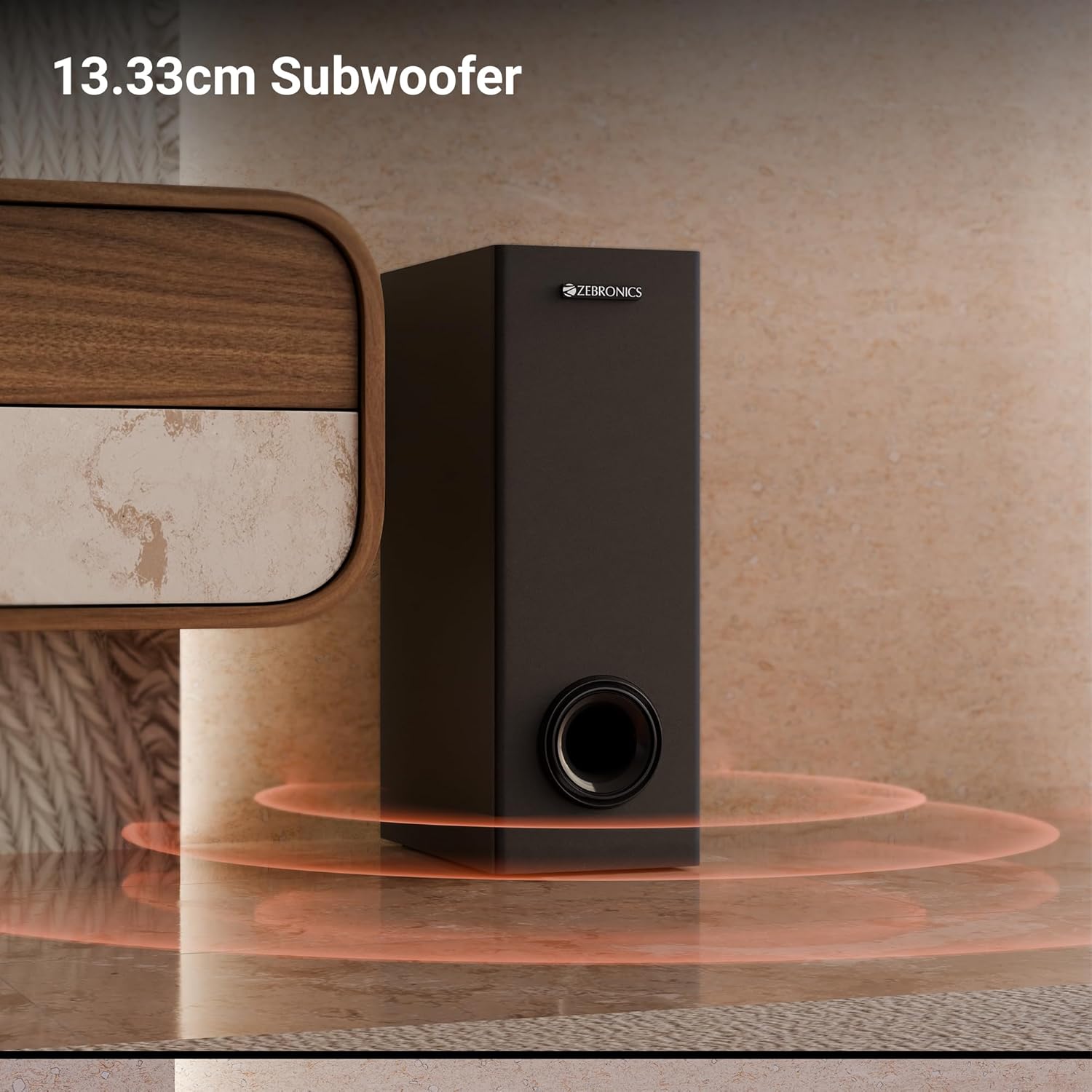
Immaġni: Close-up view of the 13.33cm subwoofer, highlighting its design and bass output.

Image: The soundbar mounted below a television, with visual cues indicating sound projection from its dual drivers.
- Virtual 5.1 Surround: To elevate your audio experience, this soundbar features virtual 5.1 surround sound, simulating multi-channel audio for immersive, cinematic sound.
- Multi-Konnettività: The soundbar comes with multi-connectivity, such as BT v5.3 support, and options like TV (ARC), USB, and AUX inputs.
- Immontabbli fuq il-ħajt: Designed for space efficiency, this soundbar is wall-mountable, which allows you to save floor space and maintain a clean, organized look in your living areas.
- Wiri LED: The LED display shows real-time information such as power status, volume levels, and connectivity modes, offering clarity and convenience.
- Funzjoni tal-karaoke: Enjoy fun sing-alongs with the wireless mic and built-in karaoke function, perfect for parties, gatherings, or solo performances.
Setup
1 Tqegħid
Position the soundbar centrally below your television for optimal sound projection. The subwoofer can be placed on the floor near the soundbar, ideally in a corner for enhanced bass response.
2. Immuntar mal-Ħajt
The soundbar can be wall-mounted to save space. Use the provided wall mount fasteners and follow these steps:
- Mark the desired mounting position on the wall, ensuring it is level and centered with your TV.
- Ħaffra toqob pilota fil-pożizzjonijiet immarkati.
- Insert wall anchors (if necessary) and secure the mounting brackets using the screws.
- Waħħal is-soundbar bir-reqqa mal-parentesi mmuntati.
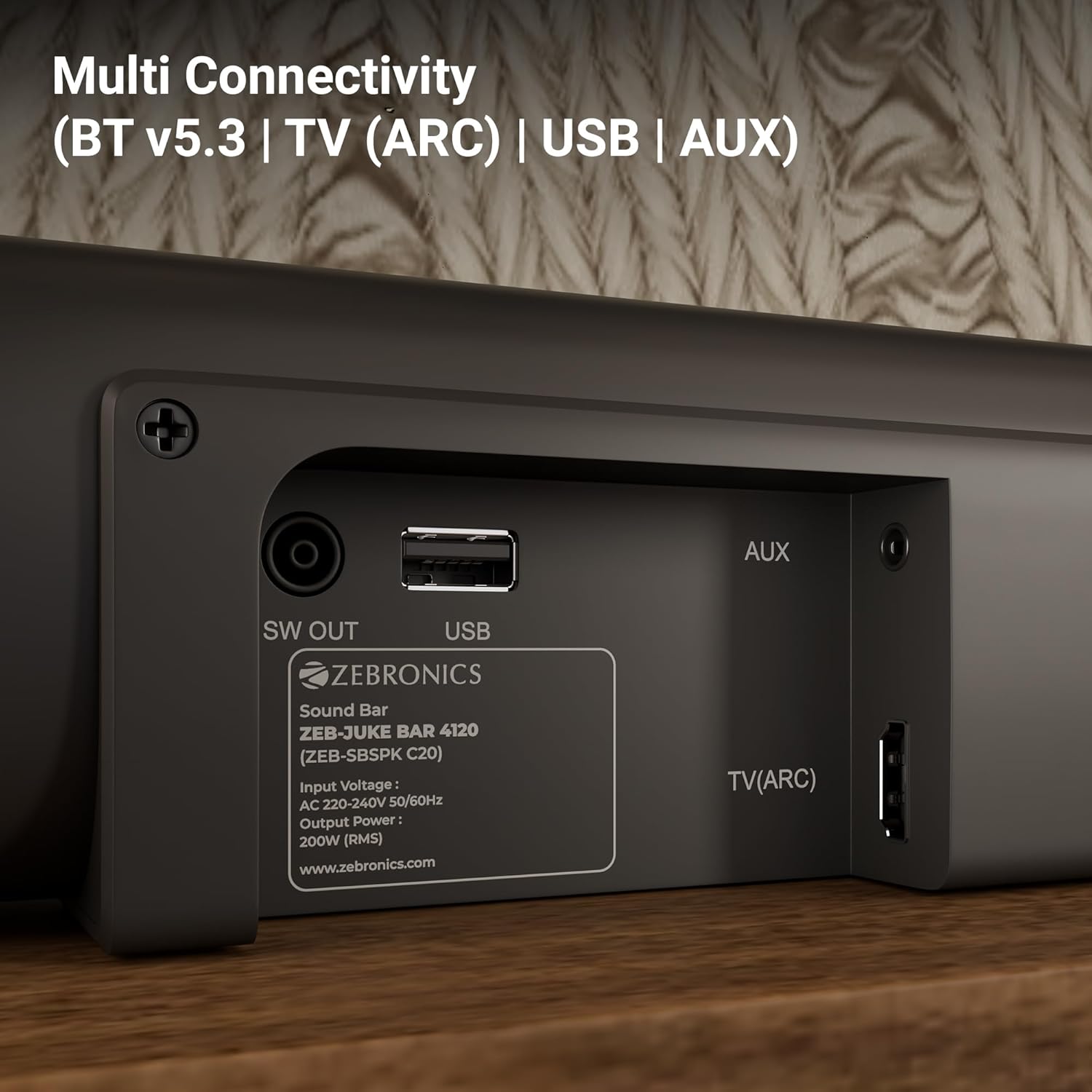
Image: The soundbar is shown securely mounted on a wall beneath a television, demonstrating its space-saving design.
3. Konnessjoni tal-Enerġija
Connect the power cable to the soundbar and then plug it into a suitable power outlet. Ensure the subwoofer is also connected to its power source.
Konnettività
The Zebronics Juke Bar 4120 offers multiple connectivity options:
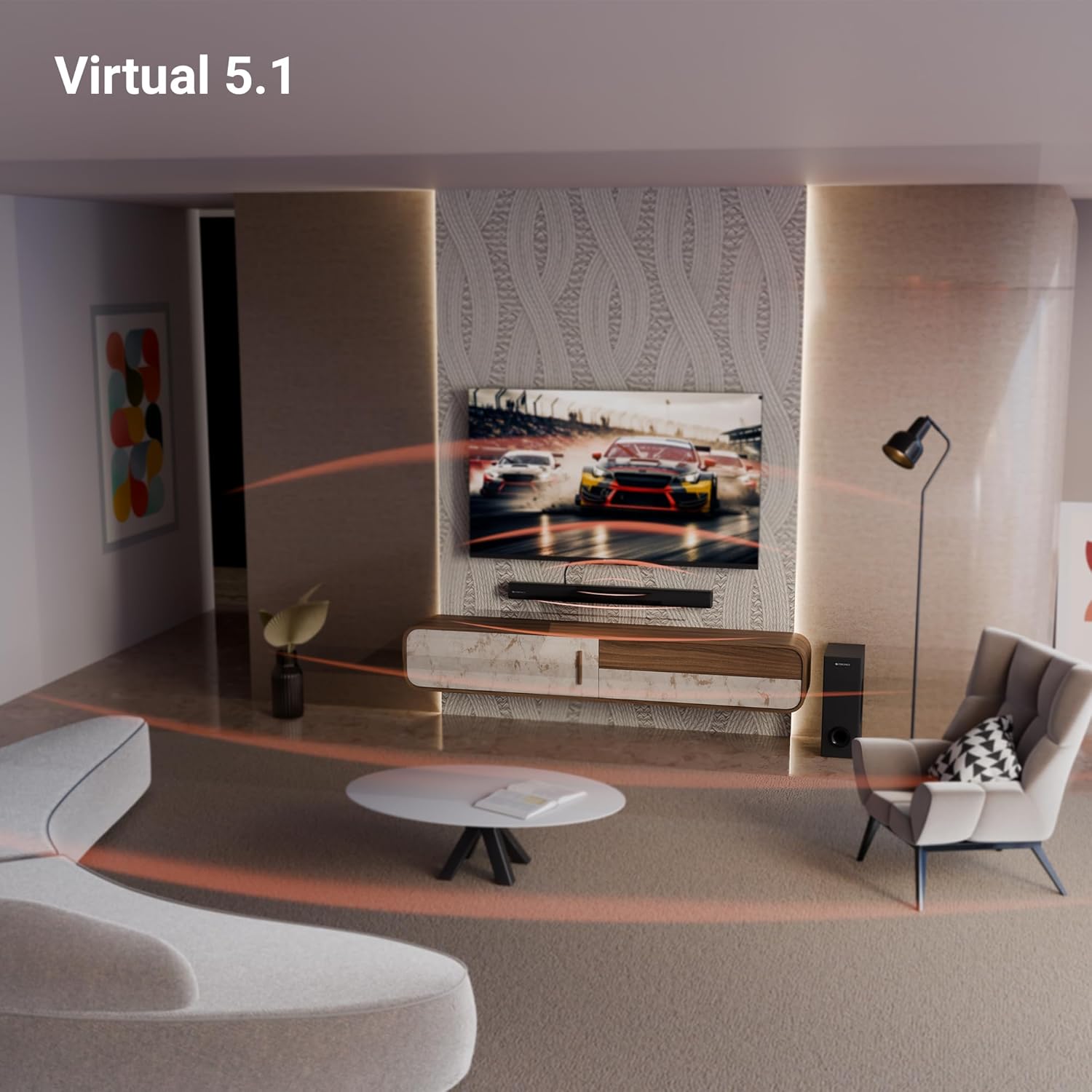
Image: A close-up of the soundbar's rear panel, displaying the SW OUT, USB, AUX, and TV (ARC) input ports for various connections.
1. Bluetooth (BT v5.3)
Biex tikkonnettja permezz tal-Bluetooth:
- Turn on the soundbar and select Bluetooth mode using the remote or unit controls.
- Ippermetti l-Bluetooth fuq l-apparat tiegħek (smartphone, tablet, eċċ.).
- Fittex għal "ZEB-JUKE BAR 4120" in your device's Bluetooth list and pair.
- Once paired, the soundbar will indicate a successful connection.
2. TV (ARC)
For optimal audio quality and control, connect your TV using the HDMI ARC port:
- Connect an HDMI cable from the TV (ARC) port on the soundbar to the HDMI ARC port on your television.
- Select the HDMI ARC input on the soundbar.
- Ensure your TV's audio output settings are configured for HDMI ARC.
3. USB
To play media from a USB drive:
- Insert a USB drive into the USB port on the soundbar.
- Select USB mode using the remote or unit controls.
- The soundbar will automatically detect and play compatible audio files.
4. AUX
To connect via an auxiliary cable:
- Connect a 3.5mm audio cable from your device's audio output to the AUX input on the soundbar.
- Select AUX mode using the remote or unit controls.
Istruzzjonijiet Operattivi
1. Power On/Off
Agħfas il-buttuna tal-Power fuq is-soundbar jew ir-remote control biex tixgħel jew titfi l-unità.
2. Kontroll tal-Volum
Uża l-buttuni Volume Up (+) u Volume Down (-) fuq is-soundbar jew ir-remote control biex taġġusta l-livell tal-awdjo.
3. Għażla tal-Input
Press the 'Input' or 'Mode' button on the soundbar or remote control to cycle through available input sources (BT, TV ARC, USB, AUX).
4. Display LED
The integrated LED display provides visual feedback on the current status of the soundbar, including selected input mode, volume level, and other settings.

Immaġni: Dettaljata view of the soundbar's LED display, showing a clear indicator for current status or mode.
5. Funzjoni tal-Karaoke
The soundbar includes a wireless microphone for karaoke. Simply power on the microphone, and it will automatically connect to the soundbar. Use the remote control to adjust microphone volume and echo effects.

Image: The wireless microphone, designed for use with the soundbar's karaoke function.
6. Kontroll mill-bogħod
The included remote control provides full functionality for the soundbar, allowing you to power on/off, switch inputs, adjust volume, control playback, and manage karaoke settings.

Image: The remote control for the Zebronics soundbar, showing various buttons for function control.
7. Virtual 5.1 Surround Sound
The soundbar's virtual 5.1 surround sound technology creates an immersive audio experience, simulating multi-channel sound without the need for additional speakers. This enhances movie watching and gaming by providing a wider soundstage.

Image: A living room scene with the soundbar and subwoofer, visually representing the expansive sound field created by virtual 5.1 surround sound.
Manutenzjoni
Biex tiżgura l-lonġevità u l-prestazzjoni ottimali tas-soundbar tiegħek:
- Naddaf l-uċuħ b'ċarruta ratba u niexfa. Evita li tuża prodotti tat-tindif jew solventi li joborxu.
- Keep the soundbar and subwoofer away from direct sunlight, heat sources, and excessive moisture.
- Żgura ventilazzjoni xierqa madwar l-unitajiet biex tevita li jisħnu żżejjed.
Issolvi l-problemi
Jekk tiltaqa' ma' xi problemi, irreferi għall-problemi u s-soluzzjonijiet komuni li ġejjin:
| Problema | Soluzzjoni Possibbli |
|---|---|
| Ebda qawwa | Check if the power cable is securely connected to both the soundbar/subwoofer and the power outlet. Ensure the power outlet is functional. |
| L-ebda ħoss | Verify the correct input source is selected. Check volume levels on both the soundbar and the connected device. Ensure all audio cables are properly connected. |
| Il-Bluetooth mhux qed jgħaqqad | Ensure the soundbar is in Bluetooth pairing mode. Turn off and on Bluetooth on your device. Move your device closer to the soundbar. |
| Il-kontroll mill-bogħod ma jaħdimx | Check the remote control batteries and replace if necessary. Ensure there are no obstructions between the remote and the soundbar. |
Speċifikazzjonijiet
| Karatteristika | Dettall |
|---|---|
| Isem tal-Mudell | ZEB-JUKE BAR |
| Tip ta' Kelliem | Soundbar |
| Karatteristika Speċjali | Mibnija fil-mikrofonu |
| Apparati Kompatibbli | Television, mobile |
| Surround Sound Channel Konfigurazzjoni | 2.1 (Virtual 5.1) |
| Kulur | Iswed |
| Dimensjonijiet tal-Prodott | 7.7D x 86W x 7.7H Ċentimetri |
| Piż tal-oġġett | 5300 Grams (5 kg 300 g) |
| Metodu ta' Kontroll | Remote |
| Teknoloġija tal-Komunikazzjoni mingħajr Fili | Bluetooth |
| Daqs tal-Kelliem | 13.33 Centimetres (Subwoofer) |
| Sors tal-Enerġija | Corded Elettriku |
| Sinjal-mal-ħoss Ratio | 66 dB |
| Dijametru tal-Woofer | 13.33 ċentimetri |
| Tip ta' Sewwieq Awdjo | Sewwieq Dinamika |
| Daqs tas-Sewwieq tal-Awdjo | 5 Centimetres (Soundbar) |
| Stil | ZEB-JUKE BAR 4120 |
| Verżjoni Bluetooth | 5.3 |
| Speaker AmpTip ta' lifikazzjoni | Attiva |
| Wattage | 200 Watts |
| Tip ta 'Immuntar | Mount Wall |
| Teknoloġija tal-Konnettività | Auxiliary, Bluetooth, HDMI, Optical, USB |
Garanzija u Appoġġ
This product comes with a standard brand warranty. For specific warranty details, claims, or technical support, please refer to the warranty card included in the packaging or visit the official Zebronics websit. Tista' wkoll iżżur il- Ħanut ZEBRONICS fuq Amazon għal aktar informazzjoni.


