1. Introduzzjoni
This manual provides essential information for setting up, operating, maintaining, and troubleshooting your NIMO N158 15.6-inch laptop. Please read this manual thoroughly before using your device to ensure optimal performance and longevity.
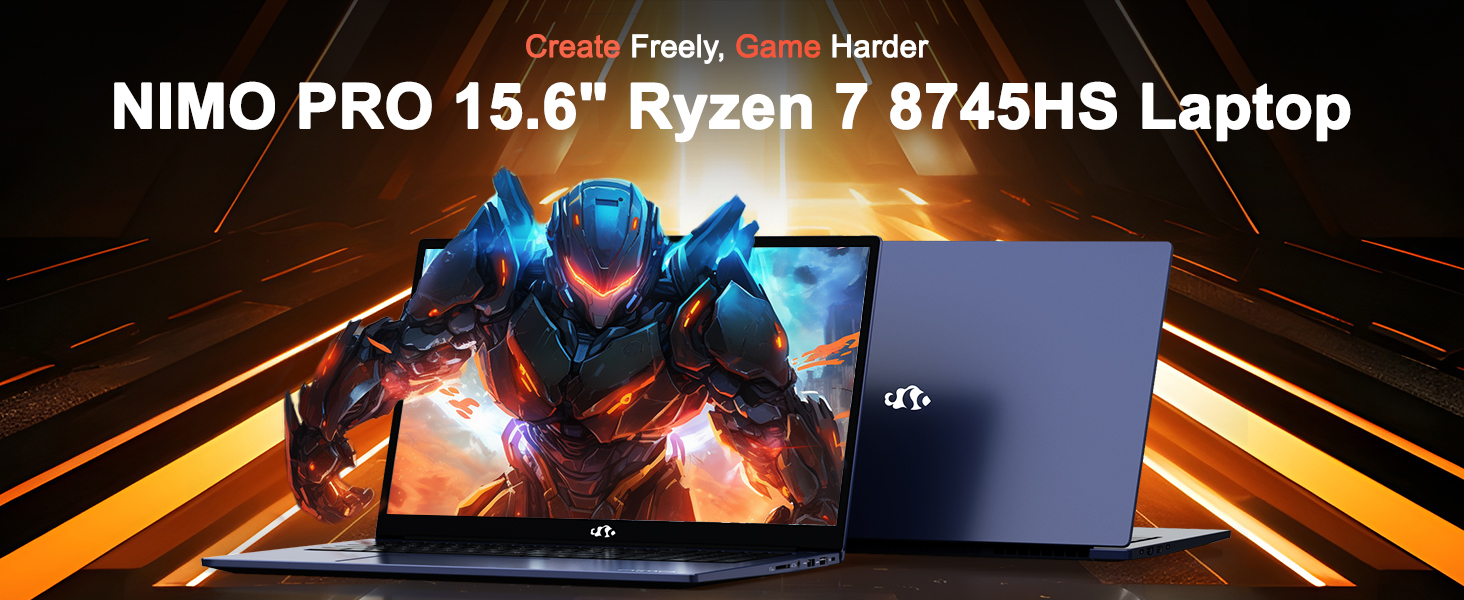
Image: The NIMO N158 15.6-inch laptop, showcasinid-disinn u l-karatteristiċi ewlenin tiegħu.
2. Prodott Aktarview
The NIMO N158 is a high-performance laptop designed for productivity and entertainment. It features an AMD Ryzen 7 8745HS processor, 64GB DDR5 RAM, and a 1TB PCIe 4.0 SSD.
2.1 Komponenti Ewlenin
- Proċessur: AMD Ryzen 7 8745HS (8 Qlub, 16-il Ħjut, sa 4.9GHz)
- Grafika: AMD Radeon 780M Integrated Graphics
- Memorja: 64GB DDR5 RAM (4800 MHz)
- Ħażna: SSD PCIe 4.0 ta' 1TB
- Wiri: 15.6-inch Full HD (1920x1080) IPS Anti-Glare
- Sistema Operattiva: Windows 11 Home
- Batterija: 75Wh Lithium Polymer
2.2 Portijiet u Interfejsijiet
The NIMO N158 laptop offers a variety of ports for connectivity:

Image: Diagram illustrating the various ports and interfaces on the NIMO N158 laptop.
- 1 x USB 2.0 Port
- 3 x Portijiet USB 3.0
- 1 x USB 4.0 Type-C Port (with 100W PD fast charging support)
- 1 x Port HDMI
- 1 x Headphone Jack
- 1 x SD Card Reader
- 1 x Kensington Lock Slot
3. Setup
3.1 Initial Power-On and Charging
- Unpack the laptop and the included 100W Type-C PD Fast Charger.
- Connect the charger to the USB Type-C port on the laptop and to a power outlet. The Charger LED will illuminate.
- Ħalli l-laptop jiċċarġja għal mill-inqas 30 minuta qabel l-ewwel użu, jew sakemm l-indikatur tal-batterija juri ċarġ suffiċjenti.
- Agħfas il-buttuna tal-qawwa biex tixgħel il-laptop.

Image: The NIMO N158 laptop connected to its 100W Type-C fast charger, illustrating the charging process.
3.2 Setup tas-Sistema Operattiva
Upon first boot, you will be guided through the Windows 11 Home setup process. Follow the on-screen instructions to configure your language, region, network connection, and user account.
3.3 Konfigurazzjoni tal-Qarrej tal-Marki tas-Swaba'
For enhanced security, set up the integrated fingerprint reader during the Windows 11 setup or later via Windows Settings > Accounts > Sign-in options. This allows for quick and secure login.
4. Istruzzjonijiet Operattivi
4.1 Tastiera u Touchpad
- Tastiera backlit: The keyboard features backlighting for comfortable typing in low-light conditions. Use the designated function key (Fn + F key combination, typically) to adjust brightness or toggle the backlight.
- Tastiera numerika: A dedicated numeric keypad is included for efficient data entry.
- Precision Gesture Touchpad: The touchpad supports multi-touch gestures for navigation. Refer to Windows settings for customizing touchpad gestures.

Image: A user interacting with the NIMO N158 laptop, highlighting the backlit keyboard and fingerprint reader on the touchpad.
4.2 Wiri
The 15.6-inch Full HD IPS anti-glare display provides clear and vibrant visuals. Adjust display settings (resolution, brightness, color) through Windows Display Settings.

Image: The NIMO N158 laptop displaying a vibrant image on its 15.6-inch Full HD IPS screen, emphasizing visual quality.
4.3 Webcam
Il-laptop jinkludi kamera ta' 2MP webcam. For privacy, a physical webcam shield or switch is integrated. Ensure the webcam is open when in use and closed when not needed.

Image: A visual representation of the NIMO N158 laptop's privacy-focused camera, showing the open and closed states of the webcam switch.
4.4 Prestazzjoni u Multitasking
The AMD Ryzen 7 8745HS processor and 64GB DDR5 RAM provide robust performance for demanding tasks, content creation, and gaming. The 1TB PCIe 4.0 SSD ensures fast boot times and application loading.

Image: A close-up of the AMD Ryzen 7 8745HS processor chip, highlighting its core specifications.
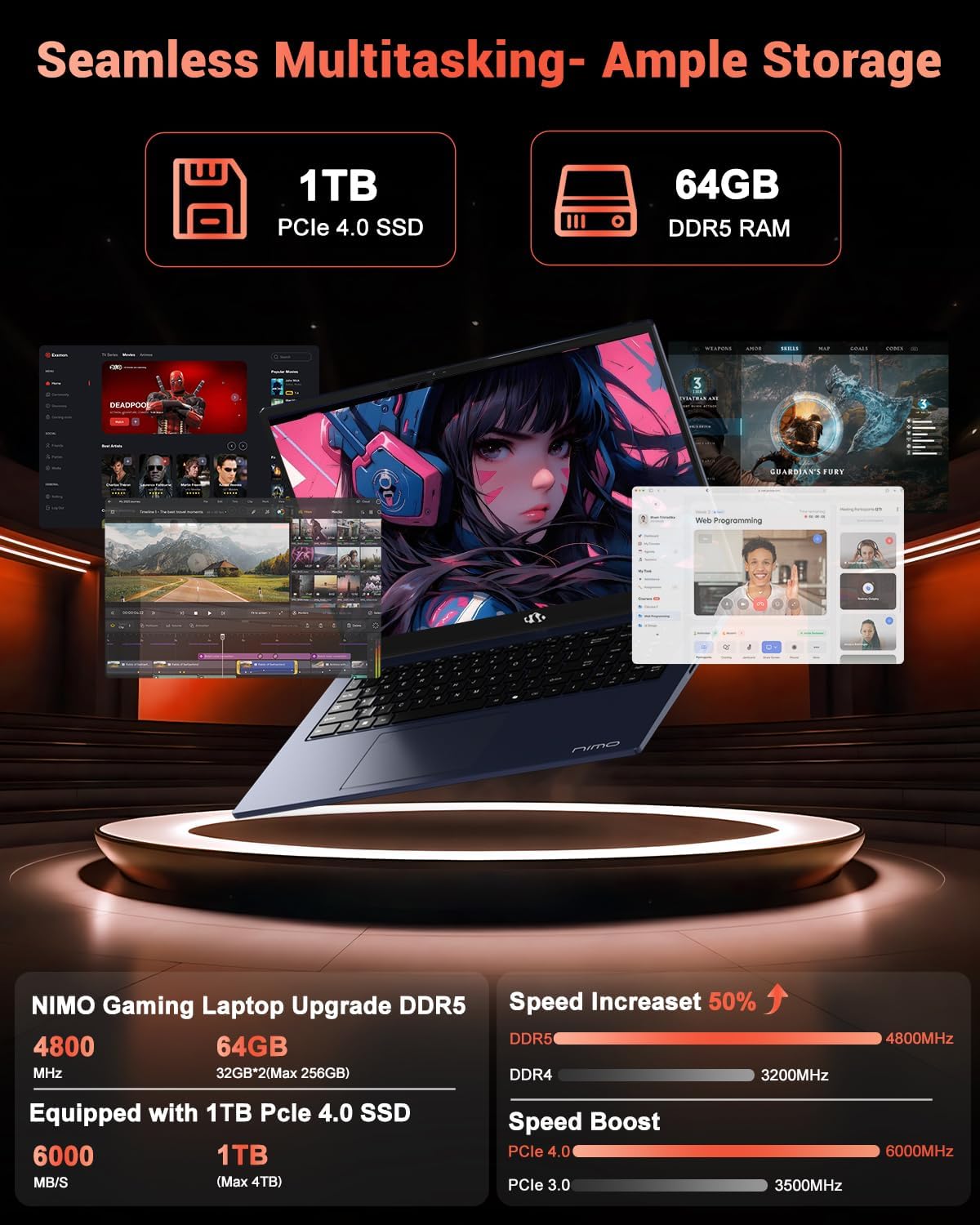
Image: The NIMO N158 laptop displaying multiple applications open, demonstrating its multitasking capabilities with 64GB RAM and 1TB SSD.
5. Manutenzjoni
5.1 Kura Ġenerali
- Keep the laptop clean by wiping surfaces with a soft, dry cloth.
- Avoid exposing the laptop to extreme temperatures, direct sunlight, or moisture.
- Tpoġġix oġġetti tqal fuq il-laptop.
- Żgura ventilazzjoni xierqa billi ma timblokkax il-ventijiet tal-arja.
5.2 Aġġornabbiltà
The NIMO N158 features an upgradable design, allowing for expansion of memory (RAM) and storage (SSD). Consult a qualified technician or refer to official NIMO support resources before attempting any internal upgrades to avoid voiding your warranty.
6 Issolvi l-problemi
If you encounter issues with your NIMO N158 laptop, consider the following basic troubleshooting steps:
- Ebda Qawwa: Ensure the charger is securely connected and the power outlet is functional. Try a different outlet.
- Kwistjonijiet tal-Wiri: Check external display connections if using one. Adjust screen brightness. Restart the laptop.
- Prestazzjoni bil-mod: Close unnecessary applications. Check for background updates. Ensure sufficient free storage space.
- Problemi ta' Konnettività: Restart your Wi-Fi router. Reconnect to the Wi-Fi network. Update network drivers.
- System Freezes: Agħfas u żomm il-buttuna tal-qawwa għal 10-15-il sekonda biex tintefa, imbagħad erġa' ibda.
For persistent issues, refer to the NIMO support websit jew ikkuntattja lis-servizz tal-konsumatur.
7. Speċifikazzjonijiet
| Karatteristika | Speċifikazzjoni |
|---|---|
| Brand | NIMO |
| Isem tal-Mudell | NIMO N158B |
| Daqs tal-Iskrin | 15.6 Pulzier |
| Riżoluzzjoni tal-Iskrin | 1920 x 1080 Pixel (FHD IPS) |
| Proċessur | AMD Ryzen 7 8745HS (sa 4.9 GHz) |
| RAM | 64 GB DDR5 (4800 MHz) |
| Hard Drive | SSD ta' 1024 GB (PCIe 4.0) |
| Koproċessur tal-Grafika | AMD Radeon 780M |
| Sistema Operattiva | Windows 11 Home |
| Tip bla fili | 802.11a/b/g/n/ac (Wi-Fi 6E) |
| Portijiet USB 2.0 | 1 |
| Portijiet USB 3.0 | 3 |
| USB 4.0 Portijiet tat-Tip C | 1 |
| Ħajja Medja tal-Batterija | 15.5 Sigħat |
| Piż tal-oġġett | 3.8 liri |
| Dimensjonijiet tal-Prodott | 14.07 x 8.98 x 0.76 pulzieri |
| Karatteristiċi Speċjali | Tastiera b'dawl minn wara, Qarrej tal-marki tas-swaba', Awdjo HD, Tastiera Numerika |
8. Garanzija u Appoġġ
NIMO is committed to providing excellent customer service and product support.
8.1 Informazzjoni dwar Garanzija
Il-laptop NIMO N158 tiegħek jiġi b' garanzija ta 'sena mid-data tax-xiri. Din il-garanzija tkopri difetti fil-manifattura u malfunzjonamenti tal-ħardwer taħt użu normali. Jekk jogħġbok żomm il-prova tax-xiri tiegħek għal talbiet ta' garanzija.

Image: A technician performing maintenance on a laptop, representing the 2-year support provided by NIMO.
8.2 Politika ta' Ritorn
NIMO joffri Politika ta' ritorn mingħajr problemi ta' 90 jum. If you are not satisfied with your purchase, you may return the product within 90 days from the date of purchase. Please refer to the official NIMO return policy for detailed terms and conditions.

Image: A delivery person handing a package to a customer, illustrating the 90-day return policy.
8.3 Appoġġ għall-Klijent
Our dedicated support team is available to assist you with any questions or issues. You can reach us via:
- Email: service@nimopc.com
- Online: Żur in-NIMO uffiċjali websit għal FAQs u riżorsi ta' appoġġ.
We strive to provide quick solutions and a worry-free experience.

Image: Customer service representatives wearing headsets, representing professional customer assistance.


