1. Introduzzjoni
This manual provides essential information for setting up, operating, maintaining, and troubleshooting your NIMO 15.6" FHD Laptop (Model N158). Please read this manual thoroughly before using your device to ensure optimal performance and longevity.
Kontenut tal-Pakkett
- 1 x Laptop NIMO N158
- 1 x Ċarġer Veloċi tat-Tip Ċ 100W PD
- 1 x Manwal għall-Utent
- Sistema Operattiva Windows 11 Home (installata minn qabel)
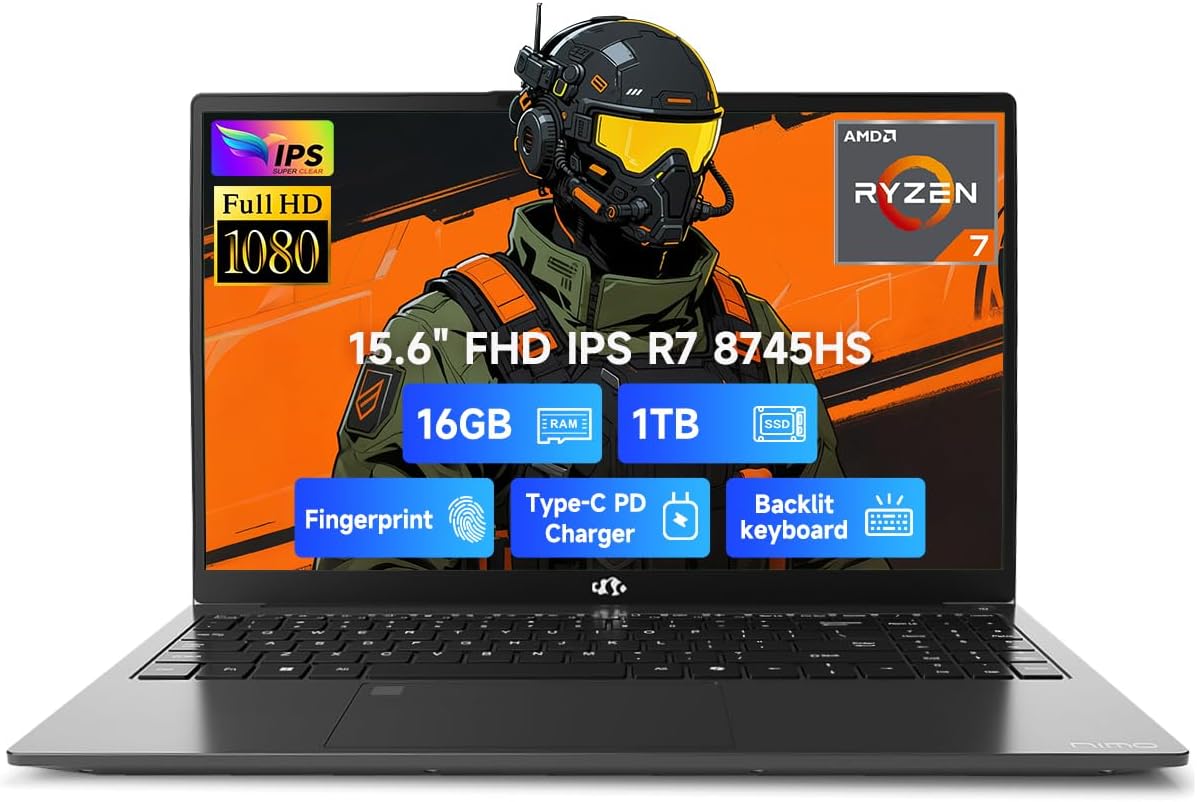
Image 1.1: NIMO 15.6 inch FHD Laptop, showcasing id-disinn u l-wiri eleganti tiegħu.
2. Setup Inizjali
2.1 Ixgħel u Iċċarġja
Before first use, ensure your laptop is fully charged. Connect the provided 100W Type-C PD Fast Charger to the USB 4.0 Type-C port on the laptop and to a power outlet. The charging indicator light will illuminate.

Image 2.1: The NIMO laptop connected to its 100W USB-C fast charger, illustrating the charging process and battery capacity.
2.2 L-Ewwel Boot u s-Setup tal-Windows 11
Press the power button to turn on the laptop. Follow the on-screen instructions to complete the initial setup of Windows 11 Home. This includes setting up your region, language, network connection, and user account.
2.3 Konfigurazzjoni tas-Sensor tal-Marki tas-Swaba'
For enhanced security, configure the integrated fingerprint sensor. During Windows 11 setup or via Windows Settings > Accounts > Sign-in options, you can register your fingerprint for quick and secure login.

Image 2.2: Close-up of the NIMO laptop's keyboard, highlighting the backlit keys and the integrated fingerprint sensor on the touchpad.
3. It-Tħaddim tal-Laptop Tiegħek
3.1 Tastiera u Touchpad
The laptop features a full-size keyboard with a numeric keypad and adjustable backlighting for comfortable typing in various lighting conditions. The precision gesture touchpad supports multi-touch gestures for intuitive navigation. The fingerprint sensor is integrated into the touchpad for convenient unlocking.
3.2 Portijiet tal-Konnettività
Your NIMO laptop is equipped with a variety of ports for connecting external devices:
- USB 4.0 Tip-Ċ: For high-speed data transfer, video output, and power delivery (charging).
- USB 3.2: Multiple ports for connecting peripherals like external drives and mice.
- USB 2.0: Għal apparati USB standard.
- HDMI: Għall-konnessjoni ma' displays jew projetturi esterni.
- Jack tal-headphone: Għall-output tal-awdjo.
- Slot tal-Kard SD: Għall-qari ta' memory cards.
- Slot Kensington Lock: Għas-sigurtà fiżika.
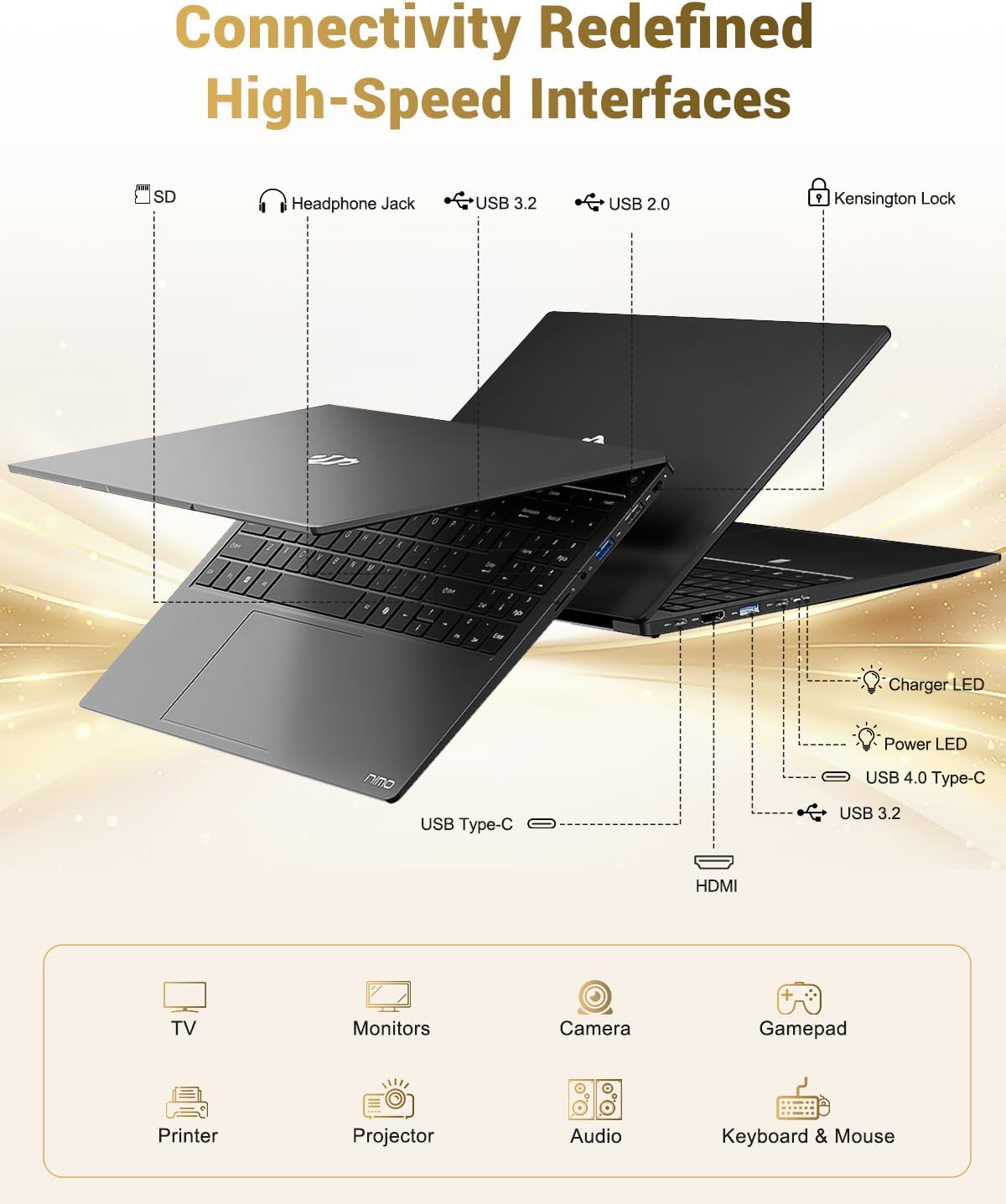
Image 3.1: Diagram illustrating the various input/output ports available on the NIMO laptop, including USB, HDMI, and audio jacks.
3.3 Webcam Użu
Il-kamera integrata ta' 2 MP webcam is suitable for video calls and online meetings. For privacy, the laptop includes a physical privacy switch to disable the webcam meta ma tkunx qed tintuża.

Image 3.2: A visual representation of the laptop's webcam with an open and closed privacy switch, emphasizing user control over privacy.
4. Manutenzjoni u Kura
4.1 Kura tal-Batterija
The laptop is equipped with a 75Wh Smart Battery, providing an average battery life of 15.5 hours. To prolong battery lifespan:
- Evita temperaturi estremi.
- Tneħħix il-batterija kompletament ta' spiss.
- If storing the laptop for extended periods, charge it to approximately 50-60%.
4.2 Upgradable Components
The NIMO laptop features an upgradable design, allowing for expansion of memory (DDR5 RAM) and storage (PCIe 4.0 SSD) to meet future needs. Consult a qualified technician for upgrades to avoid damaging components.

Image 4.1: Visual representation of the laptop's multitasking capabilities and ample storage, highlighting 1TB PCIe 4.0 SSD and 16GB DDR5 RAM.
4.3 Tindif tal-Laptop Tiegħek
Uża drapp artab u mingħajr suf biex tnaddaf l-iskrin u l-uċuħ ta' barra. Għal marki persistenti, dampen the cloth slightly with water or a screen-safe cleaner. Avoid harsh chemicals or abrasive materials.
5 Issolvi l-problemi
Din it-taqsima tindirizza kwistjonijiet komuni li tista' tiltaqa' magħhom bil-laptop NIMO tiegħek.
5.1 Kwistjonijiet tal-Enerġija
- Il-laptop ma jixgħelx: Ensure the charger is securely connected and the power outlet is functional. If the battery is completely drained, it may take a few minutes of charging before the laptop can power on.
- Il-batterija mhix qed tiċċarġja: Verify the Type-C charger and cable are undamaged. Try a different power outlet.
5.2 Problemi tal-Wiri
- L-iskrin huwa vojt: Check if the laptop is powered on. Try connecting an external monitor via HDMI to determine if the issue is with the laptop's display or the graphics output.
- Wirja teptip jew distorta: Aġġorna s-sewwieqa tal-grafika tiegħek. Jekk qed tuża monitor estern, iċċekkja l-konnessjoni tal-kejbil.
5.3 Kwistjonijiet ta' Konnettività
- Il-Wi-Fi mhux qed jikkonnettja: Kun żgur li l-Wi-Fi huwa attivat fis-settings tal-Windows. Erġa' ibda r-router u l-laptop tiegħek. Iċċekkja għal sewwieqa tal-Wi-Fi aġġornati.
- Apparati USB mhux rikonoxxuti: Ipprova qabbad l-apparat ma' port USB differenti. Kun żgur li d-drajvers tal-apparat huma installati.
If you encounter issues not covered here, please refer to the support section for assistance.
6. Speċifikazzjonijiet
Detailed technical specifications for the NIMO 15.6" FHD Laptop (Model N158).
| Karatteristika | Speċifikazzjoni |
|---|---|
| Brand | NIMO |
| Isem tal-Mudell | NIMO N158L |
| Numru tal-Mudell tal-Oġġett | NIMO N158 |
| Daqs tal-Iskrin | 15.6 Pulzier |
| Riżoluzzjoni tal-Iskrin | 1920 x 1080 pixels (FHD IPS) |
| Proċessur | AMD Ryzen 7 8745HS (8 Cores, 16 Threads, up to 4.9 GHz) |
| RAM | 16 GB DDR5 (4800 MHz) |
| Hard Drive | SSD ta' 1024 GB (PCIe 4.0) |
| Koproċessur tal-Grafika | AMD Radeon 780M (Integrata) |
| Sistema Operattiva | Windows 11 Home |
| Tip bla fili | 802.11a/b/g/n/ac |
| Portijiet USB | 1 x USB 2.0, 3 x USB 3.0, 1 x USB 4.0 Tip-C |
| Ħajja Medja tal-Batterija | 15.5-il Siegħa (75Wh) |
| Piż tal-oġġett | 3.8 liri |
| Dimensjonijiet tal-Prodott | 14.07 x 8.98 x 0.76 pulzieri |
| Kulur | Iswed |
| Wara WebCam Riżoluzzjoni | 2 MP |
| Karatteristiċi Speċjali | Tastiera b'dawl minn wara, Qarrej tal-marki tas-swaba', Awdjo HD, Tastiera Numerika |

Image 6.1: The NIMO laptop's 15.6-inch FHD IPS display, emphasizing clear visuals and screen size.

Image 6.2: Close-up of the AMD Ryzen 7 8745HS processor, detailing its 8 cores, 16 threads, and 4.9GHz boost clock.
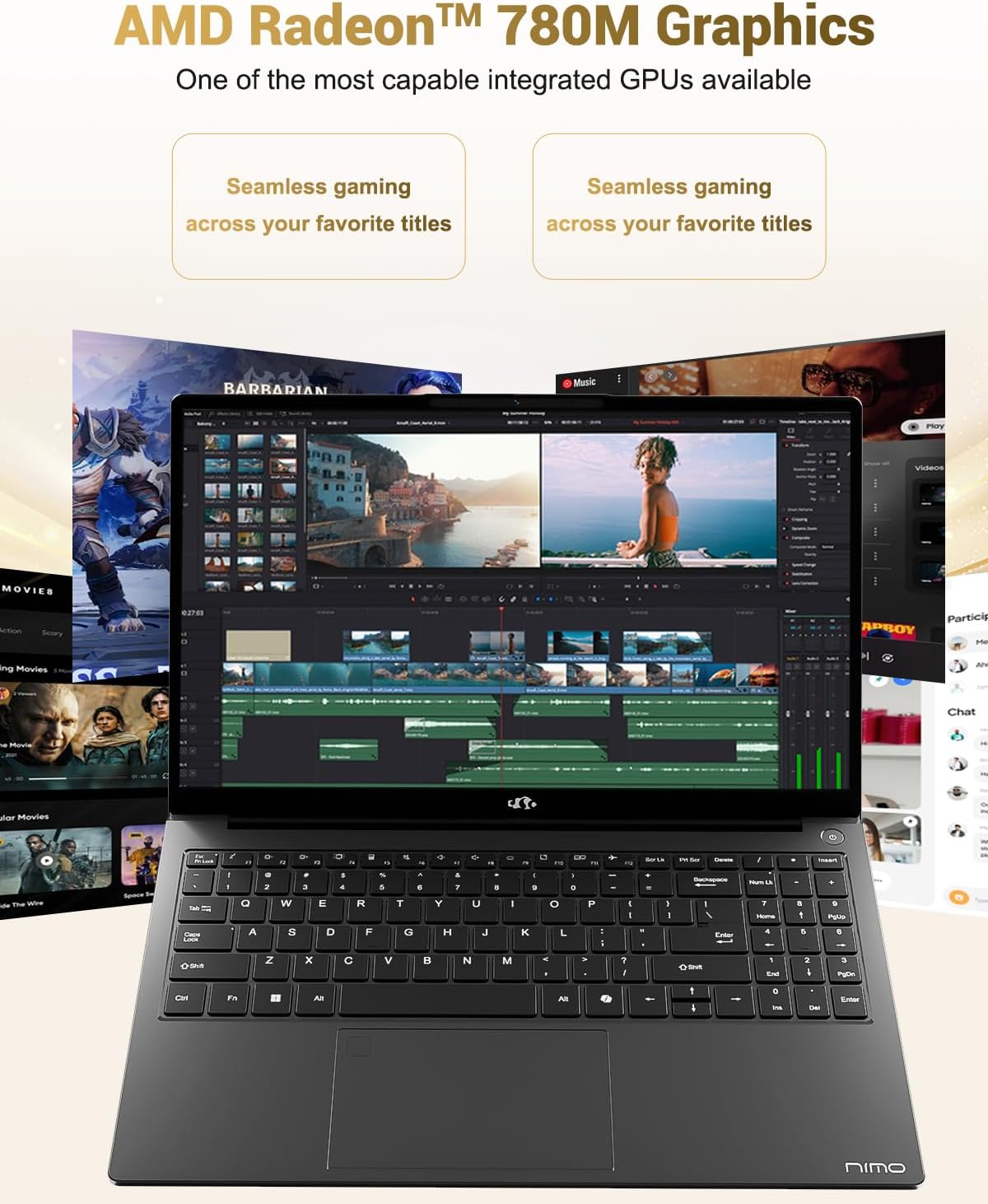
Image 6.3: The AMD Radeon 780M Graphics, highlighting its capability for seamless gaming and creative tasks.
7. Informazzjoni dwar Garanzija
Your NIMO laptop comes with a garanzija ta 'sena from the date of purchase. This warranty covers manufacturing defects and hardware malfunctions under normal use. Additionally, NIMO offers a Politika ta' ritorn mingħajr problemi ta' 90 jum għall-konvenjenza tiegħek.
For warranty claims or return inquiries, please contact our customer support team using the information provided in the Support section.

Image 7.1: Icon representing 2-year support for NIMO products.

Image 7.2: Icon representing the 90-day return policy for NIMO products.
8. Appoġġ għall-Klijent
NIMO is committed to providing excellent customer service. Our dedicated support team is available to assist you with any questions or issues you may have.
Informazzjoni ta' Kuntatt
- Email: service@nimopc.com
- Ħinijiet tas-Servizz: 24-hour service available
For quick solutions and a worry-free experience, please reach out to us. We are ready to provide professional assistance.

Image 8.1: Illustration of professional customer assistance, indicating support availability.


