Introduzzjoni
This manual provides comprehensive instructions for the safe and efficient operation of your NIIMBOT D110 Bluetooth Label Maker Machine. Please read this manual thoroughly before using the device to ensure proper setup, usage, and maintenance.
Kontenut tal-Pakkett
Malli tiftaħ il-pakkett, ivverifika li l-oġġetti kollha li ġejjin huma inklużi:
- 1 x NIIMBOT D110 Label Maker Machine
- 1 x 12x40mm Thermal Label Roll (pre-installed in printer)
- 1 x Cable USB tat-Tip-C
- Manwal għall-Utent (dan id-dokument)
- Additional 3 rolls of clear labels (packaged separately)
Setup
1. Iċċarġjar tal-Apparat
Before initial use, fully charge the NIIMBOT D110 label maker.
- Connect the provided Type-C USB cable to the charging port on the label maker.
- Qabbad it-tarf l-ieħor tal-kejbil USB ma' adapter tal-enerġija USB standard (mhux inkluż) jew mal-port USB tal-kompjuter.
- Id-dawl indikatur juri l-istatus tal-iċċarġjar (eż., aħmar għall-iċċarġjar, aħdar għal iċċarġjat kompletament).
2. Installazzjoni tat-Tejp tat-Tikketti
The device comes with one roll of label tape pre-installed. To replace or install new tape:
- Open the label compartment cover by gently lifting it.
- Remove any empty label roll.
- Insert the new label roll with the printing surface facing upwards, ensuring the label edge extends slightly out of the slot.
- Agħlaq l-għatu tal-kompartiment sew sakemm tikklikkja f'postu.

Image: NIIMBOT D110 Label Maker with a label roll being inserted and a smartphone displaying the NIIMBOT app interface for label creation.
3. Tniżżil tal-App u Konnessjoni Bluetooth
The NIIMBOT D110 operates via a dedicated mobile application.
- Download the "NIIMBOT" app from the App Store (for iOS) or Google Play Store (for Android). You can search for "NIIMBOT" or scan the QR code provided in the quick start guide.
- Kun żgur li l-Bluetooth huwa attivat fuq it-tagħmir mobbli tiegħek.
- Iftaħ l-app NIIMBOT.
- Turn on the D110 label maker by pressing and holding the power button.
- Within the app, search for available devices and select "D110" to connect. The indicator light on the printer will confirm a successful connection.
Image: The NIIMBOT D110 Bluetooth Label Maker, highlighting its wireless connectivity and showing icons for downloading the companion app from the App Store and Google Play.
4. PC Connection (Optional)
For more versatile content editing, the D110 can also be connected to a computer.
- Download and install the necessary drivers from the official NIIMBOT websit.
- Connect the D110 to your computer using the provided Type-C USB cable.
- Follow the on-screen instructions in the NIIMBOT PC software to begin creating and printing labels.
Istruzzjonijiet Operattivi
1. Creating Labels with the NIIMBOT App
The NIIMBOT app offers various features for designing your labels.
- Input tat-Test: Daħħal it-test mixtieq tiegħek.
- Simboli u Ikoni: Access over 1500 symbols to enhance your labels.
- Lingwi: Jappoġġja aktar minn 10 lingwi għall-input tat-test.
- Gwarniċi: Choose from over 100 frames to customize label borders.
- Kodiċi QR u Barcode: Generate and print QR codes or barcodes directly from the app.
- Mudelli: Utilize various built-in templates for quick label creation.
- Stampar tal-lott: Print multiple identical or different labels efficiently.

Image: The NIIMBOT app interface showcasing its powerful functions, including a wide selection of symbols, support for multiple languages, various frames, and the ability to generate QR codes and barcodes.
2. Stampar Tikketti
Wara li tiddisinja t-tikketta tiegħek fl-app:
- Review id-disinn tat-tikketta tiegħek fuq l-iskrin tal-app.
- Ensure the D110 is connected via Bluetooth and has sufficient battery.
- Tektek il-buttuna "Ipprintja" fl-app.
- The label maker will automatically feed and print the label.
- Tear off the printed label along the serrated edge.
3. Daqsijiet tat-Tikketti Appoġġjati
The D110 supports various label widths from 0.47 inches (12mm) to 0.59 inches (15mm). Ensure you use genuine NIIMBOT thermal labels for optimal performance.

Image: The NIIMBOT D110 Label Maker demonstrating its compatibility with various label sizes, including 12x22mm, 12x40mm, 14x40mm, 14x60mm, 15x30mm, and 15x50mm, with examples of printed labels.
4. Applikazzjoni Eżamples
The NIIMBOT D110 is suitable for a wide range of labeling needs, including:
- School supplies (notebooks, binders, pencil cases)
- Food storage and organization
- Reminder labels for medication or tasks
- Gift labeling
- Travel item identification
- Cosmetic organization
- Office filing and organization
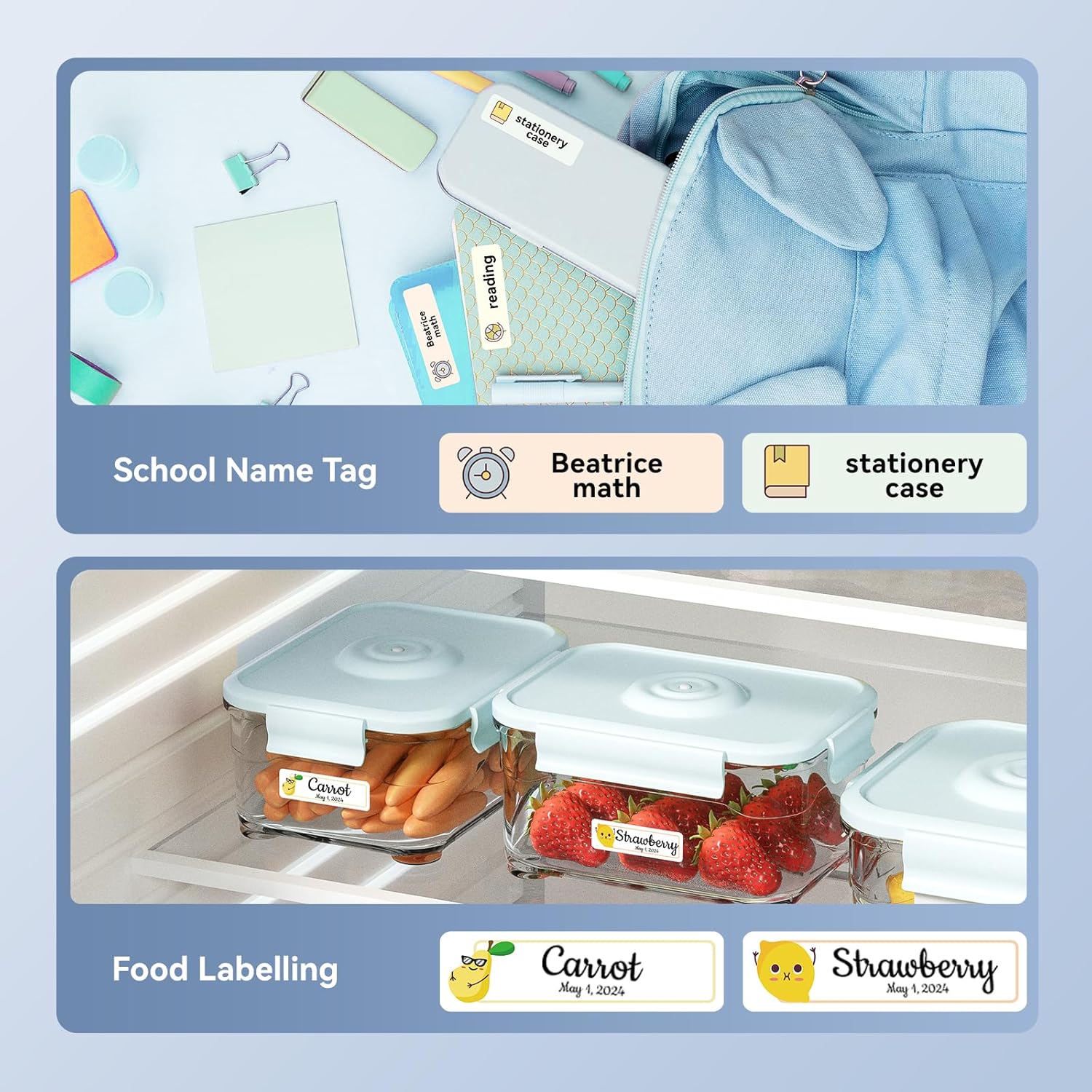
Immaġni: Eżamples of labels created with the NIIMBOT D110, demonstrating use for school name tags on backpacks and stationery, as well as for food labeling on storage containers with contents and dates.

Immaġni: Eżamples of labels created with the NIIMBOT D110, showing application for medication reminders in a pill organizer and decorative labels for gifts.

Immaġni: Eżamples of labels created with the NIIMBOT D110, illustrating use for organizing travel toiletries like shampoo and conditioner, and for identifying makeup products such as eyeliner and eyeshadow.
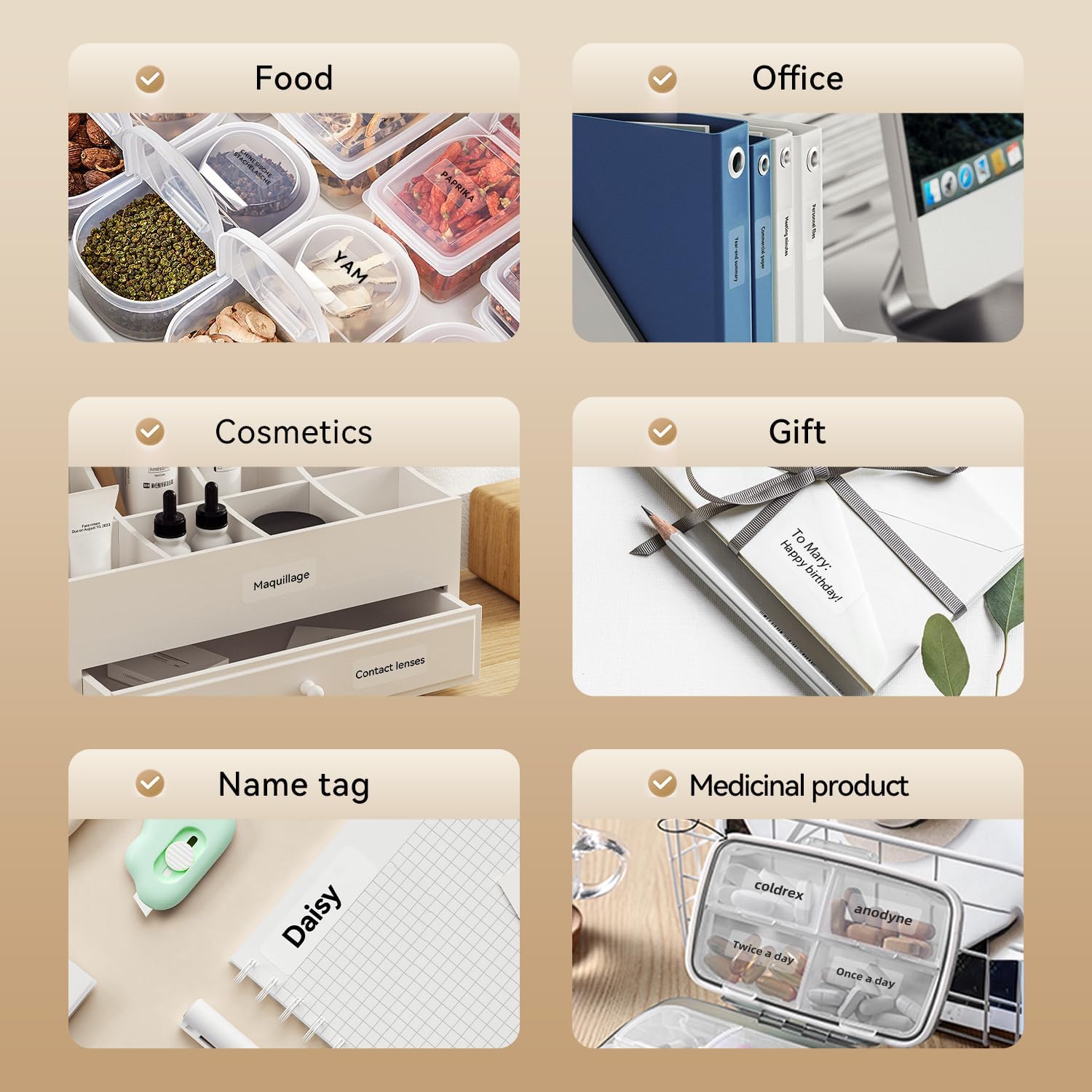
Image: A collage of various application examples for NIIMBOT D110 labels, including organizing food containers, office supplies, cosmetic items, gifts, creating name tags, and labeling medicinal products.
Manutenzjoni
1. Tindif tar-Ras tal-Istampar
Biex tiżgura kwalità ottimali tal-istampar, naddaf ir-ras tal-istampar regolarment.
- Itfi l-magna tat-tikketti u skonnettjaha minn kwalunkwe sors ta' enerġija.
- Iftaħ l-għatu tal-kompartiment tat-tikketti.
- Imsaħ ir-ras tal-istampar bil-mod b'tajjara tal-qoton ħafifa.ampened b'alkoħol isopropiliku.
- Ħalli r-ras tal-istampar tinxef kompletament qabel ma tagħlaq l-għatu u terġa' tibda tużah.
2. Kura tal-batterija
Biex ittawwal il-ħajja tal-batterija:
- Evita li tiċċarġja l-batterija kompletament ta' spiss.
- Iċċarġja l-apparat regolarment, anke jekk ma jkunx qed jintuża kontinwament.
- Aħżen l-apparat f'post frisk u niexef meta ma jkunx qed jintuża għal perjodi twal.
3. Ħażna
Store the label maker and label rolls in a dry environment, away from direct sunlight and extreme temperatures.
Issolvi l-problemi
| Problema | Kawża Possibbli | Soluzzjoni |
|---|---|---|
| L-apparat ma jixgħelx | Batterija baxxa | Iċċarġja l-apparat billi tuża l-kejbil USB ipprovdut. |
| Ma tistax tikkonnettja permezz tal-Bluetooth | Bluetooth is off; App not open; Device out of range | Ensure Bluetooth is enabled on your phone, open the NIIMBOT app, and keep the printer within close proximity. Restart both devices if necessary. |
| Kwalità fqira tal-istampar | Ras tal-istampar maħmuġa; Tip ta' tikketta mhux korrett; Batterija baxxa | Clean the print head (refer to Maintenance section). Ensure you are using genuine NIIMBOT thermal labels. Charge the device. |
| It-tikketti mhux qed jitimgħu sew | Label roll incorrectly installed; Label jammed | Open the cover and re-install the label roll, ensuring it is properly aligned. Remove any jammed labels carefully. |
| "No ink" message | Thermal printers do not use ink. This message is incorrect or a misunderstanding. | The D110 is a thermal printer and does not require ink. Ensure the label roll is correctly installed and is thermal paper. |
Speċifikazzjonijiet
| Karatteristika | Dettall |
|---|---|
| Mudell | NIIMBOT D110 |
| Metodu ta 'stampar | Thermal Printing (No Ink Required) |
| Konnettività | Bluetooth, USB (for PC) |
| Wisa 'Tikketta Appoġġjata | 0.47'' - 0.59'' (12mm - 15mm) |
| Piż | 0.2 lb (approximately 90g) |
| Dimensjonijiet | 3.8'' x 2.9'' x 1.1'' (approximately 9.65cm x 7.37cm x 2.79cm) |
| Input tal-Enerġija | USB tat-tip C |

Image: A visual comparison showing the NIIMBOT D110 as significantly smaller and lighter (0.2 lb, 3.8"x2.9"x1.1") compared to a traditional label printer (1.2 lb, 7"x6.3"x2.2").
Garanzija u Appoġġ
For warranty information and technical support, please refer to the official NIIMBOT website or contact NIIMBOT customer service directly. Details can typically be found on the product packaging or the manufacturer's websit.
Appoġġ onlajn: Żur www.niimbot.com għal FAQs, downloads tas-sewwieqa, u informazzjoni ta' kuntatt.


