Introduzzjoni
This manual provides comprehensive instructions for the installation, operation, and maintenance of your REOLINK Argus Series B430-B Battery-WiFi Camera. Please read this manual carefully before using the product to ensure proper functionality and safety.
X'hemm fil-Kaxxa
- REOLINK Argus Series B430-B Camera
- Kit tal-Immuntar (viti, ankri tal-ħajt)
- Cable tal-Iċċarġjar tal-USB
- Gwida Quick Start
Prodott Overview
Familiarize yourself with the camera's components and design.
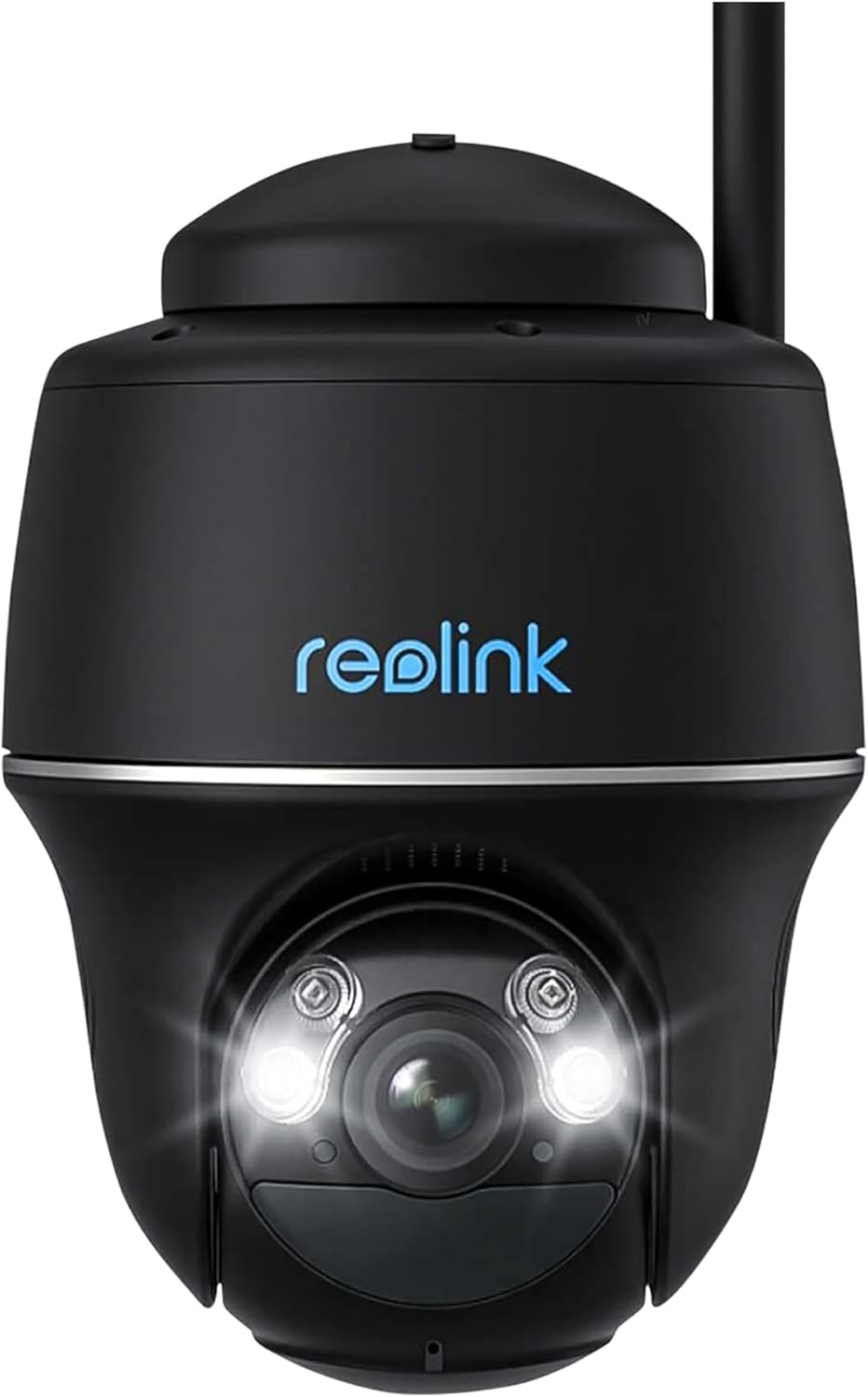
Figura 1: Quddiem view of the REOLINK Argus Series B430-B Battery-WiFi Camera, showing the lens, LED lights, and Reolink logo. This camera features a dome form factor and is designed for versatile placement.
The REOLINK Argus Series B430-B is a battery-powered Wi-Fi security camera designed for both indoor and outdoor use. It features a dome form factor, 1440p video resolution, and supports voice control via Amazon Alexa and Google Assistant.
Setup
1. Iċċarġjar tal-batterija
Before initial use, fully charge the camera battery using the provided USB cable and a 5V/2A power adapter (not included). The charging indicator light will turn solid blue when fully charged.
2. Downloading the Reolink App
Download and install the Reolink App from the App Store (iOS) or Google Play (Android). The app is essential for camera setup and operation.
3. Initial Camera Setup
- Open the Reolink App and tap the "+" icon to add a new device.
- Scan the QR code on the camera body.
- Follow the on-screen instructions to connect the camera to your 2.4GHz Wi-Fi network.
- Create a device password and name for your camera.
4. Immuntar tal-Kamera
The camera can be mounted indoors or outdoors, including ceiling installation. Ensure the mounting location has good Wi-Fi signal strength.

Figura 2: The REOLINK Argus Series B430-B camera mounted on an exterior wall, demonstrating a typical installation scenario for outdoor surveillance.
Immuntar tal-ħajt:
- Drill toqob skond il-mudell tal-immuntar.
- Insert wall anchors if mounting on masonry or concrete.
- Żgura l-parentesi tal-immuntar bil-viti.
- Attach the camera to the bracket and adjust the angle.
Optional Solar Panel Installation: For continuous power, consider connecting a compatible REOLINK solar panel. Ensure the solar panel is positioned to receive maximum sunlight.
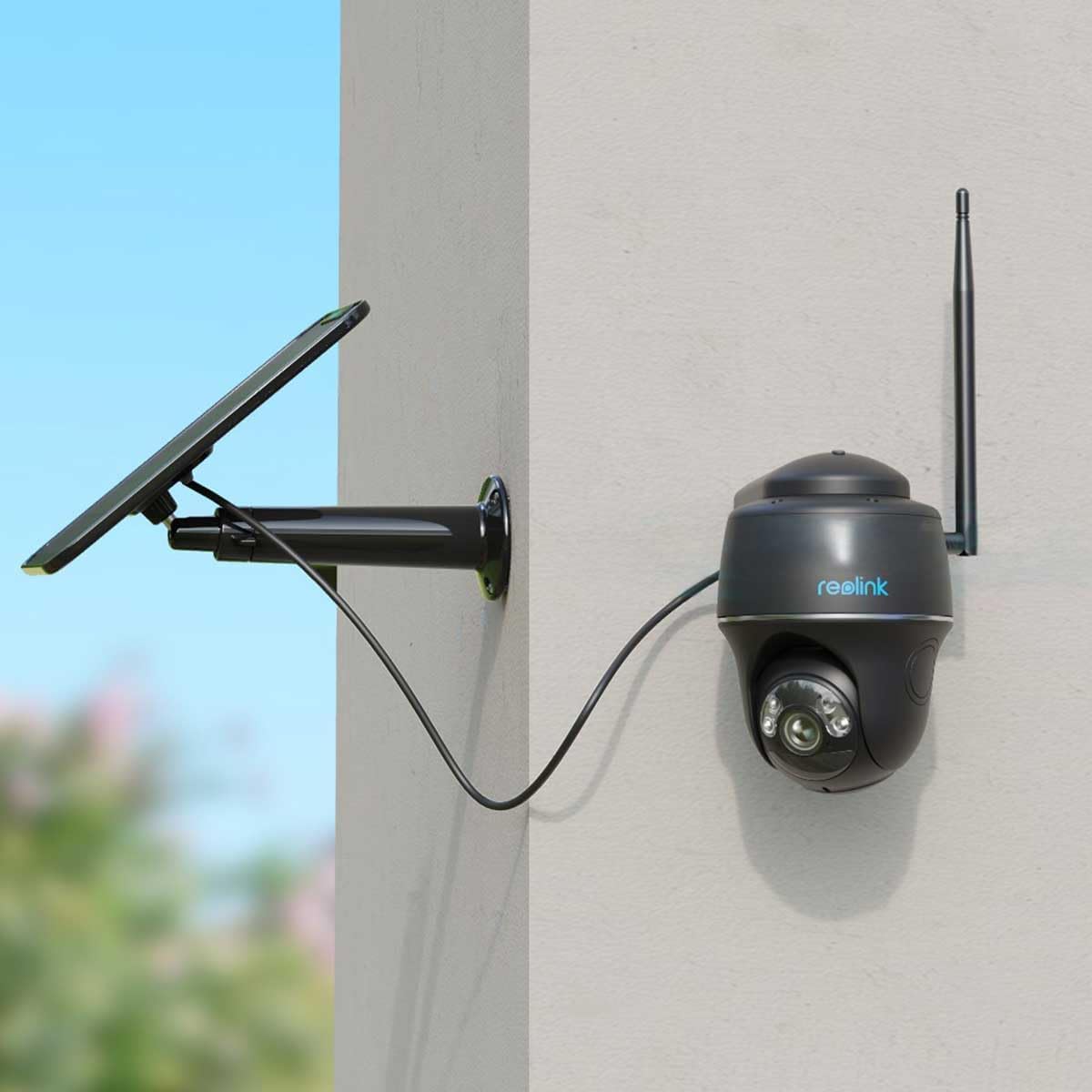
Figura 3: The REOLINK Argus Series B430-B camera connected to an external solar panel for continuous charging, mounted on a wall. This setup provides extended battery life.

Figura 4: The REOLINK Argus Series B430-B camera and its solar panel installed outdoors, demonstrating its waterproof design and resilience in rainy conditions.
It-tħaddim tal-Kamera
1. Ħaj View
Open the Reolink App and tap on your camera to access the live view. You can pan, tilt, and zoom digitally, as well as use two-way audio to communicate through the camera.
2. Reġistrazzjoni u Daqq
The camera records motion-triggered events. Access recorded footage via the "Playback" section in the Reolink App. You can filter by date and event type to quickly find specific recordings.
3. Motion Detection Settings
Customize motion detection sensitivity, detection zones, and notification preferences in the camera settings within the app. This helps reduce false alarms and ensures you receive relevant alerts.
4. Smart Home Integrazzjoni
The REOLINK Argus Series B430-B supports Amazon Alexa and Google Assistant. Follow the instructions in the Reolink App or your smart home device app to link your camera for voice control and live view fuq displays intelliġenti kompatibbli.
Manutenzjoni
1. Kura tal-batterija
- Avoid exposing the camera to extreme temperatures, which can affect battery life.
- Recharge the battery promptly when the low battery notification appears.
- If using a solar panel, ensure it is clean and receives adequate sunlight for optimal charging.
2. Tindif
Wipe the camera lens and body with a soft, damp cloth. Do not use harsh chemicals or abrasive cleaners, as these can damage the camera's surfaces or lens coating.
3. Aġġornamenti tal-Firmware
Regularly check for and install firmware updates via the Reolink App to ensure optimal performance, security, and access to new features.
Issolvi l-problemi
Il-Kamera Mhux Qed Tikkonnettja mal-Wi-Fi
- Ensure your Wi-Fi network is 2.4GHz, as the camera does not support 5GHz networks.
- Check Wi-Fi signal strength at the camera's location. Move the camera closer to the router if the signal is weak.
- Restart your router and the camera to refresh network connections.
- Iċċekkja li l-password tal-Wi-Fi li daħħalt waqt is-setup hija korretta.
Kwalità Fqira tal-Vidjo
- Check your internet upload speed; a stable connection is crucial for clear video.
- Kun żgur li l-lenti tal-kamera hija nadifa u ħielsa mit-trab jew tbajja’.
- Adjust video quality settings in the Reolink App to a lower resolution if bandwidth is limited.
Batterija Drejn Malajr
- Reduce motion detection sensitivity or detection zones to minimize unnecessary recordings.
- Ensure the camera is not in an area with constant motion, which triggers frequent recordings.
- Consider connecting a REOLINK solar panel for continuous charging and extended battery life.
Speċifikazzjonijiet
| Karatteristika | Dettall |
|---|---|
| Mudell | B430-B |
| Riżoluzzjoni tal-vidjo | 1440p (2560x1440) |
| Frame Rata | 15 frejm kull sekonda |
| Konnettività | Wi-Fi ta' 2.4GHz (IEEE 802.11b/g/n) |
| Sors tal-Enerġija | Rechargeable Battery (compatible with Reolink Solar Panel) |
| Reżistenza għall-Ilma | Waterproof |
| Fattur tal-Formola | Koppla |
| Kompatibilità tad-Dar Intelliġenti | Amazon Alexa, Google Assistant |
| Tip ta 'Immuntar | Limitu, Ħajt |
| Ambjent Operattiv | Ġewwa u Barra |
| Kulur | Iswed |
Garanzija u Appoġġ
For warranty information and technical support, please visit the official REOLINK webis-sit jew ikkuntattja lis-servizz tal-konsumatur tagħhom. Tista' ssib ukoll aktar riżorsi fuq il- REOLINK Brand Store.


