1. Introduzzjoni
This manual provides essential information for the safe and efficient operation of your CHiQ 40QA10 QLED 40 Inch Full HD Google TV. Please read it thoroughly before using the television and retain it for future reference.
1.1 Informazzjoni dwar is-Sigurtà
- Ensure the television is placed on a stable surface to prevent tipping.
- Do not block ventilation openings. Maintain adequate space around the television for proper airflow.
- Avoid exposing the television to rain or moisture to prevent electric shock or fire.
- Tiftaħx it-televiżjoni casing. Irreferi s-servizz kollu lil persunal kwalifikat.
- Aqla’ l-korda tal-enerġija waqt maltempati bis-sajjetti jew meta ma tkunx qed tintuża għal perjodi twal.
2. Prodott Aktarview
The CHiQ 40QA10 is a 40-inch Full HD QLED Google TV, offering vibrant visuals and smart functionalities.
2.1 Karatteristiċi ewlenin
- Quantum Dot Color Technology: Delivers a wide color gamut for vibrant and realistic images.
- Full HD b'HDR10: Provides sharp, detailed resolution with enhanced brightness and contrast.
- Google TV Smart Experience: Access streaming apps, integrated WiFi and Bluetooth, and Google Assistant for voice control.
- Dolby Audio and DBX-TV: Offers immersive sound with clear dialogues and rich effects.
- Chromecast inkorporat: Allows content casting from compatible devices.
2.2 Kontenut tal-Pakkett
Iċċekkja li l-oġġetti kollha huma preżenti fl-imballaġġ:
- CHiQ 40QA10 QLED TV
- Kontroll mill-bogħod
- Adapter tal-Enerġija
- Manwal għall-Utent (dan id-dokument)
- Stands u Viti tat-TV

Figure 2.2.1: TV dimensions, remote control, and included accessories.
2.3 TV Ports and Connections
Familiarize yourself with the available ports on your television:

Figura 2.3.1: Konnessjonijiet tal-pannell ta' wara.
- TA’: For multimedia players or small projectors.
- INTERFACE KOMUNI: For digital multimedia players.
- HDMI 1.4 * 3: For Blu-ray players, game consoles, or AV receivers.
- ANT1: Input ta' l-antenna.
- ANT2 SATELLITE: Satellite input.
- USB 2.0 * 2: For multimedia playback from USB drives.
- LAN: Għal konnessjonijiet tan-netwerk bil-fili.
- CUFFIE (Headphones): For headphones and external speakers.
- ĦRUĠ AWDJO DIĠITALI: Għall-ħruġ awdjo diġitali.
3. Setup
3.1 Installazzjoni tal-Istands tat-TV
- Poġġi t-TV b'attenzjoni wiċċu 'l isfel fuq wiċċ artab u ċatt biex tevita li tagħmel ħsara lill-iskrin.
- Align the stands with the corresponding slots on the bottom of the TV.
- Waħħal l-istands billi tuża l-viti pprovduti.

Figura 3.1.1: Views of the TV, including stand installation area.
3.2 Immuntar mal-Ħajt (Mhux obbligatorju)
The TV supports VESA 200x200mm wall mounts. Ensure you use a compatible wall mount and follow the instructions provided with the mount. Professional installation is recommended.

Figura 3.2.1: Eżample of wall-mounted TV.
3.3 Tixgħel Inizjali u Konfigurazzjoni tal-Google TV
- Connect the power adapter to the TV and a power outlet.
- Agħfas il-buttuna tal-qawwa fuq il-kontroll remot jew it-TV.
- Follow the on-screen instructions to complete the initial Google TV setup, including language selection, network connection (Wi-Fi or Ethernet), and Google account sign-in.
4. Joperaw
4.1 Funzjonijiet Bażiċi tat-TV
- Power On/Off: Uża l-buttuna tal-qawwa fuq ir-remote.
- Kontroll tal-Volum: Uża l-buttuni Volum +/-.
- Għażla tal-Kanal: Uża l-buttuni tal-Channel +/- jew it-tastiera tan-numri.
- Sors tad-dħul: Press the 'Source' button to select HDMI, AV, Tuner, etc.
4.2 L-Interfaċċja tat-TV tal-Google
Navigate the Google TV home screen to access apps, streaming services, and settings.

Figura 4.2.1: L-iskrin ewlieni ta' Google TV.
4.3 Assistent tal-Google
Use the built-in Google Assistant for voice commands. Press the Google Assistant button on your remote and speak into the microphone.

Figure 4.3.1: Using Google Assistant with the remote control.
4.4 Settings tal-awdjo
The TV features Dolby Audio and dbx-tv for enhanced sound. Adjust audio settings in the TV menu to optimize your listening experience.

Figure 4.4.1: Dolby Audio experience.

Figure 4.4.2: dbx-tv audio customization.
5. Konnettività
5.1 Wi-Fi u Bluetooth
The TV supports dual-band Wi-Fi for internet access and Bluetooth 5.0 for connecting wireless accessories like headphones or game controllers.
5.2 Chromecast Inkorporat
Cast content directly from your Android, iOS, or Mac devices to the TV using Chromecast. Ensure your device and TV are on the same Wi-Fi network.
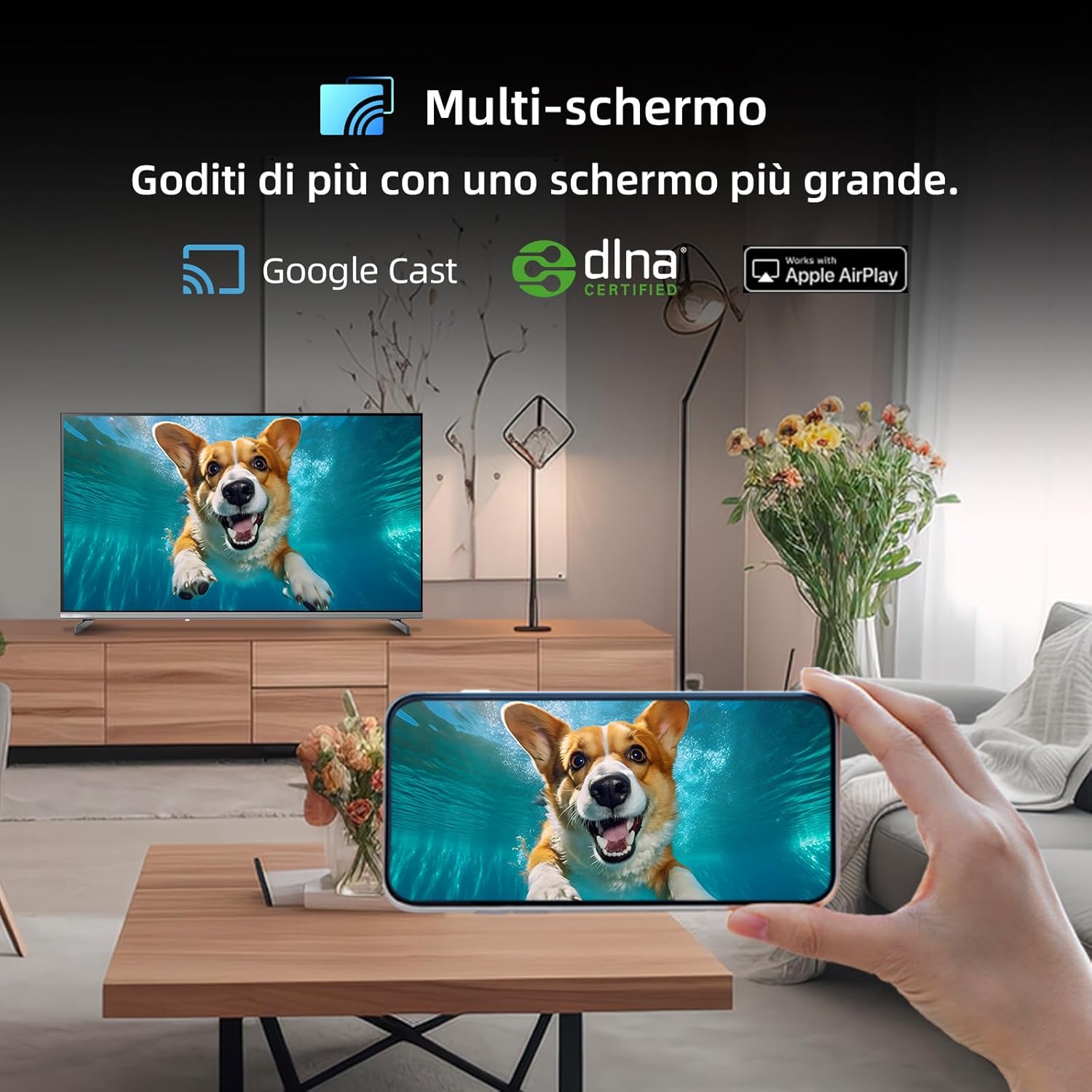
Figure 5.2.1: Multi-screen functionality with Google Cast.
6. Manutenzjoni
6.1 Tindif tal-Iskrin
- Turn off the TV and unplug the power cord.
- Imsaħ l-iskrin bil-mod b'ċarruta ratba u mingħajr ħelu.
- Għal marki iebsa, ħassar bil-modampLaħlaħ id-drapp bl-ilma jew b'prodott speċjalizzat għat-tindif tal-iskrin. Tisprejjax likwidu direttament fuq l-iskrin.
6.2 Tindif tas-Casing
Imsaħ it-TV casinNaddaf b'ċarruta ratba u niexfa. Evita li tuża prodotti tat-tindif jew solventi li joborxu.
7 Issolvi l-problemi
Jekk tiltaqa' ma' problemi bit-televiżjoni tiegħek, irreferi għall-problemi u s-soluzzjonijiet komuni li ġejjin:
| Problema | Kawża Possibbli | Soluzzjoni |
|---|---|---|
| Ebda qawwa | Il-korda tal-enerġija skonnettjata, problema bil-bokka tal-enerġija | Iċċekkja l-konnessjoni tal-korda tal-enerġija, ipprova sokit differenti. |
| L-ebda stampa, iżda l-ħoss huwa preżenti | Incorrect input source, faulty cable | Verify input source, check HDMI/AV cable connections. |
| L-ebda ħoss, iżda l-istampa hija preżenti | Volume muted, external audio system issue | Unmute volume, check external audio connections. |
| Il-kontroll mill-bogħod ma jaħdimx | Dead batteries, obstruction | Replace batteries, remove obstructions between remote and TV. |
| Smart features slow or unresponsive | Network issue, temporary software glitch | Restart TV, check Wi-Fi connection, update software. |
8. Speċifikazzjonijiet
Detailed technical specifications for the CHiQ 40QA10 QLED TV:
| Karatteristika | Speċifikazzjoni |
|---|---|
| Mudell | 40QA10 |
| Daqs tal-Iskrin | 40 Pulzier |
| Teknoloġija tal-Wiri | QLED, IPS |
| Riżoluzzjoni | Full HD 1080p (1920 x 1080) |
| Riffriskar Rata | 60 Hz |
| Appoġġ HDR | HDR10 |
| Sistema Operattiva | Google TV |
| Teknoloġija Awdjo | Dolby Audio, dbx-tv |
| Konnettività | Wi-Fi (Dual Band), Bluetooth 5.0, Ethernet, HDMI (x3), USB (x2) |
| Teknoloġija Tuner | DVB-C/T/T2/S/S2 |
| Karatteristiċi Addizzjonali | Chromecast Built-in, DLNA |
| Konsum tal-Enerġija | 55 watt |
| Klassi tal-Effiċjenza tal-Enerġija | E |
| Dimensjonijiet tal-Prodott (WxDxH) | 89.18 x 7.07 x 50.86 ċm (mingħajr stand) |
| Piż | 5 kg |

Figura 8.1: Tikketta tal-Effiċjenza Enerġetika. Għal aktar dettalji, żur Database EPREL.

Figure 8.2: Detailed Product Information Sheet. For more details, visit Database EPREL.
9. Garanzija u Appoġġ
9.1 Informazzjoni dwar Garanzija
The CHiQ 40QA10 TV typically comes with a manufacturer's warranty. Please refer to the warranty card included with your product for specific terms and conditions, including warranty duration and coverage details. Keep your proof of purchase for warranty claims.
9.2 Appoġġ għall-Klijent
For technical assistance, troubleshooting beyond this manual, or warranty service, please contact CHiQ customer support. Contact information can usually be found on the official CHiQ webis-sit jew fid-dokumentazzjoni tal-prodott tiegħek.
- Manifattur: Changhong Europe Electric sro
- Indirizz: Dělnická 213/12, 17000 Praha 7, Czech Republic
- Websit: www.chiq.com
- Email: info@chiq.com
- Telefon: +420233325611


