About Your OQIMAX Kids Alarm Clock
This manual provides instructions for the OQIMAX Kids Alarm Clock, Model WA175USKM. This device is designed to assist children with sleep training, provide ambient lighting, and function as a dual alarm clock to promote healthy sleep habits.
Karatteristiċi Ewlenin
- Sleep Training Clock: Features a moon icon that lights up with a gentle red hue to signal bedtime. The night light automatically turns off after 1 hour. Default sleep time is 7 PM to 11 PM.
- Colorful Ambient Light & Music: Offers 11 vibrant light colors and 10 soothing music melodies, including lullabies, nature sounds, and white noise, to create a peaceful environment.
- Wake-Up Feature & Dual Alarm: A soft yellow light appears 20 minutes before the alarm, turning green when the alarm sounds for a pleasant wake-up. Set two independent alarms with four workday modes and a 5-minute snooze function.
- Easy Control & Child Lock: Adjust sound and light with simple button presses. Tap the clock to change light colors. Activate child lock by holding both "TUNES" buttons for 3 seconds to prevent accidental setting changes.
- Operazzjoni Plug-in: This Type-C plug-in alarm clock must be continuously plugged in for operation and features a power-off memory function. (Note: Power adapter is not included).
Setup
Konnessjoni tal-Enerġija
Connect the provided Type-C USB cable to the clock's power port and a compatible USB power adapter (not included). The clock requires continuous power to operate. The power-off memory function retains settings during power interruptions.
Ħin tal-issettjar
- Agħfas u żomm il- IL-ĦIN IPPOST Agħfas il-buttuna għal 3 sekondi biex tidħol fil-modalità tal-issettjar tal-ħin. Iċ-ċifri tas-sigħat jibdew jteptep.
- Uża l- UP (+) jew 'L isfel (-) buttons to adjust the hour.
- Agħfas IL-ĦIN IPPOST Agħfas mill-ġdid biex tikkonferma s-siegħa u tmur għall-issettjar tal-minuti. Iċ-ċifri tal-minuti se jteptpu.
- Uża l- UP (+) jew 'L isfel (-) buttons to adjust the minutes.
- Agħfas IL-ĦIN IPPOST a third time to confirm minutes and exit time setting mode.
- Biex taqleb bejn il-format ta' 12-il siegħa u ta' 24 siegħa, agħfas il-buttuna DISPLAY button during normal time display.

Istruzzjonijiet Operattivi
Sleep Training Function
The sleep training function helps children understand when it's time for bed and when it's okay to wake up. The moon icon and red light indicate bedtime, while the sun icon and green light indicate wake-up time.
- Ħin l-irqad: The moon icon lights up, and the clock glows red. This signals it's time to sleep. The red night light will automatically turn off after 1 hour. The default bedtime period is 7 PM to 11 PM.
- Tqum: 20 minutes before the set alarm time, a soft yellow light will appear. When the alarm rings, the light turns green, indicating it's time to wake up.
- To activate/deactivate the sun/moon icon display, short press the SUN/MOON ON/OFF buttuna.
- To set the appearance time of the moon icon (bedtime), long press the SUN/MOON ON/OFF buttuna.


Setting Dual Alarms
The clock supports two independent alarms (Alarm 1 and Alarm 2) with customizable schedules.
- Agħfas il- ALLARM 1 or ALLARM 2 button (located on the bottom of the clock) to select the alarm you wish to set.
- Uża l- UP (+) jew 'L isfel (-) buttons to adjust the hour and minutes.
- Agħfas il- ALLARM button again to select the workday mode:
- 1-1: Allarm ta 'ġurnata waħda
- 1-5: Mit-Tnejn sal-Ġimgħa
- 1-7: Mit-Tnejn sal-Ħadd
- 6-7: Is-Sibt u l-Ħadd
- Agħfas il- ALLARM button a final time to confirm and activate the alarm.
Funzjoni Snooze
When an alarm sounds, press the top of the alarm clock to activate the 5-minute snooze function.
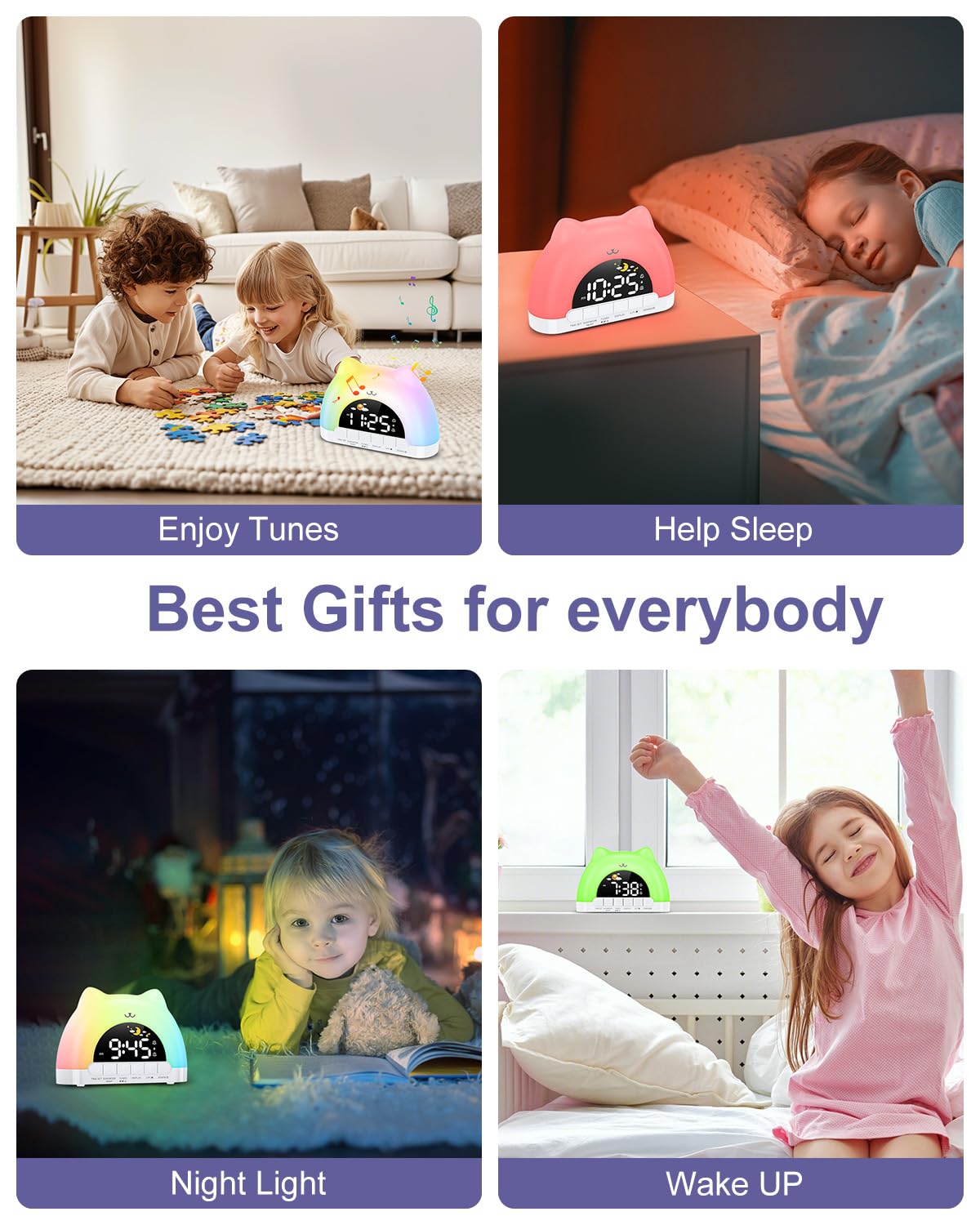
Night Light & Color Adjustment
The clock features 11 vibrant light colors and multiple brightness levels for both the display and the nightlight.
- To change the night light color, press the top of the alarm clock.
- To adjust the brightness of the night light, use the UP (+) jew 'L isfel (-) buttons (located on the bottom of the clock) when the night light is active.
- To adjust the display brightness, short press the DISPLAY buttuna.

Sound Machine & Volume Control
Choose from 10 soothing melodies, nature sounds, or white noise to create a peaceful atmosphere.
- To select a melody or sound, short press the TUNES buttuna.
- Biex taġġusta l-volum, uża l- UP (+) jew 'L isfel (-) buttons (located on the bottom of the clock) when a sound is playing.
Lock tat-Tfal
The child lock prevents accidental changes to the clock's settings while still allowing access to music and light functions.
- To activate the child lock, press and hold both TUNES buttons for 3 seconds. A lock icon will appear on the display.
- To deactivate the child lock, press and hold both TUNES buttons for 3 seconds again. The lock icon will disappear.

Vidjo Uffiċjali tal-Prodott
Manutenzjoni
To clean your OQIMAX Kids Alarm Clock, gently wipe the surface with a soft, dry cloth. Avoid using abrasive cleaners, solvents, or harsh chemicals, as these may damage the finish. Keep the device away from water and extreme temperatures to ensure its longevity.
Issolvi l-problemi
- L-arloġġ mhux qed jixgħel: Ensure the Type-C USB cable is securely connected to the clock and a working USB power adapter.
- L-allarm ma ħossx: Verify that the alarm is activated for the desired time and day mode. Check that the alarm volume is not set to its lowest level.
- Settings changing unexpectedly: Activate the child lock function by holding both "TUNES" buttons for 3 seconds to prevent accidental adjustments by children.
- Night light not changing colors/brightness: Ensure the child lock is not preventing these adjustments, or try deactivating and reactivating the night light.
Speċifikazzjonijiet tal-Prodott
- Ditta: OQIMAX
- Mudell: WA175USKM
- Dimensjonijiet tal-pakkett: 6.65 x 5.04 x 2.52 pulzieri
- Piż tal-oġġett: 0.23 Kilogrammi (8.15 uqija)
- Sors tal-Enerġija: Type-C USB (adapter not included)
- Kuluri tad-Dawl bil-lejl: 11
- Ringtones/Melodies: 10
- Stil: Kontemporanju
- Forma: Irregular (Cat-shaped)
Garanzija u Appoġġ
For detailed warranty information or technical support regarding your OQIMAX Kids Alarm Clock, please refer to the manufacturer's official website or contact their customer service department directly. Contact details may be found on the product packaging or the brand's online store.
