1. Introduzzjoni
Thank you for choosing the comiso M11 Wearable Bluetooth Speaker. This manual provides essential information for setting up, operating, and maintaining your speaker. The M11 is designed for portability and convenience, featuring IPX7 waterproofing, Bluetooth 6.0 connectivity, and a built-in microphone for hands-free calls.
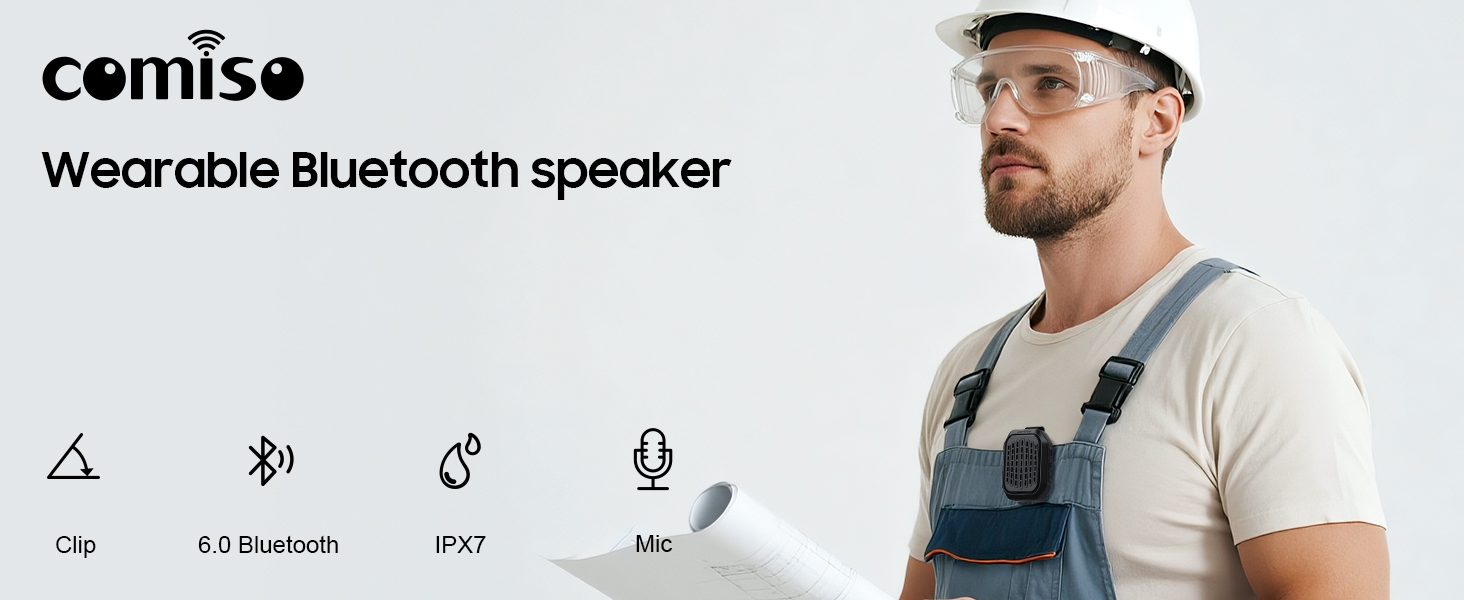
Immaġni 1.1: Fuqview of the comiso M11 speaker highlighting its key features: clip-on design, Bluetooth 6.0, IPX7 waterproof rating, and built-in microphone.
2. Kontenut tal-Pakkett
Jekk jogħġbok iċċekkja l-pakkett għall-oġġetti li ġejjin:
- 1 x comiso M11 Wearable Bluetooth Speaker
- 1 x Cable tal-Iċċarġjar USB-C
- 1 x Lanyard
- 1 x Manwal tal-Utent (dan id-dokument)
3. Prodott Aktarview
The comiso M11 speaker features a compact design with a durable clip for easy attachment. Familiarize yourself with the speaker's components:
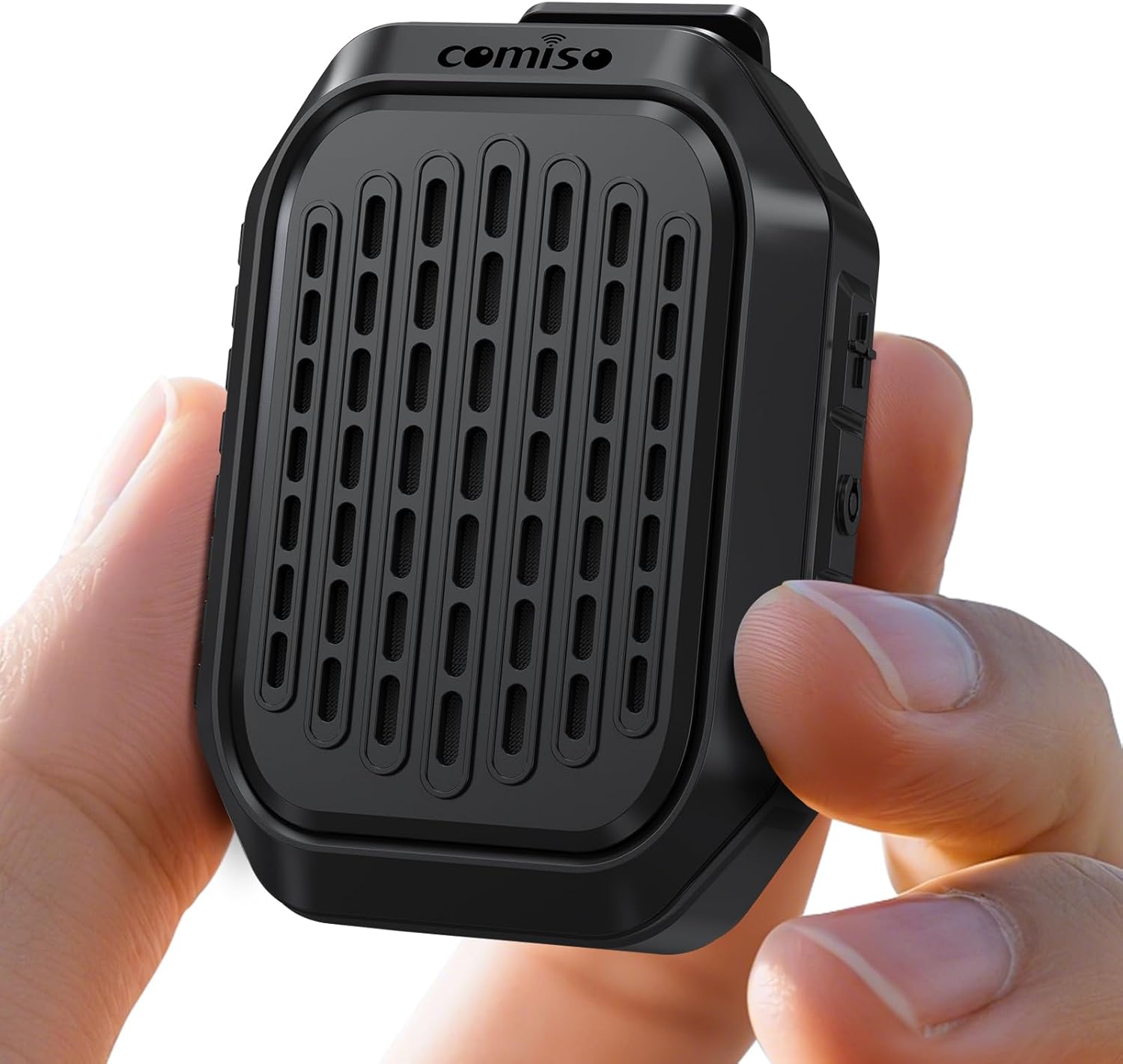
Image 3.1: The comiso M11 speaker, demonstrating its small, portable form factor when held in a hand.
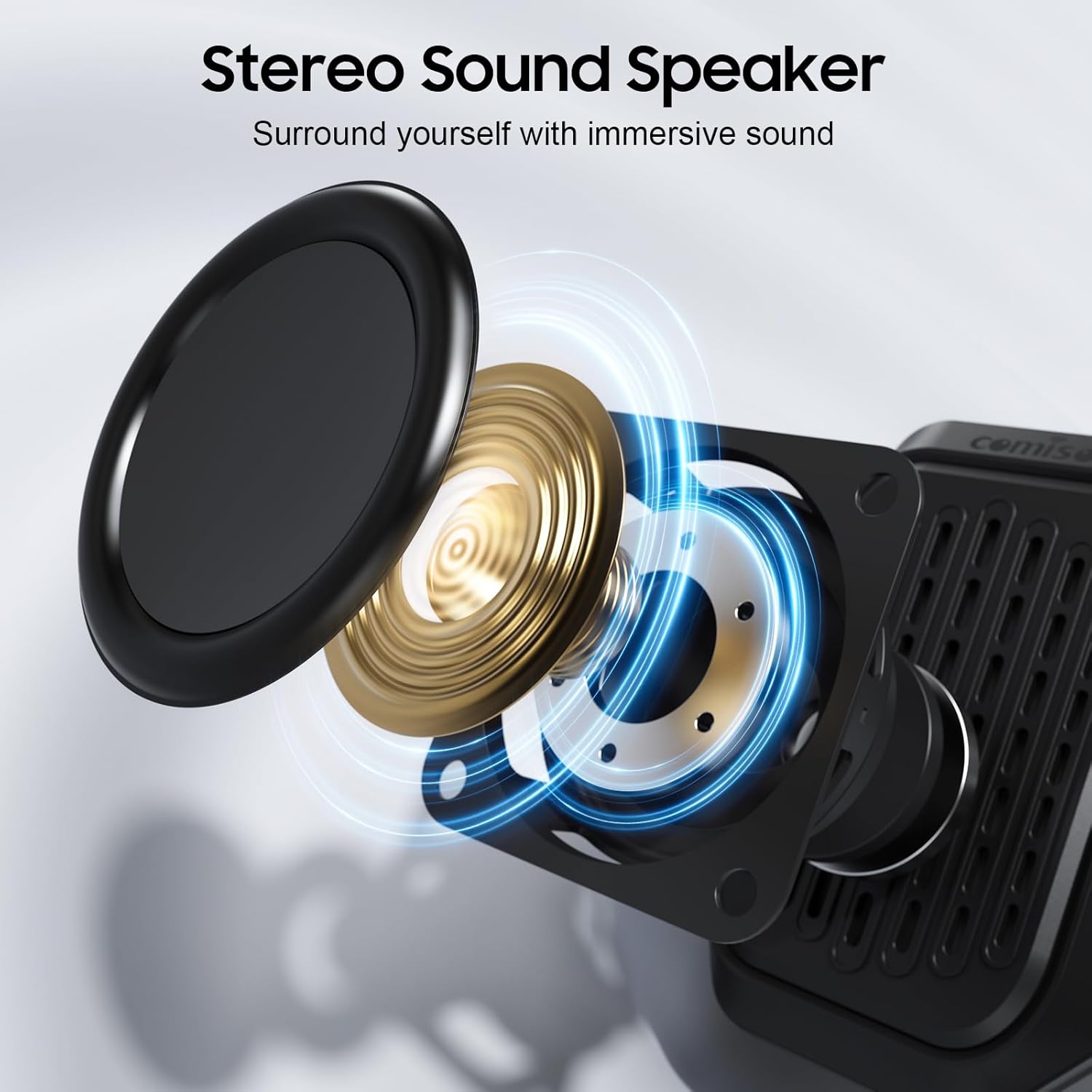
Image 3.2: An exploded diagram illustrating the internal components of the speaker, including the sound driver, designed for stereo sound output.
4. Setup
4.1 Iċċarġjar tal-Ispeaker
Before first use, fully charge your comiso M11 speaker. Use the included USB-C cable to connect the speaker to a compatible USB power source (e.g., wall adapter, computer USB port).
- Id-dawl indikatur tal-iċċarġjar se jixgħel waqt l-iċċarġjar.
- A full charge provides over 10 hours of playtime at 50% volume.
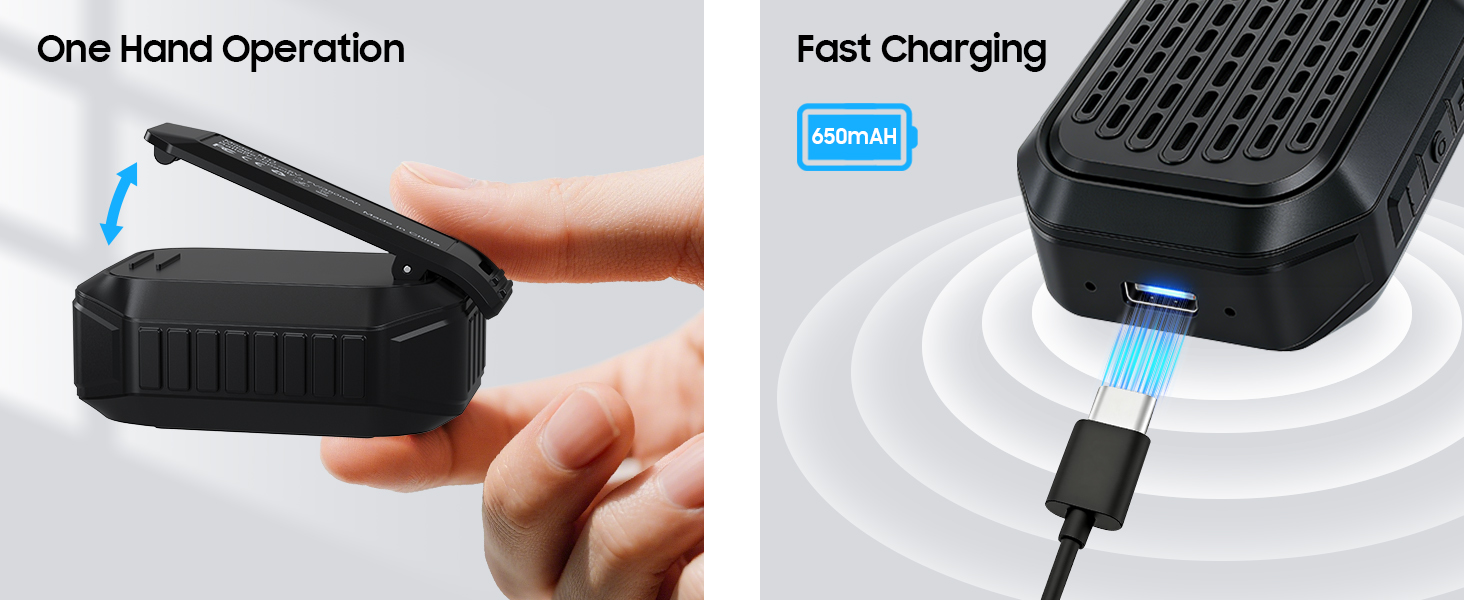
Image 4.1: The speaker's USB-C port connected for fast charging, alongside an illustration of its one-hand operable clip.
4.2 Tqabbil tal-Bluetooth
Biex tqabbad l-ispiker tiegħek ma' apparat li jaħdem bil-Bluetooth:
- Kun żgur li l-ispiker huwa ċċarġjat u mixgħul.
- Activate Bluetooth on your smartphone or other device.
- Fittex għal apparati disponibbli u agħżel "M11" mil-lista.
- Once connected, the speaker will indicate a successful pairing (e.g., an audible tone or LED indicator change).

Image 4.2: A smartphone screen showing the Bluetooth pairing process, with the M11 speaker visible and ready for connection.
5. Istruzzjonijiet Operattivi
5.1 Power On/Off
- Biex Tixgħel: Agħfas u żomm il-buttuna tal-Enerġija għal madwar 2 sekondi.
- Biex Tifi: Agħfas u żomm il-buttuna tal-Enerġija għal madwar 3 sekondi.
5.2 Daqq tal-Mużika
Once connected via Bluetooth, you can control music playback from your device or directly on the speaker (if applicable buttons are present).
- Play/Pawsa: Agħfas il-buttuna Play/Pause darba.
- Volum 'il fuq: Agħfas il-buttuna Volum 'il fuq.
- Volum 'l isfel: Agħfas il-buttuna Volum 'l isfel.
- Track li jmiss: Agħfas u żomm il-buttuna Volume Up.
- Track preċedenti: Agħfas u żomm il-buttuna Volum Down.
5.3 Sejħiet mingħajr idejn
Il-mikrofonu inkorporat jippermetti komunikazzjoni ċara mingħajr idejn.
- Irrispondi Sejħa: Press the Play/Pause button once when a call comes in.
- Tmiem Sejħa: Agħfas il-buttuna Play/Pause darba waqt telefonata.
- Irrifjuta Sejħa: Agħfas u żomm il-buttuna Play/Pause għal 2 sekondi.

Image 5.1: A user demonstrating hands-free calling with the speaker clipped to their clothing, suitable for active environments.
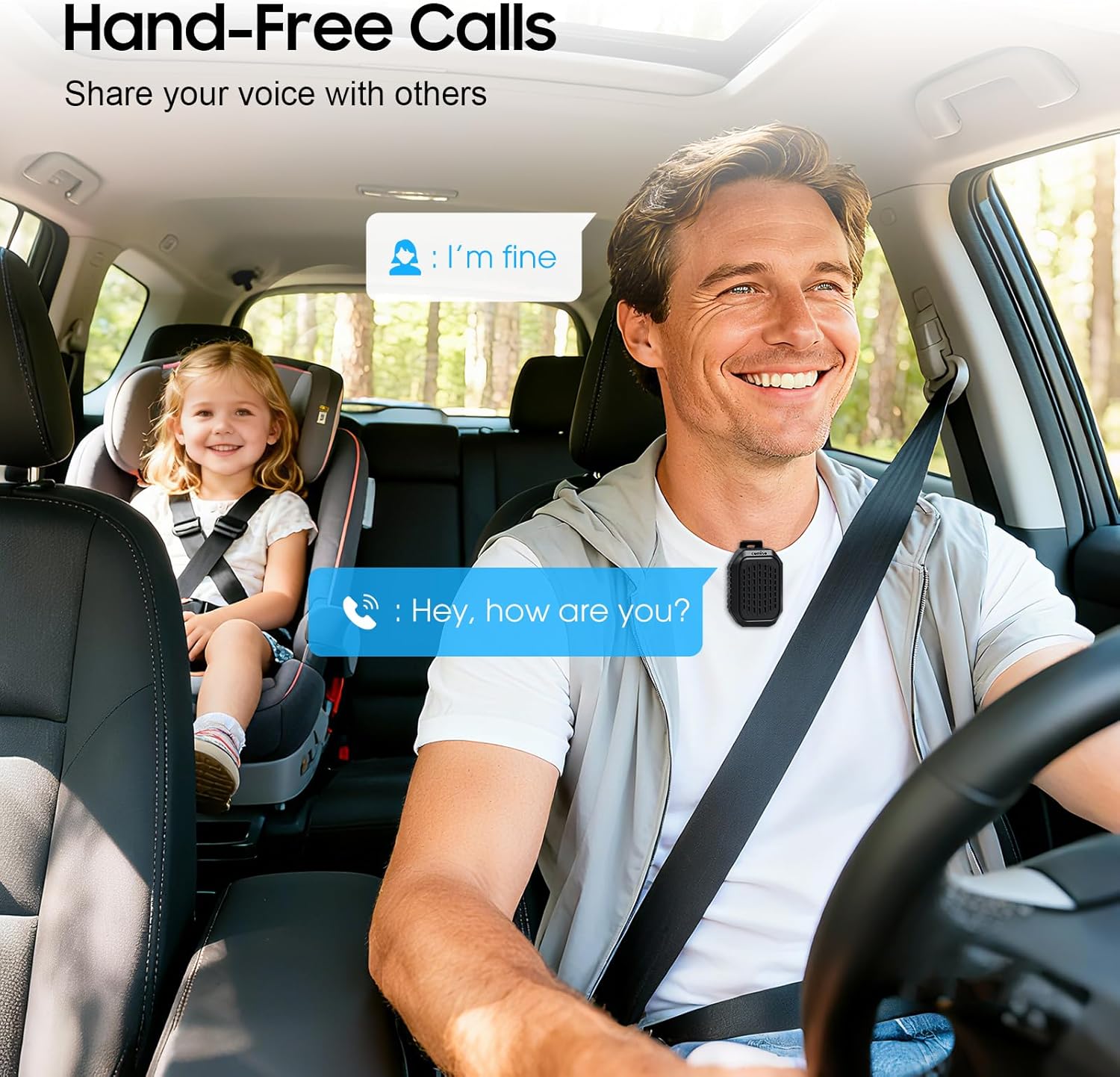
Image 5.2: The speaker facilitating hands-free communication while driving, clipped securely to a seatbelt.
5.4 Tqabbil ta' Stereo Veru Wireless (TWS)
For an enhanced audio experience, you can pair two M11 speakers together to create a stereo sound system.
- Ensure both M11 speakers are powered on and not connected to any other Bluetooth device.
- On either speaker, triple-press the Power button to enter TWS pairing mode.
- L-ispikers awtomatikament ifittxu u jikkonnettjaw ma' xulxin.
- Once paired, connect your device to one of the speakers via Bluetooth as described in Section 4.2.
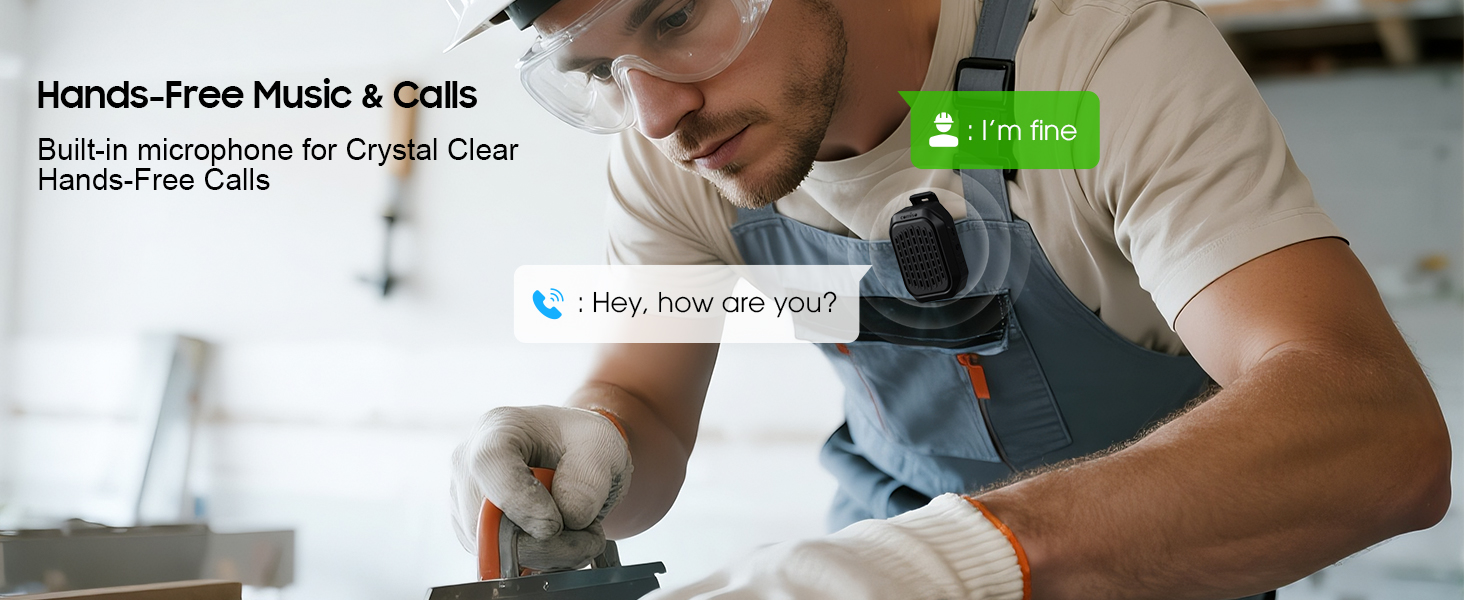
Image 5.3: Two M11 speakers wirelessly connected for a stereo audio experience, enhancing sound immersion.
5.5 Wearing the Speaker
The M11 speaker's anti-slip clip and included lanyard offer versatile wearing options.
- Clip-on: Easily attach the speaker to your shirt, backpack strap, belt, or jacket.
- Lanyard: Use the lanyard to hang the speaker on your bag, bike, or car.
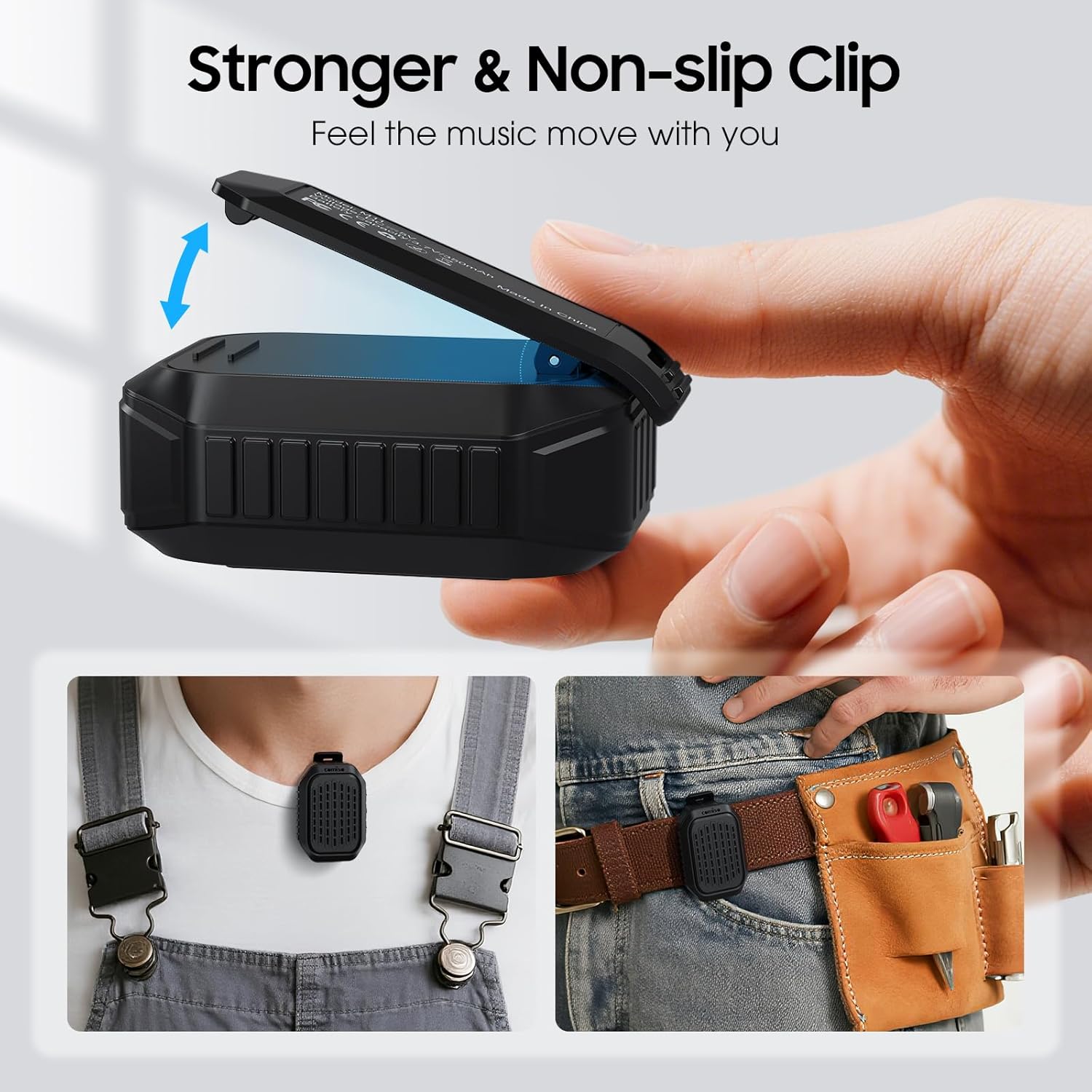
Immaġni 5.4: Stampa dettaljata view of the speaker's strong, non-slip clip, designed for secure attachment to various items.
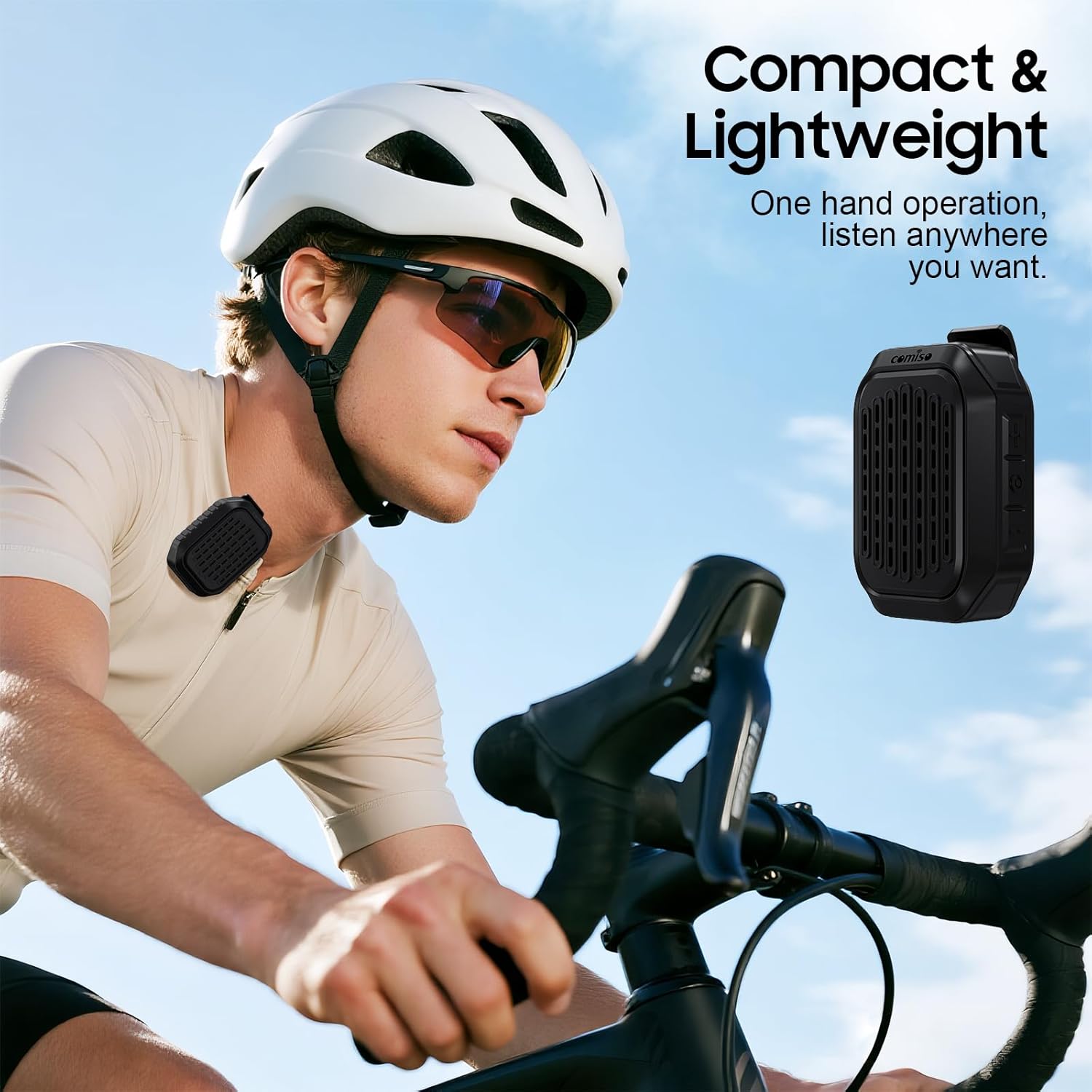
Image 5.5: A cyclist wearing the compact and lightweight speaker, demonstrating its suitability for outdoor activities.
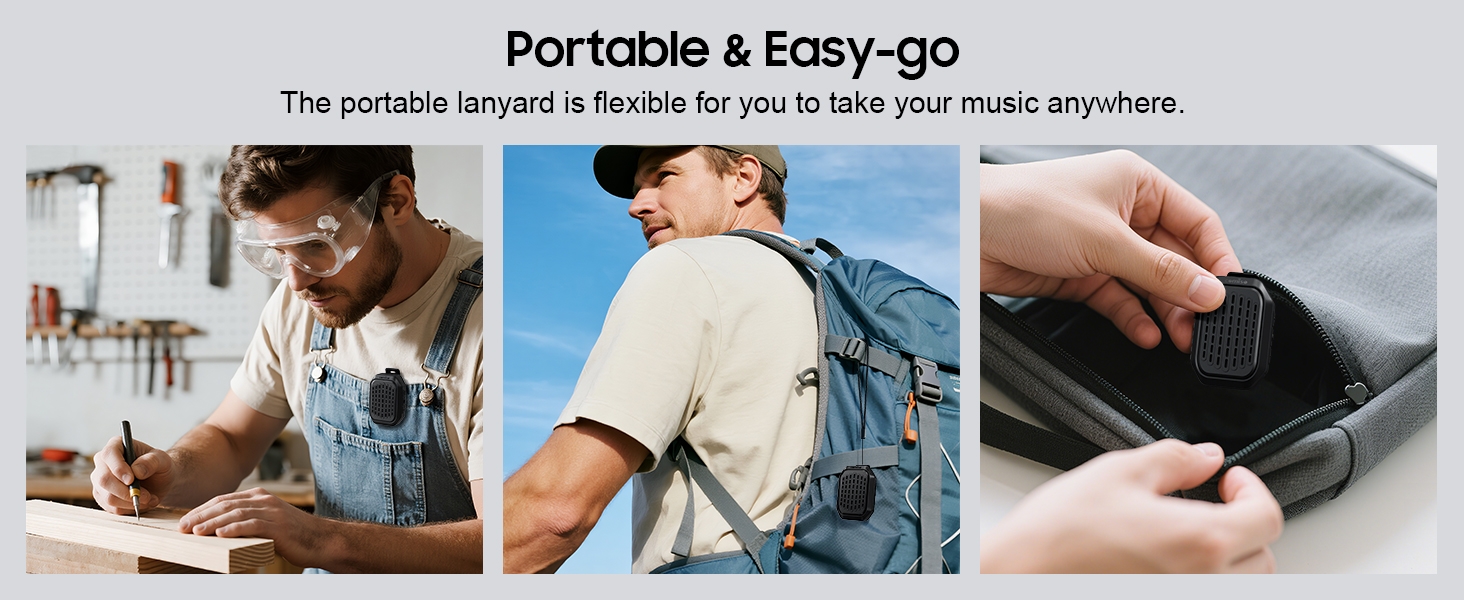
Immaġni 5.6: Eż.amples of the speaker's portability and ease of use, including being clipped to clothing, a backpack, and stored in a pocket.
6. Manutenzjoni
6.1 Reżistenza għall-Ilma (IPX7)
The comiso M11 speaker is IPX7 waterproof, meaning it can be immersed in water up to 1 meter deep for 30 minutes. This makes it suitable for outdoor use and resistant to splashes and rain.
- Kun żgur li l-għatu tal-port tal-iċċarġjar ikun magħluq sew qabel ma tesponi l-ispiker għall-ilma.
- Tgħaddasx l-ispiker intenzjonalment għal perjodi twal jew lil hinn minn fond speċifikat.
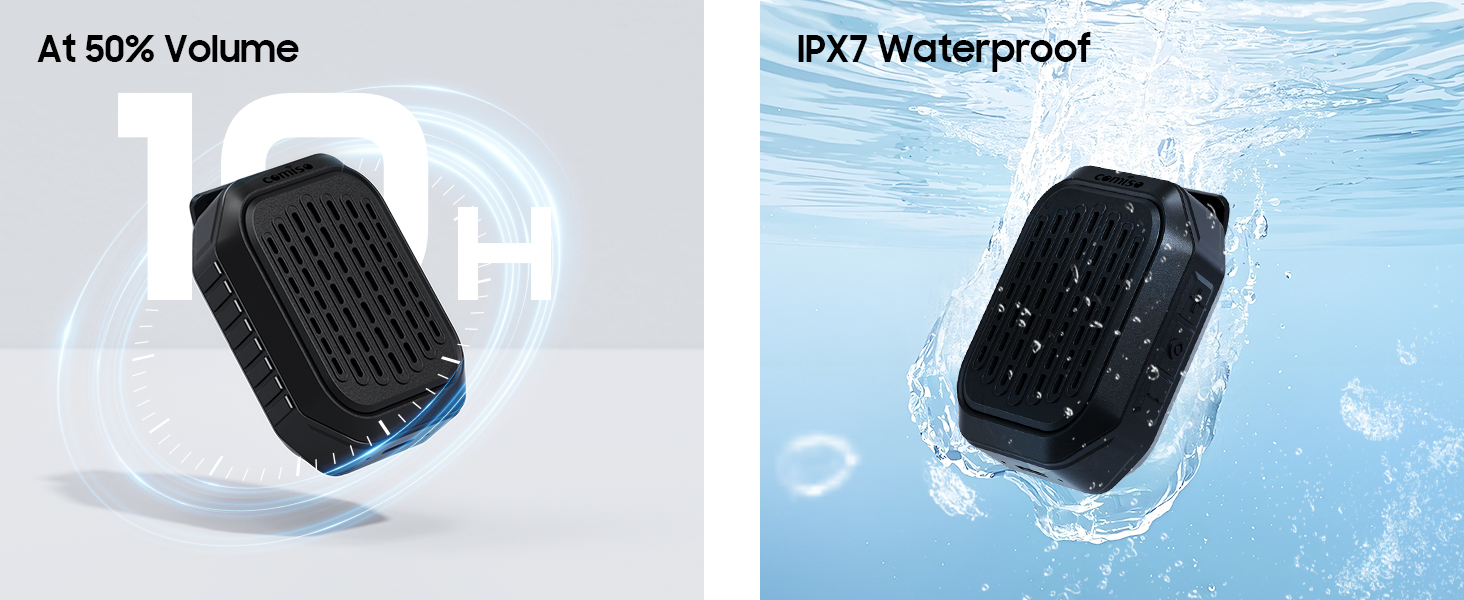
Image 6.1: The speaker submerged in water, illustrating its IPX7 waterproof capability, alongside an indicator of its 10-hour battery life.
6.2 Tindif u Ħażna
- Naddaf il-kelliem b'artab, damp drapp. Tużax tindif jew solventi li joborxu.
- Aħżen l-ispiker f'post frisk u niexef 'il bogħod minn temperaturi estremi u dawl tax-xemx dirett.
- If not used for a long period, charge the speaker at least once every three months to maintain battery health.
7 Issolvi l-problemi
If you encounter issues with your comiso M11 speaker, please refer to the following common solutions:
- L-ispiker ma jixgħelx:
Ensure the speaker is fully charged. Connect it to a power source using the USB-C cable and try again. - Ma tistax tqabbad ma' apparat Bluetooth:
Make sure the speaker is in pairing mode (check indicator light). Turn off and on Bluetooth on your device. Ensure the speaker is within the 10-meter range. Clear previous Bluetooth connections on your device and try pairing again. - L-ebda ħoss jew volum baxx:
Check the volume levels on both the speaker and your connected device. Ensure the speaker is properly paired. If using TWS, ensure both speakers are connected correctly. - Kwalità fqira tas-sejħiet:
Ensure the speaker is close enough for the microphone to pick up your voice clearly. Check for environmental noise interference. - L-ispiker mhux qed jiċċarġja:
Verify the USB-C cable is securely connected to both the speaker and the power source. Try a different USB-C cable or power adapter.
8. Speċifikazzjonijiet
| Karatteristika | Dettall |
|---|---|
| Isem tal-Mudell | M11 |
| Tip ta' Kelliem | Speaker Bluetooth li jintlibes |
| Verżjoni Bluetooth | 6.0 |
| Qawwa tal-Ħruġ Massimu tal-Ispeaker | 5 Watts |
| Livell ta 'Reżistenza għall-Ilma | IPX7 (sa metru wieħed għal 30 minuta) |
| Ħajja tal-batterija | Over 10 hours (at 50% volume) |
| Port tal-Iċċarġjar | USB-C |
| Dimensjonijiet tal-Prodott (P x W x H) | 1.9" x 2.9" x 1.3" |
| Piż tal-oġġett | 75 Gram (2.65 uqija) |
| Medda Bluetooth Massima | 10 Meters |
| Mikrofonu inkorporat | Iva |
| Tqabbil TWS | Iva |
9. Informazzjoni dwar is-Sigurtà
Please read and follow these safety guidelines to ensure safe operation and prolong the life of your speaker:
- Tiżżarmax, issewwiex, jew timmodifikax l-ispiker. Dan jista' jannulla l-garanzija u joħloq riskji għas-sigurtà.
- Żomm l-ispiker 'il bogħod minn temperaturi estremi, dawl tax-xemx dirett, u fjammi mikxufa.
- Evita li twaqqa’ jew tissuġġetta lill-kelliem għal impatti qawwija.
- Do not use the speaker while charging in wet conditions.
- Żomm fejn ma jintlaħaqx mit-tfal.
- Armi l-ispiker u l-batterija tiegħu b'mod responsabbli skont ir-regolamenti lokali.
10. Garanzija u Appoġġ
For warranty information or technical support, please contact comiso customer service through the retailer where you purchased the product or visit the official comiso website. Please have your model number (M11) and purchase details ready.


