Introduzzjoni
This manual provides detailed instructions for the LIGE EF5-A Smart Watch. Please read it carefully to ensure proper use and optimal performance of your device. This smartwatch is designed to offer a range of features including fitness tracking, communication, and health monitoring.
X'hemm fil-Kaxxa
- 1 x LIGE EF5-A Smart Watch
- 1 x Stainless Steel Strap
- 1 x Ċinga tas-Silikon Iswed
- 1 x Camouflage Silicone Strap
- 1 x Cable tal-Iċċarġjar
- 1 x Manwal tal-Istruzzjonijiet (dan id-dokument)
Setup
1. Iċċarġjar tal-Apparat
Before first use, fully charge your LIGE EF5-A Smart Watch. Connect the magnetic charging cable to the charging contacts on the back of the watch and plug the USB end into a power adapter (not included) or a computer USB port. A full charge typically takes approximately 3 hours.

Image: The smartwatch displaying its charging status and battery capacity of 530mAh.
2. Tniżżil u Installazzjoni tal-App
To unlock the full functionality of your smartwatch, download the FitCloudPro application on your smartphone. The app is compatible with Android 4.4+ and iOS 8.0+ devices.
- Scan the QR code below using your phone's camera or a QR code scanner app.
- Alternatively, search for "FitCloudPro" in the Apple App Store or Google Play Store.
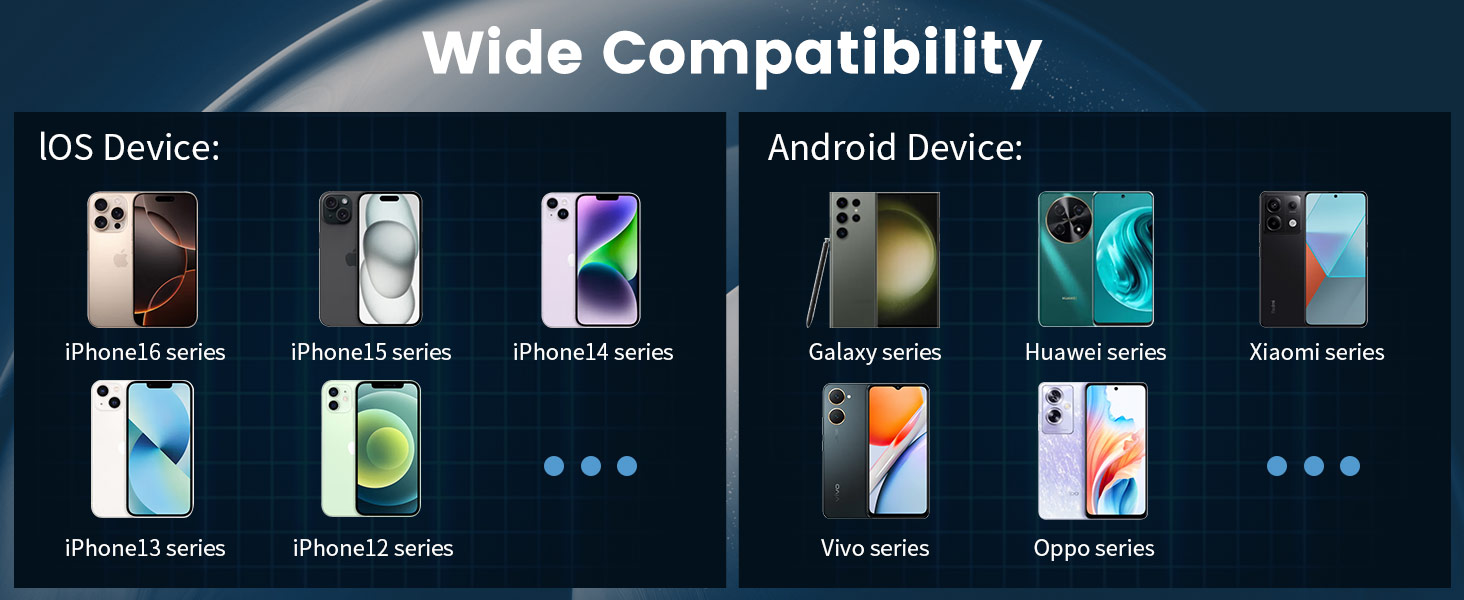
Image: Connection method diagram with QR code for FitCloudPro app. The QR code links to http://fitcloud.hetangsmart.com/qrcode/_cn/.
3. Tqabbil tal-Apparat
Follow these steps to pair your smartwatch with the FitCloudPro app:
- Kun żgur li l-Bluetooth huwa attivat fuq l-ismartphone tiegħek.
- Open the FitCloudPro app.
- Navigate to the "Device" section and select "Add Device."
- The app will search for nearby devices. Select "EF5" from the list.
- A pairing request will appear on your phone. Confirm by selecting "Pair."
- After successful connection, you can enable or disable "Call audio" and "Media audio" from the watch settings or phone's Bluetooth settings.
Istruzzjonijiet Operattivi
Navigazzjoni Bażika
The LIGE EF5-A Smart Watch features a 1.43-inch AMOLED HD touchscreen for intuitive interaction. Swipe across the screen to access different functions and menus. Physical buttons on the side provide additional control, such as power on/off and quick access to certain features.

Image: The smartwatch's 1.43-inch AMOLED HD display with 466x466 resolution, offering a clear view and always-on screen option.
Bluetooth Calling and Notifications
Once paired with your smartphone, the watch allows you to make and receive calls directly from your wrist using its built-in microphone and speaker. You will also receive smart notifications for messages, emails, and app alerts (e.g., WhatsApp, Facebook, Instagram) via discreet vibrations.

Image: The smartwatch showing an incoming call interface and various app notification icons.
Funzjoni tal-flashlight
The smartwatch includes a built-in LED flashlight. This feature can be activated for convenience in low-light conditions, such as unlocking a door at night or navigating in the dark.

Image: The smartwatch's integrated flashlight illuminating a path in the dark.
Uċuħ ta 'l-arloġġi customizable
Personalize your smartwatch with over 200 available watch faces through the FitCloudPro app. You can also upload your own photos to create custom dials.

Image: A selection of customizable watch faces and other features like stopwatch, remote photography, music control, and weather forecast.
Karatteristiċi Addizzjonali
- Kontroll tal-Mużika: Ikkontrolla d-daqq tal-mużika fuq l-ismartphone konness tiegħek.
- Tbassir tat-Temp: View il-kundizzjonijiet u t-tbassir tat-temp attwali.
- Assistent tal-Vuċi: Interact with your phone's voice assistant.
- Fotografija mill-bogħod: Uża l-arloġġ tiegħek bħala shutter remot għall-kamera tat-telefon tiegħek.
- Sib Telefon: Sib l-ismartphone mitluf tiegħek.
- Tifkira Sedentarja: Receive alerts to encourage movement after periods of inactivity.
- Tfakkira tal-Ilma tax-Xorb: Get reminders to stay hydrated.
- Dejjem Wiri: Keep the time visible without needing to activate the screen.
Monitoraġġ tas-Saħħa
The LIGE EF5-A Smart Watch provides continuous health monitoring features to help you stay informed about your well-being. These features are for informational purposes and should not be used for medical diagnosis.
Monitor tar-rata tal-qalb
The watch continuously tracks your heart rate throughout the day, providing data on your resting and active heart rate zones. View trends and detailed reports in the FitCloudPro app.
Sleep Monitor
Monitor your sleep patterns, including deep sleep, light sleep, and awake times. The app provides insights into your sleep quality to help you improve your rest.
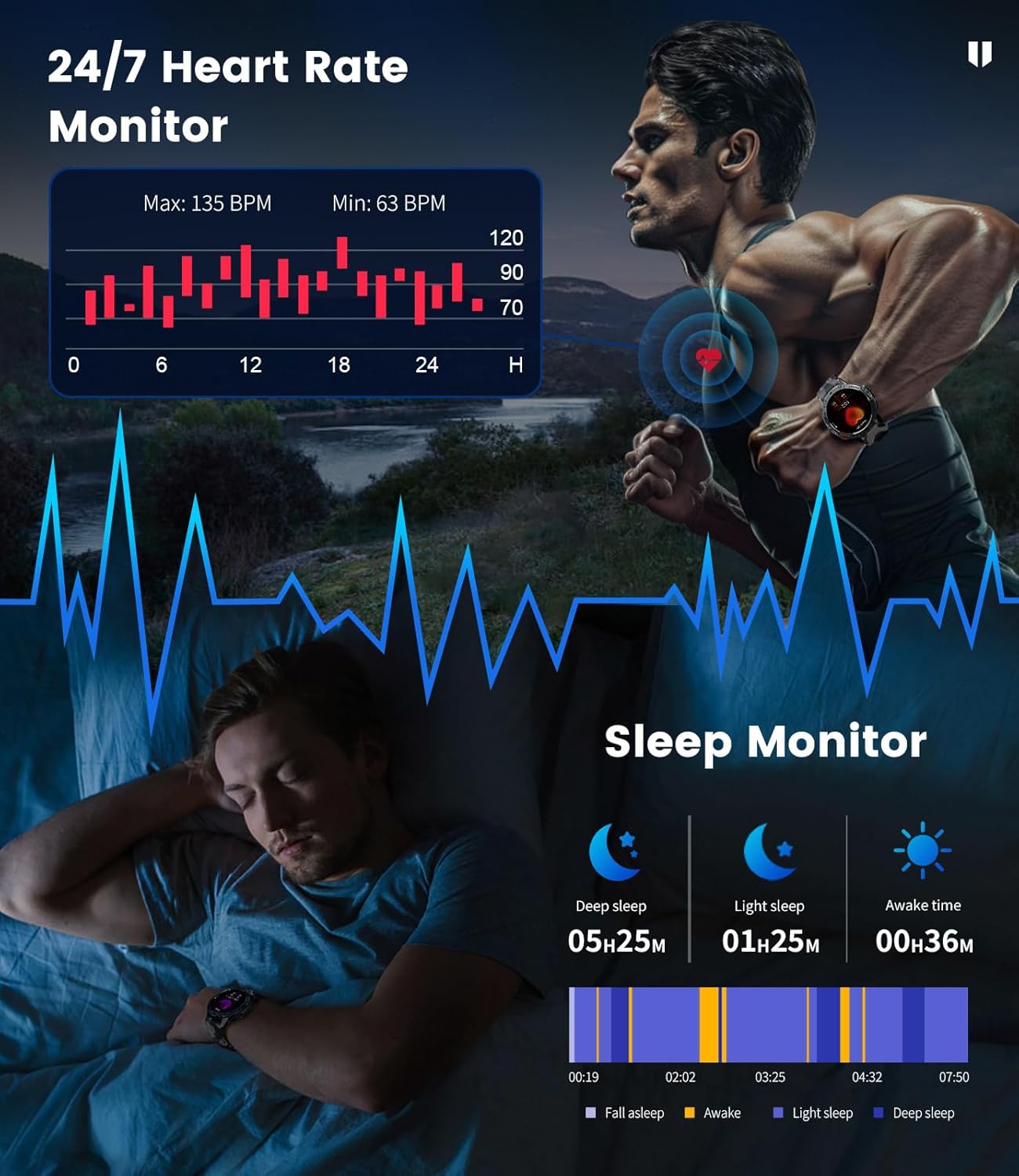
Image: The smartwatch showing heart rate monitoring data and a breakdown of sleep stages.
Blood Oxygen and Stress Levels
The watch can track blood oxygen saturation (SpO2) and estimate daily stress levels, offering a broader view of your physiological state.
Modi Sportivi
With over 100 built-in professional sport modes, the LIGE EF5-A Smart Watch is designed to track a wide range of physical activities. It accurately records metrics such as calorie consumption, heart rate, distance, and exercise duration for each activity, helping you optimize your training.

Image: The smartwatch showing activity tracking data for distance, calories, and steps during a sport mode.
Durabilità u Reżistenza għall-Ilma
The LIGE EF5-A Smart Watch is built to military standards (MIL-STD-810G), ensuring robust performance in challenging environments. It features shock resistance and is IP68 waterproof, making it suitable for various outdoor activities and daily wear.

Image: Visual representation of the smartwatch's military-grade durability, including water resistance and shock protection.
The IP68 rating means the watch is resistant to dust and can withstand immersion in water up to 1.5 meters for 30 minutes. It is suitable for swimming, showering, and handwashing, but avoid hot water or saltwater exposure.
Ħajja tal-batterija
Equipped with a 530mAh battery, the LIGE EF5-A Smart Watch offers extended usage. Expect up to 10-14 days of working time on a single charge and approximately 45 days in standby mode, depending on usage patterns.
Image: The smartwatch displaying its charging status and battery capacity of 530mAh.
Speċifikazzjonijiet
| Karatteristika | Speċifikazzjoni |
|---|---|
| Brand | LIGE |
| Numru tal-Mudell | EF5-A |
| Daqs tal-Iskrin | 1.43 Pulzier |
| Tip ta 'Wiri | AMOLED HD |
| Riżoluzzjoni | 466x466 |
| Kapaċità tal-batterija | 530 mAh |
| Ħin tax-Xogħol | Up to 10-14 Days |
| Ħin ta' Standby | Sa 45 Jum |
| Reżistenza għall-Ilma | IP68 (5ATM) |
| Standard Militari | MIL-STD-810G |
| Konnettività | Bluetooth |
| Sistema Operattiva | FitCloudPro App (Android 4.4+, iOS 8.0+) |
| Kapaċità tal-Ħżin tal-Memorja | 256 MB |
| Piż tal-oġġett | 180 Gram (6.3 uqija) |
| Dimensjonijiet tal-Pakkett | 8.11 x 3.82 x 0.94 pulzieri |
Manutenzjoni
To ensure the longevity and optimal performance of your LIGE EF5-A Smart Watch, follow these maintenance guidelines:
- Tindif: Regularly wipe the watch screen and straps with a soft, dry cloth. For stubborn dirt, a slightly damp jista' jintuża drapp. Evita kimiċi ħarxa jew materjali li joborxu.
- Espożizzjoni għall-Ilma: While IP68 waterproof, avoid prolonged exposure to hot water (e.g., hot showers, saunas) or saltwater, as this can degrade seals over time. Rinse with fresh water and dry thoroughly if exposed to chlorinated water.
- Temperatura: Tesponix l-arloġġ għal temperaturi estremi (sħana kbira jew kesħa kbira) għal perjodi twal, għax dan jista' jaffettwa l-ħajja tal-batterija u l-komponenti interni.
- Iċċarġjar: Uża biss il-kejbil tal-iċċarġjar provdut. Kun żgur li l-kuntatti tal-iċċarġjar huma nodfa u niexfa qabel ma tiċċarġja.
- Ħażna: When not in use for an extended period, store the watch in a cool, dry place.
Issolvi l-problemi
If you encounter issues with your LIGE EF5-A Smart Watch, refer to the following common solutions:
| Problema | Soluzzjoni |
|---|---|
| L-għassa ma tixgħelx | Kun żgur li l-arloġġ ikun iċċarġjat kompletament. Agħfas u żomm il-buttuna tal-qawwa għal diversi sekondi. |
| Ma nistax nqabbad mat-telefon | 1. Ensure Bluetooth is enabled on your phone and the watch is within range. 2. Erġa' ibda kemm l-arloġġ kif ukoll it-telefon tiegħek. 3. Make sure the FitCloudPro app is installed and open. 4. Insieh l-apparat fis-settings tal-Bluetooth tat-telefon tiegħek u erġa' pprova tqabbad. |
| Notifiki mhux riċevuti | 1. Check if notifications are enabled in the FitCloudPro app settings. 2. Ensure the app has necessary permissions on your phone (e.g., notification access). 3. Verify that the watch is successfully connected via Bluetooth. |
| Dejta dwar is-saħħa mhux preċiża | 1. Kun żgur li l-arloġġ jintlibes sew fuq il-polz tiegħek, la issikkat wisq u lanqas maħlul wisq. 2. Clean the sensor on the back of the watch. 3. Note that environmental factors and individual physiology can affect readings. This device is not a medical instrument. |
| Ħajja qasira tal-batterija | 1. Naqqas il-luminożità tal-iskrin. 2. Limit the use of power-intensive features like continuous heart rate monitoring or frequent calls. 3. Ensure the watch is fully charged. |
Garanzija u Appoġġ
For warranty information and customer support, please refer to the documentation included with your purchase or contact LIGE customer service through their official channels. Keep your proof of purchase for warranty claims.


