1. Introduzzjoni
This manual provides essential information for the setup, operation, maintenance, and troubleshooting of your NIMO N159 15.6-inch IPS FHD Gaming Laptop. This device is equipped with an AMD Ryzen 7 7735HS processor, 32GB DDR5 RAM, and a 1TB PCIe SSD, designed for balanced performance in productivity and light gaming tasks. Please read this manual thoroughly to ensure proper usage and to maximize the lifespan of your laptop.
2. X'hemm fil-Kaxxa
Iċċekkja li l-oġġetti kollha huma preżenti fl-imballaġġ:
- 1 x Laptop NIMO N159
- 1 x Ċarġer Veloċi tat-Tip Ċ 100W PD
- 1 x Manwal tal-Utent (dan id-dokument)
- Windows 11 Home (installat minn qabel)
3. Prodott Aktarview
Familiarize yourself with the components and features of your NIMO N159 laptop.

Figura 3.1: Quddiem view tal-laptop NIMO N159, wirjaasing its 15.6-inch display and overall design.
3.1 Karatteristiċi ewlenin
- Proċessur: AMD Ryzen 7 7735HS with 8 Cores and 16 Threads, up to 4.75GHz.
- Grafika: GPU AMD Radeon 680M integrata.
- Memorja: 32GB DDR5 RAM għal multitasking effiċjenti.
- Ħażna: 1TB PCIe 4.0 SSD for fast boot times and data access.
- Wiri: 15.6-inch Full HD (1920x1080) IPS Anti-Glare Display.
- Iċċarġjar: 100W Type-C PD Fast Charger.
- Sigurtà: Fingerprint Unlock integrated into the touchpad.
- Input: Backlit Keyboard with Numeric Keypad.

Figura 3.2: Aktarview of the AMD Ryzen 7 7735HS processor and its integrated Radeon 680M graphics.
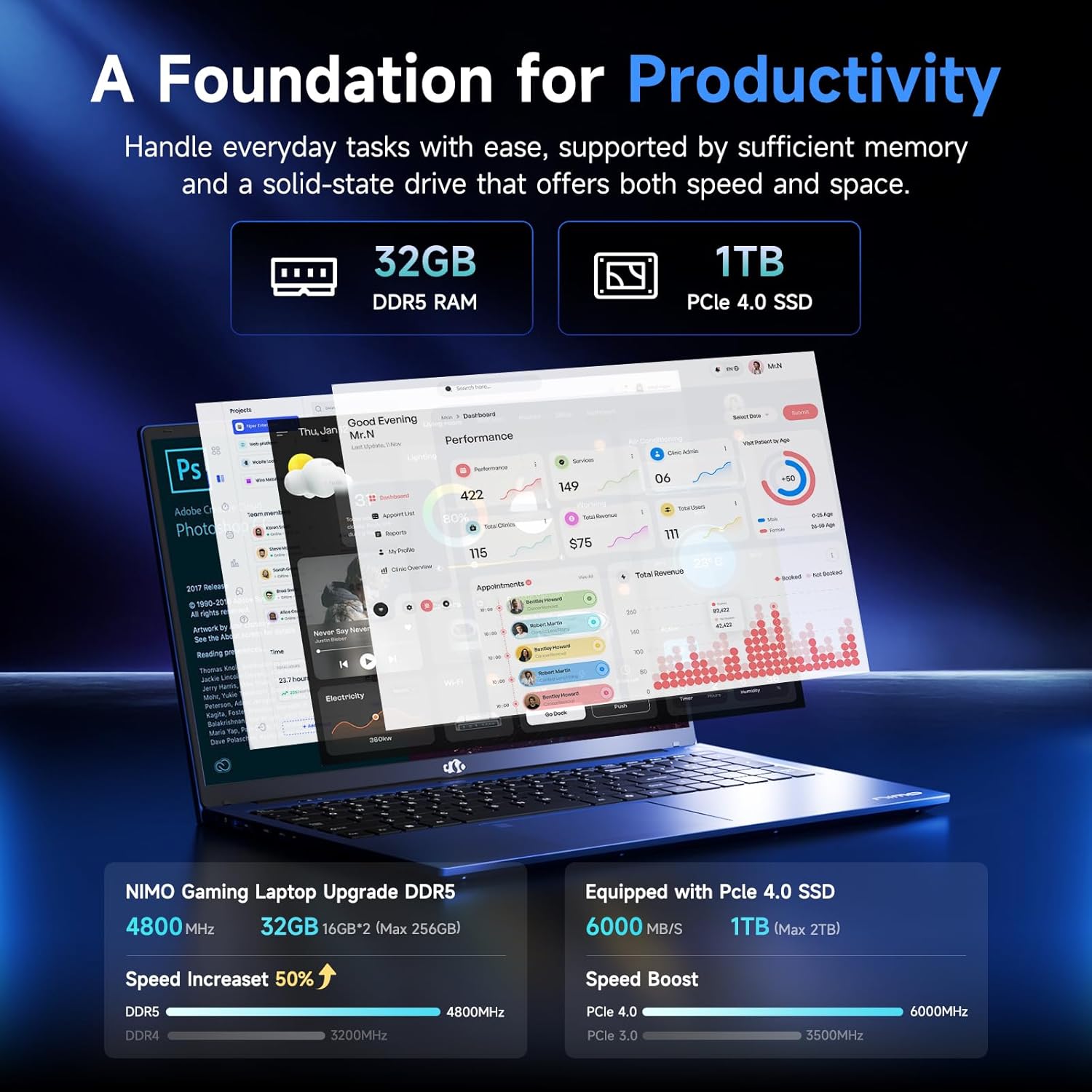
Figure 3.3: Illustration of the 32GB DDR5 RAM and 1TB PCIe 4.0 SSD, highlighting their speed and capacity.
3.2 Portijiet u Konnetturi
The NIMO N159 laptop provides a variety of ports for connectivity:

Figura 3.4: Dettaljat view of the laptop's ports and their functions.
- In-naħa tax-xellug: Kensington Lock, Audio Jack, USB 3.2 Gen 1, USB 2.0, Micro SD Reader.
- In-naħa tal-lemin: Type-C Gen2 (Multifunction), USB 3.2 Gen 1, HDMI 2.0, Type-C Gen2 (Multifunction).
3.3 Power and Battery

Figure 3.5: Battery and charging capabilities of the NIMO N159 laptop.
The laptop is equipped with a 54Wh smart battery. It supports fast charging via the included 100W Type-C PD charger, providing approximately 5 hours of usage from a 1-hour charge.
3.4 Keyboard and Fingerprint Unlock
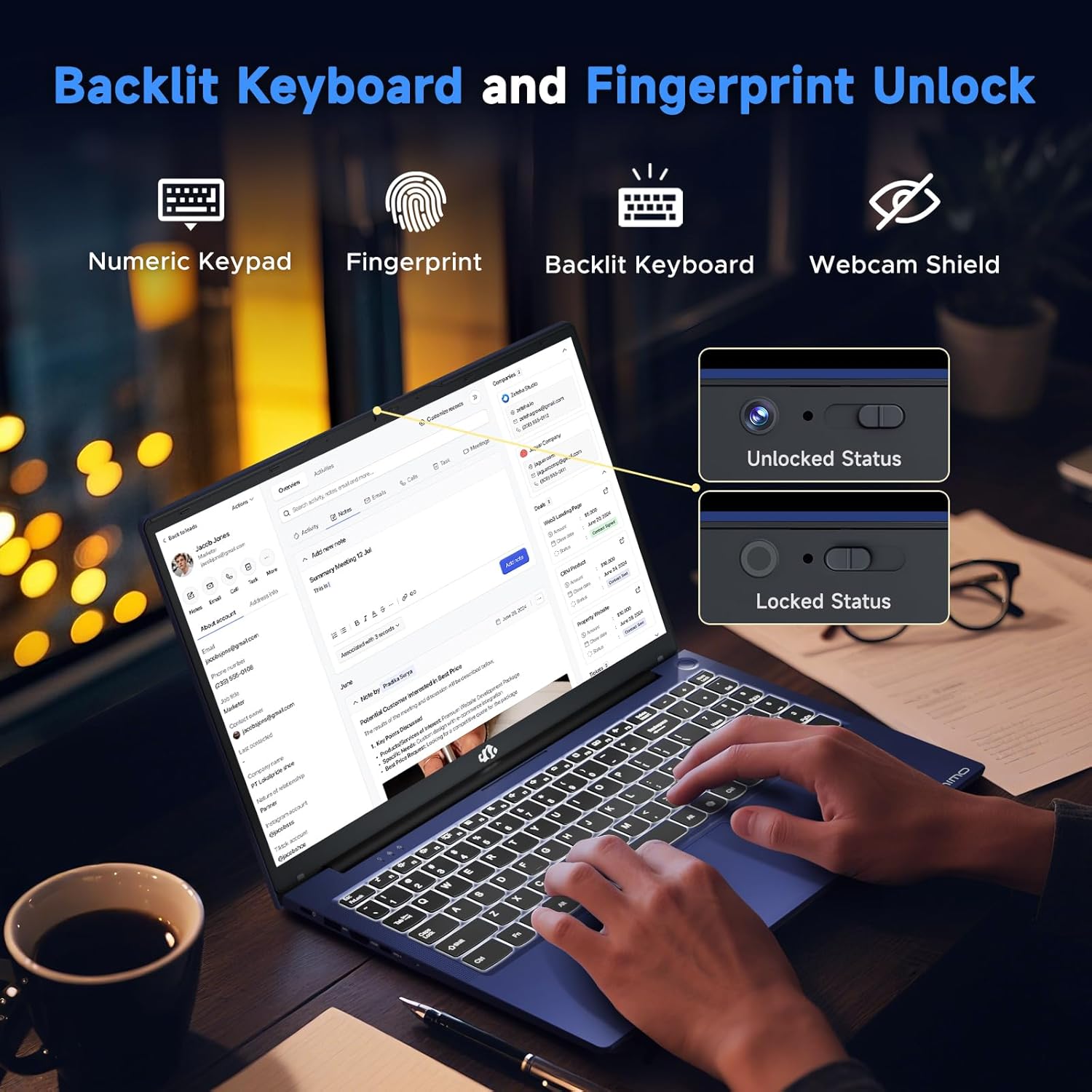
Figure 3.6: Features of the backlit keyboard, numeric keypad, fingerprint unlock, and webcam shield.
The keyboard features backlighting for use in low-light conditions and includes a numeric keypad. The fingerprint reader is integrated into the touchpad for secure and quick access.
3.5 Wiri
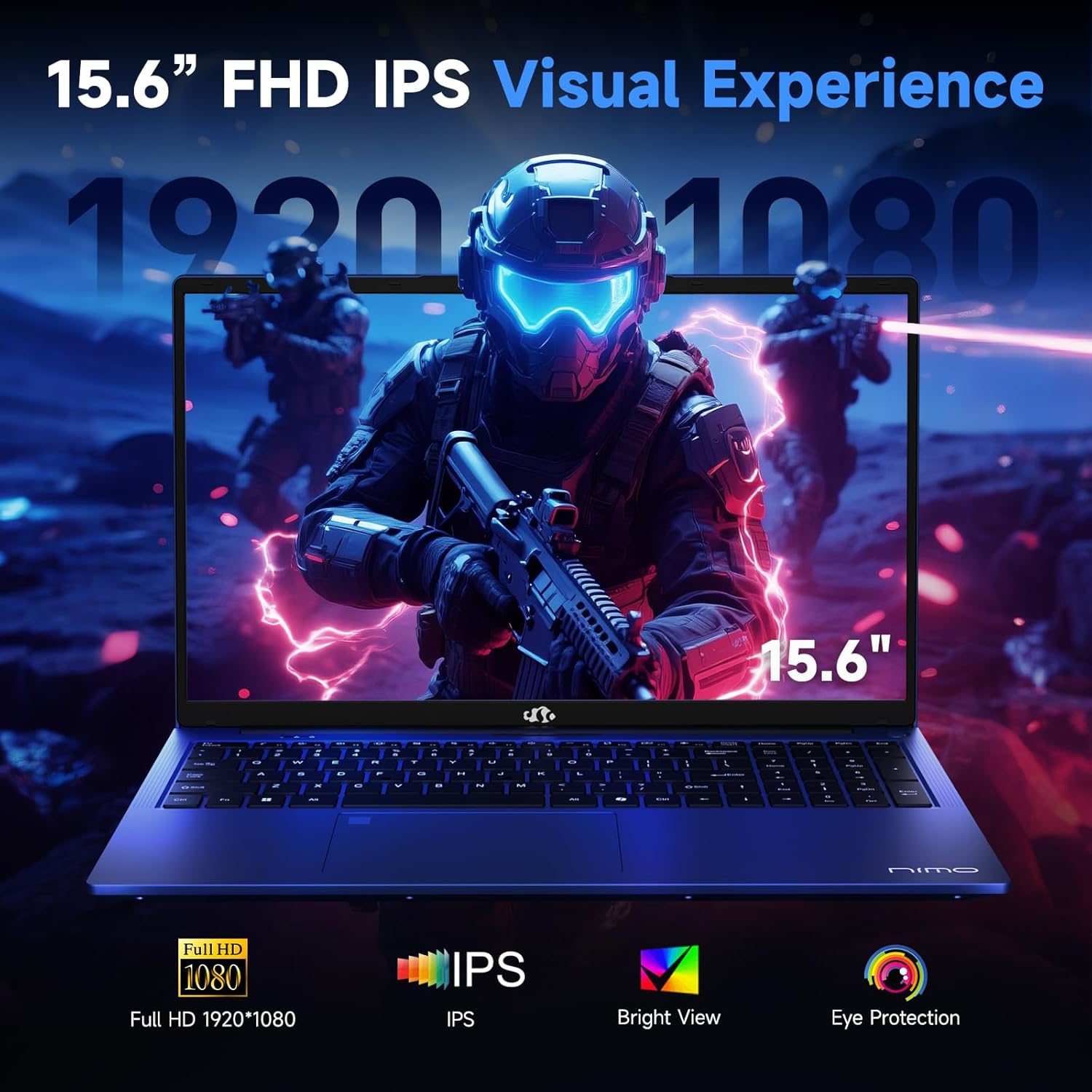
Figure 3.7: Visual representation of the 15.6-inch FHD IPS display quality.
The 15.6-inch Full HD (1920x1080) IPS Anti-Glare Display offers vibrant visuals and a wide viewing angle, suitable for various tasks from work to entertainment.
4. Setup
4.1 Tixgħel Inizjali
- Ippakkja: Oħroġ il-laptop u l-aċċessorji kollha mill-imballaġġ bir-reqqa.
- Qabbad l-Enerġija: Plug the Type-C 100W PD Fast Charger into a power outlet and connect the Type-C connector to one of the multifunction Type-C ports on the laptop.
- L-Ewwel Boot: Open the laptop lid and press the power button, typically located on the top-right of the keyboard or side.
- Setup tal-Windows: Segwi l-istruzzjonijiet fuq l-iskrin biex tlesti s-setup tal-Windows 11 Home, inkluż il-lingwa, ir-reġjun, il-konnessjoni tan-netwerk, u l-ħolqien tal-kont tal-utent.
4.2 Konnessjoni ma' Netwerk
- Wi-Fi: During Windows setup or later, select your Wi-Fi network from the available list and enter the password.
- Wired (Optional): If an Ethernet adapter (not included) is used with a USB port, connect an Ethernet cable to the adapter and then to your router/modem.
5. Istruzzjonijiet Operattivi
5.1 Power On/Off
- Qawwa Mixgħul: Agħfas il-buttuna tal-qawwa.
- Itfi: Ikklikkja l-buttuna Start fil-Windows, imbagħad Power > Shut down.
- Irqad: Agħlaq l-għatu jew ikklikkja l-buttuna Start, imbagħad Power > Sleep.
5.2 L-użu tat-Tastiera
- Kontroll tad-dawl ta' wara: Press the designated function key (e.g., F9) to cycle through backlight brightness levels (off, low, medium, high).
- Ċwievet tal-Funzjoni: Use the Fn key in combination with F1-F12 for various shortcuts (e.g., volume, brightness, Wi-Fi toggle).
5.3 Using the Touchpad and Fingerprint Sensor
- Touchpad: Supports multi-touch gestures for navigation. Refer to Windows settings for customization.
- Nisfruttaw il-marki tas-swaba': Enroll your fingerprint through Windows Hello settings for secure login. Place your registered finger on the sensor located on the touchpad to unlock the device.
5.4 Konnessjoni ta' Apparati Esterni
Use the available USB-A, USB-C, and HDMI ports to connect peripherals such as external monitors, USB drives, mice, and keyboards. The Type-C Gen2 ports support multifunctionality, including data transfer and video output.
6. Manutenzjoni
6.1 Tindif
- Skrin: Uża ċarruta ratba u mingħajr ħelu dampLaħlaħ bl-ilma jew b'tindif tal-iskrin. Tisprejjax likwidu direttament fuq l-iskrin.
- Tastiera u Chassis: Uża drapp artab u niexef. Għal ħmieġ iebes, neħħi ftit drapp.amp Jista' jintuża drapp, waqt li jiġi żgurat li l-ebda likwidu ma jidħol fil-fetħiet.
- Portijiet: Uża arja kkompressata biex tneħħi t-trab bil-mod mill-portijiet.
6.2 Kura tal-Batterija
- Evita li tiċċarġja l-batterija kompletament ta' spiss.
- Store the laptop in a cool, dry place if not used for extended periods, with the battery charged to around 50-60%.
- Use only the provided NIMO charger or a compatible 100W Type-C PD charger.
6.3 Aġġornamenti tas-Software
Regularly check for and install Windows updates and driver updates to ensure optimal performance and security. These can typically be found in Windows Settings > Windows Update.
7 Issolvi l-problemi
Din it-taqsima tindirizza kwistjonijiet komuni li tista' tiltaqa' magħhom mal-laptop NIMO N159 tiegħek.
| Problema | Kawża Possibbli | Soluzzjoni |
|---|---|---|
| Il-laptop ma jixgħelx. | Low battery, power adapter issue, or hardware fault. | Ensure the charger is properly connected and the outlet is working. Try charging for at least 30 minutes. If the issue persists, contact support. |
| L-iskrin huwa vojt jew iswed. | Display settings, external monitor conflict, or driver issue. | Press Fn + F7 (or relevant display toggle key) to cycle display modes. Disconnect any external monitors. Restart the laptop. |
| Problemi bil-konnessjoni tal-Wi-Fi. | Incorrect password, router issue, or Wi-Fi adapter disabled. | Verify Wi-Fi password. Restart your router. Check Windows settings to ensure Wi-Fi is enabled. |
| Il-laptop qed jaħdem bil-mod. | Too many applications open, low storage, or outdated drivers. | Close unnecessary applications. Check available storage. Update Windows and drivers. Run a malware scan. |
| Is-senser tal-marki tas-swaba' mhux qed jaħdem. | Finger not clean, sensor dirty, or software issue. | Ensure your finger and the sensor are clean and dry. Re-enroll your fingerprint in Windows Hello settings. |
8. Speċifikazzjonijiet
Detailed technical specifications for the NIMO N159 laptop:
| Karatteristika | Dettall |
|---|---|
| Brand | NIMO |
| Isem tal-Mudell | NIMO N159B |
| Daqs tal-Iskrin | 15.6 Pulzier |
| Riżoluzzjoni tal-Iskrin | 1920 x 1080 pixel (FHD IPS) |
| Proċessur | AMD Ryzen 7 7735HS (8 Cores, up to 4.75 GHz) |
| RAM | 32 GB DDR5 (4800 MHz) |
| Hard Drive | SSD ta' 1024 GB (PCIe 4.0) |
| Koproċessur tal-Grafika | AMD Radeon 680M (Integrata) |
| Sistema Operattiva | Windows 11 Home |
| Tip bla fili | 802.11a/b/g/n/ac |
| Portijiet USB 2.0 | 1 |
| Portijiet USB 3.0 | 4 |
| Portijiet tat-Tip Ċ | 2 (Gen2, Multifunction) |
| Port HDMI | 1 (HDMI 2.0) |
| Ħajja Medja tal-Batterija | 5-il Siegħa (54Wh) |
| Piż tal-oġġett | 3.8 liri |
| Dimensjonijiet tal-Prodott | 14.07 x 8.98 x 0.76 pulzieri |
| Kulur | Blu |
| Karatteristiċi Speċjali | Tastiera b'dawl minn wara, Qarrej tal-marki tas-swaba', Awdjo HD, Tastiera Numerika |
9. Garanzija u Appoġġ
NIMO is committed to providing quality products and customer satisfaction.
- Garanzija tal-Manifattur: Your NIMO N159 laptop is covered by a 2-Year Manufacturer's Warranty from Nimo Direct Inc. This warranty covers defects in materials and workmanship under normal use.
- Politika ta' Ritorn: A 90-Day Hassle-Free Return Policy is offered by Nimo Direct Inc. from the date of purchase.
9.1 Ikkuntattja l-Appoġġ
For technical assistance, warranty claims, or product-related inquiries, please contact NIMO customer support:
- Email: service@nimopc.com
- Online: Żur in-NIMO uffiċjali website for further support options and FAQs.
Our dedicated support team is available to assist you with any issues or replacements.


