1. Introduzzjoni
This manual provides essential information for the NIMO 15.6" Gaming Laptop (Model N159). It covers product features, setup procedures, operating instructions, maintenance guidelines, troubleshooting tips, and detailed specifications. Please read this manual thoroughly before using your new laptop to ensure optimal performance and longevity.

Image: The NIMO 15.6" Gaming Laptop, showcasing its display and key features like fingerprint unlock, Type-C PD charger, and backlit keyboard.
2. X'hemm fil-Kaxxa
Iċċekkja li l-oġġetti kollha huma preżenti fl-imballaġġ:
- 1 x Laptop NIMO N159
- 1 x Ċarġer Veloċi tat-Tip Ċ 100W PD
- 1 x Manwal tal-Utent (dan id-dokument)
- Sistema Operattiva Windows 11 Home (installata minn qabel)
- Informazzjoni dwar il-Garanzija (Garanzija ta' sentejn, Ritorn ta' 90 jum)
3. Prodott Aktarview
3.1 Karatteristiċi ewlenin
- Proċessur: AMD Ryzen 7 7735HS (8 Cores, 16 Threads, up to 4.75GHz)
- Grafika: Integrated AMD Radeon 680M GPU
- Wiri: 15.6" Full HD (1920x1080) IPS Anti-Glare Display
- Memorja: 16GB DDR5 RAM (upgradeable)
- Ħażna: 1TB PCIe 4.0 SSD (upgradeable)
- Iċċarġjar: 100W Type-C PD Fast Charger
- Sigurtà: Fingerprint Reader for secure unlock
- Tastiera: Backlit Keyboard with Numeric Keypad
- Awdjo: Dual 2W stereo speakers, dual beamforming microphones
- Webcam: 2MP with physical camera shutter
- Sistema Operattiva: Windows 11 Home

Image: An illustration detailing the AMD Ryzen 7 7735HS processor, highlighting its 8 cores, 16 threads, and integrated Radeon 680M graphics for balanced performance.
3.2 Portijiet u Konnetturi
Familiarize yourself with the available ports on your NIMO laptop:

Image: A detailed diagram illustrating the location and type of ports on the NIMO laptop, including USB 2.0, USB 3.2 Gen1, Type-C Gen2 (multifunction), HDMI 2.0, Audio Jack, Micro SD Reader, and Kensington Lock.
- Port USB 2.0: Għall-konnessjoni ta' apparati USB eqdem.
- USB 3.2 Gen1 Ports (x4): Għal trasferiment ta' dejta b'veloċità għolja b'apparati USB kompatibbli.
- Type-C Gen2 Ports (x2, Multifunction): Supports data transfer, video output, and power delivery (100W PD fast charging).
- Port HDMI 2.0: Għall-konnessjoni ma' displays jew televiżjonijiet esterni.
- Awdjo Jack: Għall-konnessjoni ta' headphones jew kelliema esterni.
- Qarrej tal-Mikro SD: Għall-qari ta' kards tal-memorja Micro SD.
- Slot Kensington Lock: For securing your laptop with a compatible lock.
4. Setup
4.1 Qawwa Inizjali
- Oħroġ il-laptop u l-aċċessorji kollha mill-kaxxa.
- Connect the 100W Type-C PD Fast Charger to one of the Type-C ports on the laptop and then to a power outlet.
- Iftaħ l-għatu tal-laptop. Il-laptop jista’ jixgħel awtomatikament, jew jista’ jkollok bżonn tagħfas il-buttuna tal-qawwa.
- Segwi l-istruzzjonijiet fuq l-iskrin biex tlesti s-setup tal-Windows 11 Home, inkluż l-għażla tal-lingwa, il-konnessjoni tan-netwerk, u l-ħolqien tal-kont tal-utent.
4.2 Iċċarġjar tal-batterija
Before first use, it is recommended to fully charge the laptop battery. The 100W Type-C PD Fast Charger can provide approximately 5 hours of usage time with just 1 hour of charging.

Image: A visual representation of the 100W Type-C lightning-fast charger connected to the NIMO laptop, demonstrating its ability to charge quickly and efficiently.
5. Istruzzjonijiet Operattivi
5.1 Modalità Mixgħul/Mitfi u Modalità Sleep
- Qawwa Mixgħul: Agħfas il-buttuna tal-qawwa li tinsab fuq it-tastiera.
- Itfi: Ikklikkja l-buttuna Start fil-Windows, imbagħad agħżel Power > Shut down.
- Modalità Sleep: Click the Start button, then select Power > Sleep, or close the laptop lid.
5.2 Using the Fingerprint Unlock
The fingerprint reader is integrated into the touchpad for quick and secure access.
- During Windows setup or later in Windows Settings, configure your fingerprint for login.
- To unlock, simply place your registered finger on the fingerprint reader on the touchpad.
5.3 Adjusting the Backlit Keyboard
The keyboard backlight can be adjusted for comfortable typing in various lighting conditions.

Image: A visual guide demonstrating the fingerprint unlock feature on the touchpad and the functionality of the backlit keyboard, including how to cycle through brightness settings using the F9 key.
- Agħfas il- F9 key to cycle through backlight settings:
- 1 Tap: Light (Temporary)
- 2 Taps: Light (Temporary)
- 3 Taps: Light (Constant)
- 4 Taps: Off
5.4 Uża l- Webcam Shutter
For privacy, the laptop includes a physical camera shutter.
- Slide the shutter to the left to open the camera.
- Slide the shutter to the right to close and cover the camera lens.

Image: A visual guide demonstrating the physical camera shutter, showing both the 'Camera Open' and 'Camera Close' statuses for enhanced privacy.
6. Manutenzjoni
6.1 Tindif tal-Laptop
- Always power off the laptop and disconnect the charger before cleaning.
- Uża drapp ratba u mingħajr ħelu ftit dampNaddaf bl-ilma jew b'tindif tal-iskrin għall-wiri.
- Għat-tastiera u x-chassis, uża drapp artab u niexef. Evita kimiċi ħarxa jew materjali li joborxu.
- Use compressed air to clear dust from vents periodically.
6.2 Kura tal-Batterija
- Evita li tiċċarġja l-batterija kompletament ta' spiss.
- Aħżen il-laptop f'post frisk u niexef jekk ma tużahx għal perjodi twal.
- Do not expose the laptop to extreme temperatures.
6.3 Aġġornamenti tas-Software
Regularly check for and install operating system and driver updates to ensure optimal performance and security.
7 Issolvi l-problemi
| Problema | Kawża Possibbli | Soluzzjoni |
|---|---|---|
| Il-laptop ma jixgħelx. | Problema ta' batterija baxxa jew tal-adapter tal-enerġija. | Connect the charger and wait a few minutes before attempting to power on. Ensure the charger is properly connected to both the laptop and the power outlet. |
| L-iskrin huwa vojt jew iswed. | Laptop in sleep mode, display settings issue, or hardware problem. | Press any key or the power button to wake from sleep. Try connecting an external monitor to check if the display output works. Restart the laptop. |
| Id-dawl ta' wara tat-tastiera mhux qed jaħdem. | Backlight turned off or at lowest setting. | Agħfas il- F9 key repeatedly to cycle through brightness levels and turn on the backlight. |
| Fingerprint unlock not working. | Finger not properly placed, or sensor issue. | Ensure your finger is clean and dry and covers the sensor completely. Re-register your fingerprint in Windows Settings if the issue persists. |
| Prestazzjoni bil-mod. | Too many applications running, insufficient storage, or outdated drivers. | Close unnecessary applications. Check available storage space. Update Windows and device drivers. |
If you encounter issues not listed here or require further assistance, please contact NIMO customer support.
8. Speċifikazzjonijiet
| Brand | NIMO |
| Isem tal-Mudell | NIMO N159B |
| Daqs tal-Iskrin | 15.6 Pulzier |
| Riżoluzzjoni tal-Iskrin | 1920 x 1080 Pixels (FHD IPS) |
| Proċessur | AMD Ryzen 7 7735HS (8 Cores, 4.75 GHz Max Turbo) |
| RAM | 16 GB DDR5 (4800 MHz) |
| Hard Drive | SSD ta' 1024 GB (PCIe 4.0) |
| Koproċessur tal-Grafika | AMD Radeon 680M (Integrata) |
| Sistema Operattiva | Windows 11 Home |
| Tip bla fili | 802.11a/b/g/n/ac |
| Portijiet USB 2.0 | 1 |
| Portijiet USB 3.0 | 4 |
| Ħajja Medja tal-Batterija | 5 Hours (54Wh, 11.4V/4700mAh) |
| Piż tal-oġġett | 3.8 liri |
| Dimensjonijiet tal-Prodott | 14.07 x 8.98 x 0.76 pulzieri |
| Kulur | Blu |
| Wara WebCam Riżoluzzjoni | 2 MP |
| Karatteristiċi Speċjali | Tastiera b'dawl minn wara, Qarrej tal-marki tas-swaba', Awdjo HD, Tastiera Numerika |
9. Garanzija u Appoġġ
9.1 Garanzija tal-Manifattur
Your NIMO N159 laptop is covered by a comprehensive Garanzija tal-Manifattur ta' Sena from Nimo Direct Inc. This warranty covers defects in materials and workmanship under normal use. For warranty claims, please contact customer support.

Image: A technician working on a laptop's internal components, representing the 2-year support provided for Nimo products.
9.2 Politika ta' Ritorn
Nimo Direct Inc. offers a 90-Day Hassle-Free Return Policy. You may return any Nimo product for any reason within 90 days of purchase. Please refer to your purchase documentation for specific return procedures.
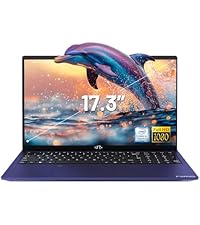
Image: A delivery person handing a package to a customer, illustrating the 90-day return policy for Nimo products.
9.3 Appoġġ għall-Klijent
For any product-related questions, technical assistance, or warranty claims, please contact our professional after-sales service team. Our dedicated support team is available to resolve issues or facilitate replacements.
- Email: service@nimopc.com
- Online: Żur in-NIMO uffiċjali website or product page for contact options.

Image: Customer service representatives wearing headsets, indicating professional customer assistance available via phone and live chat.


