1. Introduzzjoni
This manual provides detailed instructions for the setup, operation, and maintenance of your POLONO PM220S Label Maker Machine. Please read this manual thoroughly before using the device to ensure proper function and longevity.
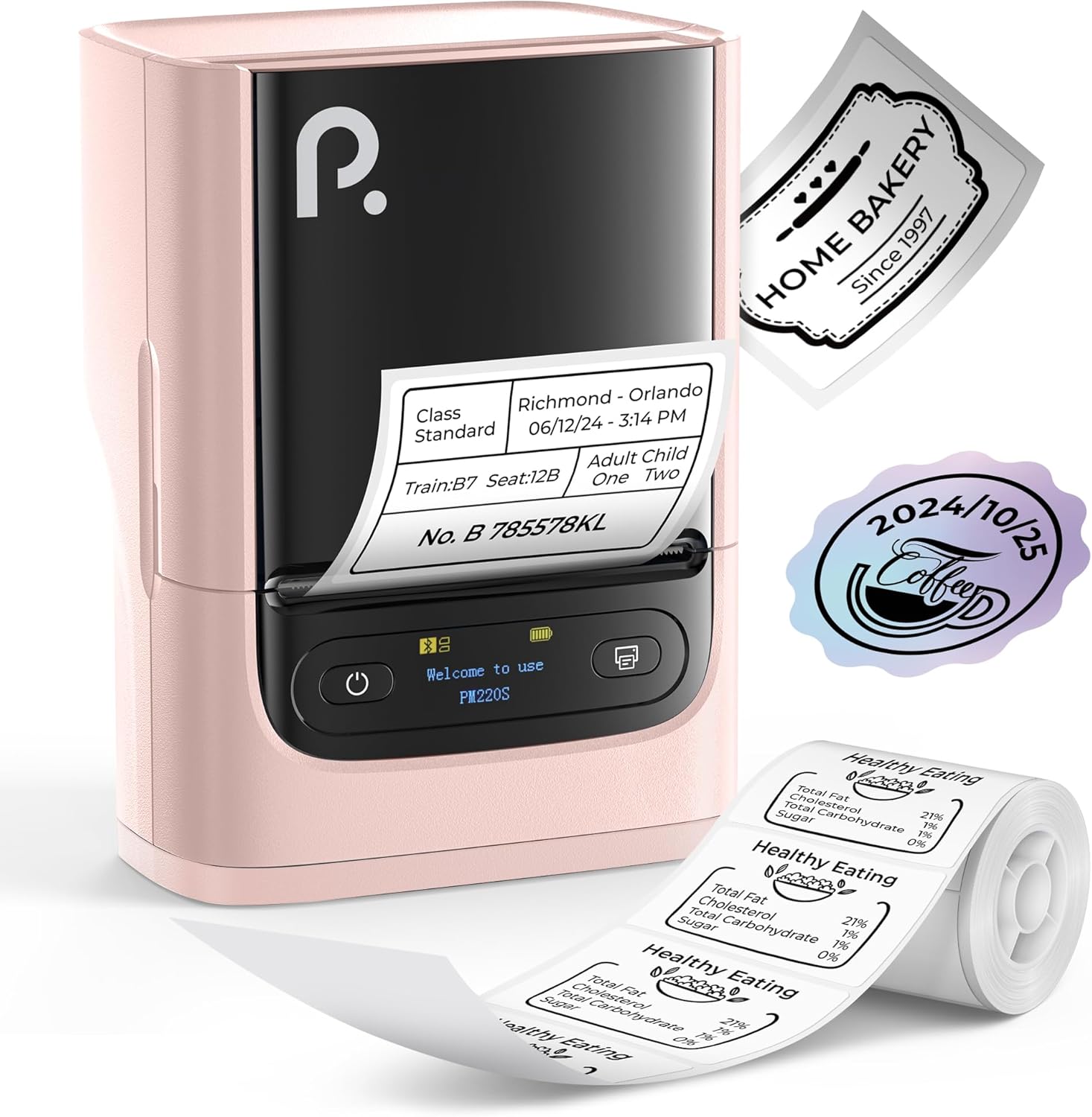
Figure 1: POLONO PM220S Label Maker Machine with samptikketti.
2. Prodott Aktarview
2.1 Komponenti Inklużi
- POLONO PM220S Label Maker Machine
- Label Tape (50x30mm, pre-installed or included)
- Cable tal-Iċċarġjar tal-USB
- Manwal għall-Utent (dan id-dokument)
2.2 Karatteristiċi ewlenin
- Konnettività Bluetooth: Seamless connection with iOS, Android, and PC devices.
- Intuitive LED Screen: Displays battery level, Bluetooth connection status, and alerts for paper shortages or timed shutdowns.
- Feature-Rich "Labelnize" App: Offers label templates, supports QR codes, barcodes, tables, text, icons, 90+ fonts, 14+ languages, and 450+ material presets.
- Premium Thermal Printing: BPA-Free Direct Thermal Technology with 203 DPI for high-definition, inkless printing.
- Kompatibilità Wiesgħa tat-Tikketti: Supports label widths from 23-54mm (0.91"-2.12").
- Disinn portabbli: Compact and lightweight for easy transport and use in various environments.
3. Istruzzjonijiet ta' Setup
3.1 Iċċarġjar tal-Apparat
Before first use, fully charge the label maker using the provided USB cable. The LED screen will indicate charging status.
3.2 App Installation and Driver Download
For mobile devices (iOS/Android), download the "Labelnize" app from your respective app store. For PC users, visit polono.com biex tniżżel is-sewwieq u l-applikazzjoni meħtieġa.

Figure 2: Universal compatibility with smartphones and laptops for app and driver installation.
3.3 Konnessjoni permezz tal-Bluetooth
- Ensure the PM220S is powered on.
- On your mobile device, open the "Labelnize" app.
- Within the app, search for and connect to the PM220S via Bluetooth. Do not connect directly via your device's Bluetooth settings for mobile devices.
- For PC, ensure the driver is installed, then connect through the downloaded application.
3.4 Loading Label Tape
- Iftaħ l-għatu tal-kompartiment tat-tikketti.
- Insert the label roll with the printing surface facing upwards.
- Adjust the paper slot guides to secure the tape according to its width (23-54mm) for precise alignment.
- Agħlaq il-qoxra.

Figure 3: Proper loading of label tape into the PM220S.
4. Istruzzjonijiet Operattivi
4.1 Using the "Labelnize" App
- Open the "Labelnize" app on your connected device.
- Select from various pre-designed templates or create your own custom labels.
- The app allows you to add text, barcodes, QR codes, tables, icons, and more.
- Customize labels using a selection of over 90 fonts and 14 languages.
- Utilize the 450+ material presets for different label applications.
- Importanti: For optimal results, use specialized POLONO labels. Avoid tearing the green back sticker to prevent printing issues.
4.2 Understanding the LED Screen Display
The integrated LED screen provides real-time feedback on the printer's status:
- Livell tal-batterija: Indicates the current charge of the device.
- Konnessjoni Bluetooth: Shows if the device is successfully connected via Bluetooth.
- Karta Shortage Twissija: Notifies when the label roll is low or empty.
- Tfiq bil-ħin: Displays countdown for automatic power-off to conserve battery.

Figure 4: LED screen display functions for real-time status monitoring.
4.3 Printing a Label
- Design your label within the "Labelnize" app.
- Review the label preview to ensure accuracy.
- Tap the "Print" button in the app.
- The label maker will print the label using thermal technology.
- Carefully tear off the printed label.
5. Manutenzjoni
5.1 Kura Ġenerali
- Żomm l-apparat nadif u ħieles mit-trab u l-fdalijiet.
- Evita li tesponi l-apparat għal temperaturi estremi jew dawl tax-xemx dirett.
- Aħżen l-apparat f'post niexef meta ma jkunx qed jintuża.
5.2 Tindif tar-Ras tal-Istampar
If print quality degrades, the thermal print head may need cleaning:
- Turn off the label maker and disconnect it from any power source.
- Iftaħ il-kompartiment tat-tikketta.
- Gently wipe the thermal print head with a cotton swab lightly dampened b'alkoħol isopropiliku.
- Allow the print head to dry completely before closing the cover and resuming use.
6 Issolvi l-problemi
| Problema | Kawża Possibbli | Soluzzjoni |
|---|---|---|
| L-apparat ma jixgħelx | Batterija baxxa jew problema ta' enerġija. | Charge the device fully. Ensure the power button is pressed correctly. |
| Ma tistax tikkonnettja permezz tal-Bluetooth | Incorrect connection method or app issue. | Ensure you are connecting through the "Labelnize" app, not directly via phone settings. Restart both the device and the app. For PC, verify driver installation. |
| Poor print quality / Faint printing | Dirty print head, incorrect label type, or low battery. | Clean the print head (see Section 5.2). Ensure you are using thermal labels. Charge the device. |
| Labels are misaligned or jammed | Improper label loading or paper slot adjustment. | Open the cover, remove any jammed labels, and reload the tape ensuring the paper slot guides are adjusted correctly for the label width. Avoid tearing the green back sticker. |
| "Paper Shortage" alert | Label roll is empty or incorrectly loaded. | Replace the label roll or re-seat it correctly. |
7. Speċifikazzjonijiet
| Brand | POLONO |
| Isem tal-Mudell | PM220S |
| Teknoloġija tal-Konnettività | Bluetooth |
| Teknoloġija tal-Istampar | Termali |
| Riżoluzzjoni Massima tal-Istampar | 203 DPI |
| Veloċità Massima tal-Istampar (Monokromu) | 45.0 mm/s |
| Daqsijiet tal-Midja appoġġjati | 23-54mm (0.91"-2.12") width, 50x30mm included |
| Dimensjonijiet tal-Prodott | 3.3"D x 4.4"W x 2.5"Għ (8.4 x 11.2 x 6.4 ċm) |
| Piż tal-oġġett | 13.4 uqija (380g) |
| Karatteristika Speċjali | Portable, Inkless Printing, LED Display |
8. Garanzija u Appoġġ
For warranty information, technical support, or to purchase accessories and replacement labels, please visit the official POLONO websit fuq polono.com or contact POLONO customer service directly.
Jekk jogħġbok żomm il-prova tax-xiri tiegħek għal pretensjonijiet ta' garanzija.


