1. Introduzzjoni
This manual provides detailed instructions for the proper use and maintenance of your SWOFY D50 128GB MP3 Player. Please read this manual thoroughly before operating the device to ensure optimal performance and longevity.
2. Kontenut tal-Pakkett
Iċċekkja li l-oġġetti kollha elenkati hawn taħt huma preżenti fil-pakkett tal-prodott tiegħek:
- 1 x SWOFY D50 128GB MP3 Player
- 1 x Wired Earphones
- 1 x USB Type-C Cable
- 1 x Manwal tal-Utent (dan id-dokument)

Image: The SWOFY D50 MP3 Player, wired earphones, USB Type-C cable, and user manual laid out, illustrating the complete package contents.
3. Device Overview
The SWOFY D50 features a compact design with essential ports and controls for easy operation.
3.1 Karatteristiċi Fiżiċi
- Skrin ta' 1.8 pulzieri: For clear display of menus and content.
- Buttuni tat-Tmiss: Intuitive controls for navigation.
- Built-in HD Speaker: For audio playback without earphones.
- Jack tal-headphones ta' 3.5mm: For wired audio output.
- Port tat-Tip-C: Għall-iċċarġjar u t-trasferiment tad-dejta.
- Slott tal-Karta Mikro SD: Supports expansion up to 256GB.
- Buttuna tal-Qawwa: Located on the side for turning the device on/off.
- Buttuni tal-Volum: For adjusting audio levels.
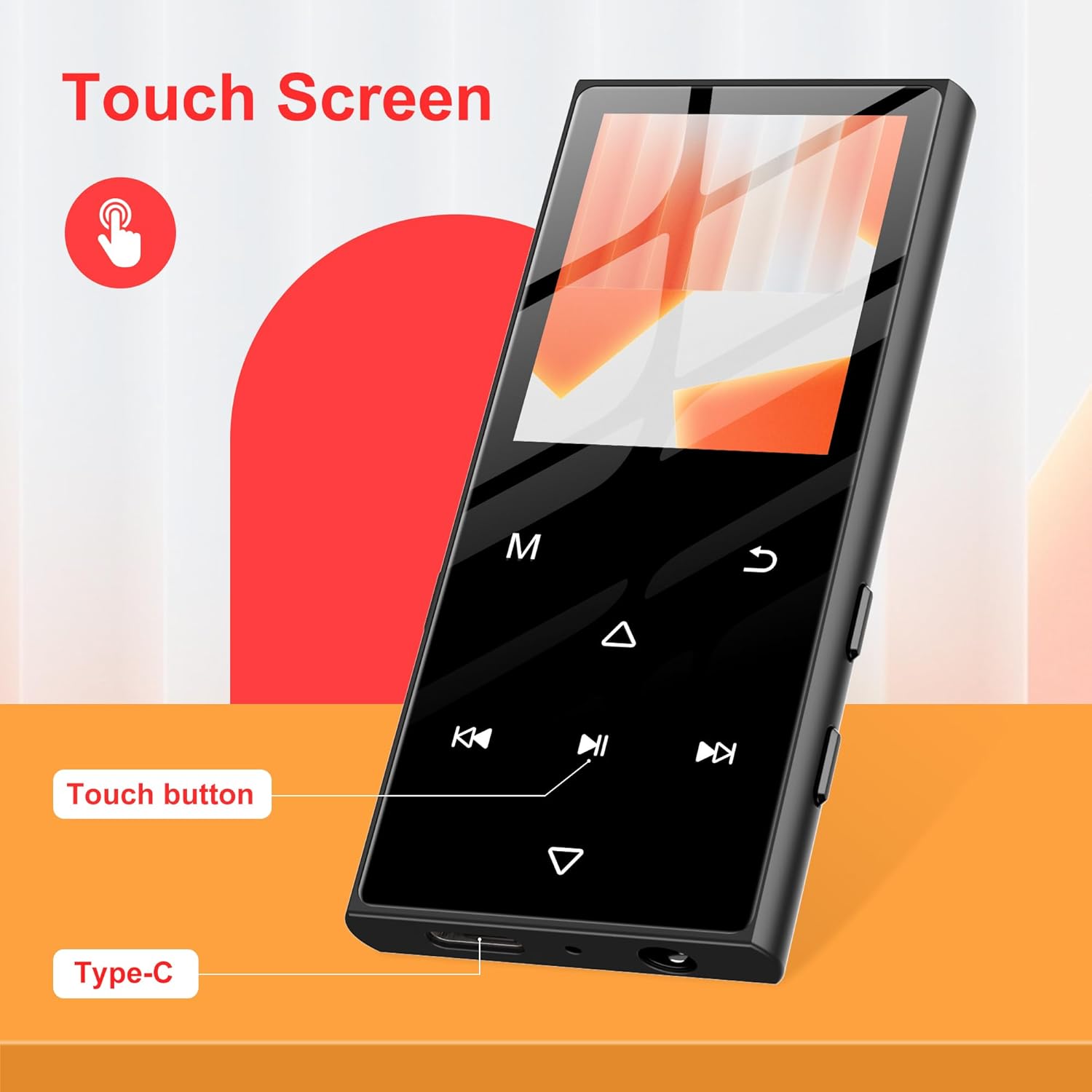
Immaġni: Close-up view of the SWOFY D50 MP3 Player highlighting its touch screen, dedicated touch buttons for navigation, and the Type-C charging port at the bottom.
4. Setup
4.1 Iċċarġjar tal-Apparat
Before first use, fully charge the MP3 player using the provided USB Type-C cable and a compatible USB power adapter (not included). The battery indicator on the screen will show charging status.
4.2 Daħħal Micro SD Card
The device has 128GB of internal storage and supports Micro SD cards up to 256GB for expanded storage. Locate the Micro SD card slot on the side of the device. Gently insert the card until it clicks into place.
4.3 L-Ewwel Tixgħil u l-Għażla tal-Lingwa
- Press and hold the Power button on the side of the device for a few seconds until the SWOFY logo appears.
- Follow the on-screen prompts to select your preferred language and set the date and time.
5. Istruzzjonijiet Operattivi
5.1 Navigazzjoni Bażika
The device features a touch screen and dedicated touch buttons. Swipe left/right or tap icons to navigate through menus. Use the back button to return to the previous screen.
5.2 Daqq tal-Mużika
The SWOFY D50 supports various audio formats including APE, FLAC, WMA, MP3, and ACELP. Transfer your music files to the device's internal storage or an inserted Micro SD card via the USB Type-C cable. Access the 'Music' application to browse and play your tracks.

Image: The SWOFY D50 MP3 Player screen showing a music track playing, with icons for various supported audio formats including MP3, WAV, FLAC, APE, and OGG.
5.3 Konnettività Bluetooth
The device features Bluetooth 5.3 for wireless audio streaming to compatible headphones or speakers.
- Go to 'Settings' and enable Bluetooth.
- Ensure your Bluetooth headphones or speaker are in pairing mode.
- Select your device from the list of available devices to pair.
Note: This device cannot connect to mobile phones or tablets via Bluetooth.

Image: The SWOFY D50 MP3 Player shown wirelessly connected to Bluetooth headphones and a Bluetooth speaker, illustrating its Bluetooth 5.3 capability.
5.4 Radju FM
To use the FM Radio function, connect the wired earphones as they act as the antenna. Navigate to the 'FM Radio' application to scan for and listen to local stations.
5.5 Reġistratur tal-Vuċi
The built-in voice recorder allows you to capture audio. Open the 'Voice Recorder' application and press the record button to start recording. Recordings are saved to the device's storage.
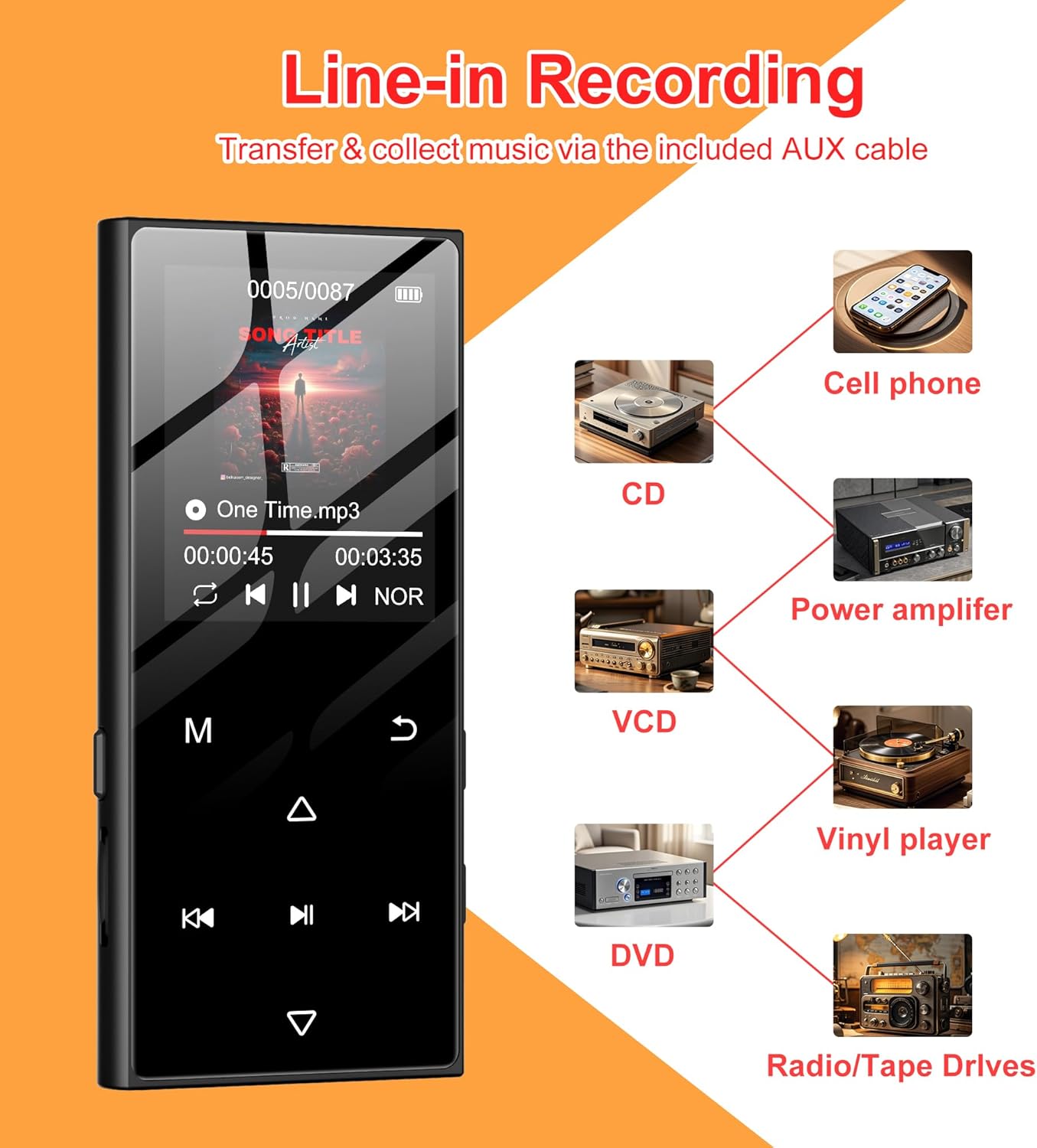
Image: The SWOFY D50 MP3 Player screen showing a recording interface, with diagrams illustrating line-in recording capabilities from devices such as cell phones, CDs, VCDs, DVDs, power amplifiers, vinyl players, and radio/tape drives.
5.6 E-Book Reader and Picture Viewer
The device supports e-book reading and picture viewing. Transfer compatible files to the device and access them through the respective applications.

Image: The SWOFY D50 MP3 Player displaying its multi-functional capabilities, including icons for Music, AB Repeat, Bluetooth, Calendar, FM Radio, Picture, Resume, E-Book, Various Speed Playback, Recorder, and 128GB internal memory with 128GB expansion.
6. Manutenzjoni
6.1 Kura tal-Batterija
To prolong battery life, avoid fully discharging the device frequently. Charge the device regularly, especially if it will not be used for an extended period. Store in a cool, dry place.
6.2 Tindif
Use a soft, dry cloth to clean the device. Avoid using liquid cleaners or abrasive materials, which may damage the screen or casing.
7 Issolvi l-problemi
- L-apparat ma jixgħelx: Ensure the device is fully charged. If the issue persists, try pressing the reset button (if available) or contact support.
- Ma tistax tikkonnettja mal-Bluetooth: Ensure Bluetooth is enabled on both the MP3 player and the target device, and that both are in pairing mode. Verify that the target device is not a phone or tablet.
- Ebda ħoss: Check volume levels. Ensure earphones are properly connected or Bluetooth device is paired and connected.
- Files not recognized: Ivverifika li l- files are in a supported format (APE, FLAC, WMA, MP3, ACELP). Ensure the Micro SD card is properly inserted and not corrupted.
8. Speċifikazzjonijiet
| Brand | SWOFY |
| Mudell | D50 |
| Memorja Interna | 128 GB |
| Memorja espansibbli | Up to 256 GB (Micro SD card) |
| Verżjoni Bluetooth | 5.3 |
| Daqs tal-Iskrin | 1.8 Pulzier |
| Teknoloġija tal-Konnettività | Bluetooth, USB |
| Karatteristiċi Speċjali | Built-In Speaker, Equalizer, FM Radio, Voice Recorder |
| Batterija | 1 batterija tal-polimer tal-litju (inkluża) |
| Piż tal-oġġett | 5.3 uqija |
| Dimensjonijiet | 91.6 * 41.6 * 9.8mm (madwar 3.6 x 1.6 x 0.39 pulzieri) |

Image: The SWOFY D50 MP3 Player held in a hand, emphasizing its stylish and compact design, with text indicating its 0.36-inch thickness and 2.18-ounce lightweight nature.
9. Garanzija u Appoġġ
For warranty information and technical support, please refer to the contact details provided on the product packaging or visit the official SWOFY websit. Żomm l-irċevuta tax-xiri tiegħek għal pretensjonijiet ta' garanzija.


