1. Introduzzjoni
This instruction manual provides comprehensive guidance for the SUNKTA Military Smart Watch, Model B0FN3866B3. This device is engineered for durability and advanced functionality, offering a robust solution for daily wear and active lifestyles. It features a 1.39-inch HD full screen, Bluetooth 5.0 connectivity, and 5ATM waterproofing. Key functionalities include seamless call management, message notifications, and extensive sports mode tracking. The watch also integrates advanced health monitoring capabilities for heart rate, SpO2, and blood pressure, assisting users in maintaining a healthy lifestyle.
2. X'hemm fil-Kaxxa
Upon unboxing your SUNKTA Military Smart Watch, please verify that all the following items are included:
- SUNKTA Military Smart Watch (Model B0FN3866B3)
- Kejbil tal-Iċċarġjar Manjetiku
- Silicone Watch Strap (pre-attached or separate)
- Metal Watch Strap (additional accessory)
- Strap Adjustment Tool (for metal strap)
- User Manual / Quick Start Guide (includes QR code for app download)

Image: The SUNKTA Military Smart Watch, magnetic charging cable, and user manual.
3. Gwida ta' Setup
3.1 Iċċarġjar inizjali
Before first use, fully charge your smart watch. Connect the magnetic charging cable to the charging points on the back of the watch and plug the USB end into a compatible power adapter (not included) or a computer's USB port. A full charge typically takes 1-2 hours.
3.2 Installazzjoni u Tqabbil tal-App
- Niżżel l-App tal-Kompann: Locate the QR code in your user manual or on the watch's packaging. Scan this QR code with your smartphone to download the recommended companion application (e.g., FitCloudPro) from your device's app store (compatible with Android and iOS).
- Ippermetti Bluetooth: Kun żgur li l-Bluetooth huwa attivat fuq l-ismartphone tiegħek.
- Iftaħ l-App: Launch the installed application on your smartphone.
- Imqabbad l-Arloġġ: Follow the in-app instructions to search for and pair your SUNKTA Smart Watch. The watch will typically appear as 'K-52' or a similar device name. Confirm the pairing request on both your phone and the watch.
3.3 Personalizzazzjoni tal-Wiċċ tal-Arloġġ
The watch offers a variety of customizable watch faces. You can change them directly on the watch or through the companion app:
- Fuq l-Għassa: Press the power button to activate the screen, then swipe left or right on the watch face to browse pre-installed options.
- Permezz tal-App: Open the companion app, navigate to the 'Watch Face' or 'Dial Store' section. Here you can select from numerous designs and sync them to your watch. The app also allows for custom watch faces using your own images.

Image: Custom dial designs and user interface options for the smart watch.
4. Istruzzjonijiet Operattivi
4.1 Navigazzjoni Bażika
- Swipe 'l fuq/'l isfel: Aċċessa s-settings jew in-notifiki malajr.
- Swipe Xellug/Lemin: Navigate through main features like activity data, heart rate, weather, etc.
- Agħfas il-Buttuni tal-Ġenb: The watch features multiple side buttons for specific functions (e.g., 'SPORT', 'POWER', 'DOWN', 'BACK'). Refer to the watch's on-screen prompts for their exact functions.
4.2 Bluetooth Calls and Message Notifications
The watch is equipped with a Bluetooth 5.0 chip, enabling direct call management and message notifications:
- Tagħmel/Rċeviment Sejħiet: Once paired, you can make and receive calls directly from your wrist. Access the 'Telephone' or 'Call records' menu on the watch.
- Notifiki tal-messaġġi: Receive text messages and social media notifications directly on your watch screen. Ensure push notifications are enabled in the companion app settings.

Image: Bluetooth call and message notification features on the smart watch.
4.3 Monitoraġġ tas-Saħħa
The watch provides continuous health monitoring features:
- Monitoraġġ tar-Rata tal-Qalb: Supports 24-hour heart rate monitoring. Access the 'Heart Rate' function on the watch to view data f'ħin reali.
- Blood Pressure / Blood Oxygen (SpO2) Detection: Real-time detection of blood pressure and blood oxygen levels.
- Monitoraġġ tal-irqad: Records your sleep time and detects sleep status (deep sleep, light sleep, REM). Monitoring data can be saved for 30 days in the app.
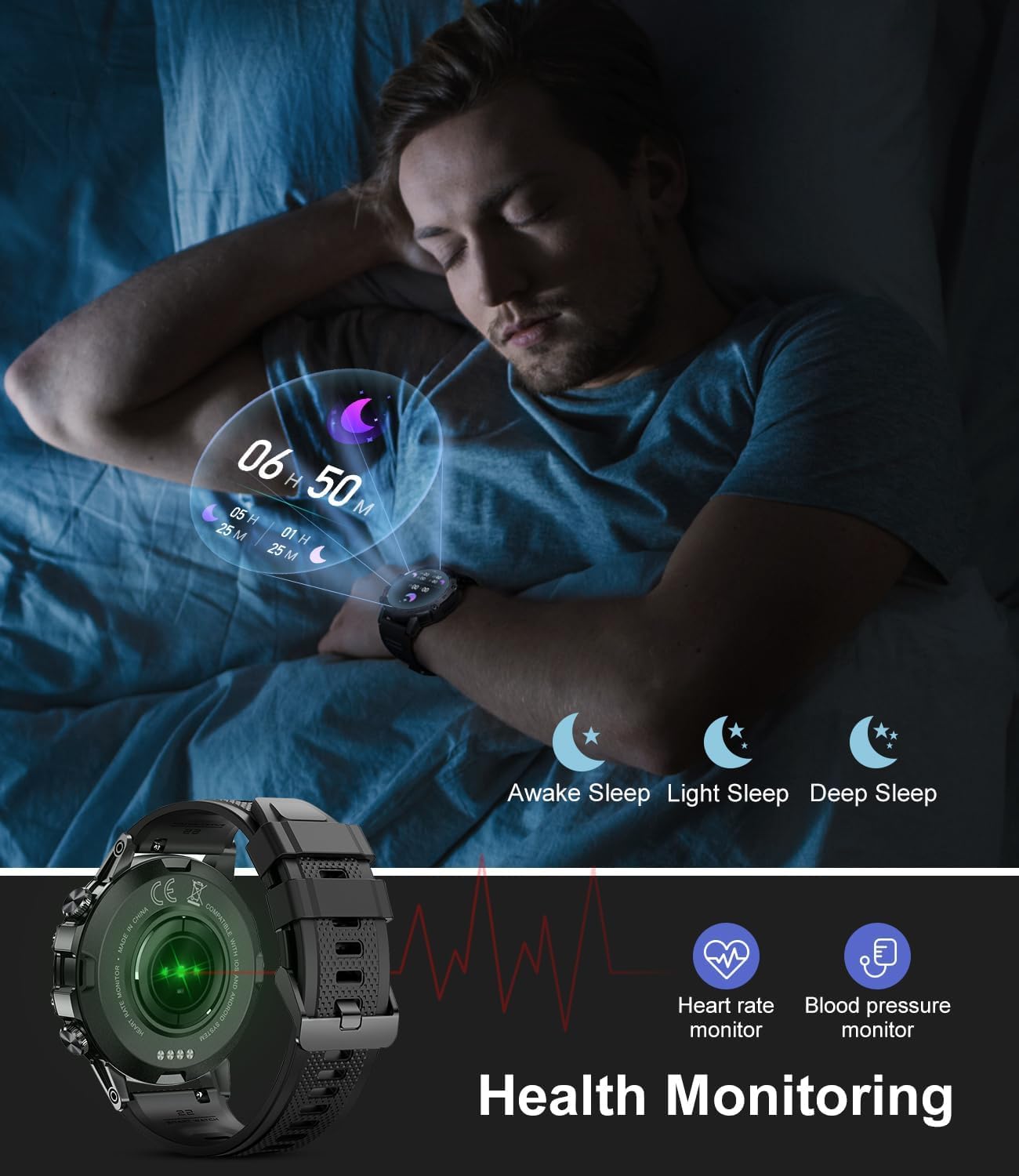
Image: Health monitoring features, including sleep tracking, heart rate, and blood pressure.
4.4 Modalità Sportiva
The watch offers over 100 sports modes to track various physical activities. Select your desired sport from the 'Workout' menu to record data such as distance, calories burned, and steps.
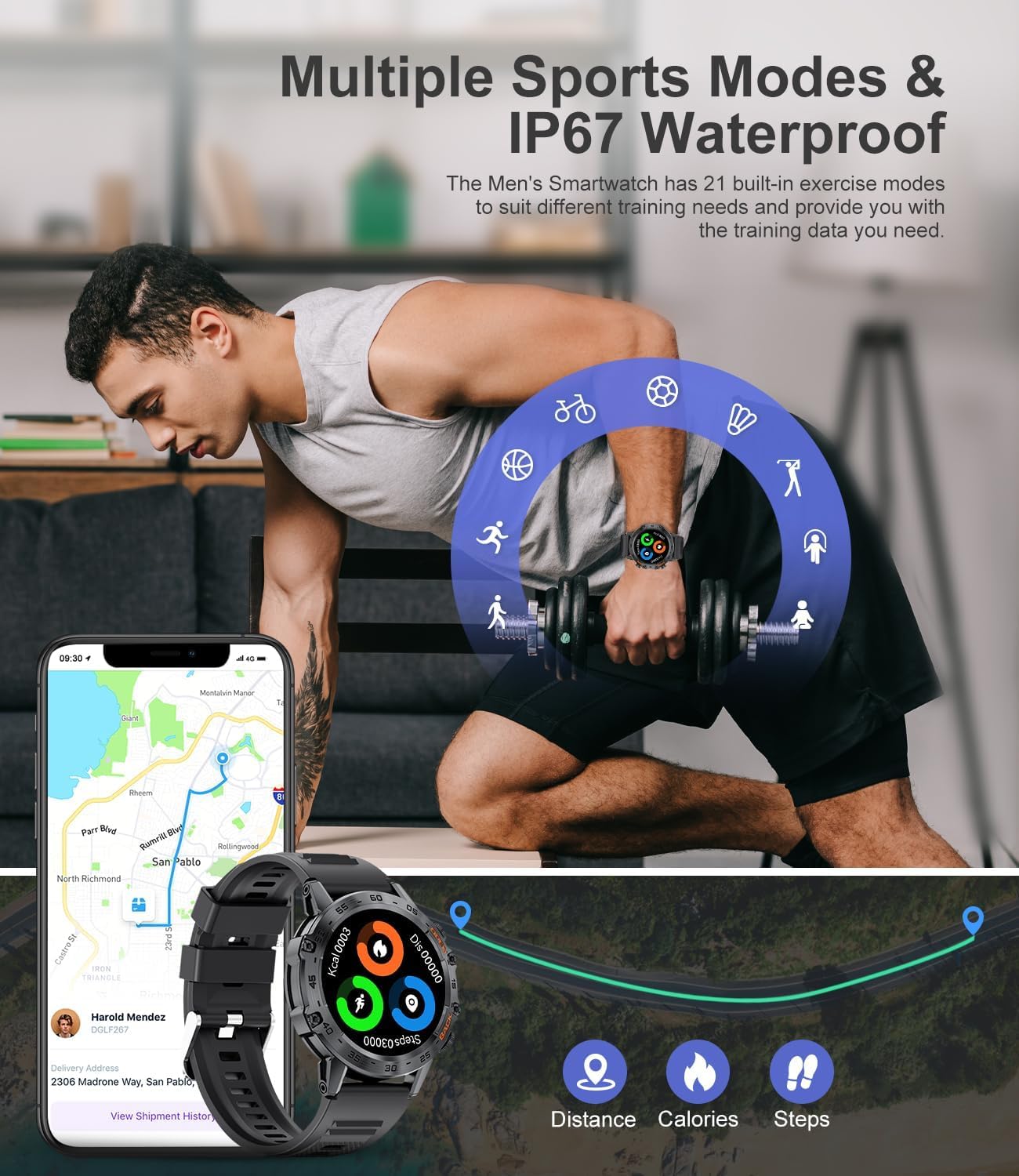
Image: Multiple sports modes and fitness tracking data on the smart watch.
4.5 Karatteristiċi Addizzjonali
Explore other useful functions available on your smart watch:
- Assistent tal-Vuċi AI: Uża kmandi tal-vuċi għal diversi kompiti.
- Alarm Clock & Calculator: Convenient tools for daily use.
- Eżerċizzji tan-nifs: Guided breathing for relaxation.
- Sedentary Reminder & Drink Water Reminder: Prompts to encourage healthy habits.
- Remote Camera & Music Control: Control your phone's camera and music playback from your watch.
- Tbassir tat-Temp: Ikseb aġġornamenti tat-temp f'ħin reali.
5. Manutenzjoni
5.1 Iċċarġjar tal-Apparat
To charge your watch, use the provided magnetic charging cable. Ensure the charging pins align correctly with the contacts on the back of the watch. The watch has a 400mAh battery capacity, offering approximately 7-10 days of normal working time and up to 15-20 days of standby time on a single charge. Charging time is typically 1-2 hours.
5.2 Reżistenza għall-Ilma
The SUNKTA Military Smart Watch is 5ATM waterproof, meaning it can withstand pressures equivalent to a depth of 50 meters. This makes it suitable for swimming and showering, but it is not recommended for diving or high-pressure water activities.
5.3 Kura Ġenerali
- Naddaf l-arloġġ regolarment b'ċarruta ratba u niexfa.
- Evita li tesponi l-arloġġ għal temperaturi estremi jew kimiċi ħarxa.
- Kun żgur li l-kuntatti tal-iċċarġjar huma nodfa u niexfa qabel ma tiċċarġja.
6 Issolvi l-problemi
6.1 Kwistjonijiet ta' Konnettività
- Watch Not Connecting: Ensure Bluetooth is enabled on your phone and the watch is within range. Restart both your phone and the watch. Try unpairing and re-pairing the device through the companion app.
- App Disconnecting: Verify that the companion app (e.g., FitCloudPro) is not being put into 'deep sleep' or restricted by your phone's battery optimization settings. Adjust phone settings to allow the app to run in the background.
6.2 Qari tas-Saħħa Mhux Preċiż
- Ensure the watch is worn snugly on your wrist, but not too tight, allowing the sensors to make proper contact with your skin.
- Evita moviment eċċessiv waqt il-qari.
- Note that smart watch health features are for reference only and should not replace professional medical advice.
6.3 Ħajja Qasira tal-Batterija
- Naqqas il-luminożità tal-iskrin.
- Limit the number of active background features (e.g., continuous heart rate monitoring, frequent notifications).
- Ensure the watch is fully charged before use.
7. Speċifikazzjonijiet
| Brand | SUNKTA |
| Numru tal-Mudell | B0FN3866B3 |
| Daqs tal-Iskrin | 1.39 Pulzier |
| Tip ta 'Wiri | HD Full Screen (360*360 pixels) |
| Reżistenza għall-Ilma | 5ATM |
| Kapaċità tal-batterija | 400 Milliamp Sigħat (mAh) |
| Tip ta 'batterija | Polimeru tal-litju |
| Teknoloġija tal-Konnettività | Bluetooth 5.0 |
| Sistema Operattiva | Kompatibbli ma' Android/iOS |
| GPS | GPS Via Smartphone |
| Piż tal-oġġett | 7 uqija |
| Dimensjonijiet tal-Pakkett | 8.03 x 3.82 x 0.94 pulzieri |
8. Garanzija u Appoġġ
Your SUNKTA Military Smart Watch comes with an international warranty card. For specific warranty details, please refer to the documentation included in your product packaging. For technical support, troubleshooting assistance, or any inquiries regarding your device, please contact SUNKTA customer service through the contact information provided in your warranty card or on the official SUNKTA websit.


