1. Introduzzjoni
This manual provides essential information for setting up, operating, and maintaining your KTC H34S5 34-inch UWQHD Curved Gaming Monitor. Please read this manual thoroughly before using the product to ensure proper function and longevity.

Figura 1: Quddiem view of the KTC H34S5 34-inch UWQHD Curved Gaming Monitor.
2. Kontenut tal-Pakkett
Iċċekkja li l-oġġetti kollha elenkati hawn taħt huma inklużi fil-pakkett tiegħek:
- 34 Inch Curved Monitor (x1)
- Monitor Base (x1)
- Gwida ta' Bidu Mgħaġġel (QSG) (x1)
- Kejbil tad-DisplayPort (DP) (x1)
- Adapter tal-Enerġija (x1)
- 3-Pin Power Cord (x1)

Figure 2: Illustration of monitor dimensions and included accessories.
3. Setup
3.1 Assemblaġġ tal-Monitor
- Carefully remove the monitor and its base from the packaging.
- Attach the monitor base to the stand column. Ensure it clicks securely into place.
- Attach the assembled stand to the back of the monitor. Align the mounting points and press firmly until it locks.
3.2 Konnessjoni ma 'Tagħmir
Il-monitor joffri diversi għażliet ta' konnettività:
- DisplayPort (DP 1.4): Use the provided DP cable for resolutions up to 3440x1440 at 180Hz. Connect one end to the monitor's DP input and the other to your computer's DP output.
- HDMI (HDMI 2.0): Use an HDMI cable (not included) for resolutions up to 3440x1440 at 100Hz. Connect one end to the monitor's HDMI input and the other to your device's HDMI output.
- USB 2.0: This port is for firmware upgrades only.
- Out tal-Awdjo: Connect external speakers or headphones to this port.
After connecting, power on your monitor and connected device. Select the correct input source using the monitor's On-Screen Display (OSD) menu.

Figure 3: Monitor rear panel with input ports labeled.
4. Istruzzjonijiet Operattivi
4.1 Menù tal-Wiri fuq l-Iskrin (OSD)
The OSD menu allows you to adjust various monitor settings. Refer to the Quick Start Guide for detailed instructions on navigating the OSD using the monitor's control buttons.
4.2 Picture-in-Picture (PIP) and Picture-by-Picture (PBP) Modes
The monitor supports PIP and PBP modes, allowing you to display content from multiple input sources simultaneously. These modes enhance multitasking efficiency.
- Stampa fl-Istampa (PIP): Displays a smaller window from a secondary input source over the main display.
- Stampa b'Stampa (PBP): Divides the screen into multiple sections, each displaying content from a different input source.
Access these settings through the OSD menu to configure and activate them according to your needs.

Figure 4: Monitor demonstrating Picture-in-Picture and Picture-by-Picture modes.
5. Karatteristiċi
5.1 Display Performance
- 34-Inch UWQHD Curved Display: The 3440 x 1440 resolution with a 21:9 aspect ratio and 1500R curvature provides an expansive and immersive viewing esperjenza.
- Kuluri Vibranti: Enjoy accurate and vivid colors with 125% sRGB color gamut area, 1.07 billion colors, and 300cd/m² brightness. The HVA panel with a 4000:1 contrast ratio and HDR support delivers detailed visuals.
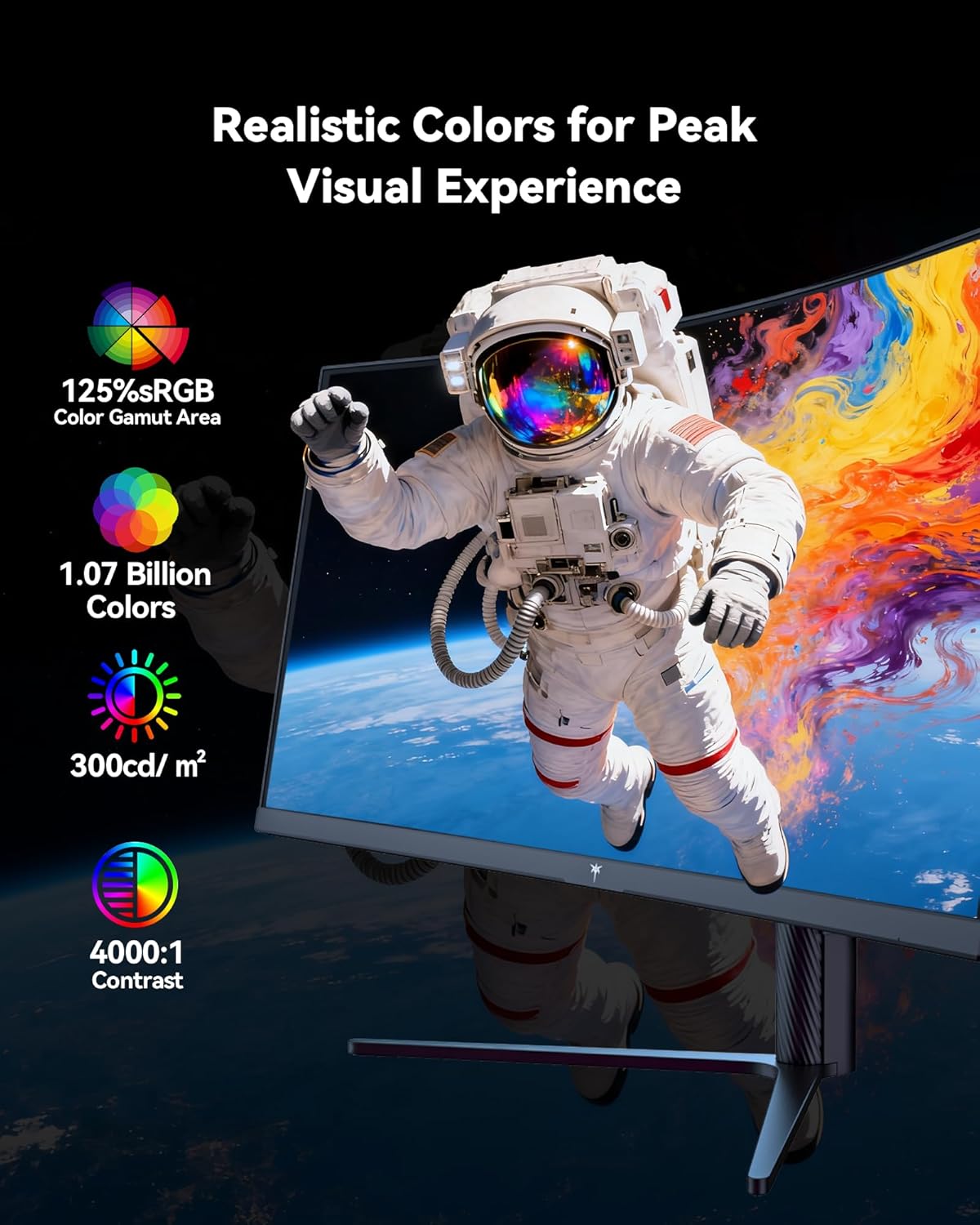
Figure 5: Visual representation of the monitor's color and contrast capabilities.
5.2 Karatteristiċi tal-Logħob
- High Refresh Rate & Fast Response Time: A 180Hz refresh rate and 1ms MPRT (Moving Picture Response Time) ensure smooth, fluid motion and minimize ghosting during fast-paced gaming.
- Teknoloġija ta' Sinkronizzazzjoni Adattiva: This feature synchronizes the monitor's refresh rate with your graphics card's frame rate, eliminating screen tearing and stuttering for a seamless gaming experience.

Figure 6: Comparison of display with Adaptive Sync ON versus OFF.
5.3 Disinn Ergonomiku
The monitor's stand allows for various adjustments to optimize your viewkumdità:
- Mejjel: -5° sa 20°
- Dawwar: ± 45°
- Pivot: ± 5°
- Aġġustament Għoli: Up to 110mm (±5mm)
The monitor is also VESA compatible (100mm x 100mm) for alternative mounting solutions.

Figure 7: Ergonomic adjustment capabilities and physical dimensions.
6. Speċifikazzjonijiet
| Karatteristika | Speċifikazzjoni |
|---|---|
| Dimensjonijiet tal-Prodott | 6.22 x 27.99 x 20.4 pulzieri |
| Piż tal-oġġett | 16.75 liri |
| Numru tal-Mudell | H34S5 |
| Daqs tal-Iskrin | 34 Pulzier |
| Proporzjon ta' l-aspett | 21:9 |
| Riżoluzzjoni | 3440 x 1440 Pixels (UWQHD) |
| Riffriskar Rata | 180Hz (DP 1.4), 100Hz (HDMI 2.0) |
| Ħin ta' Rispons | 1ms MPRT |
| Kurvatura | 1500R |
| Luminożità tal-Immaġni | 300 Kandela għal kull Metru Kwadru |
| Proporzjon ta' Kuntrast | 4000:1 |
| Wiċċ tal-Iskrin | Matte |
| Kompatibilità VESA | 100mm x 100mm |
| Konnettività | HDMI 2.0 x 2, DP 1.4 x 2, USB 2.0 (for upgrade), Audio Out |
7. Manutenzjoni
To ensure optimal performance and longevity of your monitor, follow these maintenance guidelines:
- Tindif: Imsaħ l-iskrin bil-mod b'ċarruta ratba u mingħajr suf. Għal marki iebsa, uża soluzzjoni tat-tindif speċifika għall-monitor applikata fuq iċ-ċarruta, mhux direttament fuq l-iskrin.
- Ventilazzjoni: Ensure adequate airflow around the monitor by keeping vents clear of obstructions.
- Ħażna: Meta ma tkunx qed tużah għal perjodi twal, aħżen il-monitor f'post frisk u niexef, idealment fl-imballaġġ oriġinali tiegħu.
- Qawwa: Use only the provided power adapter and cord. Disconnect power during electrical storms or when leaving the monitor unattended for long periods.
8 Issolvi l-problemi
Jekk tiltaqa' ma' problemi bil-monitor tiegħek, irreferi għall-passi komuni li ġejjin għas-soluzzjoni tal-problemi:
- Ebda Qawwa: Ensure the power cord is securely connected to both the monitor and a working power outlet. Check the power adapter connection.
- Ebda Sinjal: Verify that the video cable (DP or HDMI) is correctly connected to both the monitor and your computer. Ensure the correct input source is selected in the OSD menu. Try a different video cable or port if available.
- Display Issues (Flickering, Distorted Image): Check your computer's display settings to ensure the resolution and refresh rate are compatible with the monitor's specifications. Update your graphics card drivers. If Adaptive Sync is enabled, try disabling it to see if the issue persists.
- Pixels Mejta: While rare, a small number of dead pixels may be present on LCD panels. If you notice a significant number or they interfere with your viewing experience, contact customer support.
Għal aktar assistenza, irreferi għat-taqsima tal-Garanzija u l-Appoġġ.
9. Garanzija u Appoġġ
KTC provides a three-year warranty for this monitor. For any issues or technical support, please contact KTC customer service. They aim to respond within 12 hours.
You can typically find contact information on the KTC official webis-sit jew permezz tal-pjattaforma tax-xiri tiegħek.
10. Vidjo tal-Prodott
Ara l-filmat uffiċjali tal-prodott għal viżwali aktar 'il fuqview of the KTC H34S5 34-Inch Curved Gaming Monitor's features and design.
Vidjo 1: Uffiċjal lestview of the KTC 34-Inch Curved Gaming Monitor (H34S5).


