Introduzzjoni
Welcome to the user manual for your RCA Wave-88 AI Translation Earbuds. These earbuds are designed to provide real-time language translation, high-definition audio for music and calls, and a comfortable open-ear listening experience. This manual will guide you through the setup, operation, maintenance, and troubleshooting of your device.
Kontenut tal-Pakkett
- 2 x RCA Wave-88 AI Translation Earbuds
- 1 x Kawża tal-Iċċarġjar
- 1 x USB Iċċarġjar Cable
- 1 x Manwal tal-Utent (dan id-dokument)
Prodott Overview

Image: The RCA Wave-88 AI Translation Earbuds resting inside their white charging case, which is open to reveal the earbuds. The case features an LED display on the front.
The RCA Wave-88 earbuds are designed for versatile use, combining real-time translation, audio playback, and call management. They feature an open-ear design for comfort and situational awareness. The charging case includes an LED display to indicate battery status.
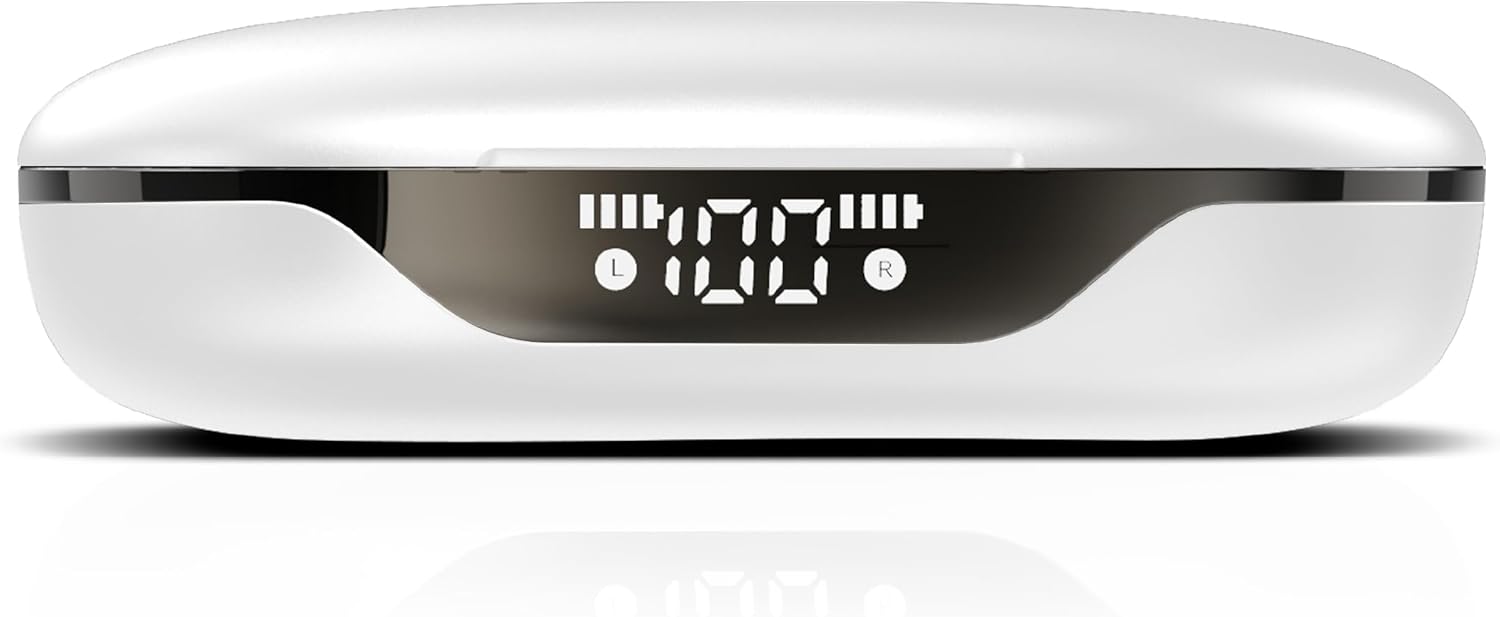
Immaġni: Close-up view of the RCA Wave-88 charging case, highlighting its front LED display which shows battery levels for both the case and individual earbuds (L and R).
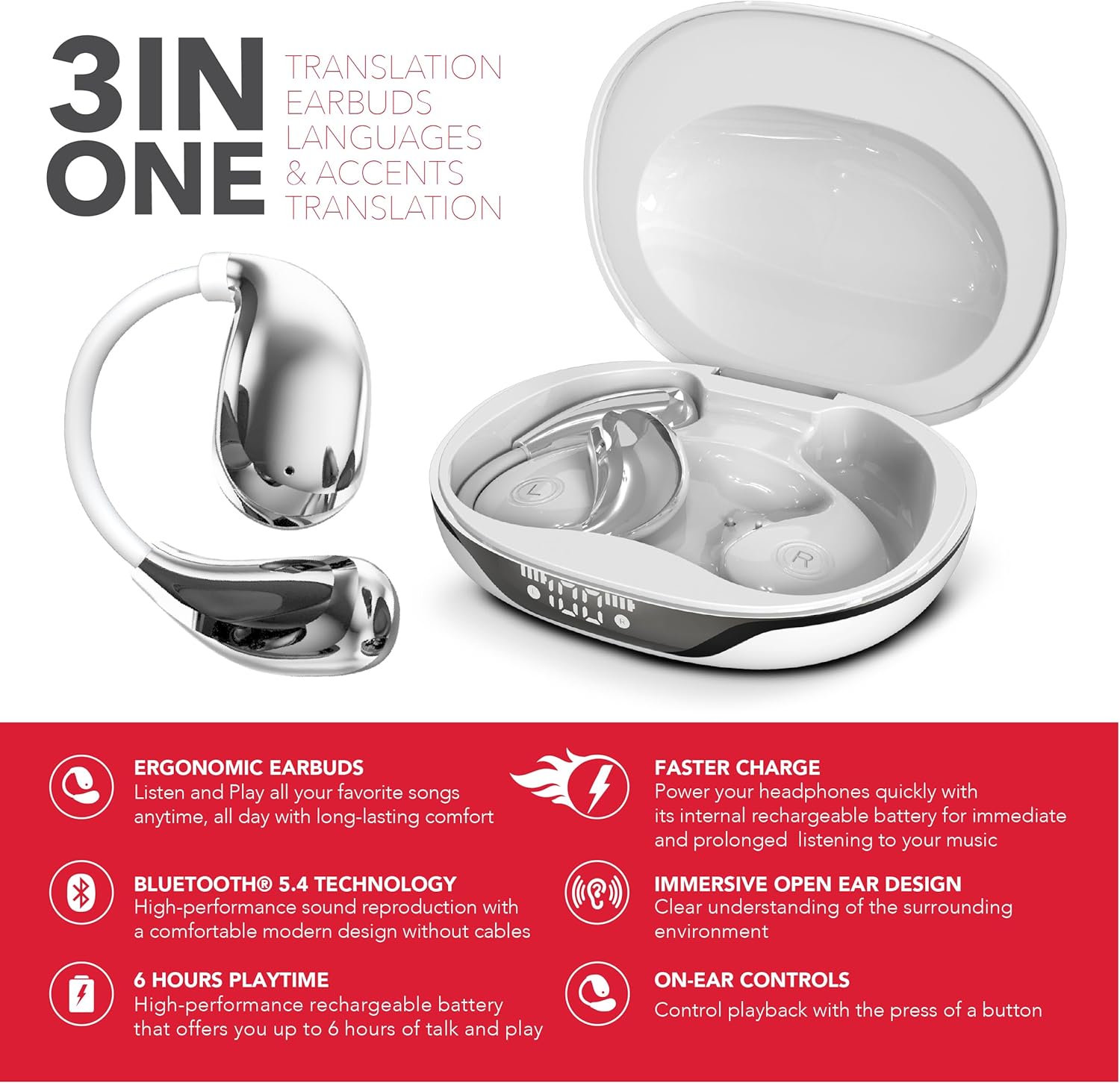
Image: A graphic highlighting the "3-in-1" functionality of the RCA Wave-88 earbuds, emphasizing their capabilities for translation, music, and calls.
Karatteristiċi ewlenin:
- Real-Time AI Translation (144 languages & accents)
- 3-in-1 Functionality: Translation, Music, Calls
- Open-Ear Ergonomic Design with Silicone Hooks
- Konnettività Bluetooth 5.4
- HD Audio with Noise Cancelling
- Klassifikazzjoni IPX7 Waterproof
- Extended Battery Life (up to 60 hours with charging case)
- Kontrolli Smart Touch
Setup
1. Iċċarġjar tal-Earbuds u l-Kaxxa
- Poġġi l-earbuds fil-kaxxa tal-iċċarġjar. Kun żgur li huma mqiegħda sew.
- Connect the charging case to a power source using a USB charging cable.
- The LED display on the case will indicate the charging status. A full charge provides up to 10 hours of earbud use, with the case offering an additional 50 hours.
- A quick 5-minute charge can provide approximately 1 hour of use.
2. It-tqabbil mat-Tagħmir Tiegħek
- Iftaħ il-kaxxa tal-iċċarġjar. Il-earbuds jinxtegħlu awtomatikament u jidħlu fil-modalità ta' tqabbil.
- On your smartphone, tablet, or laptop (iOS, Android, etc.), navigate to the Bluetooth settings.
- Fittex għal available devices and select "RCA Wave-88" from the list.
- Once connected, you will hear an audio confirmation, and the earbuds will be ready for use.
3. Installazzjoni tal-App
For full translation functionality, download the companion application.
- Fittex għal "NebulaBuds" in the Google Play Store (for Android devices) or the Apple App Store (for iOS devices).
- Install the application and follow the on-screen instructions to connect your earbuds.

Image: The RCA Wave-88 earbuds and charging case displayed alongside logos for NebulaBuds, Google Store, and App Store, indicating app compatibility.
Istruzzjonijiet Operattivi
1. Power On/Off
- Qawwa Mixgħul: Iftaħ il-każ tal-iċċarġjar, u l-earbuds jinxtegħlu awtomatikament.
- Itfi: Poġġi l-earbuds lura fil-kaxxa tal-iċċarġjar u agħlaq l-għatu. Dawn jintfew awtomatikament u jibdew jiċċarġjaw.
2. L-ilbies tal-Earbuds
The Wave-88 earbuds feature an open-ear design with soft silicone hooks for a secure and comfortable fit.
- Identifika l-earbuds tax-xellug (L) u tal-lemin (R).
- Gently place each earbud over your ear, ensuring the silicone hook rests securely behind your ear.
- Adjust for optimal comfort and sound.
3. Kontrolli Intelliġenti tal-Messaġġ
The earbuds are equipped with intuitive touch controls for managing various functions. Specific gestures may vary slightly; refer to the NebulaBuds app for detailed customization.
- Ilgħab/Pawża Mużika: Tektek wieħed fuq kull earbud.
- Track li jmiss: Tektek darbtejn fuq il-earbud tal-lemin.
- Track preċedenti: Tektek darbtejn fuq il-earbud tax-xellug.
- Tweġiba/Tmiem Sejħa: Tektek wieħed fuq kull earbud.
- Irrifjuta Sejħa: Agħfas u żomm fuq kwalunkwe earbud.
- Attiva l-Assistent tal-Vuċi: Tektek tliet darbiet fuq kwalunkwe earbud (eż., Siri, Google Assistant).
- Kontroll tal-Volum: Specific gestures for volume control may be available or customizable via the app.

Image: A diagram illustrating various features of the RCA Wave-88 earbud, such as touch control, built-in microphones, hands-free calling, and volume control.
4. Translation Functionality
The RCA Wave-88 earbuds offer 3-in-1 functionality, allowing seamless switching between music, calls, and real-time translation.
- Activate Translation Mode: Open the NebulaBuds app on your connected device.
- Agħżel il-Lingwi: Within the app, choose your native language and the target language for translation (supports 144 languages and accents).
- Traduzzjoni f'Ħin Reali:
- Modalità tal-Earbud: Speak into your earbud's microphone. Your words will be translated and played through the other person's phone speaker, or vice-versa if they are also using an earbud.
- Modalità tat-Telefon: Hold your phone to the other person, and their speech will be translated and played through your earbuds. Your speech will be translated and played through your phone's speaker.
- Modalità Speaker: Both parties can hear translations through the phone's speaker.
- The AI-driven translation provides ultra-low latency for smoother conversations.

Image: An illustration demonstrating the translation capability of the RCA Wave-88 earbuds, showing a person speaking English into the earbud and the translation appearing in Spanish on a phone screen.

Immaġni: Dettaljata view of a smartphone screen displaying the translation interface, showing English input being translated into Spanish, with the RCA Wave-88 charging case visible below.

Image: A person wearing RCA Wave-88 earbuds, looking at a smartphone displaying a translation, suggesting use in a real-world conversation or meeting.
Manutenzjoni
1. Tindif
- Imsaħ bil-mod il-earbuds u l-kaxxa tal-iċċarġjar b'ċarruta ratba, niexfa u mingħajr suf.
- Tużax prodotti tat-tindif li joborxu, alkoħol, jew solventi kimiċi.
- Kun żgur li l-kuntatti tal-iċċarġjar kemm fuq il-earbuds kif ukoll fuq il-kaxxa huma nodfa u ħielsa minn debris.
2. Ħażna
- Meta ma tkunx qed tużahom, aħżen il-earbuds fil-kaxxa tal-iċċarġjar tagħhom biex tipproteġihom u tiżgura li jibqgħu ċċarġjati.
- Aħżen f'post frisk u niexef 'il bogħod mix-xemx diretta u temperaturi estremi.
3. Reżistenza għall-Ilma (IPX7)
The RCA Wave-88 earbuds have an IPX7 waterproof rating, meaning they are protected against temporary immersion in water (up to 1 meter for 30 minutes).
- This rating protects against sweat and splashes, making them suitable for workouts and outdoor activities.
- Do not intentionally submerge the earbuds or charging case in water.
- Il-każ tal-iċċarġjar mhuwiex reżistenti għall-ilma.
- Ensure earbuds are completely dry before placing them back in the charging case to prevent damage.
Issolvi l-problemi
| Problema | Kawża Possibbli | Soluzzjoni |
|---|---|---|
| Il-earbuds mhux qed jixegħlu. | Batterija baxxa. | Poġġi l-earbuds fil-kaxxa tal-iċċarġjar u iċċarġjahom kompletament. |
| Ma tistax tqabbad mat-tagħmir. | Bluetooth is off; earbuds not in pairing mode; device too far. | Ensure Bluetooth is enabled on your device. Open the charging case to activate pairing mode. Keep earbuds within Bluetooth range (up to 33 feet). |
| L-ebda ħoss jew kwalità tal-ħoss fqira. | Earbuds not properly connected; volume too low; debris in earbud speaker. | Check Bluetooth connection. Adjust volume on your device. Clean earbud speakers gently. |
| Translation not working correctly. | App not connected; incorrect language selection; poor internet connection. | Ensure the NebulaBuds app is open and connected. Verify correct source and target languages. Translation requires an active internet connection. |
| Il-earbuds mhux qed jiċċarġjaw. | Charging cable faulty; charging contacts dirty; case battery depleted. | Try a different USB cable and power adapter. Clean charging contacts. Charge the case fully. |
Speċifikazzjonijiet
| Isem tal-Mudell | Mewġa 88 |
| Brand | RCA |
| Teknoloġija tal-Konnettività | Mingħajr fili (Bluetooth 5.4) |
| Tqegħid tal-widnejn | Fuq il-Widna (Disinn ta' Widna Miftuħa) |
| Fattur tal-Formola | Veru Wireless |
| Lingwi tat-Traduzzjoni | 144 languages & accents |
| Klassifikazzjoni li ma jgħaddix ilma minnha | IPX7 |
| Earbud Playtime | Sa 10 sigħat għal kull ħlas |
| Ħin Totali tal-Logħob (bil-kaxxa) | Sa 60 sigħat |
| Ħlas ta 'malajr | 1 hour use from 5 minutes charge |
| Piż tal-oġġett | 5 uqija |
| UPC | 810185790357 |
Garanzija u Appoġġ
For warranty information and customer support, please refer to the official RCA website or contact their customer service directly. Specific warranty terms and conditions may vary by region and retailer.
Żomm il-prova tax-xiri tiegħek għal kwalunkwe talba ta' garanzija.


