Introduzzjoni
This manual provides essential information for the safe and efficient operation of your ECOVACS DEEBOT N30 robot vacuum cleaner. The DEEBOT N30 is designed to provide comprehensive floor cleaning with advanced features such as powerful suction, mopping capabilities, and intelligent navigation.
Il-karatteristiċi ewlenin jinkludu:
- ZeroTangle 2.0 Brush: Designed to prevent hair entanglement, ensuring consistent cleaning performance.
- Qawwa ta' ġbid ta' 10,000Pa: Provides strong suction for effective cleaning on various floor types, including carpets.
- TrueMapping Technology: Utilizes high-precision sensors and algorithms for accurate mapping and efficient cleaning path planning.
- Integrated Vacuuming and Mopping: Performs both vacuuming and mopping simultaneously for thorough cleaning.
- Advanced App Control: Offers seamless mobile control and customization options for cleaning schedules and preferences.
- Ħajja twila tal-batterija: Equipped with a 5,200mAh battery for extended cleaning sessions.
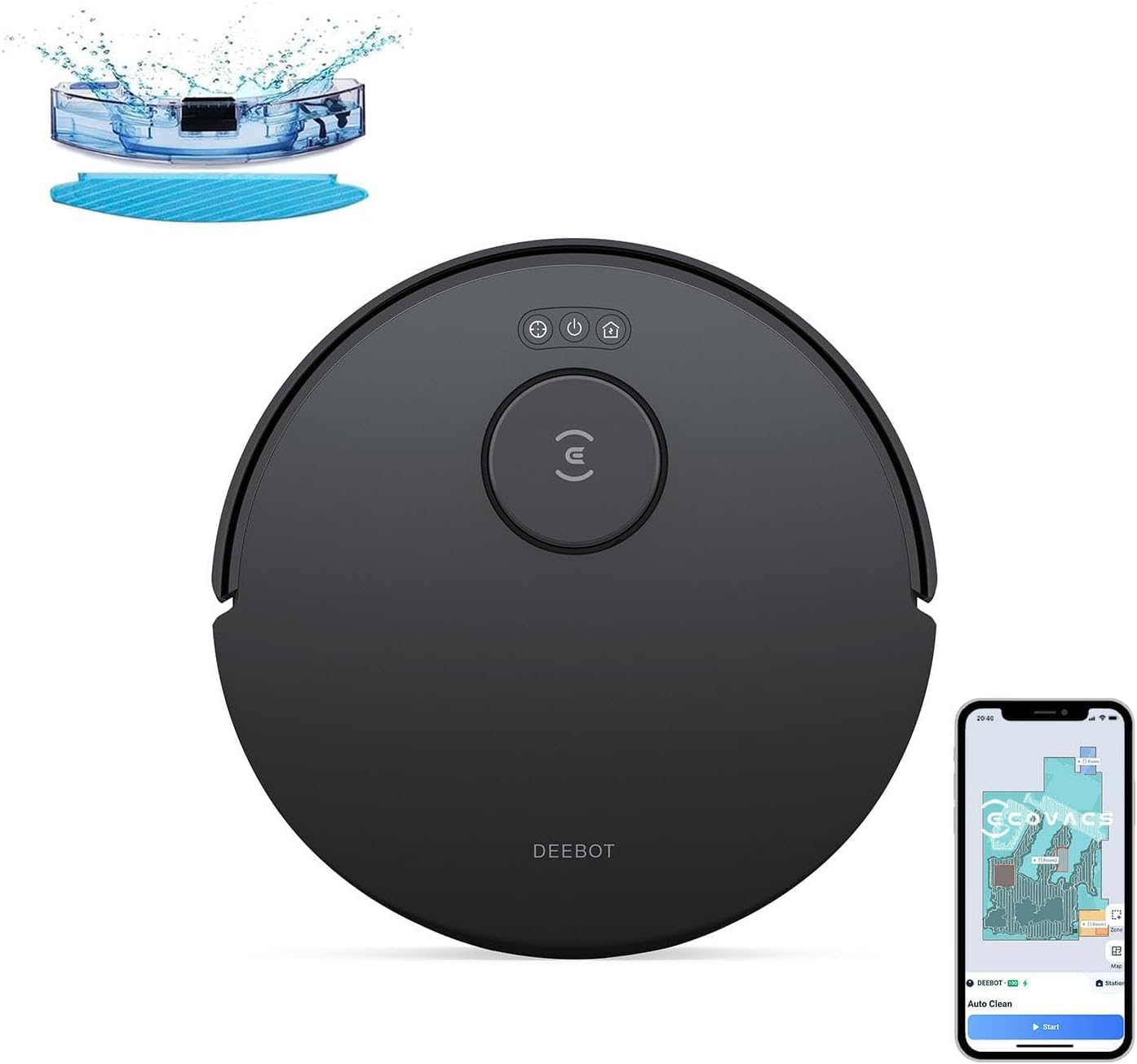
Figure 1: ECOVACS DEEBOT N30 Robot Vacuum Cleaner and its components.
Setup
- Spakkjar: Carefully remove all components from the packaging. Ensure all accessories are present.
- Pożizzjoni tal-Baċir tal-Iċċarġjar: Place the charging dock against a wall in an open area, ensuring there are no obstacles within 1 meter (3 feet) to the front and 0.5 meters (1.5 feet) to the sides. Connect the power adapter to the dock and a wall outlet.
- Ħlas Inizjali: Place the DEEBOT N30 onto the charging dock. The robot will begin charging automatically. For first-time use, ensure the robot is fully charged.
- Tniżżil u Konnessjoni tal-App:
- Download the ECOVACS HOME app from your smartphone's app store.
- Follow the in-app instructions to register an account and add your DEEBOT N30. This typically involves connecting the robot to your home Wi-Fi network.
- Prepare the Cleaning Area: Before the first cleaning, remove any loose cables, small objects, or fragile items from the floor. Open interior doors to allow the robot to map your home effectively.

Figure 2: The ECOVACS HOME app provides advanced control and mapping features.
Istruzzjonijiet Operattivi
Tibda Ċiklu ta' Tindif
- Bidu Manwali: Press the Auto Mode button on the robot or the main button on the charging dock to start a standard cleaning cycle.
- Kontroll tal-App: Use the ECOVACS HOME app to initiate cleaning, select specific cleaning modes (e.g., Auto, Spot, Zone), set suction power, and adjust water flow for mopping.
Modi tat-Tindif
- Tindif Awtomatiku: The robot automatically cleans the entire accessible area.
- Tindif tal-Post: Directs the robot to clean a specific small area with concentrated effort.
- Tindif taż-Żona: Allows you to define specific areas on the map for the robot to clean.
- Tindif Skedat: Set recurring cleaning times through the app.
Funzjoni Mopping
To use the mopping function, fill the water tank and attach the mopping pad. The DEEBOT N30 can vacuum and mop simultaneously. It is designed to avoid carpets during mopping mode.

Figure 3: The DEEBOT N30 offers combined vacuuming and mopping.
Mappatura u Navigazzjoni
The TrueMapping technology allows the DEEBOT N30 to create an accurate map of your home. This map can be viewed and customized in the app to set virtual boundaries, no-go zones, and specific cleaning areas. The robot can also overcome obstacles up to 20mm in height.

Figure 4: TrueMapping technology for efficient navigation and obstacle traversal.
Manutenzjoni
Regular maintenance ensures optimal performance of your DEEBOT N30. The app will notify you when certain components require cleaning or replacement.
Bin tat-Trab u Filtri
- Empty the dust bin after each cleaning cycle or as needed.
- Clean the filter regularly by tapping out dust. Replace the filter every 3-6 months, depending on usage.

Figure 5: The dustbin is designed for easy emptying without direct contact with debris.
ZeroTangle 2.0 Main Brush
- Inspect the main brush regularly for tangled hair or debris.
- The ZeroTangle 2.0 brush is designed to minimize hair entanglement, but occasional cleaning may still be required. Use the cleaning tool provided to remove any trapped hair.

Figure 6: The ZeroTangle 2.0 brush technology reduces hair entanglement.
Xkupilji tal-Ġnub
- Check side brushes for wear or damage. Clean any tangled hair or debris.
- Replace side brushes if they become worn or bent to maintain effective edge cleaning.
Sensuri u Kuntatti tal-Iċċarġjar
- Wipe the anti-drop sensors, anti-collision sensors, and charging contacts on both the robot and the charging dock with a clean, dry cloth.
- Keep these areas free of dust and debris to ensure proper operation.
Issolvi l-problemi
| Problema | Kawża Possibbli | Soluzzjoni |
|---|---|---|
| Ir-robot ma jixgħelx jew ma jirrispondix. | Batterija baxxa; swiċċ tal-enerġija mitfi; robot imwaħħal. | Ensure robot is fully charged. Check if the main power switch is on. Remove any obstructions. |
| Ir-robot jeħel spiss. | Obstacles like cables, small items, or furniture legs. | Clear the cleaning area of small objects and cables. Use the app to set virtual boundaries or no-go zones around problem areas. |
| Prestazzjoni fqira tat-tindif. | Full dust bin; clogged filter; worn brushes. | Empty the dust bin. Clean or replace the filter. Inspect and clean/replace main and side brushes. |
| Robot cannot connect to Wi-Fi or app. | Incorrect Wi-Fi password; weak signal; router issues. | Verify Wi-Fi password. Ensure robot is within Wi-Fi range. Restart your router and the robot. Follow in-app connection steps carefully. |
| Mopping function not working effectively. | Empty water tank; dirty mopping pad; incorrect water flow setting. | Fill the water tank. Clean or replace the mopping pad. Adjust water flow settings in the app. |
Speċifikazzjonijiet
- Mudell: N30
- Ditta: ECOVACS
- Qawwa tal-ġbid: 10,000Pa
- Tip ta' pinzell: ZeroTangle 2.0
- Teknoloġija tan-Navigazzjoni: TrueMapping
- Kapaċità tal-batterija: 5,200mAh
- Obstacle Climbing Ability: Sa 20mm
- Dimensjonijiet: Approximately 51.5 x 39.5 x 31.3 cm (Package Size)
- Kulur: Iswed
Garanzija u Appoġġ
For warranty information and technical support, please refer to the official ECOVACS website or contact ECOVACS customer service directly. Keep your purchase receipt as proof of purchase for warranty claims.
Manifattur: ECOVACS
ASIN: B0FMRCXBTJ
L-Ewwel Data Disponibbli: 10 ta’ Settembru, 2025


