1. Introduzzjoni
This manual provides essential information for setting up, operating, maintaining, and troubleshooting your MINIX ER937-AI Mini PC. Please read this guide thoroughly before using the device to ensure optimal performance and longevity.
Kontenut tal-Pakkett
- MINIX Elite ER937-AI Mini PC x 1
- VESA Mount x 1
- Adapter tal-Enerġija 19V/6.32A x 1
- Kejbil HDMI x 1
2. Prodott Aktarview
The MINIX ER937-AI is a high-performance Mini PC designed for demanding tasks, including business applications, gaming, 3D rendering, and AI computing. It features an AMD Ryzen AI 9 HX 370 processor, Radeon 890M graphics, and advanced connectivity options.
Front and Rear Panel Interfaces
Familiarize yourself with the ports and buttons on your Mini PC.

Stampa 2.1: Front and Rear Panel Interfaces. The front panel includes USB 4.0, USB 3.2, Microphone, Audio Jack, and Power Button/LED. The rear panel features Power Jack, USB 4.0, 2.5G RJ45 LAN, DP 2.0, HDMI 2.1, USB 3.2, and Kensington Lock.
- Panel ta' quddiem: USB-C 4.0 (x2), USB-A 3.2 Gen2 (x2), Audio Jack, Microphone, Power Button with Fingerprint Sensor, Clear CMOS Button.
- Panel ta 'wara: Power Jack, USB-A 3.2 Gen2 (x1), HDMI 2.1, DisplayPort 2.0, Dual 2.5G RJ45 LAN ports, Kensington Lock.
3. Gwida ta' Setup
3.1 Konnessjoni Inizjali
- Ikkonnettja l-Periferali: Connect your monitor(s) to the HDMI 2.1 and/or DisplayPort 2.0 ports. For multi-monitor setups, utilize the USB-C 4.0 ports which also support 8K@60Hz display output. Connect your keyboard and mouse to the available USB-A ports.
- Konnessjoni tal-Enerġija: Connect the provided 19V/6.32A power adapter to the Mini PC's power jack and then to a power outlet.
- Konnessjoni man-Netwerk (Mhux obbligatorja): For a wired connection, connect an Ethernet cable to one of the 2.5G RJ45 LAN ports. For wireless, Wi-Fi 7 is available after initial setup.
3.2 L-Ewwel Startjar
- Press the power button located on the front panel. The power LED will illuminate.
- The system will boot into Windows 11 Pro. Follow the on-screen instructions to complete the initial Windows setup, including language, region, network configuration, and user account creation.
- During setup, you can configure the fingerprint sensor for secure and fast logins using Windows Hello.
3.3 Installazzjoni tal-Muntatura VESA
The included VESA mount allows you to attach the Mini PC to the back of a compatible monitor or TV, saving desk space.
- Attach the VESA mount bracket to the back of your monitor using the screws provided with your monitor (or the VESA mount if included). Ensure the mount is securely fastened.
- Slide the MINIX ER937-AI Mini PC onto the VESA mount until it clicks into place.
4. Istruzzjonijiet Operattivi
4.1 Power On/Off u Nerġgħu
- Qawwa Mixgħul: Agħfas il-buttuna tal-qawwa.
- Itfi: Ikklikkja l-buttuna Start fil-Windows, imbagħad agħżel Power > Shut down.
- Ibda mill-ġdid: Ikklikkja l-buttuna Start fil-Windows, imbagħad agħżel Power > Restart.
- Forza l-Għeluq: If the system is unresponsive, press and hold the power button for approximately 5-7 seconds until the device powers off. Use this only as a last resort.
4.2 Konnettività tan-Netwerk
- Wi-Fi 7: Access network settings in Windows to connect to available Wi-Fi 7 (2.4GHz/5GHz/6GHz) networks.
- 2.5G LAN: Plug an Ethernet cable into either of the two 2.5G RJ45 LAN ports for a high-speed wired connection.
- Bluetooth 5.4: Enable Bluetooth in Windows settings to pair with compatible devices such as keyboards, mice, or audio peripherals.
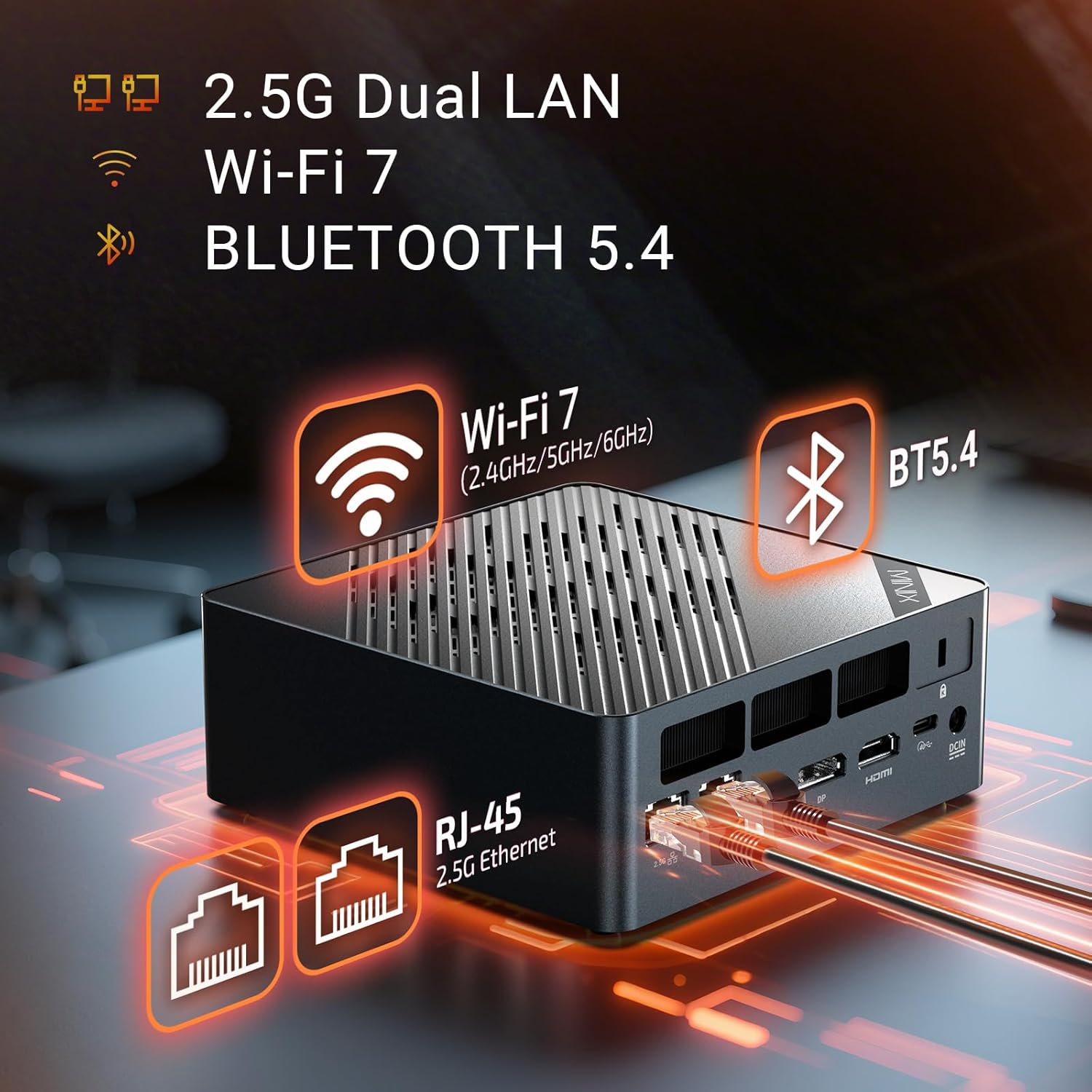
Stampa 4.1: Ultra-Fast Connections. The Mini PC supports Wi-Fi 7, Bluetooth 5.4, and dual 2.5G Ethernet for robust network performance.
4.3 Konfigurazzjoni tal-Wiri
The MINIX ER937-AI supports up to four 8K@60Hz displays simultaneously.
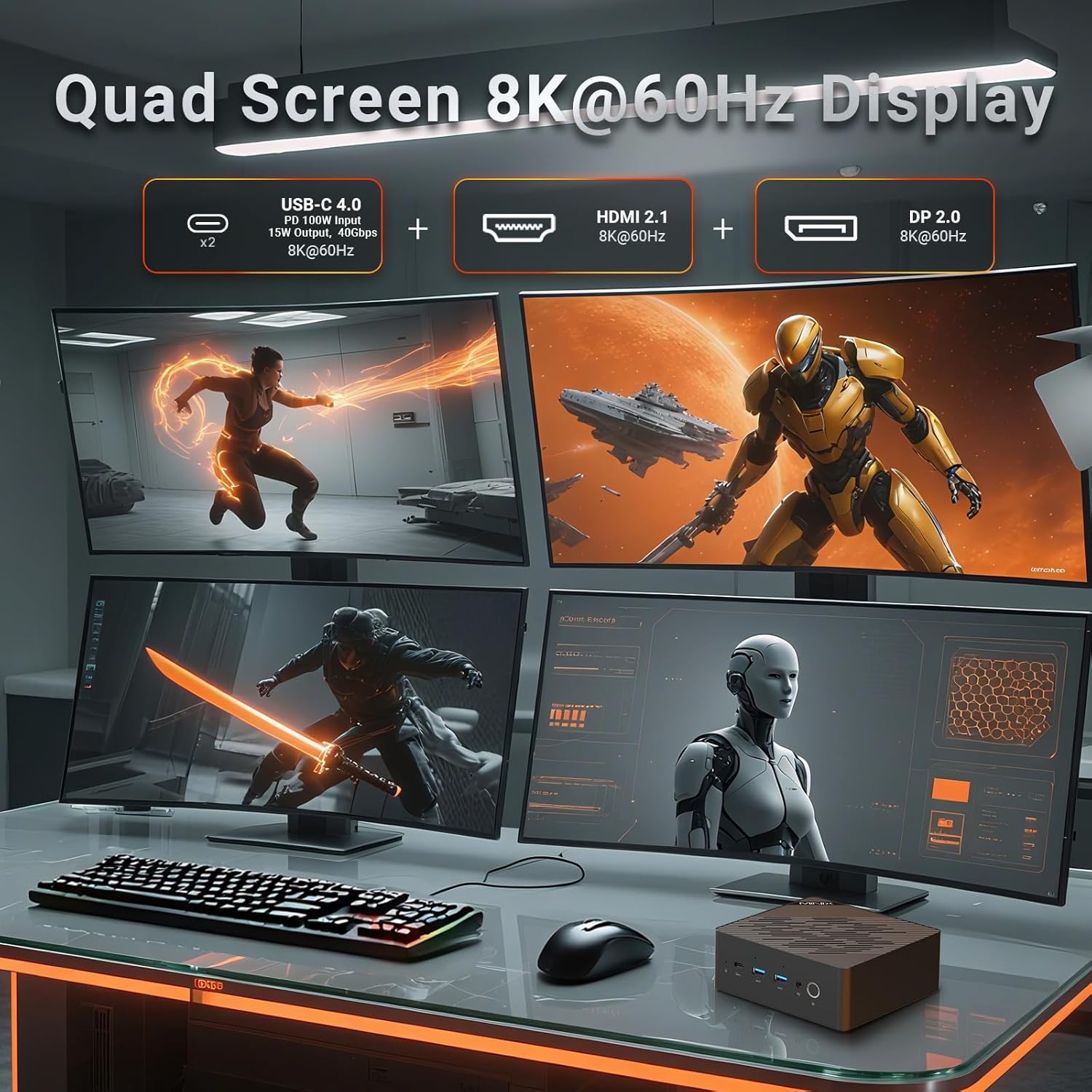
Stampa 4.2: Quad Screen 8K@60Hz Display. The Mini PC can drive up to four 8K monitors via USB-C 4.0, HDMI 2.1, and DisplayPort 2.0.
- Connect monitors using the HDMI 2.1, DisplayPort 2.0, and two USB-C 4.0 ports.
- In Windows Display Settings, you can configure display arrangement, resolution, and orientation.
4.4 USB-C 4.0 Functionality
The two USB-C 4.0 ports offer versatile functionality:
- Power Delivery (PD) Input: Supports 100W power input.
- Power Delivery (PD) Output: Provides 15W power output for charging compatible devices.
- Trasferiment tad-Data: Up to 40Gbps for high-speed data transfer.
- Output tal-Wiri: Supports 8K@60Hz video output.
4.5 Karatteristiċi tal-AI
Leverage the AMD Ryzen AI 9 HX 370 processor's NPU for enhanced AI capabilities:
- Kopilota tal-Windows: Utilize AI-powered features within Windows 11 Pro, such as Recall and real-time translation.
- Aċċelerazzjoni tal-AI: Benefit from up to 80 TOPS (Trillions of Operations Per Second) for AI tasks like drawing and voice interaction in compatible applications.
5. Manutenzjoni u Aġġornamenti
5.1 Sistema tat-tkessiħ
The Mini PC features dual independent fans for efficient cooling of the CPU and SSD, ensuring stable performance under heavy loads.

Stampa 5.1: Dual Cooling Fans. Separate fans cool the CPU and SSD to prevent overheating and maintain performance.
To maintain optimal cooling, ensure the ventilation grilles are not obstructed. Periodically clean dust from the chassis using compressed air. The magnetic quick-release chassis allows for easy access for cleaning.
5.2 Espansjoni tal-Ħażna
The Mini PC comes with a 1TB M.2 2280 PCIe 4.0x4 NVMe SSD and includes a second M.2 2280 PCIe 4.0x4 NVMe slot for additional storage, supporting up to 8TB.

Stampa 5.2: Ample Memory & Storage. The Mini PC supports 32GB DDR5 RAM and a 1TB PCIe 4.0 NVMe SSD, with expansion options.
To install an additional SSD:
- Itfi l-Mini PC u skonnettja l-kejbils kollha.
- Carefully open the chassis (refer to the magnetic quick-release mechanism).
- Locate the empty M.2 slot. Insert the new M.2 NVMe SSD at an angle and secure it with the provided screw.
- Close the chassis and reconnect cables. The new SSD will need to be initialized and formatted in Windows Disk Management.
5.3 RAM Upgrade
The device is equipped with 32GB dual-channel DDR5-5600 RAM (2x DDR5 SO-DIMM slots) and is expandable up to 96GB.
To upgrade RAM:
- Itfi l-Mini PC u skonnettja l-kejbils kollha.
- Iftaħ ix-chassis bir-reqqa.
- Locate the DDR5 SO-DIMM slots. If replacing existing modules, gently push the clips on either side of the module outwards to release it.
- Insert new DDR5 SO-DIMM modules at an angle and push down until the clips snap into place.
- Close the chassis and reconnect cables.
5.4 Buttuna CMOS ċara
A Clear CMOS button is available on the front panel. This button can be used to reset BIOS settings to their default values if you encounter boot issues related to BIOS configuration. Consult technical support before using this feature.
6 Issolvi l-problemi
If you encounter issues with your MINIX ER937-AI Mini PC, refer to the following common solutions:
- Ebda Qawwa:
- Kun żgur li l-adapter tal-enerġija huwa konness sew kemm mal-Mini PC kif ukoll ma' sokit tal-enerġija li jaħdem.
- Ivverifika li s-sokit tal-enerġija jaħdem billi tqabbad apparat ieħor.
- Ebda Display:
- Iċċekkja li l-monitor huwa mixgħul u li s-sors tad-dħul korrett huwa magħżul.
- Ensure display cables (HDMI, DisplayPort, USB-C) are securely connected to both the Mini PC and the monitor.
- Ipprova qabbad ma' display port differenti jew uża kejbil differenti.
- Kwistjonijiet ta' Konnettività tan-Netwerk:
- For Wi-Fi, check Windows network settings, ensure Wi-Fi is enabled, and try reconnecting to your network.
- For wired LAN, ensure the Ethernet cable is properly connected and your router/modem is functioning.
- Erġa' ibda r-router/modem tiegħek u l-Mini PC.
- Sensur tal-Marki tas-Swaba' Mhux Jaħdem:
- Kun żgur li subgħajk ikun nadif u niexef.
- Irreġistra mill-ġdid il-marka tas-swaba' tiegħek fis-settings tal-Windows Hello.
- Kwistjonijiet tal-Prestazzjoni tas-Sistema:
- Ensure the Mini PC has adequate ventilation and is not placed in an enclosed space.
- Check for excessive background processes in Task Manager.
- Update drivers and Windows 11 Pro to the latest versions.
If problems persist, refer to the Support section for further assistance.
7. Speċifikazzjonijiet
Detailed technical specifications for the MINIX ER937-AI Mini PC.
| Karatteristika | Speċifikazzjoni |
|---|---|
| Mudell | ER937-AI |
| Sistema Operattiva | Windows 11 Pro |
| Proċessur | AMD Ryzen AI 9 HX 370 (12C/24T, up to 5.1GHz) |
| Grafika | AMD Radeon 890M, Ryzen AI NPU (80 TOPS overall) |
| RAM | 32GB DDR5-5600 (2x SO-DIMM slots, expandable to 96GB) |
| Ħażna | 1TB M.2 2280 PCIe 4.0x4 NVMe SSD (second slot expandable to 8TB) |
| Konnettività bla fili | Wi-Fi 7, Bluetooth 5.4 |
| Konnettività bil-fili | Dual 2.5G RJ45 LAN |
| Portijiet USB | 2x USB-C 4.0 (PD 100W input, 15W output), 3x USB-A 3.2 Gen2 |
| Output tal-vidjo | HDMI 2.1, DisplayPort 2.0, 2x USB-C 4.0 (Quad 8K@60Hz support) |
| Awdjo | Audio Jack, Dual Hidden Microphones |
| Sigurtà | Fingerprint-enabled Power Button, Kensington Lock |
| Tkessiħ | Dual Independent Fans (CPU & SSD) |
| Dimensjonijiet (LxWxH) | 5.52 x 5.5 x 2.2 pulzieri |
| Piż | 2.06 liri |
8. Garanzija u Appoġġ
8.1 Informazzjoni dwar Garanzija
For specific warranty terms and conditions, please refer to the documentation included with your product or visit the official MINIX websit. Il-kopertura tal-garanzija tipikament tinkludi difetti fil-materjali u x-xogħol taħt użu normali.
8.2 Appoġġ Tekniku
If you require technical assistance or have questions not covered in this manual, please use the following resources:
- Appoġġ onlajn: Visit your Amazon account, navigate to "Your Orders," and select "Ask Product Question" for the MINIX ER937-AI Mini PC.
- Uffiċjali Websit: For offline maintenance services and additional support resources, please visit the official MINIX websit.


