1. Introduzzjoni
This manual provides essential information for setting up, operating, maintaining, and troubleshooting your TCL 55C6K 55-inch 4K QD-Mini LED Google TV. Please read this manual thoroughly before using your television to ensure proper and safe operation.

Figura 1.1: Quddiem view of the TCL 55C6K 55-inch TV.
2. X'hemm fil-Kaxxa
Ivverifika li l-komponenti kollha huma preżenti fl-imballaġġ:
- 1N LED TV (TCL 55C6K)
- Cable Awdjo 1N
- 1N Stand (Table Top Stand)
- 1N Manwal għall-Utent
- Karta ta' Garanzija 1N
- 1N Power Cord
- 1N Kontroll mill-bogħod
- Batteriji 2N AAA
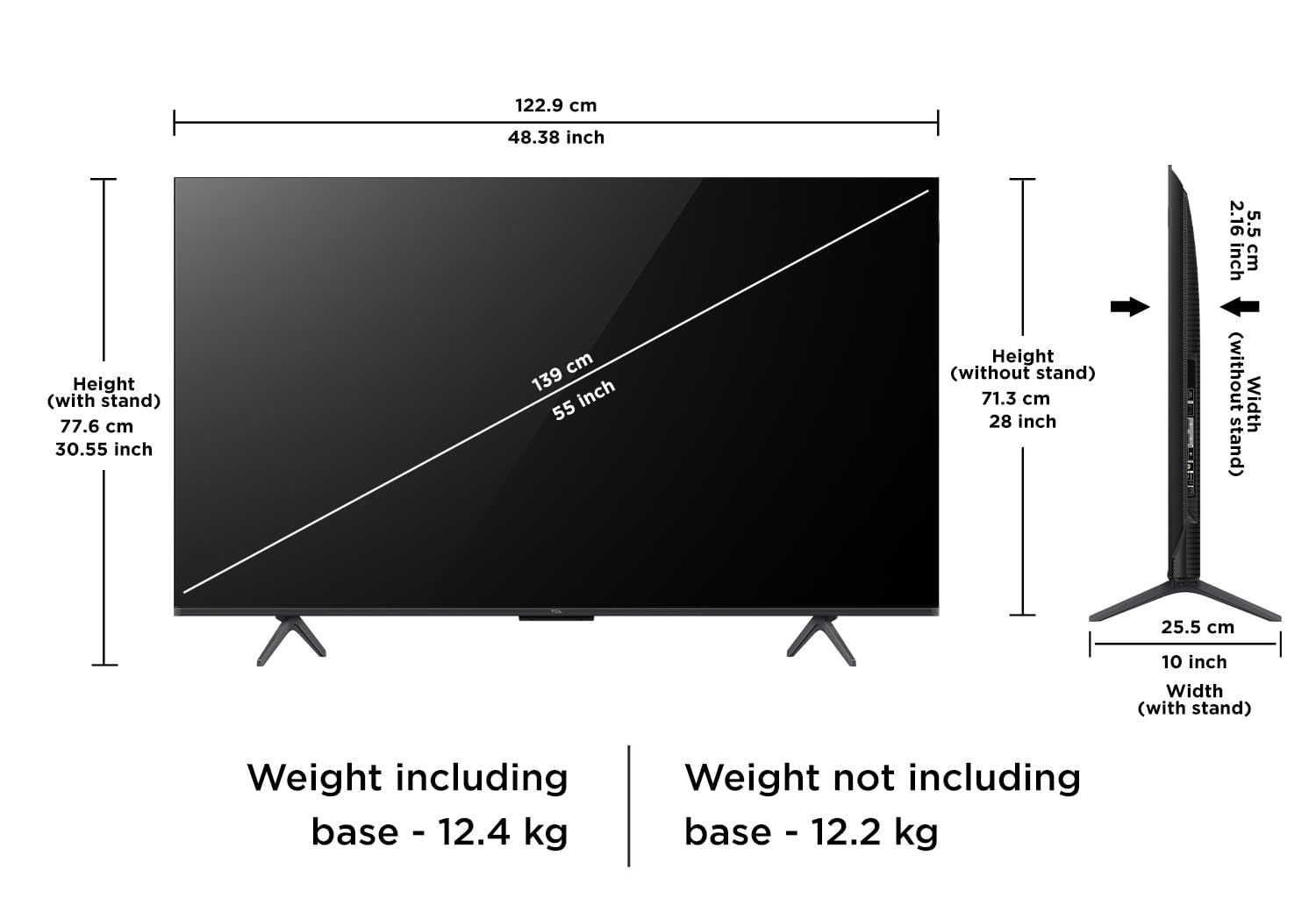
Figure 2.1: Included items in the TCL 55C6K TV box. Note that a fixed wall mount is not included and must be purchased separately.
3. Setup
3.1. Installazzjoni tal-Istand jew tal-Muntatura mal-Ħajt
Your TCL 55C6K TV comes with a table top stand. Follow the instructions provided in the separate stand assembly guide to attach it securely. If you prefer wall mounting, a compatible wall mount kit must be purchased separately. Ensure the wall mount is installed by a qualified professional to prevent damage or injury.
3.2. Konnessjoni Periferali
Connect your external devices such as set-top boxes, gaming consoles, or sound systems to the appropriate ports on the TV. Refer to the port diagram below for connection points.

Figure 3.1: Connectivity ports on the TCL 55C6K TV, including USB 3.0, LAN, HDMI, and Audio Out.
- Portijiet HDMI: Connect high-definition devices. This TV features 3 HDMI ports, including one with eARC support.
- Port USB: Għall-konnessjoni ta' apparati tal-ħażna USB.
- Port tal-LAN: Għal konnessjoni tal-internet bil-fili.
- Input tal-Antenna/Satellita: For connecting an antenna or satellite dish.
- Ħruġ tal-Awdjo Diġitali (Ottiku): For connecting to external audio receivers.
3.3. Konnessjoni tal-Enerġija
After connecting all necessary cables, plug the power cord into the TV and then into a wall outlet. The TV will enter standby mode.
3.4. Setup Inizjali
Press the power button on the remote control to turn on the TV. Follow the on-screen instructions to complete the initial setup, which includes language selection, network connection (Wi-Fi or Ethernet), and Google account sign-in for Google TV features.
4. Tħaddem it-TV tiegħek
4.1. Funzjonijiet ta 'Kontroll mill-bogħod
The included smart remote provides access to all TV functions. Insert the two AAA batteries into the remote control, ensuring correct polarity.
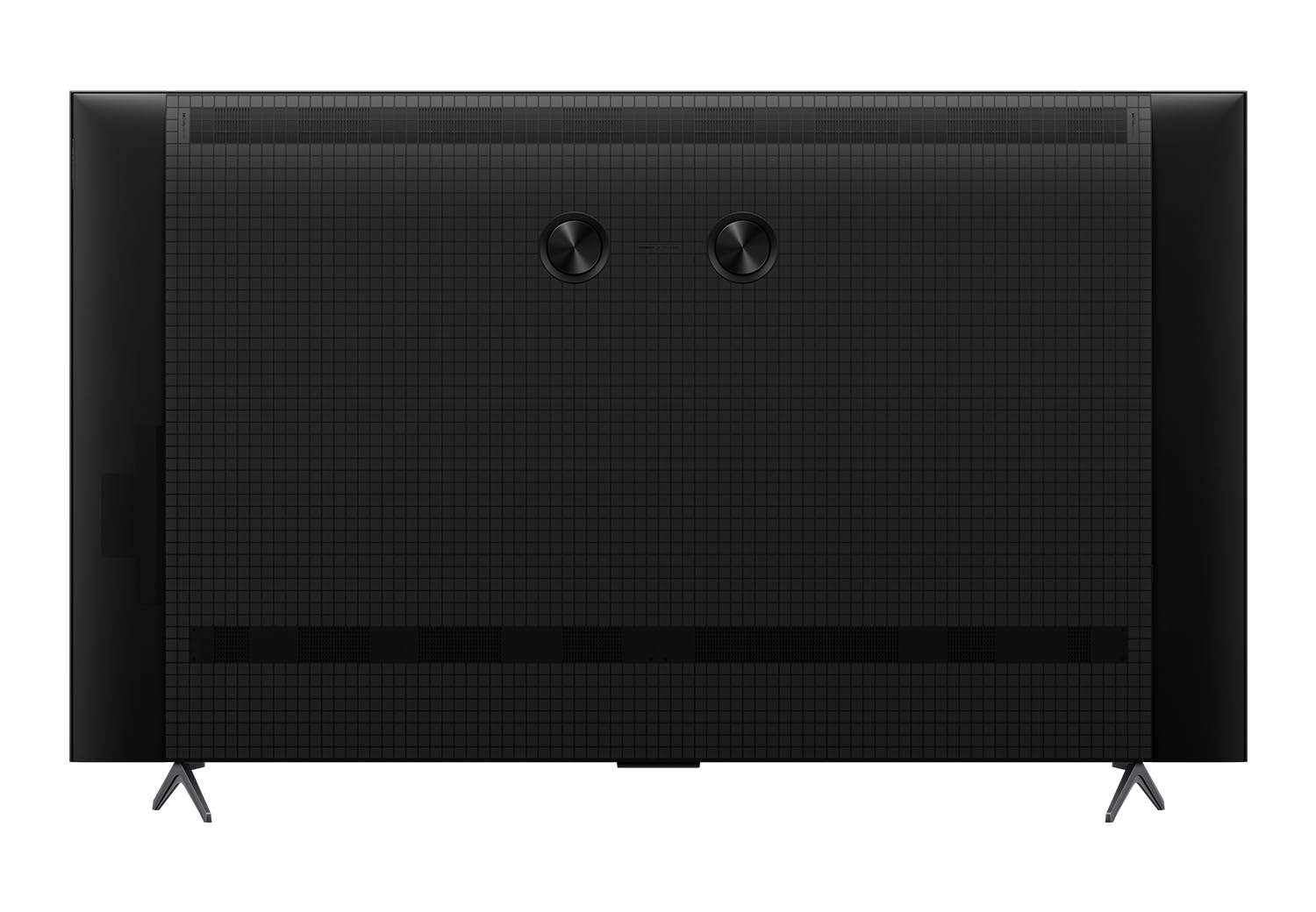
Figure 4.1: The TCL 55C6K remote control, featuring dedicated hotkeys for popular streaming services and Google Assistant access.
- Buttuna tal-Qawwa: Ixgħel jew jitfi t-TV.
- Pad tan-Navigazzjoni: Għan-navigazzjoni tal-menù.
- Buttuna OK: Jikkonferma l-għażla.
- Buttuna Lura: Terġa' lura għall-iskrin ta' qabel.
- Buttuna tad-dar: Jaċċessa l-iskrin ewlieni ta' Google TV.
- Buttuni tal-Volum: Jaġġusta l-volum.
- Buttuna tal-Assistent tal-Google: Jattiva l-kmandi tal-vuċi.
- Buttuni tal-App Dedikati: Quick access to streaming services like Netflix, Prime Video, etc.
4.2. L-Interfaċċja tat-TV tal-Google
Your TV runs on Google TV, offering a personalized content experience. The home screen provides access to streaming apps, live TV, and personalized recommendations.

Figure 4.2: The Google TV interface on the TCL 55C6K, showing various streaming applications.
- Aċċess għall-App: Navigate to the 'Apps' section to download and manage your favorite streaming applications.
- Google Assistent: Use voice commands via the remote to search for content, control smart home devices, or get information.
- Mirror tal-iskrin: Cast content from compatible smartphones or tablets to your TV.
4.3. Display Settings
The TCL 55C6K features a QD-Mini LED panel with 4K resolution and a 144Hz refresh rate. You can adjust picture settings to optimize your viewing esperjenza.

Figure 4.3: Key display features of the TCL 55C6K TV, including QD-Mini LED and 144Hz refresh rate.
- Modi tal-Istampa: Select from various preset picture modes (e.g., Standard, Vivid, Movie, Game) or customize settings like brightness, contrast, and color.
- HDR 10: The TV supports HDR10 for enhanced contrast and color in compatible content.
- Rata ta' Riffriskar Nattiva ta' 144Hz: Provides smoother motion, especially beneficial for gaming.
- Mikro Dimming: Enhances contrast by analyzing and adjusting brightness in different zones of the screen.
4.4. Settings tal-Awdjo
The TV features 40 Watts output with Dolby Audio and ONKYO 2.1ch Hi-Fi System for an immersive sound experience.
- Modi tal-Ħsejjes: Choose from various sound modes (e.g., Standard, Music, Movie, Voice) or adjust equalizer settings.
- Dolby Atmos: Experience immersive, multi-dimensional sound with compatible content.
- Awdjo Esterni: Connect external sound systems via HDMI (eARC) or Digital Audio Out for enhanced audio.
5. Manutenzjoni
5.1. Tindif tat-TV
- Dejjem aqla’ t-TV qabel ma tnaddaf.
- Uża drapp artab u niexef biex timsaħ l-iskrin u l-kabinett. Għal marki persistenti, nixxef bil-mod.ampLaħlaħ id-drapp bl-ilma jew b'tindif tal-iskrin ħafif u mhux abrażiv.
- Qatt m'għandek tisprejja t-tindif direttament fuq l-iskrin.
5.2. Kura Ġenerali
- Evita li tpoġġi t-TV fid-dawl tax-xemx dirett jew ħdejn sorsi ta’ sħana.
- Aċċerta ruħek li jkun hemm ventilazzjoni adegwata madwar it-TV.
- Twaqqafx il-fetħiet tal-ventilazzjoni.
6 Issolvi l-problemi
Jekk tiltaqa' ma' problemi bit-TV tiegħek, irreferi għall-problemi u s-soluzzjonijiet komuni li ġejjin:
| Problema | Soluzzjoni Possibbli |
|---|---|
| Ebda qawwa | Iċċekkja jekk il-korda tal-enerġija hijiex imdaħħla sew fit-TV u fis-sokit tal-ħajt. Kun żgur li s-sokit tal-ħajt qed jaħdem. |
| L-ebda stampa, iżda l-ħoss huwa preżenti | Iċċekkja s-sors tad-dħul. Kun żgur li l-apparati esterni huma konnessi u mixgħula sew. |
| L-ebda ħoss, iżda l-istampa hija preżenti | Check the volume level and mute status. Verify audio cable connections for external devices. Check TV audio output settings. |
| Il-kontroll mill-bogħod ma jaħdimx | Ibdel il-batteriji. Kun żgur li m'hemm l-ebda ostaklu bejn ir-remote u s-senser IR tat-TV. |
| Kwistjonijiet ta 'konnessjoni Wi-Fi | Restart your router and the TV. Check Wi-Fi password. Ensure the TV is within range of the router. |
| Kwistjonijiet fil-kwalità tar-ritratt (eż., imċajpra, distorta) | Aġġusta s-settings tal-immaġni. Iċċekkja l-kwalità tas-sinjal tad-dħul jew tal-kontenut tas-sors. |
For further assistance, refer to the full troubleshooting section in the digital user manual available on the TCL support websit jew ikkuntattja l-appoġġ tal-klijent.
7. Speċifikazzjonijiet
Detailed technical specifications for the TCL 55C6K 55-inch 4K QD-Mini LED Google TV:
| Karatteristika | Speċifikazzjoni |
|---|---|
| Brand | TCL |
| Mudell | 55C6K |
| Daqs tal-Iskrin | 55 Pulzier (139 ċm) |
| Teknoloġija tal-Wiri | QD-Mini LED |
| Riżoluzzjoni | 4K Ultra HD (3840 x 2160) |
| Riffriskar Rata | 144 Hz |
| Sistema Operattiva | Google TV |
| RAM | 3 GB |
| Ħażna Interna (ROM) | 32 GB |
| Proċessur | 64-bit Quad Core Processor (AiPQ Processor) |
| Konnettività | Wi-Fi 5, Ethernet, Bluetooth, 3 HDMI Ports (1 with eARC), 1 USB Port |
| Output tal-Ħoss | 40 Watts (ONKYO 2.1ch Hi-Fi System) |
| Teknoloġija Awdjo | Dolby Audio, Dolby Atmos |
| Karatteristiċi Speċjali | QD-Mini LED, 512+ Local Dimming Zones, HDR 10, AiPQ Processor, 100% Color Volume Plus, 178 Degree Wide Viewing Angle, Micro Dimming, Metallic Bezel-Less Design, Google Assistant, Prime Video, Netflix, Hotstar, Zee5, Web Browser, Screen Mirroring, Works with Alexa, Multiple Eye Care |
| Dimensjonijiet tal-Prodott (LxWxH) | 122.9 x 29.7 x 77.6 ċm (bl-istand) |
| Piż tal-oġġett | 12.2 kg (without stand), 12.4 kg (with stand) |
| Sors tal-Enerġija | AC 240 Volts |
| Klassifikazzjoni tal-Enerġija | 2 Star (Annual Energy Consumption: 229 kWh/Year) |

Figure 7.1: Dimensions and weight specifications for the TCL 55C6K TV.

Figure 7.2: Energy label for the TCL 55C6K TV, indicating its 2-star rating and annual energy consumption.
8. Garanzija u Appoġġ
8.1. Informazzjoni dwar Garanzija
The manufacturer provides a 2-year warranty from the date of purchase for the television unit and a 6-month warranty for the remote control. Warranty claims can be processed using your Amazon e-invoice.
8.2. Appoġġ għall-Klijent
For any technical assistance, service requests, or further inquiries, please refer to the official TCL India website or contact their customer service. The user manual can also be accessed from the brand website under the 'About this item' or 'Product details' section.


