1. Introduzzjoni
This manual provides comprehensive instructions for the setup, operation, and maintenance of your ULTIMEA Skywave X40 5.1.2ch Wireless Surround Sound System. This system is designed to deliver an immersive audio experience with Dolby Atmos, featuring a soundbar, wireless subwoofer, and two wireless surround speakers.
Please read this manual thoroughly before using the product to ensure proper operation and to maximize your enjoyment of the system.
2. Informazzjoni dwar is-Sigurtà
- Tesponix dan l-apparat għal taqtir jew titjir ta' ilma.
- Tpoġġix oġġetti mimlija bil-likwidi, bħal vażuni, fuq l-apparat.
- Aċċerta ruħek li jkun hemm ventilazzjoni xierqa. Timblokkax xi fetħiet tal-ventilazzjoni.
- Place the system on a stable, flat surface.
- Uża biss aċċessorji/aċċessorji speċifikati mill-manifattur.
- Spluggja l-apparat waqt maltempati tas-sajjetti jew meta ma jintużax għal perjodi twal.
- Irreferi l-manutenzjoni kollha lil persunal tas-servizz kwalifikat.
3. Kontenut tal-Pakkett
Iċċekkja li l-oġġetti kollha elenkati hawn taħt huma inklużi fil-pakkett tiegħek:
- 1 X Soundbar
- 1 X 10" Subwoofer
- 2 X Surround Speaker
- 1 X Soundbar Power Adaptor
- 1 X Subwoofer Power Cord
- 2 X Surround Power Adaptor
- 1 X Cable HDMI
- 1 X Digital Optical Cable
- 1 X Remote Control (Battery not included)
- 1 X Manwal tal-Utent
- 1 X Wall Mounting Guide
- 12 X Bracket Screw
- 6 X Bracket
- 6 X Ankri tal-Ħajt
4. Prodott Aktarview
The ULTIMEA Skywave X40 system consists of a main soundbar, a wireless subwoofer, and two wireless surround speakers, designed to create a 5.1.2 channel audio environment.

Immaġni: Fuqview of the ULTIMEA Skywave X40 system, showing the soundbar, wireless subwoofer, and two wireless surround speakers.
4.1 Soundbar Features
- Up-Firing Speakers: Two integrated up-firing speakers project sound upwards for immersive overhead audio effects, crucial for Dolby Atmos.
- Panel tal-Kontroll: Located on the top of the soundbar for easy access to power, volume, and input selection.
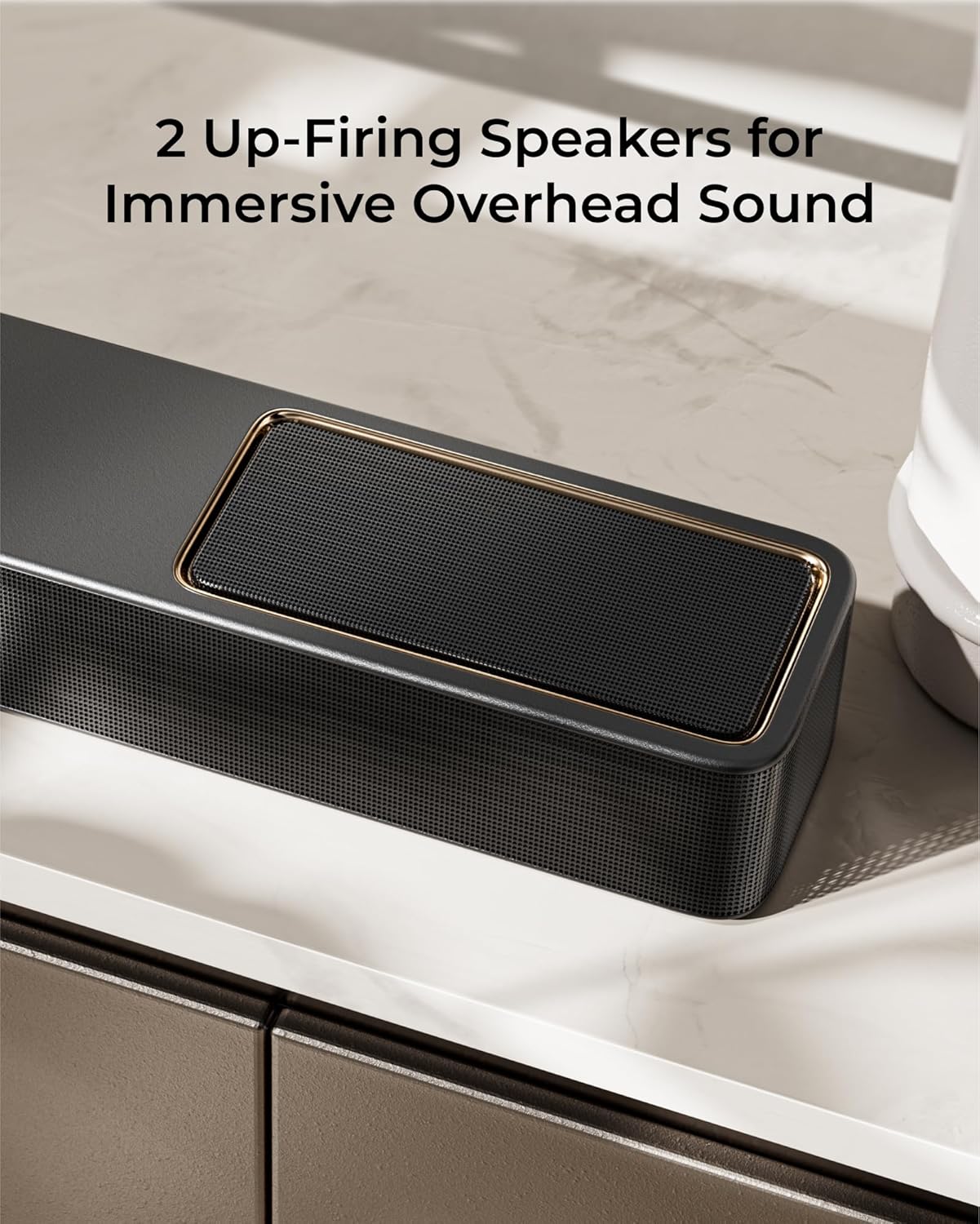
Immaġni: Dettaljata view of the soundbar's up-firing speakers, designed to enhance the vertical sound dimension.
4.2 Subwoofer bla fili
- 6.5-inch Driver: Delivers deep, powerful bass frequencies.
- Konnettività Wireless: Connects wirelessly to the soundbar for flexible placement.
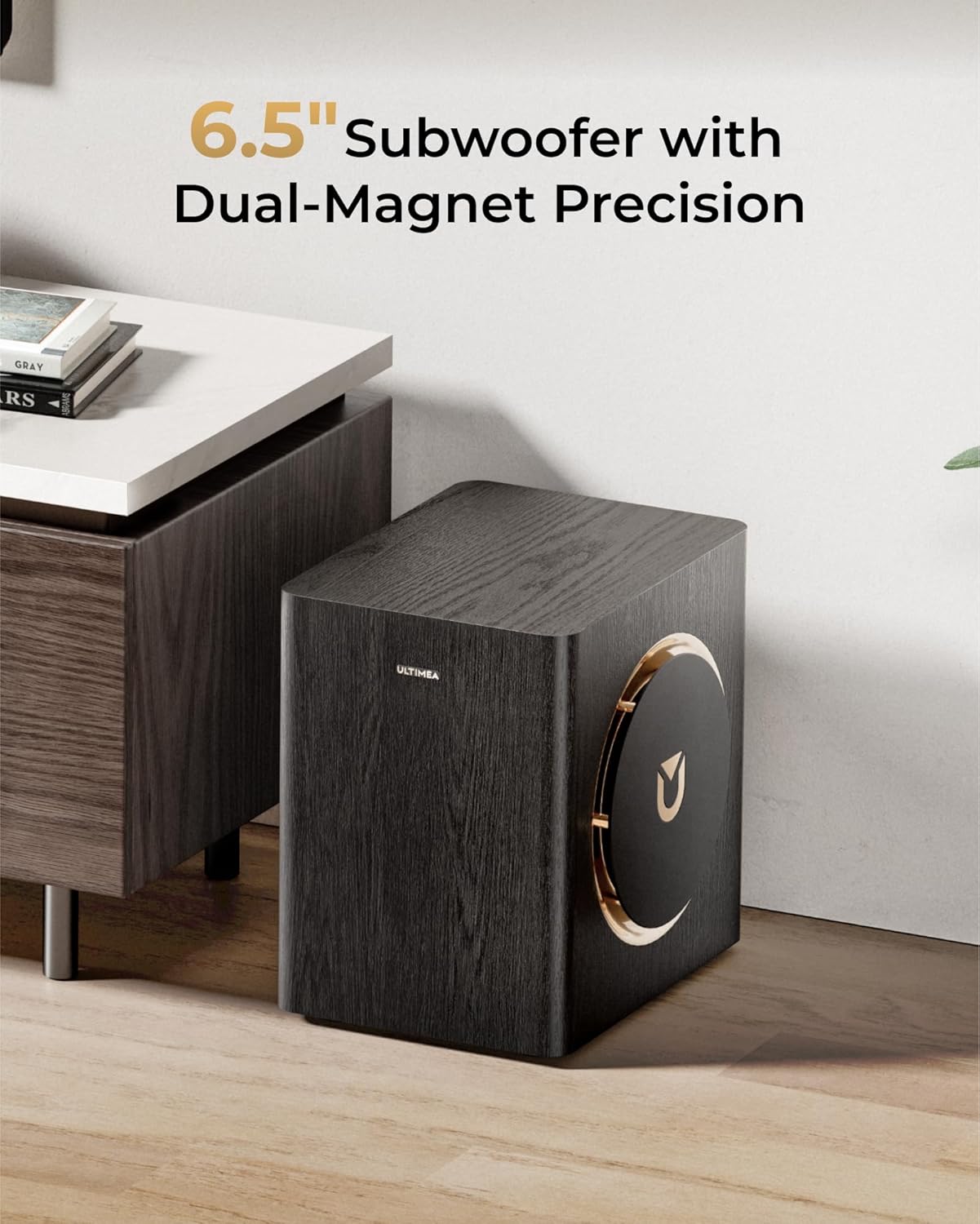
Image: The wireless subwoofer, featuring a 6.5-inch driver and a stylish wooden finish with gold accents.
4.3 Wireless Surround Speakers
- Rear Channel Audio: Provide discrete rear channel audio for a complete surround sound field.
- Disinn bla fili: Connect wirelessly to the soundbar, simplifying setup and placement.

Image: The two compact wireless surround speakers, designed for placement behind the listening area.
5. Setup
5.1 Soundbar Assembly
The soundbar may come in multiple sections. Connect the sections by aligning the connectors and gently pushing them together until they click into place.

Image: Diagram illustrating the process of connecting the soundbar sections.
5.2 Tqegħid tal-Komponent
For optimal sound performance, position the soundbar centrally below your TV. Place the wireless subwoofer in a location that provides balanced bass, typically near the soundbar or in a corner. The wireless surround speakers should be placed behind your primary listening position, ideally at ear level or slightly above.
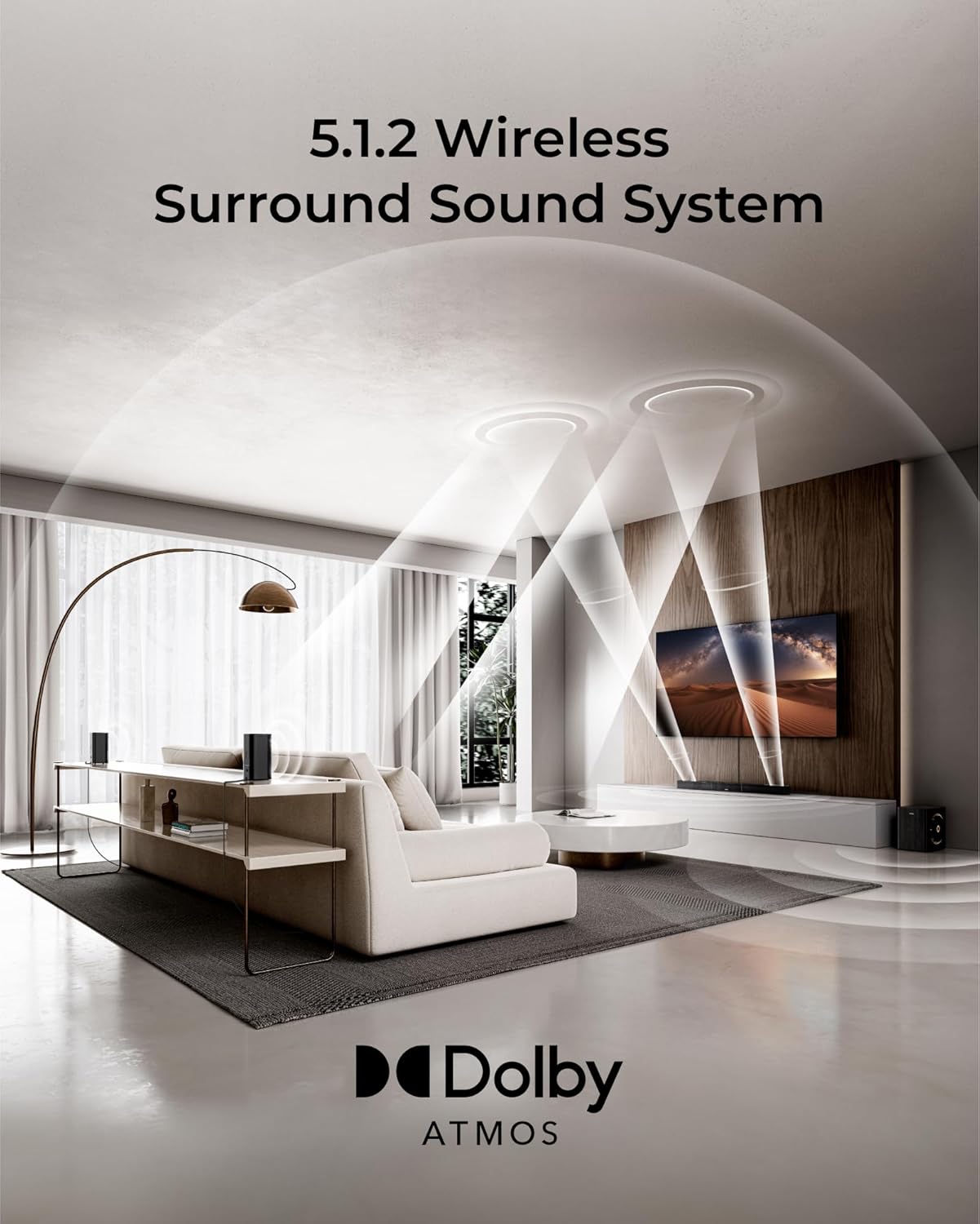
Image: A visual guide for placing the soundbar, subwoofer, and surround speakers in a living room setup for 5.1.2 channel audio.
5.3 Konnessjonijiet tal-Enerġija
- Connect the soundbar power adaptor to the soundbar's DC IN port and then to a power outlet.
- Connect the subwoofer power cord to the subwoofer and then to a power outlet.
- Connect the surround speaker power adaptors to each surround speaker and then to power outlets.
The soundbar, subwoofer, and surround speakers are designed to automatically pair upon powering on. If pairing does not occur, refer to the troubleshooting section.
6. Konnessjonijiet
The ULTIMEA Skywave X40 offers multiple connectivity options for various audio sources.

Image: Diagram showing the available input ports on the rear of the soundbar, including HDMI eARC, HDMI IN, Optical, USB, and DC IN.
6.1 HDMI eARC Connection
For the best audio quality and control, connect your TV's HDMI eARC/ARC port to the soundbar's HDMI TO TV (eARC) port using the provided HDMI cable. This allows for high-resolution audio transmission and TV remote control of the soundbar's volume.

Image: A close-up of an HDMI cable connected to a device, illustrating the 4K HDR passthrough capability.
6.2 HDMI IN Connection
Connect external devices such as gaming consoles, Blu-ray players, or streaming devices to the soundbar's HDMI IN port. This allows the soundbar to process the audio and pass the video signal through to your TV.
6.3 Optical Connection
If your TV does not support HDMI ARC/eARC, use the optical cable to connect your TV's optical output to the soundbar's OPTICAL input. Ensure your TV's audio output is set to 'PCM' or 'Stereo' if you experience no sound.
6.4 Konnessjoni Bluetooth
Biex tikkonnettja apparat Bluetooth:
- Press the Bluetooth button on the remote control or soundbar to enter Bluetooth pairing mode. The display will show 'BT'.
- On your device, search for 'ULTIMEA Skywave X40' in the Bluetooth settings and select it to pair.
- Once connected, the display will show 'PAIRED'.
6.5 Daqq tal-USB
Insert a USB drive into the USB port on the soundbar to play audio files. The system supports common audio formats.
7. Istruzzjonijiet Operattivi
7.1 Power On/Off
Press the power button on the soundbar or remote control to turn the system on or off.
7.2 Għażla tal-Input
Press the 'Input' button on the remote control or soundbar to cycle through available input sources (HDMI eARC, HDMI IN, Optical, Bluetooth, USB).
7.3 Kontroll tal-Volum
Use the 'Volume +' and 'Volume -' buttons on the remote control or soundbar to adjust the master volume. You can also adjust the bass and surround speaker levels independently using the remote.

Image: The remote control for the ULTIMEA Skywave X40, showing buttons for power, input, volume, and sound mode selection.
7.4 Modi tal-Ħsejjes
The system offers various sound modes optimized for different content types. Use the 'MODE' button on the remote to switch between modes such as Movie, Music, News, or Game. Each mode adjusts the audio profile għal esperjenza ta' smigħ imtejba.
7.5 ULTIMEA App Control
Download the ULTIMEA app from your smartphone's app store for advanced control and customization options, including equalizer settings and sound profiles.

Image: Screenshots of the ULTIMEA mobile application interface, demonstrating equalizer and sound customization options.
8. Manutenzjoni
To ensure the longevity and optimal performance of your sound system, follow these maintenance guidelines:
- Tindif: Use a soft, dry cloth to clean the surfaces of the soundbar, subwoofer, and surround speakers. Do not use liquid cleaners or abrasive materials.
- Ventilazzjoni: Ensure that all ventilation openings remain clear and unobstructed to prevent overheating.
- Ħażna: If storing the system for an extended period, unplug all components and store them in a cool, dry place.
9 Issolvi l-problemi
If you encounter issues with your ULTIMEA Skywave X40 system, refer to the following common problems and solutions:
| Problema | Kawża Possibbli | Soluzzjoni |
|---|---|---|
| Ebda qawwa | Power cables not connected securely; Power outlet not active. | Check all power connections. Try a different power outlet. |
| L-ebda ħoss | Incorrect input source selected; Volume too low; Cables not connected properly; TV audio output settings incorrect. | Select the correct input source. Increase volume. Check all audio cables. For Optical connection, set TV audio output to PCM. |
| Subwoofer/Surround speakers not pairing | Interference; Out of range; Pairing issue. | Ensure components are within range and free from obstructions. Power cycle all components. Refer to manual for manual pairing steps if automatic pairing fails. |
| Kwistjonijiet ta 'konnessjoni Bluetooth | Device not in pairing mode; Device already connected to another system; Interference. | Ensure soundbar is in Bluetooth pairing mode. Disconnect from other devices. Try pairing again. |
| Il-kontroll mill-bogħod ma jaħdimx | Batteriji eżawriti; Ostruzzjoni bejn ir-remote u s-soundbar. | Replace batteries. Ensure clear line of sight to the soundbar's IR receiver. |
10. Speċifikazzjonijiet
| Karatteristika | Speċifikazzjoni |
|---|---|
| Isem tal-Mudell | Skywave X40 |
| Numru tal-Mudell tal-Oġġett | U4124 |
| Surround Sound Channel Konfigurazzjoni | 5.1.2 |
| Tip ta' Kelliem | Soundbar |
| Qawwa tal-Ħruġ Massimu tal-Ispeaker | 530 Watts |
| Dijametru tas-Subwoofer | 6.5 Pulzier |
| Rispons ta' Frekwenza | 35 Hz |
| Teknoloġija tal-Konnettività | HDMI eARC / Optical / Bluetooth / USB |
| Teknoloġija tal-Komunikazzjoni mingħajr Fili | Bluetooth, WiFi |
| Medda Bluetooth | 15 Meters |
| Teknoloġija tal-Konnettività tas-Subwoofer | Wireless |
| Dimensjonijiet tal-Prodott | 43.31"D x 2.76"W x 3.94"H |
| Piż tal-oġġett | 32.1 liri |
| Kulur | Iswed u Deheb |
| Sors tal-Enerġija | Corded Elettriku |
| Tip ta 'Immuntar | Immonta fuq il-mejda |
11. Garanzija u Appoġġ
The ULTIMEA Skywave X40 comes with a Limited Warranty. Please refer to the warranty card included in your package for specific terms and conditions.
For technical support, troubleshooting assistance, or warranty claims, please contact ULTIMEA customer service through the official webis-sit jew l-informazzjoni ta' kuntatt ipprovduta fl-imballaġġ tal-prodott tiegħek.


