1. Introduzzjoni
The Akko Mineral 02 is a high-performance mechanical keyboard designed for versatility and customization. Featuring a durable aluminum construction, tri-mode connectivity (Bluetooth, 2.4GHz wireless, and wired USB-C), hot-swappable switches, and customizable RGB lighting via QMK/VIA, this keyboard offers a premium typing and gaming experience. This manual provides essential information for setup, operation, and maintenance.
2. Kontenut tal-Pakkett
Jekk jogħġbok kun żgur li l-oġġetti kollha huma preżenti fil-pakkett:
- Akko Mineral 02 Mechanical Keyboard
- USB-C Cable
- Riċevitur Wireless 2.4GHz
- Keycap Puller
- Iswiċċ Puller
- Assembly/Disassembly Tools
- Manwal għall-Utent (dan id-dokument)
3. Setup
3.1 Iċċarġjar inizjali
Before first use, connect the keyboard to a USB power source using the provided USB-C cable. The keyboard features an 8000mAh battery. The charging indicator will show the charging status.

Image: The keyboard's 8000mAh battery capacity, indicating long-lasting wireless use.
3.2 Modi ta' Konnettività
The Akko Mineral 02 supports three connection modes: Wired (USB-C), 2.4GHz Wireless, and Bluetooth.

Image: Visual representation of the keyboard's Type-C wired, 2.4GHz wireless, and Bluetooth connectivity options.
3.2.1 Modalità bil-Fili
- Qabbad il-kejbil USB-C mat-tastiera u l-kompjuter tiegħek.
- Kun żgur li s-swiċċ tal-modalità fuq it-tastiera huwa ssettjat għal 'Wired' jew 'USB'.
- The keyboard will be recognized automatically by your operating system.
3.2.2 Modalità bla fili ta' 2.4GHz
- Ipplaggja r-riċevitur mingħajr fili ta' 2.4GHz f'port USB disponibbli fuq il-kompjuter tiegħek.
- Issettja s-swiċċ tal-modalità fuq it-tastiera għal '2.4G'.
- The keyboard should connect automatically. If not, press and hold Fn + 4 for 3 seconds to initiate pairing.
3.2.3 Modalità Bluetooth
The keyboard supports up to three Bluetooth devices.
- Issettja s-swiċċ tal-modalità fuq it-tastiera għal 'BT'.
- To pair a new device, press and hold Fn + 1 (or Fn + 2, Fn + 3 for other slots) for 3 seconds until the indicator light flashes rapidly.
- On your device (PC, tablet, smartphone), search for Bluetooth devices and select 'Akko Mineral 02'.
- Ladarba jkun imqabbad, id-dawl indikatur jieqaf iteptep.
- To switch between paired Bluetooth devices, press Fn + 1, Fn + 2, or Fn + 3 briefly.
4. Istruzzjonijiet Operattivi
4.1 Funzjonijiet Bażiċi tat-Tastiera
The keyboard features a standard layout with additional function keys accessible via the Fn key. Refer to the keyboard's keycaps for specific legends.
4.2 Kontroll tad-Dawl RGB
The Akko Mineral 02 features customizable RGB lighting. Use the following key combinations to control the lighting effects:
- Fn + \|: Change RGB lighting effect.
- Fn + <: Naqqas il-luminożità.
- Fn + >: Żid il-luminożità.
- Fn + Vleġġa 'l fuq: Increase animation speed.
- Fn + Vleġġa 'l isfel: Decrease animation speed.
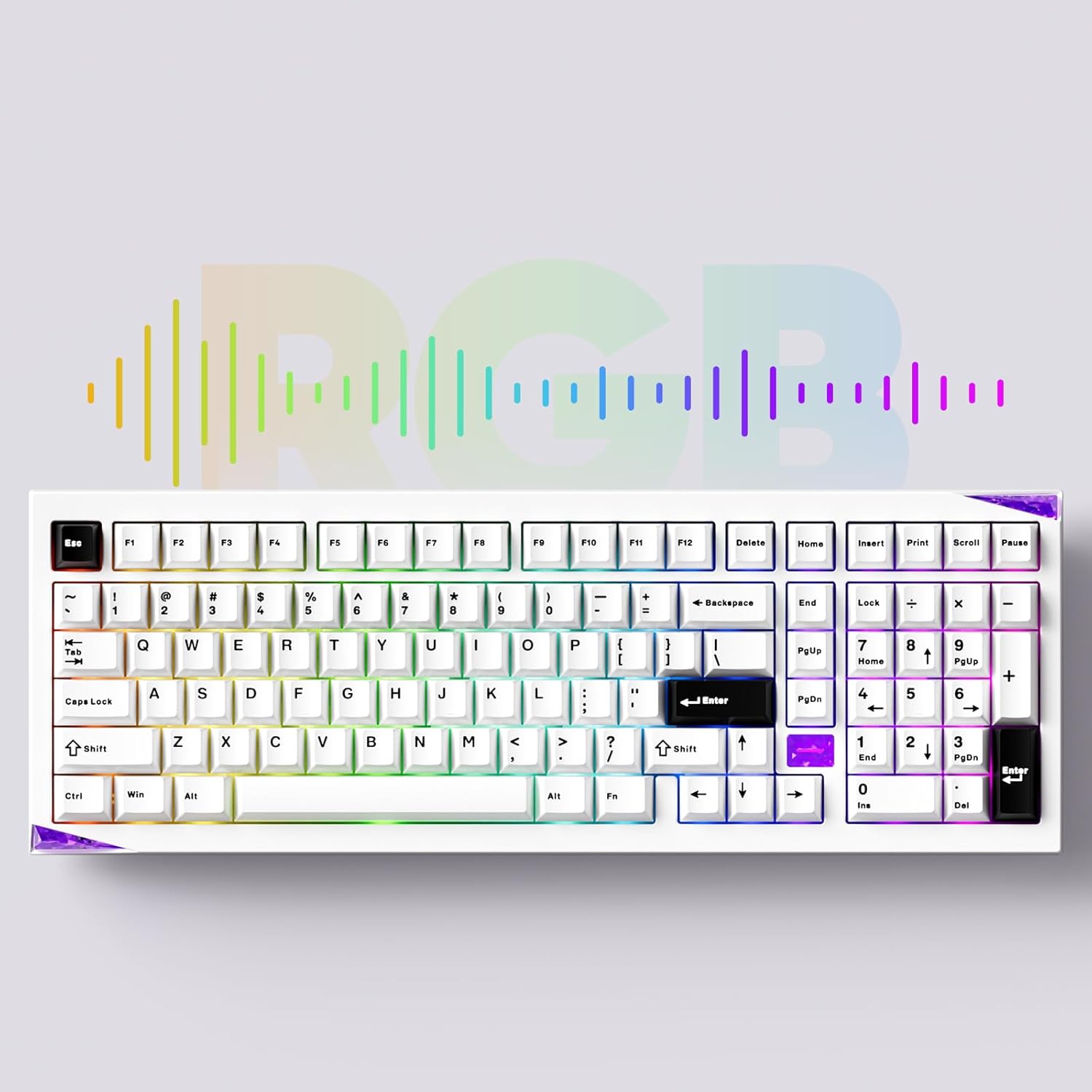
Immaġni: Il-wirja tat-tastieraasing its customizable RGB lighting capabilities.
4.3 QMK/VIA Customization
The keyboard supports QMK/VIA for advanced key remapping, macro creation, and lighting customization. Download the VIA software from the official Akko websit jew caniusevia.com. Connect the keyboard in wired mode to use VIA.
5. Manutenzjoni
5.1 Tindif
To clean the keyboard, disconnect it from all power sources. Use a soft, dry cloth to wipe the surface. For deeper cleaning, remove keycaps using the provided keycap puller and clean with compressed air or a soft brush. Avoid using harsh chemicals or abrasive materials.
5.2 Swiċċijiet li jistgħu jinbidlu bis-sħana
The Akko Mineral 02 features hot-swappable switch sockets, allowing you to change switches without soldering. Use the provided switch puller to carefully remove switches. Align new switches with the pins and press gently until they click into place.

Immaġni: Close-up view of the keyboard's hot-swappable sockets, allowing for easy switch replacement.
5.3 Quick Release Design
The keyboard features a quick-release design for tool-free assembly and disassembly of the aluminum top and bottom case. This facilitates customization and maintenance. Refer to the included assembly/disassembly tools for guidance.
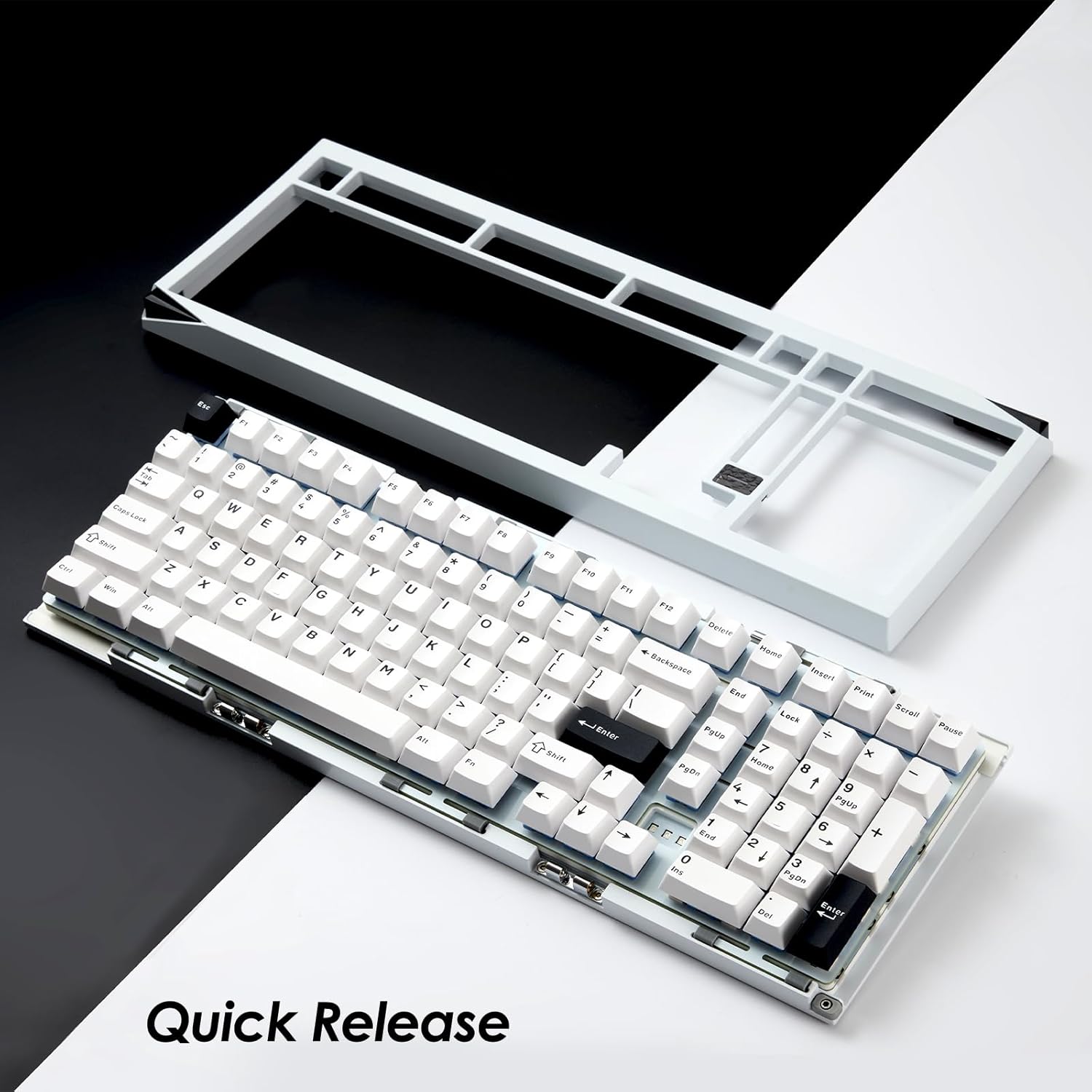
Image: The keyboard with its top case separated, demonstrating the quick-release mechanism for easy customization and maintenance.
6 Issolvi l-problemi
6.1 It-Tastiera Ma Tirrispondix
- Kun żgur li t-tastiera hija ċċarġjata.
- Check the connection mode switch (Wired, 2.4G, BT) matches your intended connection.
- Għall-modalità bil-fili, ipprova port jew kejbil USB differenti.
- For 2.4GHz, ensure the receiver is properly plugged in and try re-pairing (Fn + 4 for 3 seconds).
- For Bluetooth, ensure it's paired correctly and try re-pairing (Fn + 1/2/3 for 3 seconds).
- Erġa' ibda l-kompjuter jew l-apparat tiegħek.
6.2 Id-Dawl RGB Mhux Jaħdem
- Kun żgur li t-tastiera tkun mixgħula.
- Check brightness settings using Fn + < and Fn + >.
- If using VIA, ensure no lighting profiles are conflicting.
6.3 Iċ-Ċwievet Mhux qed Jirreġistraw
- Neħħi l-għatu taċ-ċavetta u s-swiċċ għaċ-ċavetta affettwata.
- Inspect the switch pins for bending or damage. Straighten carefully if bent.
- Erġa' daħħal is-swiċċ sew. Jekk il-problema tippersisti, ipprova ibdel is-swiċċ b'wieħed li taf li jaħdem.
7. Speċifikazzjonijiet
| Brand | Akko |
| Mudell | Minerali 02 |
| Konnettività | Bluetooth, Wireless 2.4GHz, USB-C bil-wajer |
| Materjal | Aluminju |
| Kapaċità tal-batterija | 8000mAh |
| Karatteristiċi Speċjali | QMK/VIA Support, Hot-swappable Switches, RGB Lighting, Gasket-mounted Design, Quick Release Case |
| Apparati Kompatibbli | PC, Pillola, Smartphone |
8. Informazzjoni dwar Garanzija
Akko products are covered by a limited warranty. Please refer to the official Akko website or your purchase documentation for specific warranty terms and conditions. Keep your proof of purchase for warranty claims.
9. Appoġġ
For further assistance, technical support, or inquiries, please visit the official Akko website or contact Akko customer service through the channels provided on their website. Online resources, FAQs, and driver downloads may also be available.


