1. Introduzzjoni
The PHOINIKAS Q5S Wireless Gaming Headset provides a versatile audio solution for gamers across multiple platforms. Featuring 2.4GHz wireless connectivity for low-latency performance and a 3.5mm wired mode, this headset is designed for immersive gaming experiences. It includes a detachable noise-canceling microphone and 7.1 stereo sound capabilities.

Image 1.1: PHOINIKAS Q5S Wireless Gaming Headset, showing the headset, USB dongle, and 3.5mm audio cable.
2. X'hemm fil-Kaxxa
Jekk jogħġbok ivverifika li l-komponenti kollha huma preżenti meta tiftaħ il-kaxxa:
- PHOINIKAS Q5S Wireless Gaming Headset
- 2.4GHz USB Transmitter Dongle
- Mikrofonu Omnidirezzjonali li Jinqala'
- Kejbil tal-Iċċarġjar USB (Tip Ċ)
- Cable Awdjo 3.5mm
- Manwal għall-Utent (dan id-dokument)
3. Prodott Aktarview
Familiarize yourself with the headset's controls and interfaces:

Immaġni 3.1: Fuqview of headset controls and ports.
- Power / Pairing Mode Button: Press and hold to power on/off. Short press to toggle 7.1 sound. Double press to turn lights on/off.
- Buttuna Mixgħul/Mitfi tal-Mikrofonu: Toggles microphone mute/unmute.
- Rota tal-Aġġustament tal-Volum: Rotates to increase or decrease audio volume.
- 3.5mm Wired Interface: For connecting the 3.5mm audio cable.
- External Microphone Interface: Port for attaching the detachable microphone.
- Port tal-Iċċarġjar tat-Tip C: Għall-konnessjoni tal-kejbil tal-iċċarġjar USB.
4. Setup
4.1 Iċċarġjar inizjali
Before first use, fully charge the headset. Connect the USB charging cable to the headset's Type-C port and a compatible USB power source. A full charge takes approximately 2.5-3 hours and provides up to 40 hours of use (battery life varies with lighting and volume settings).

Image 4.1: Headset charging via USB-C, highlighting battery life.
4.2 Wireless Connection (2.4GHz USB Dongle)
For wireless operation, ensure the 3.5mm audio cable and charging cable are disconnected, and the headset is fully charged.
- Insert the 2.4GHz USB transmitter dongle into an available USB port on your PC, PS4, PS5, or Switch dock.
- Ixgħel il-headset billi tagħfas u żżomm il-buttuna tal-Power.
- The headset will automatically pair with the USB dongle. An indicator light on the headset will confirm a successful connection.

Image 4.2: The 2.4GHz USB dongle, illustrating its low-latency connection.
Konnessjoni bil-wajer 4.3 (Kejbil tal-awdjo ta' 3.5mm)
For wired use, connect the 3.5mm audio cable to the headset's 3.5mm interface and to the audio jack of your device (e.g., Xbox controller, PC, mobile phone). In wired mode, certain functions like lights and mute may be inactive.
5. Istruzzjonijiet Operattivi
5.1 Power On/Off
- Biex tixgħel: Agħfas u żomm il-buttuna tal-Enerġija sakemm id-dawl indikatur jixgħel.
- Biex titfi: Agħfas u żomm il-buttuna tal-Enerġija sakemm id-dawl indikatur jintefa.
5.2 Użu tal-Mikrofonu
Attach the detachable microphone to the External Microphone Interface on the headset. The microphone features noise-canceling technology for clear communication.
- To mute/unmute: Press the Microphone On/Off button.
- Adjust the flexible microphone boom for optimal voice pickup.

Immaġni 5.1: Mikrofonu li jista' jinqala' għal qbid ċar tal-vuċi.
5.3 7.1 Stereo Sound
The headset supports 7.1 stereo sound for an immersive audio experience.
- To activate/deactivate 7.1 sound: Short press the Power button.
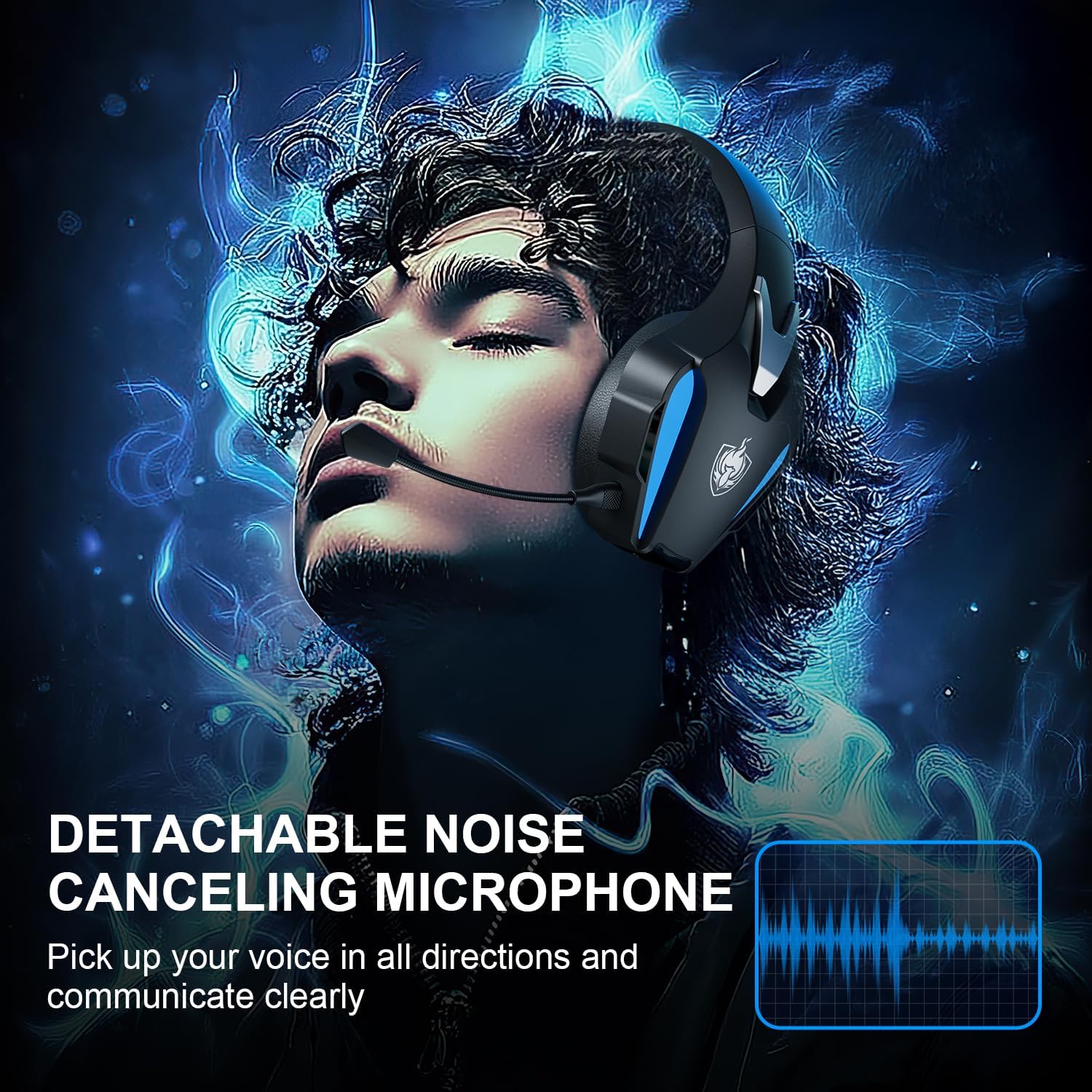
Image 5.2: Visual representation of 7.1 stereo sound capabilities.
5.4 Aġġustament tal-Volum
Rotate the Volume Adjustment Wheel to control the audio output level.
6. Kompatibilità
The PHOINIKAS Q5S headset offers broad compatibility:

Immaġni 6.1: Kompatibilità bejn pjattaformi multipliview.
6.1 Modalità bla fili ta' 2.4GHz
- Compatible with: PC, PS4, PS5, Laptops, Nintendo Switch (audio only).
- Nota: The microphone does not function when used wirelessly with Nintendo Switch.
- Not compatible with Xbox Series consoles in wireless mode.
6.2 Modalità bil-wajer ta' 3.5mm
- Compatible with: Devices featuring a 3.5mm audio interface, including Xbox controllers, PC, PS4/PS5 controllers, Nintendo Switch, laptops, tablets, and mobile phones.
- In wired mode, headset lights and mute functions may be inactive.
7. Manutenzjoni
7.1 Tindif
- Imsaħ l-uċuħ tal-headset b'ċarruta ratba u niexfa.
- For earcups, use a slightly damp ċarruta b'sapun ħafif jekk meħtieġ, imbagħad imsaħ niexef immedjatament.
- Tużax kimiċi ħarxa jew tindif li joborxu.

Image 7.1: Detail of the comfortable earcup design.
7.2 Ħażna
- Aħżen il-headset f'post frisk u niexef 'il bogħod mix-xemx diretta u minn temperaturi estremi.
- Evita li tpoġġi oġġetti tqal fuq il-headset.
7.3 Kura tal-Batterija
- Biex ittawwal il-ħajja tal-batterija, evita li l-headset tiċċarġja kompletament ta' spiss.
- Iċċarġja l-headset regolarment, anke jekk ma tkunx qed tużah ta' spiss.
8 Issolvi l-problemi
| Problema | Kawża Possibbli | Soluzzjoni |
|---|---|---|
| Il-headset ma jixgħelx. | Low battery; 3.5mm cable or charging cable connected in wireless mode. | Charge the headset fully. Ensure all cables are removed for wireless mode. |
| L-ebda ħoss fil-modalità mingħajr fili. | USB transmitter not properly connected; headset not paired; volume too low. | Ensure USB transmitter is firmly inserted. Power cycle headset and transmitter. Check device audio settings. Increase headset volume. |
| Il-mikrofonu mhux qed jaħdem. | Microphone muted; not properly attached; compatibility issue (e.g., Switch wireless). | Press the Mic On/Off button to unmute. Ensure microphone is securely attached. Note that the microphone does not work with Nintendo Switch in wireless mode. Check device privacy settings for microphone access. |
| Il-kwalità tal-ħoss hija fqira jew distorta. | Weak wireless signal; incorrect audio settings; low battery. | Move closer to the USB transmitter. Check device audio output settings. Charge the headset. |
| Headset not compatible with Xbox. | The headset's 2.4GHz wireless mode is not designed for Xbox consoles. | Use the 3.5mm audio cable to connect to an Xbox controller for wired audio and microphone functionality. |
9. Speċifikazzjonijiet
| Karatteristika | Dettall |
|---|---|
| Isem tal-Mudell | Q5S |
| Teknoloġija tal-Konnettività | 2.4GHz Wireless, 3.5mm Wired |
| Latenza bla fili | Inqas minn 25ms |
| Daqs tas-Sewwieq tal-Awdjo | 40mm |
| Karatteristiċi tal-Ħoss | 7.1 Stereo Sound, Surround Sound |
| Mikrofonu | Detachable, Omnidirectional, Noise-Canceling |
| Kontroll tal-Ħoss | Kanċellazzjoni Attiva tal-Istorbju, Iżolazzjoni tal-Ħoss |
| Kapaċità tal-batterija | 1200mAh |
| Ħajja tal-batterija | Sa 40 sigħat (tvarja skont l-użu) |
| Ħin tal-Iċċarġjar | Madwar 2.5-3 sigħat (permezz ta' USB-C) |
| Headphones Jack | 3.5 mm Jack |
| Materjal | Plastik |
| Piż tal-oġġett | 12.3 uqija |
10. Garanzija u Appoġġ
PHOINIKAS products are designed for reliability and performance. For specific warranty information, please refer to the warranty card included with your product or visit the official PHOINIKAS website. If you encounter any issues or require technical assistance, please contact PHOINIKAS customer support through their official channels or the retailer from whom you purchased the product.
Għal aktar għajnuna, tista' żżur il- PHOINIKAS Store on Amazon.


