1. Introduzzjoni
Thank you for choosing the PUTRIMS S28 Mini Projector. This manual provides essential information for setting up, operating, and maintaining your projector to ensure optimal performance and longevity. Please read this manual thoroughly before using the product and retain it for future reference.
2. Prodott Aktarview
2.1 Kontenut tal-Pakkett
Kun żgur li l-oġġetti kollha huma preżenti fil-pakkett:
- PUTRIMS S28 Projector (Note: No built-in battery, requires power connection during use)
- Korda tal-Enerġija
- Cable HDMI
- Kontroll mill-bogħod (Jeħtieġ 2 batteriji AAA, mhux inklużi)
- Gwida Quick Start
- Qoxra tal-Lenti
2.2 Karatteristiċi ewlenin
- Korrezzjoni Auto Keystone: Automatic vertical keystone adjustment (±30°) and manual correction (±50°) for a perfectly rectangular image.
- Fokus Elettriku: One-click focus adjustment for clear images.
- Stand aġġustabbli: Integrated 145° rotatable stand for flexible projection angles, including ceiling projection.
- Wifi ta' Faxxa Doppju: Supports ultra-fast 5G and stable 2.4G WiFi for seamless streaming and screen mirroring (Miracast, Airplay).
- Bluetooth 5.2: Built-in Bluetooth for connecting external audio devices like headphones or speakers.
- 1080P Support: Supports 1080P Full HD input for high-quality visuals. Native resolution is 1280 x 720.
- Luminożità ta' 300 ANSI Lumens: Provides bright and vibrant visuals.
- Fully Enclosed Optical System: Designed to prevent dust accumulation, reducing black or white spots and ensuring long-term clarity.
- Funzjoni Żum: Adjust image size from 100% to 50% without moving the projector.
- Konnettività Multipla: HDMI, USB, and 3.5mm audio output ports for compatibility with various devices (Phone, Laptop, PC, TV Stick, PS5, Switch).
- Disinn kompatt: Lightweight and portable for easy setup in any location.
2.3 Dijagramma tal-Prodott

Figura 2.3.1: Quddiem view of the PUTRIMS S28 Mini Projector, showcasing the lens and focus adjustment.
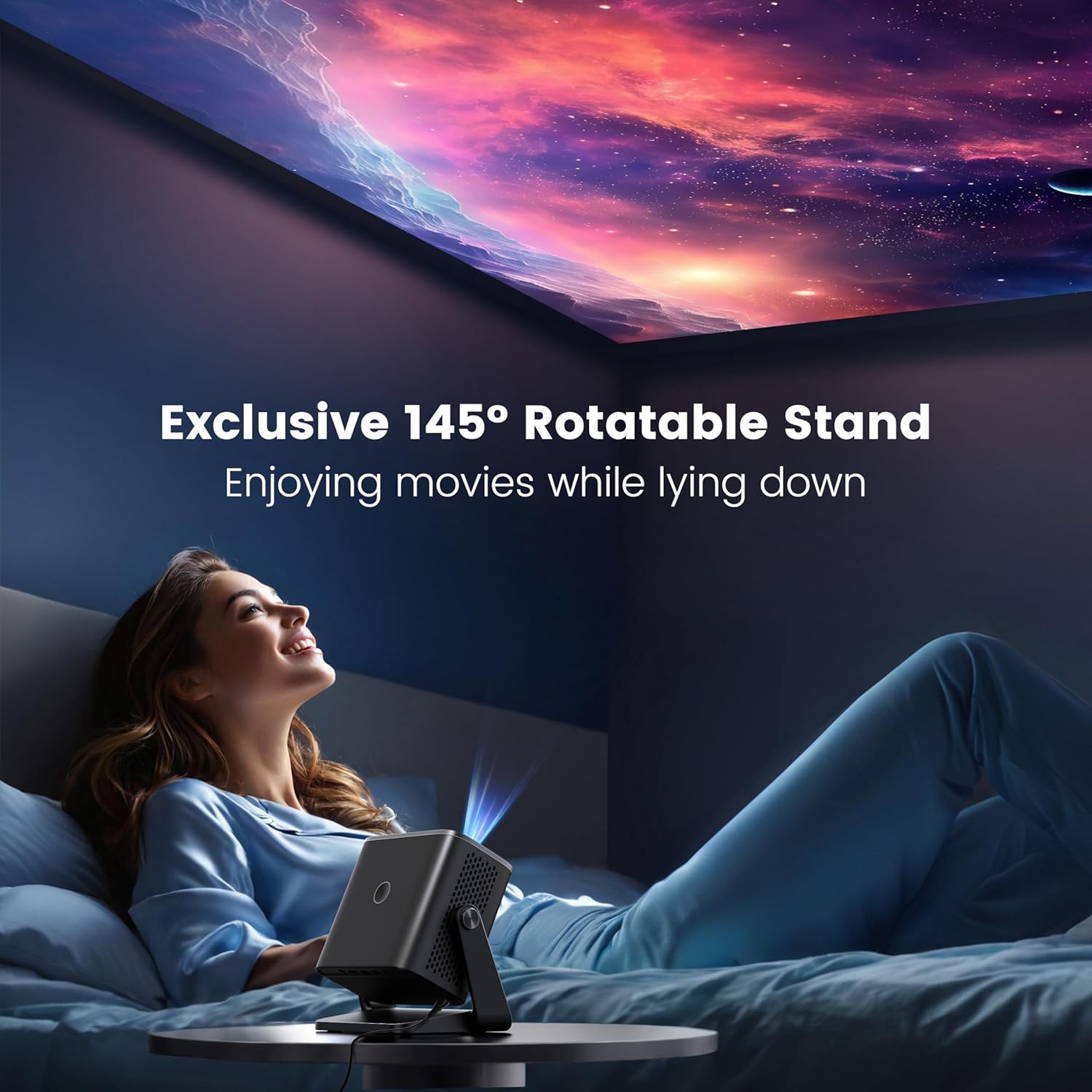
Figure 2.3.2: The projector positioned with its 145-degree rotatable stand, demonstrating its flexibility for various projection angles, including ceiling projection.
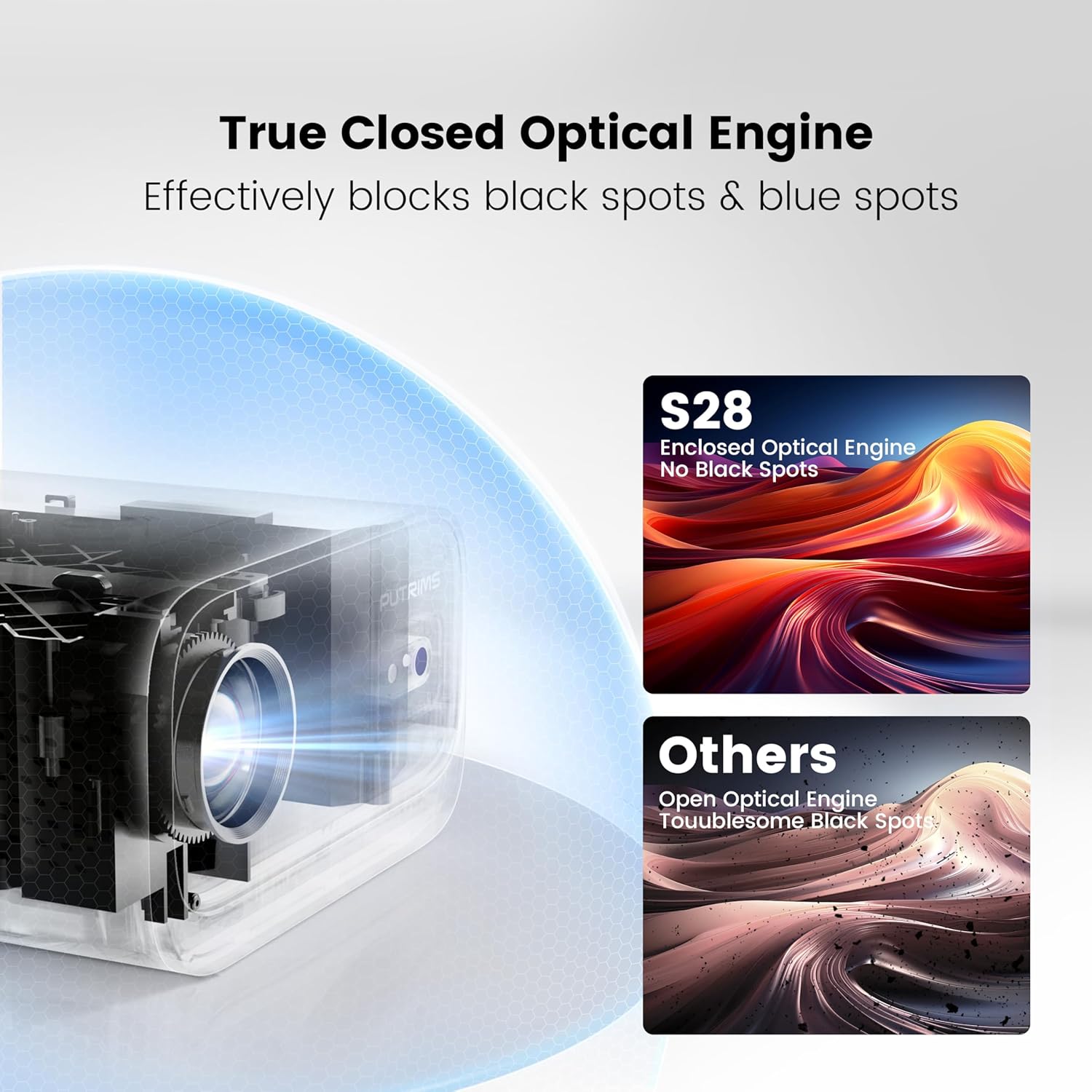
Figure 2.3.3: Diagram illustrating the True Closed Optical Engine, highlighting its design to effectively block black and blue spots, ensuring a clear and consistent image over time.
3. Gwida ta' Setup
Segwi dawn il-passi għas-setup inizjali:
- Ippakkja: Neħħi bir-reqqa l-komponenti kollha mill-imballaġġ.
- Konnessjoni tal-Enerġija: Connect the power cord to the projector and then to a power outlet. The projector is not battery-powered and must be plugged in during use.
- Pjazzament: Place the projector on a stable, flat surface. Utilize the 145° adjustable stand to achieve your desired projection angle. The optimal projection distance is typically 2-3 meters.
- Qoxra tal-lenti: Remove the lens cover before powering on the projector.
- Qawwa Mixgħul: Agħfas il-buttuna tal-qawwa fuq il-proġekter jew il-kontroll mill-bogħod biex tixgħel l-apparat.
- Aġġustament tal-Focus: Use the electric focus function via the remote control to achieve a clear image. Press the 'F-' or 'F+' buttons on the remote to adjust.

Figure 3.6.1: Adjusting focus using the remote control for a sharp image.
- Korrezzjoni Keystone: The projector features automatic vertical keystone correction (±30°). If further adjustment is needed, manual keystone correction (±50°) is available in the settings menu.

Figure 3.7.1: Visual representation of automatic vertical keystone correction, ensuring a rectangular image even when the projector is tilted.
4. Istruzzjonijiet Operattivi
4.1 Apparat li jgħaqqad
The PUTRIMS S28 offers multiple connectivity options:
- HDMI: Connect your laptop, PC, TV Stick, PS5, Switch, or other HDMI-enabled devices using the provided HDMI cable. Select the HDMI input source from the projector's menu.
- USB: Daħħal USB drive biex tilgħab il-midja files direttament.
- 3.5mm Awdjo Out: Qabbad kelliema esterni jew headphones għal awdjo mtejjeb.
4.2 Wireless Connectivity (WiFi)
Biex tikkonnettja ma' netwerk bla fili:
- Innaviga għall-menù "Settings" fuq il-proġettazzjoni.
- Agħżel "Netwerk" jew "Settings tal-WiFi".
- Enable WiFi and select your desired 5G or 2.4G network from the list.
- Enter the network password using the on-screen keyboard and confirm.
- Once connected, you can use screen mirroring features like Miracast (for Android) or Airplay (for iOS) to project content from your smartphone or tablet.
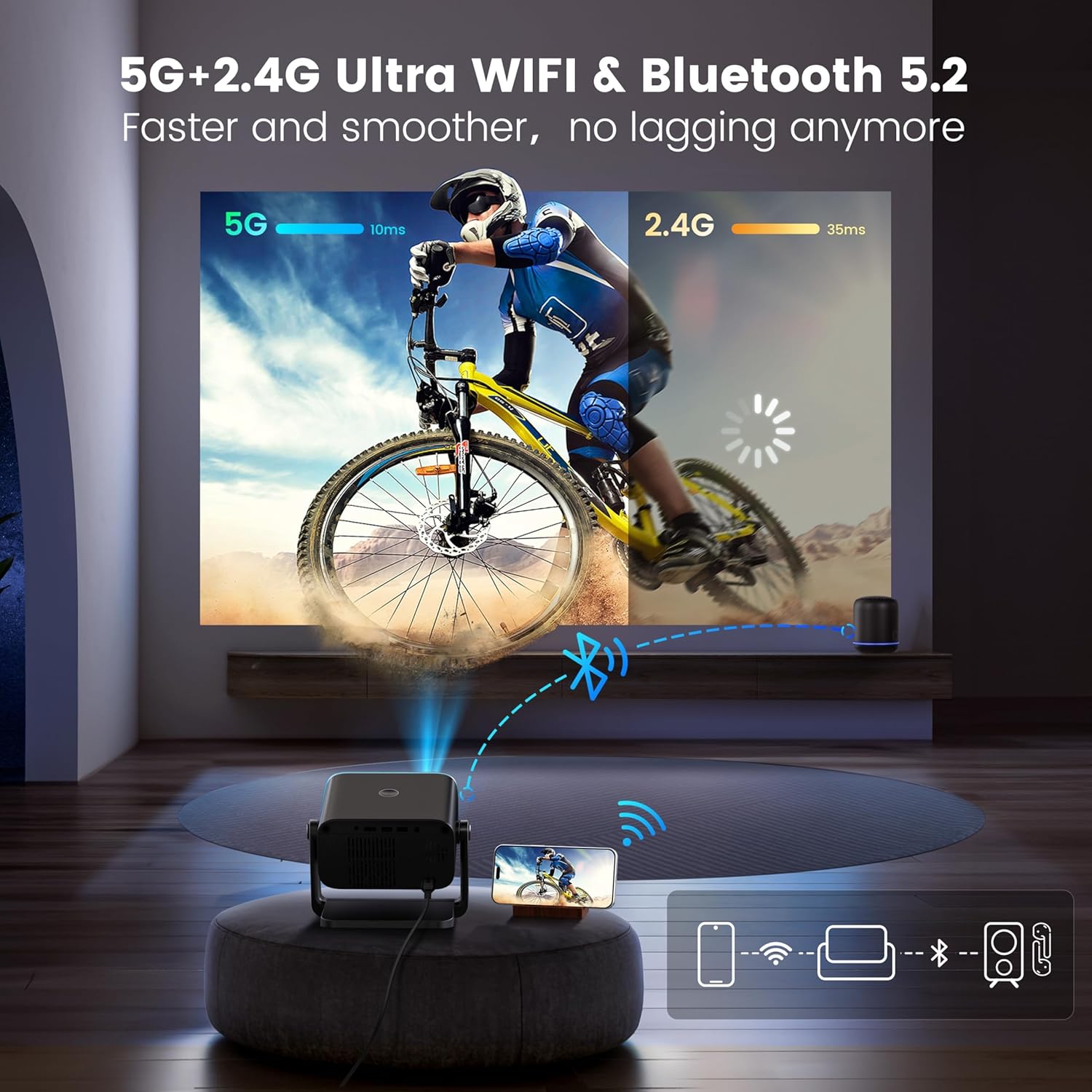
Figure 4.2.1: Demonstrating the dual-band 5G and 2.4G WiFi connectivity for fast and smooth streaming.
Note: Due to HDCP copyright restrictions, streaming services like Netflix and Disney+ require a TV stick (sold separately) for playback. Wired screen mirroring is also supported for seamless YouTube streaming.
4.3 Tqabbil tal-Bluetooth
To connect Bluetooth audio devices:
- Mur fil-menù "Settings" u agħżel "Bluetooth".
- Ippermetti Bluetooth fuq il-proġekter.
- Put your Bluetooth headphones, speakers, or AirPods into pairing mode.
- Select your device from the list of available devices on the projector screen to pair.
4.4 Adjusting Projection Settings
- Funzjoni Żum: To adjust the image size without moving the projector, use the zoom function. This allows you to scale the image from 100% down to 50%. Access this setting in the projector's display or picture settings menu.
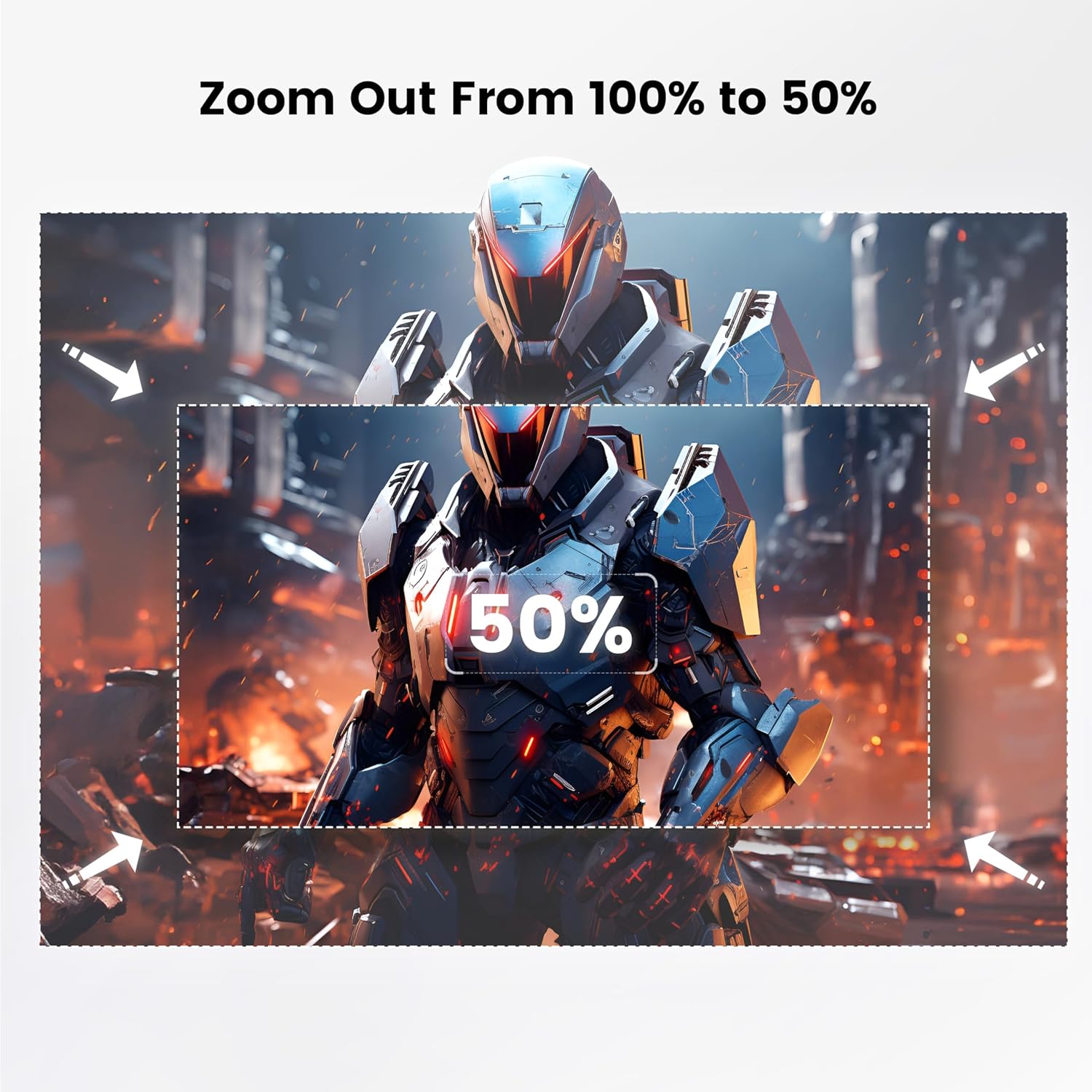
Figure 4.4.1: Visual guide for adjusting the projection size using the 100% to 50% zoom feature.
- Modalità Stampa: Adjust brightness, contrast, color, and sharpness settings to optimize picture quality for different content or environments.
- Timer ta 'l-Irqad: Set a sleep timer (60/120/180 minutes) for automatic shutdown.
5. Manutenzjoni
Manutenzjoni xierqa tiżgura l-lonġevità u l-prestazzjoni tal-proġettazzjoni tiegħek:
- Tindif tal-Lenti: Uża drapp artab u mingħajr suf, iddisinjat speċifikament għal lentijiet ottiċi, biex timsaħ bil-mod il-lenti tal-proġettazzjoni. Tużax prodotti tat-tindif li joborxu jew forza eċċessiva.
- Tneħħija tat-Trab: Regularly clean the projector's vents to prevent dust buildup, which can affect performance and lead to overheating. Use a soft brush or compressed air. The fully enclosed optical system helps minimize internal dust.
- Ħażna: When not in use, store the projector in a cool, dry place, away from direct sunlight and extreme temperatures. Use the provided lens cover to protect the lens.
- Immaniġġjar: Always handle the projector with care. Avoid dropping or subjecting it to strong impacts.
6 Issolvi l-problemi
Jekk tiltaqa' ma' problemi, irreferi għat-tabella t'hawn taħt għal problemi u soluzzjonijiet komuni:
| Problema | Kawża Possibbli | Soluzzjoni |
|---|---|---|
| No image / Power off | Power cord not connected; Projector not powered on. | Ensure power cord is securely connected. Press the power button. Confirm the projector is plugged into a working outlet. |
| Immaġini mċajpra | Incorrect focus; Projector too close/far from screen. | Adjust focus using the remote control. Ensure the projector is within the optimal projection distance (2-3 meters). |
| Image not rectangular | Incorrect keystone setting. | Allow auto keystone correction to adjust. If needed, manually adjust keystone in the settings menu. |
| L-ebda ħoss | Volume too low; External audio device not connected/paired correctly. | Increase projector volume. Check audio cable connections or Bluetooth pairing status. |
| WiFi/Bluetooth connectivity issues | Password mhux korretta; Apparat barra mill-firxa; Interferenza. | Re-enter password. Ensure devices are within range. Restart projector and router/Bluetooth device. |
| Streaming apps (Netflix, Disney+) not working | Restrizzjonijiet tad-drittijiet tal-awtur tal-HDCP. | A TV stick (sold separately) is required for these services due to copyright protection. |
Għal aktar għajnuna, jekk jogħġbok ikkuntattja l-appoġġ għall-klijenti tagħna.
7. Speċifikazzjonijiet
| Karatteristika | Dettall |
|---|---|
| Brand | PUTRIMS |
| Mudell | S28 |
| Riżoluzzjoni tal-Wiri Nattiva | 1280 x 720 (Supports 1080P input) |
| Luminożità | 300 lumens ANSI |
| Proporzjon ta' Kuntrast | 18,000:1 |
| Tarmi Proporzjon | 1.36:1 |
| Korrezzjoni Keystone | Auto Vertical (±30°), Manual (±50°) |
| Iffoka | Focus Elettriku |
| Angolu tal-Istand Aġġustabbli | 145° |
| Funzjoni Zoom | 100% - 50% |
| Konnettività | 5G+2.4G WiFi, Bluetooth 5.2, HDMI, USB, 3.5mm Audio Out |
| Piż tal-oġġett | 1.76 liri (madwar 0.8 kg) |
| Dimensjonijiet (L x W x H) | 7.87 x 7.08 x 7.87 pulzieri (madwar 20 x 18 x 20 ċm) |
| Sors tal-Enerġija | AC Power (No built-in battery) |
8. Garanzija u Appoġġ
PUTRIMS is committed to providing excellent customer service.
- Garanzija: The PUTRIMS S28 Mini Projector comes with a 2-year money-back guarantee and 3-year repair coverage.
- Assistenza Teknika: Lifetime technical assistance is available for all customers.
- Appoġġ għall-Klijent: For any questions, troubleshooting, or technical support, please contact us 24/7 via email at: support@putrims.com.
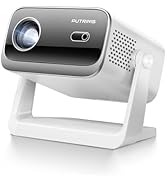
Figure 8.1: Contact information for customer support, including email and service guarantees.


