1. Introduzzjoni
Thank you for choosing the ZEALOT ZE01 Portable Bluetooth Speaker. This manual provides essential information for setting up, operating, and maintaining your speaker to ensure optimal performance and longevity. Please read this manual thoroughly before use and retain it for future reference.

Figure 1: The ZEALOT ZE01 speaker is designed for portability, featuring a convenient shoulder strap for easy transport during outdoor activities.
2. Informazzjoni dwar is-Sigurtà
- Tesponix l-ispiker għal temperaturi estremi jew dawl tax-xemx dirett għal perjodi twal.
- Evita li twaqqa’ jew tissuġġetta lill-kelliem għal impatti qawwija.
- Keep the speaker away from water and liquids, despite its IPX6 rating, to prevent damage to internal components.
- Tippruvax tiżżarma, issewwi, jew timmodifika l-ispiker int stess. Ikkuntattja persunal tas-servizz kwalifikat għall-assistenza.
- Use only the provided charging cable and a compatible power adapter (PD2.0 45W adapter recommended for optimal charging) to prevent damage.
- Żomm fejn ma jintlaħaqx mit-tfal.
3. Kontenut tal-Pakkett
Ivverifika li l-oġġetti kollha huma preżenti fil-pakkett:
- 1x ZE01 Bluetooth Speaker
- 1x Cable AUX
- 1x Kejbil tal-Enerġija (Tip Ċ)
- 1x Gwida tal-Bidu Mgħaġġel
- 1x Removable Shoulder Strap
- 1x Karta tal-Garanzija

Figure 2: Included accessories with the ZEALOT ZE01 Portable Bluetooth Speaker.
4. Prodott Aktarview
4.1 Kontrolli

Figure 3: Top panel controls for the ZEALOT ZE01 speaker.
- Buttuna tal-Enerġija (Mixgħula/Mitfija): Agħfas u żomm għal 3 sekondi biex tixgħel/itfi.
- Buttuna Play/Pause: Agħfas darba biex tilgħab jew twaqqaf l-awdjo.
- Volum 'il fuq (+): Press once to increase volume. Press and hold for 2 seconds for next track.
- Volum 'l isfel (-): Press once to decrease volume. Press and hold for 2 seconds for previous track.
- Buttuna tal-Modalità (M): Press to switch between Wireless (Bluetooth), TF Card, AUX, and USB modes.
- Buttuna EQ: Press to cycle through EQ modes (Bass, Vocal, Normal).
- Buttuna tad-Dawl: Press to turn LED lights on/off or change light modes.
- Buttuna ta 'tqabbil: Press to initiate Bluetooth pairing or TWS pairing.
4.2 Portijiet

Figure 4: Input and output ports on the ZEALOT ZE01 speaker.
- TYPE-C CHARGE IN: Għall-iċċarġjar tal-ispiker.
- AUX IN: Għall-konnessjoni ta' apparati awdjo esterni permezz ta' kejbil awdjo ta' 3.5mm.
- USB DRIVE: For playing music directly from a USB flash drive.
- KARTA TF: Biex iddoqq il-mużika direttament minn kard TF (MicroSD).
- OUT-5V (USB): Functions as a power bank to charge other devices.
5. Setup
5.1 Iċċarġjar tal-Ispeaker
- Connect the provided Type-C power cable to the 'TYPE-C CHARGE IN' port on the speaker.
- Connect the other end of the cable to a compatible USB power adapter (not included). A PD2.0 45W adapter is recommended for optimal charging speed.
- The battery indicator lights on the control panel will show charging status:
- Red light flashes: Charging
- Red light on: Battery below 30%
- Yellow light on: Battery 40%-70%
- Green light on: Battery 80%-100%
- A full charge typically takes 3-4 hours. The speaker offers up to 40 hours of playtime at 30% volume in standard EQ mode.

Figure 5: Battery status indicators and charging port.
5.2 Tqabbil tal-Bluetooth
- Power on the speaker by pressing and holding the Power button for 3 seconds. The speaker will enter Bluetooth pairing mode automatically, indicated by a flashing blue light.
- Fuq l-apparat tiegħek (smartphone, tablet, eċċ.), attiva l-Bluetooth u fittex apparati disponibbli.
- Select "ZEALOT-ZE01" from the list of devices.
- Once connected, the blue light will stop flashing, and you will hear an audible confirmation.
5.3 Tqabbil ta' Stereo Veru Wireless (TWS)
To achieve a 240W Max ultra stereo sound experience, you can pair two ZEALOT ZE01 speakers:
- Ensure both ZEALOT ZE01 speakers are powered on and in Bluetooth pairing mode (not connected to any device).
- On one of the speakers, press the 'Pairing' button (often indicated by a chain link icon). This speaker will become the primary unit.
- The two speakers will automatically connect to each other. Once connected, the primary speaker's Bluetooth indicator will flash, and the secondary speaker's indicator will be solid.
- Now, connect your device to the primary speaker via Bluetooth as described in Section 5.2.

Figure 6: TWS pairing allows for a wider stereo soundstage.
5.4 Other Connection Methods
The ZEALOT ZE01 supports multiple playback modes:
- Input AUX: Connect an external audio device using a 3.5mm AUX cable to the 'AUX IN' port. Press the 'M' button to switch to AUX mode.
- USB Drive: Insert a USB flash drive into the 'USB DRIVE' port. Press the 'M' button to switch to USB mode.
- Karta TF: Insert a TF (MicroSD) card into the 'TF CARD' slot. Press the 'M' button to switch to TF Card mode.
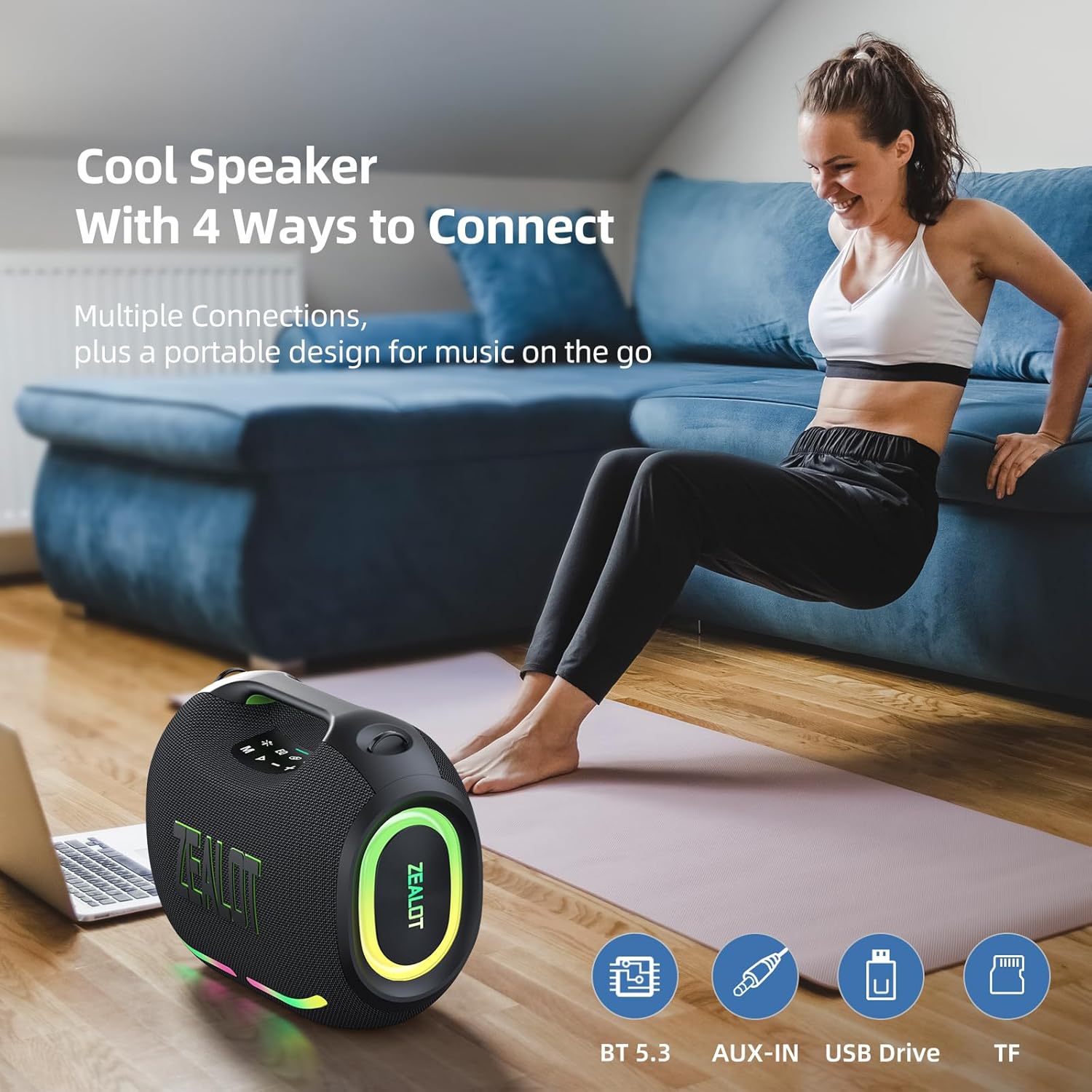
Figure 7: The speaker offers various connectivity options for versatile audio playback.
6. Istruzzjonijiet Operattivi
6.1 Daqq Bażiku tal-Awdjo
- Play/Pawsa: Agħfas il-buttuna Play/Pause.
- Aġġustament tal-Volum: Agħfas '+' biex iżżid il-volum, '-' biex tnaqqas il-volum.
- Track Li jmiss / Preċedenti: Press and hold '+' for the next track, press and hold '-' for the previous track.
6.2 Modi EQ
The ZEALOT ZE01 features three Equalizer (EQ) modes to customize your audio experience:
- Press the 'EQ' button to cycle through the modes.
- Modalità Bass: Green light on. Enhances low frequencies for a deeper bass sound.
- Modalità Vokali: Orange light on. Optimizes mid-range frequencies for clearer vocals.
- Modalità Normali: White light on. Provides a balanced audio profile.

Figure 8: EQ mode indicators.
6.3 Kontroll tad-Dawl LED
The speaker is equipped with dynamic colorful LED lights that can be controlled:
- Press the 'Light' button (indicated by a sun/star icon) to turn the lights on/off or cycle through different light modes (e.g., Ritmo, Breathing, Rainbow).

Figure 9: Dynamic LED lights enhance the listening experience.
6.4 Funzjoni tal-Bank tal-Enerġija
The ZEALOT ZE01 can also serve as a portable power bank:
- Connect your external device (e.g., smartphone) to the 'OUT-5V' USB port on the speaker using a compatible charging cable.
- L-ispiker se jibda jiċċarġja l-apparat tiegħek.
7. Manutenzjoni
- Tindif: Uża drapp artab u niexef biex tnaddaf il-barra tal-ispiker. Tużax prodotti tat-tindif jew solventi li joborxu.
- Ħażna: Aħżen l-ispiker f'post frisk u niexef 'il bogħod mix-xemx diretta u minn temperaturi estremi meta ma jkunx qed jintuża għal perjodi twal.
- Reżistenza għall-Ilma: The speaker has an IPX6 water resistance rating, meaning it can withstand powerful water jets. However, it is not designed for submersion. Ensure all port covers are securely closed before exposure to water.

Figure 10: The IPX6 rating provides protection against water splashes and dust.
8 Issolvi l-problemi
| Problema | Kawża Possibbli | Soluzzjoni |
|---|---|---|
| L-ispiker ma jixgħelx. | Batterija baxxa. | Iċċarġja l-ispiker għal mill-inqas 30 minuta. |
| Ma tistax tqabbad permezz tal-Bluetooth. | L-ispiker mhux fil-modalità ta' tqabbil jew diġà konness ma' apparat ieħor. | Ensure the speaker is in pairing mode (flashing blue light). Disconnect from other devices if necessary. Restart both speaker and device. |
| L-ebda ħoss. | Volum baxx wisq; mod ta' input mhux korrett; apparat mhux qed idoqq. | Increase speaker and device volume. Press 'M' to select correct input mode. Ensure audio is playing on your connected device. |
| It-tqabbil tat-TWS ifalli. | L-ispikers huma 'l bogħod wisq minn xulxin jew diġà konnessi ma' apparati oħra. | Ensure both speakers are within close proximity and not connected to any other Bluetooth devices. Repeat TWS pairing steps. |
9. Speċifikazzjonijiet
| Karatteristika | Dettall |
|---|---|
| Isem tal-Mudell | ZEALOT ZE01 Bluetooth Speaker |
| Tip ta' Kelliem | Speaker li jista ’jinġarr |
| Modalità tal-Ħruġ tal-Awdjo | Stereo |
| Qawwa tal-Ħruġ Massimu tal-Ispeaker | 150 watt (l-ogħla) |
| Dijametru tas-Subwoofer | 120 Millimeters (2x 50W) |
| Dijametru tat-Tweeter | 42 Millimeters (2x 10W) |
| Rispons ta' Frekwenza | 20 KHz |
| Sinjal-mal-ħoss Ratio | 90 dB |
| Impedenza | 4 Ohms |
| Teknoloġija tal-Konnettività | Bluetooth |
| Verżjoni Bluetooth | 5.3 |
| Medda Bluetooth | 10 Metri (33 Piedi) |
| Kapaċità tal-batterija | 24000 Milliamp Sigħat |
| Ħin tal-logħob | Up to 40 hours (at 30% volume, EQ-standard) |
| Ħin tal-Iċċarġjar | 3-4 hours (with PD2.0 45W adapter) |
| Livell ta 'Reżistenza għall-Ilma | IPX6 (Reżistenti għall-Ilma) |
| Dimensjonijiet tal-Prodott | 8.15"D x 13.07"W x 11.18"H |
| Piż tal-oġġett | 13.22 liri |
| Materjal | Metall, plastik |
| Karatteristiċi Speċjali | Bass Boost, Built-In Powerbank, LED Light, Portable, Stereo Pairing |

Figure 11: The internal speaker configuration for powerful audio.
10. Vidjo Uffiċjali tal-Prodott
Vidjo 1: Wirja uffiċjali tal-vidjo tal-prodottasing the ZEALOT ZE01 120W Party Speaker's features and capabilities, including its sound quality and LED lights.
11. Garanzija u Appoġġ
The ZEALOT ZE01 Portable Bluetooth Speaker comes with a limited warranty. Please refer to the included Warranty Card for detailed terms and conditions. For technical support, troubleshooting assistance, or warranty claims, please contact ZEALOT customer service through the official channels provided on the warranty card or the ZEALOT websit.


