1. Istruzzjonijiet Importanti dwar is-Sigurtà
Please read this manual thoroughly before operating your Yeedi S20 Infinity Robot Vacuum and Mop. Keep this manual for future reference.
- Ensure the robot is used on stable, level surfaces.
- Żomm kejbils maħlula, purtieri, u oġġetti oħra li jistgħu jħabblu r-robot 'il bogħod mit-triq tiegħu.
- Tħallix lit-tfal jew lill-annimali domestiċi jilagħbu bir-robot.
- Use only the original power adapter and charging station provided by Yeedi.
- The robot is compatible with 2.4GHz Wi-Fi networks only. 5GHz Wi-Fi is not supported.
- Avoid exposing the robot or station to water or moisture.
2. Prodott Aktarview u Komponenti
The Yeedi S20 Infinity is an advanced robot vacuum and mop designed for comprehensive floor cleaning. It features an intelligent robot unit and a multifunctional OmniCyclone Station.

Figure 2.1: Yeedi S20 Infinity Robot Vacuum and OmniCyclone Station. The image shows the circular robot unit next to its tall, rectangular self-emptying and cleaning station.
Komponenti Inklużi:
- Vacuum cleaner robotiku (1)
- Stazzjon OMNI (1)
- Power Cord (Black) (1)
- Manwal għall-Utent (1)
- Gwida ta' Mgħaġġla (1)
- Ordinary New Roller Cloth Roller (1)
- Xkupilja tal-Ġnub (1)
- Main Brush & Main Brush Cover (1)
- Iffiltra (1)
- Auxiliary Compartment Auto-Fill Module (1)
- Tank tal-Ilma Nadif (1)
- Dirty Water Tank (1)
Dimensjonijiet:
- All-in-one Station: 15.0"L x 19.41"W x 18.31"H
- Robot: 13.9"T x 13.8"W x 3.9"Għ
3. Gwida ta' Setup
Follow these steps to set up your Yeedi S20 Infinity for the first time.
3.1 Tneħħija tal-kaxxa u l-ewwel tqegħid
- Unbox bir-reqqa l-komponenti kollha.
- Place the OmniCyclone Station against a wall on a level, hard ground. Ensure there is at least 0.64ft (20cm) of clear space on either side and 2.6ft (80cm) in front of it.
- Plug the power cord into the station and a wall outlet.
- Remove all protective films and packaging from the robot.
- Place the robot onto the station to begin charging.

Figure 3.1: The OmniCyclone Station positioned against a wall with the robot docked for charging. The image illustrates the recommended clear space around the station.
3.2 Installazzjoni u Konnessjoni tal-App
- Download the 'Yeedi Home' app from your smartphone's app store.
- Open the app and follow the on-screen instructions to add your Yeedi S20 Infinity.
- You will need to scan the QR code located under the robot's top cover.
- Kun żgur li l-ismartphone tiegħek huwa konness ma' netwerk Wi-Fi ta' 2.4GHz waqt il-proċess tas-setup.
3.3 Immappjar Inizjali
Once connected to the app, initiate an 'Auto Clean' cycle. The robot will begin exploring your home and creating a map, which will be visible in the app. This map is crucial for advanced features like zone cleaning and virtual boundaries.
Video 3.1: YEEDI S20 Infinity - Unboxing, Setup, Demo, Review. This video provides a visual guide to unboxing the product, setting up the station, and connecting the robot to the mobile application.
4. Istruzzjonijiet Operattivi
Your Yeedi S20 Infinity offers various cleaning modes and smart features for optimal performance.
4.1 Modi tat-Tindif
- Vakwu Biss: Għal debris niexef fuq kull tip ta' art.
- Mopp Biss: Għat-tindif bl-imxarrab ta' pavimenti iebsin.
- Vacuum & Mop: Vacuum cleaner u mopping simultanji għal tindif komprensiv.
4.2 PowerBoost Charging
The S20 Infinity features PowerBoost charging, allowing the robot to quickly recharge during mop washing cycles. This ensures uninterrupted cleaning, especially for larger homes, by restoring 6% battery in just 3 minutes.
Video 4.1: Meet The Yeedi S20 Infinity Robot Vacuum. This video showcases the robot's features, including PowerBoost charging, and its ability to handle various cleaning tasks.
4.3 OZMO Roller 2.0 Mopping
The OZMO Roller 2.0 system provides real-time self-washing of the mop, ensuring a clean cloth touches every inch of your floor. Its extendable design allows for wider coverage and closer edge cleaning.
4.4 BLAST Suction
Experience deep cleaning with 19,500Pa suction and 38CFM airflow. This powerful suction effectively removes dirt and pet hair from carpets and hard floors. The ZeroTangle 3.0 technology on main and side brushes minimizes hair tangles.
4.5 AIVI 3D Navigation and TruEdge 3.0
AIVI 3D Navigation intelligently detects obstacles and maps your home for precise cleaning. TruEdge 3.0 ensures thorough edge cleaning, reaching close to walls and corners.
4.6 Smart Triple Lift System
The robot automatically lifts the mop on carpets, raises side brushes for large debris, and adjusts the main brush to prevent spills, providing seamless cleaning across different floor types.
4.7 Kontroll tal-App u tal-Vuċi
Control your robot remotely via the Yeedi Home app. Schedule cleanings, set no-go zones, customize cleaning parameters, and manage maps. Voice commands are supported through Amazon Alexa and Google Assistant.
5. Manutenzjoni
Regular maintenance ensures optimal performance and longevity of your Yeedi S20 Infinity.
5.1 OmniCyclone Station Maintenance
- Bagless Auto-Empty: The station automatically empties the robot's dustbin into its 1.6-liter bagless container. Empty the station's container as needed.
- Ħasil bil-Mopp bl-Ilma Sħun: The station washes the mop roller with 167°F hot water.
- Tnixxif bl-Arja Sħuna: After washing, the mop is dried with 145°F hot air to prevent odors and mildew.
- Dual Solution Cleaning: The station supports dual cleaning solutions for different cleaning needs.
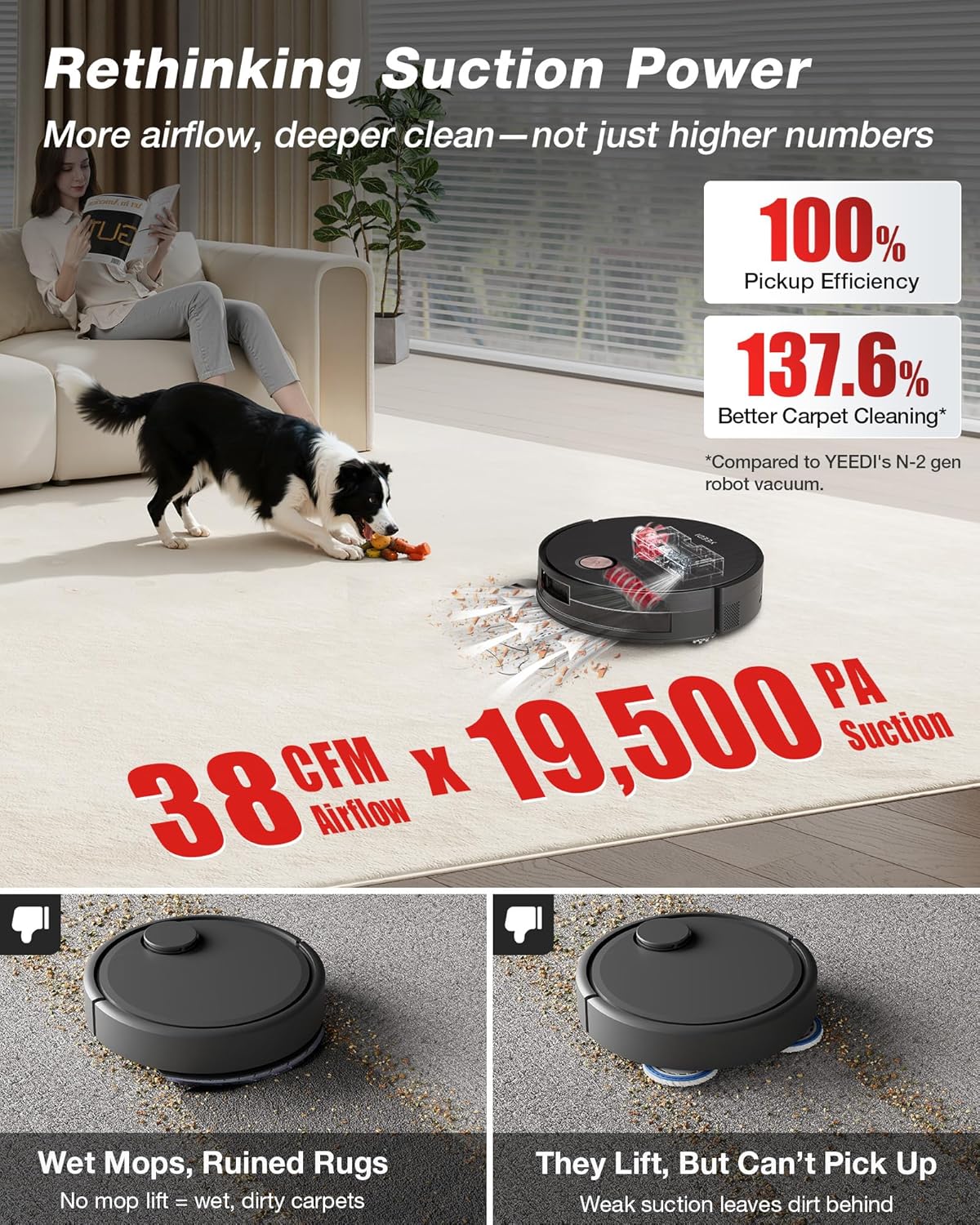
Figura 5.1: Dettaljat view of the OmniCyclone Station's bagless auto-emptying feature. The image shows the transparent dust collection bin within the station.
5.2 Robot Component Cleaning
- Trab tat-trab: The robot's internal dustbin is automatically emptied by the station. Periodically check and clean if any residue remains.
- Mopp tar-romblu: The mop roller is self-washed by the station. Ensure the station's clean and dirty water tanks are maintained.
- Main Brush and Side Brushes: Regularly check for tangled hair or debris. The ZeroTangle 3.0 technology minimizes tangles, but occasional manual cleaning may be required.
- Iffiltra: Clean the robot's filter regularly by tapping out dust. Replace as recommended in the app.
Video 5.1: How To Empty Bagless Dustbin Yeedi S20 Infinity. This video demonstrates the process of emptying the robot's bagless dustbin into the OmniCyclone Station.
6 Issolvi l-problemi
If you encounter any issues with your Yeedi S20 Infinity, refer to the following common solutions:
- Ir-robot mhux qed jiċċarġja: Ensure the robot is correctly docked on the station and the station is powered on. Clean charging contacts on both the robot and station.
- Prestazzjoni fqira tat-tindif: Check if the dustbin is full, brushes are tangled, or the filter is clogged. Clean or replace components as necessary.
- Problemi ta' konnettività tal-app: Verify your Wi-Fi network is 2.4GHz. Restart your router, robot, and app.
- Robot stuck: Clear any obstacles from the robot's path. Check for tangled cables or debris in the wheels.
- Mop not washing/drying: Ensure water tanks are correctly installed and filled (clean water) or emptied (dirty water). Check for blockages in the station's cleaning mechanism.
Għal aktar assistenza, jekk jogħġbok ikkuntattja l-appoġġ għall-klijenti ta' Yeedi.
7. Speċifikazzjonijiet
| Karatteristika | Speċifikazzjoni |
|---|---|
| Brand | Yeedi |
| Isem tal-Mudell | YEEDI S20 Infinity |
| Dimensjonijiet tal-Prodott | 14.96"L x 19.41"W x 18.31"H (Station) |
| Piż tal-oġġett | 43.8 liri |
| Ħajja tal-batterija | minuti 254 |
| Qawwa tal-ġbid | 19,500Pa (BLAST Suction) |
| Kapaċità tat-Tank tal-Ilma Nadif | 1.6 Litri |
| Metodu ta' Kontroll | App, Touch |
| Apparati Kompatibbli | Amazon Echo, Google Home, Smartphones |
| Kompatibilità Wi-Fi | 2.4GHz biss |
8. Garanzija u Appoġġ
Your Yeedi S20 Infinity Robot Vacuum and Mop comes with a manufacturer's warranty and dedicated customer support.
8.1 Informazzjoni dwar Garanzija
Yeedi provides a 12-month worry-free warranty for the S20 Infinity. Please retain your proof of purchase for warranty claims.
8.2 Ritorni u Skambji
A 30-day free return and exchange policy is available. Refer to your retailer's specific return policy for details.
8.3 Appoġġ għall-Klijent
For any questions, troubleshooting, or warranty claims, please visit the official Yeedi website or contact their customer service team. They offer a rapid responding service team.


