Introduzzjoni
This manual provides essential instructions for the setup, operation, maintenance, and troubleshooting of your Swann 4 Channel 1080p HD Security System. This system is designed to provide 24/7 surveillance with crystal-clear 1080p Full HD video, audio recording, and advanced detection features for comprehensive property protection.
X'hemm fil-Kaxxa
Carefully unpack the contents and ensure all items listed below are present:
- 1 x 4 Channel DVR with 64GB Micro SD Card
- 4 x 1080p Audio/Video Bullet Cameras (PRO-1080MQB)
- 4 x Extension Cables (60ft/18m)
- 1 x Cable Ethernet
- 1 x Cable HDMI
- 1 x Power Adapter & Splitter
- 1 x ġurdien
- Viti u Tappijiet tal-Immuntar
- Gwida Quick Start
- Theft Deterrent Sticker

Image: All components included in the Swann 4 Channel 1080p HD Security System package.
Setup Istruzzjonijiet
- Ħoll u Spezzjona: Remove all components from the packaging and inspect for any damage.
- Qabbad il-Kameras mad-DVR: Use the provided extension cables to connect each camera to the corresponding video input ports on the back of the DVR. Ensure connections are secure.
- Qabbad id-DVR mal-Monitor: Connect the DVR to a monitor using the supplied HDMI cable.
- Qabbad il-ġurdien: Ipplaggja l-maws USB f'port USB fuq id-DVR.
- Qabbad man-Netwerk (Mhux obbligatorju): Għal remoti viewing, connect the DVR to your router using the Ethernet cable.
- Qawwa Mixgħul: Connect the power adapter to the DVR and then to a power outlet. The system will power on automatically.
- Inizjali Setup Wizard: Follow the on-screen instructions to complete the initial setup, including setting up a password and configuring basic settings.
- Swann Security App Setup: Download the free Swann Security app on your iOS or Android device. Follow the in-app instructions to pair your DVR for remote access and control.
Istruzzjonijiet Operattivi
ViewIkel Livetage
Ladarba s-sistema tkun issettjata, tista' view live camera feeds directly on your connected monitor or remotely via the Swann Security app. Use the mouse to navigate the DVR interface for various viewgħażliet.
Sejbien ta' Moviment u Twissijiet
The system utilizes Swann's True Detect™ PIR Heat-Sensing Detection technology to accurately detect heat and motion, minimizing false alarms. When motion is detected, the system can trigger recording and send push notifications or email alerts to your connected devices via the Swann Security app.

Image: Illustration of True Detect™ / PIR Heat-Sensing Detection in action, highlighting detected movement.
Kapaċitajiet ta' Viżjoni bil-Lejl
The cameras feature advanced night vision, providing clear surveillance in low-light conditions. They offer infrared night vision up to 100ft (30m) in black and white, and color night vision up to 32ft (10m) in suitable ambient light conditions.
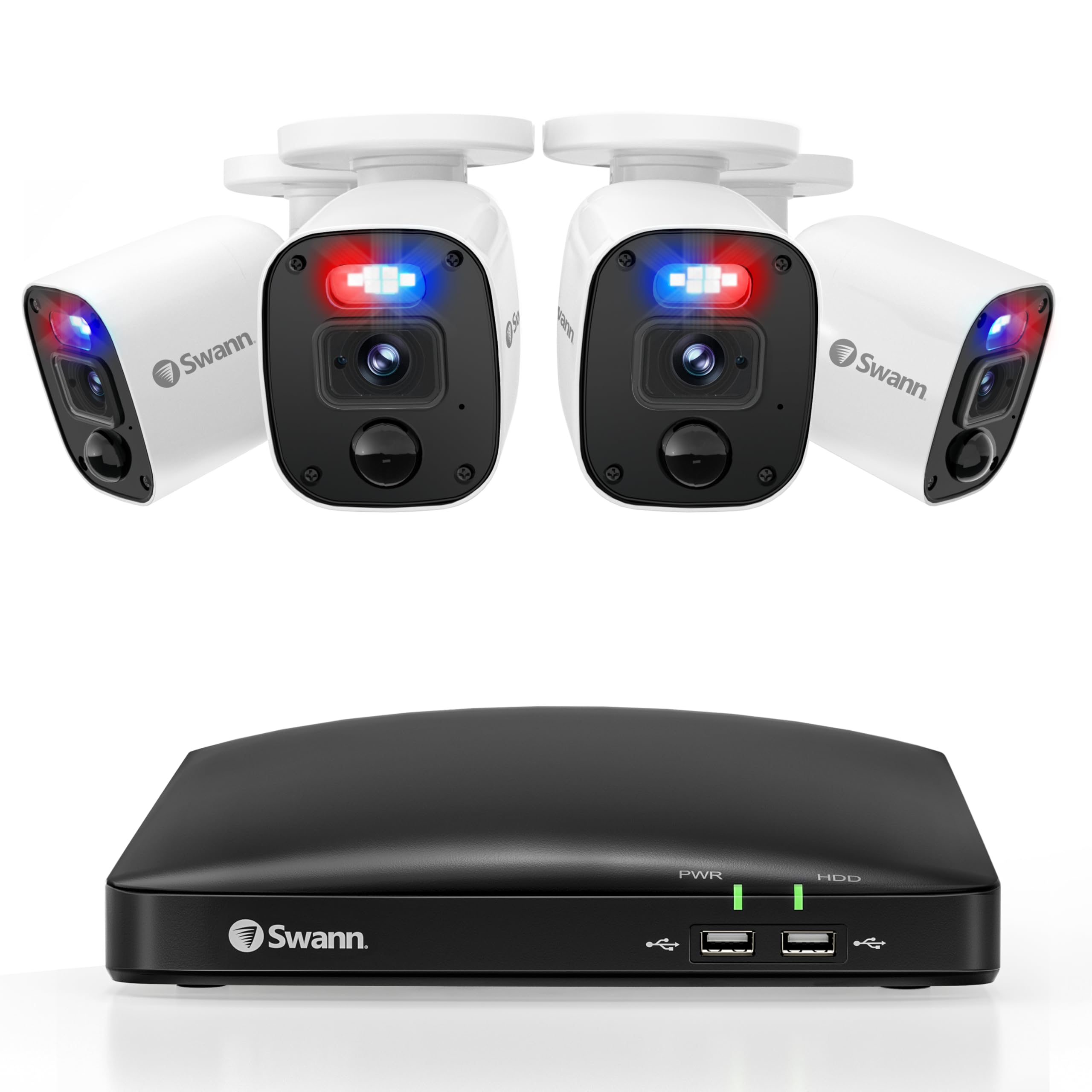
Image: Demonstration of Color Night Vision versus standard Night Vision capabilities.
Deterrent Features
The cameras are equipped with controllable sensor spotlights and deterrent red & blue flashing lights, which can be activated upon detection to deter potential intruders.

Image: Visual representation of the camera's red and blue flashing lights acting as a deterrent.
Reġistrazzjoni u Ħażna
The DVR includes a pre-installed 64GB Micro SD Card for recording. Storage can be expanded up to 8TB for extended recording periods. Manage recording settings and review footage through the DVR interface or the Swann Security app.
Manutenzjoni
Regular maintenance ensures optimal performance and longevity of your security system:
- Tindif tal-Kamera: Naddaf il-lentijiet tal-kamera perjodikament b'drapp artab u damp cloth to remove dust and dirt that may obstruct the viewEvita prodotti tat-tindif li joborxu.
- Iċċekkja l-Konnessjonijiet: Ensure all cables (power, video, network) are securely connected to prevent signal loss.
- Aġġornamenti tal-Firmware: Check the Swann Security app or Swann website for available firmware updates for your DVR and cameras. Keeping firmware updated ensures the latest features and security patches.
- Protezzjoni tat-Temp: The cameras are IP66 weatherproof, designed to withstand various weather conditions. However, ensure they are mounted securely to prevent damage from strong winds or impacts.
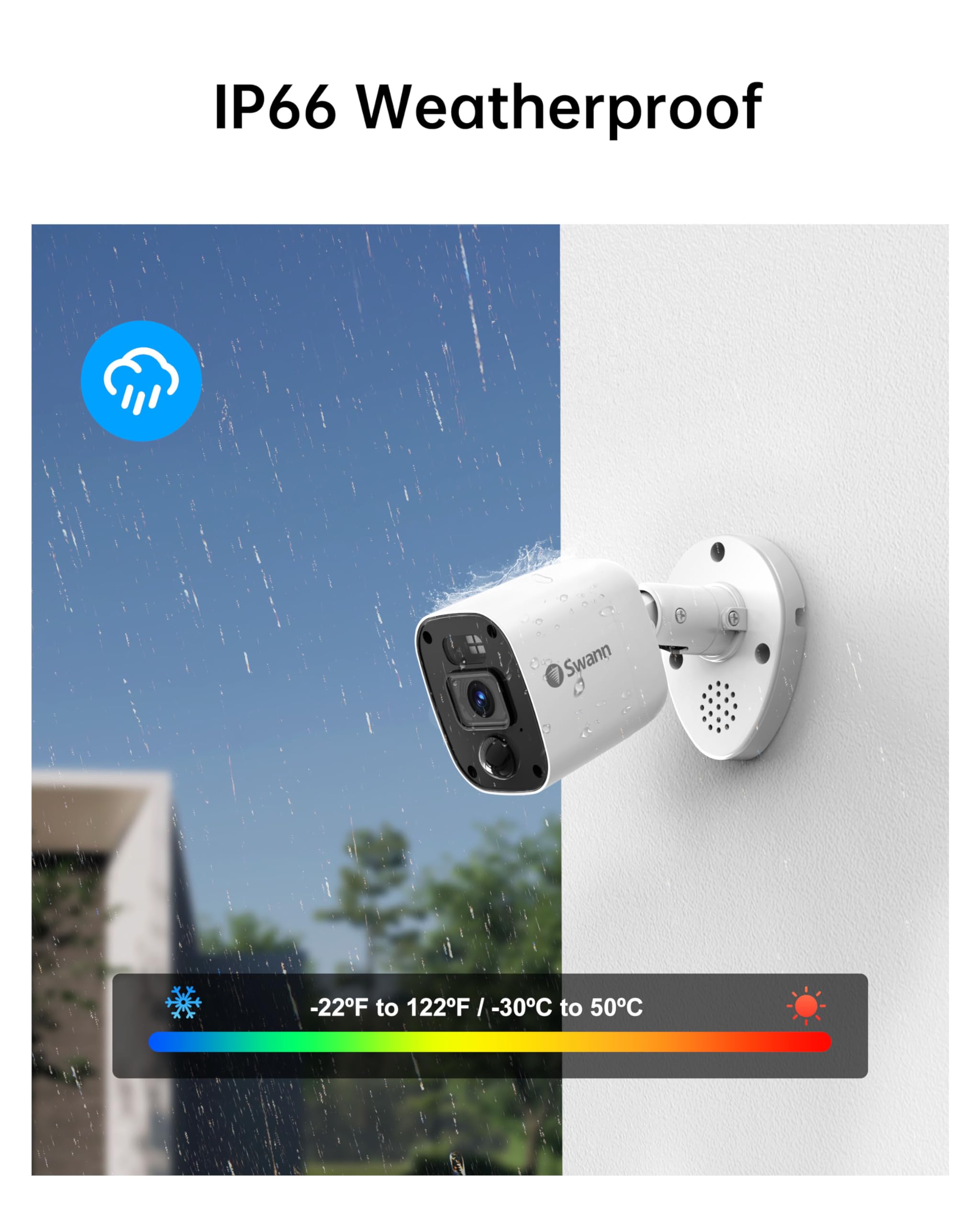
Image: Swann camera demonstrating its IP66 weatherproof design in rainy conditions.
Issolvi l-problemi
If you encounter issues with your Swann security system, refer to the following common solutions:
- L-ebda Wirja tal-Vidjo:
Iċċekkja: Ensure the DVR is powered on and connected to the monitor via HDMI. Verify the monitor input source is correct. - Ebda Reġistrazzjoni:
Iċċekkja: Confirm the 64GB Micro SD Card is properly inserted. Verify recording schedules and motion detection settings in the DVR menu or app. - Sejbien tal-Mozzjoni Mhux Qed Jikkawża:
Iċċekkja: Adjust motion detection sensitivity settings. Ensure the camera's view ikun ċar u mhux ostakolat. - Kwistjonijiet ta' Aċċess Remot:
Iċċekkja: Ensure the DVR is connected to the internet via Ethernet. Verify your mobile device has a stable internet connection. Re-pair the DVR with the Swann Security app if necessary. - Viżjoni fqira bil-lejl:
Iċċekkja: Ensure the camera lens is clean. Remove any obstructions near the camera that might reflect infrared light.
Speċifikazzjonijiet
| Karatteristika | Dettall |
|---|---|
| Brand | Swann |
| Numru tal-Mudell | SWDVK-446854MQB |
| Teknoloġija tal-Konnettività | Bil-fili |
| Riżoluzzjoni tal-Qbid tal-Vidjo | Full HD ta '1080p |
| Karatteristiċi Speċjali | Night Vision, Weatherproof, Heat & Motion Detection, Flashing Warning Lights |
| Numru ta 'Kanali | 4 |
| Kapaċità tal-Ħżin tal-Memorja | 64 GB (Micro SD Card, expandable up to 8TB) |
| Kulur | Abjad/Iswed |
| Sors tal-Enerġija | Corded Elettriku |
| Dimensjonijiet tal-oġġett (L x W x H) | 7.68 x 14.76 x 11.61 pulzieri |
| Kompatibilità tas-Sistema Operattiva | iOS, Android, Windows |
| Użi Rakkomandati | Ġewwa, Barra |
| Medda tal-Viżjoni Lejl | 100 Feet (B&W), 32 Feet (Color) |
| ViewIng Angolu | 85 Grad |
| UPC | 840236142682 |
Garanzija u Appoġġ
Your Swann 4 Channel 1080p HD Security System is backed by Swann's manufacturer warranty. For detailed warranty information, product support, and additional resources, please visit the official Swann website or contact Swann customer service.
Appoġġ onlajn: www.swann.com/us/support
Reġistrazzjoni tal-Prodott: Irreġistra l-prodott tiegħek online biex tirċievi aġġornamenti u appoġġ.


