Informazzjoni Importanti dwar is-Sigurtà
Please read all safety instructions carefully before using the device. Failure to follow these instructions may result in electric shock, fire, or other hazards. Keep this manual for future reference.
- Tesponix l-apparat għal temperaturi estremi, dawl tax-xemx dirett, jew umdità għolja.
- Evita li twaqqa' l-apparat jew li tissottomettih għal impatt qawwi.
- Use only the specified charging adapter (5V-1A or 5V-2A). Do not use fast charging heads.
- Żomm l-apparat 'il bogħod mill-ilma u likwidi oħra.
- Tippruvax tiżżarma jew issewwi l-apparat int stess. Ikkuntattja persunal tas-servizz awtorizzat.
- Armi l-apparat u l-batterija tiegħu b'mod responsabbli skont ir-regolamenti lokali.
1. Nibdew
1.1 Kontenut tal-Pakkett
Ivverifika li l-oġġetti kollha huma preżenti fil-pakkett:
- SWOFY D08 160GB Bluetooth MP3 Player
- Kejbil USB Type-C
- Earbuds bil-fili
- Manwal għall-Utent (dan id-dokument)
1.2 Apparat Fuqview
The SWOFY D08 is a portable media player featuring a 4-inch touchscreen, Android 13 OS, Bluetooth 5.0, and Wi-Fi connectivity. It supports various audio and video formats and offers expandable storage.

Stampa 1.2.1: Quddiem view of the SWOFY D08 MP3 Player, displaying its 4-inch touchscreen interface with pre-installed and downloadable application icons.

Stampa 1.2.2: Multiple color variants of the SWOFY D08 player, emphasizing its portability and high-resolution lossless music playback capabilities.
1.3 Iċċarġjar tal-Apparat
Before first use, fully charge the device. The player has a built-in 2000mAh Li-ion battery.
- Connect the provided USB Type-C cable to the charging port on the player.
- Connect the other end of the USB cable to a 5V-1A or 5V-2A USB power adapter (not included) or a computer's USB port.
- L-indikatur tal-iċċarġjar se jixgħel. Ladarba jkun iċċarġjat kompletament, l-indikatur jista' jibdel il-kulur jew jintefa.
Nota: Avoid using fast charging adapters as they may damage the device battery.
1.4 Tixgħel/Jitfi
- Biex Tixgħel: Agħfas u żomm il-buttuna tal-Qawwa (ġeneralment fuq il-ġenb) sakemm l-iskrin jixgħel.
- Biex Tifi: Press and hold the Power button until a power-off menu appears on the screen. Select 'Power off' and confirm.
- Biex terġa' tibda: Mill-menù tat-tifi, agħżel 'Erġa' ibda'.
1.5 Setup Inizjali
Upon first power-on, you will be guided through an initial setup process:
- Għażla tal-Lingwa: Agħżel il-lingwa ppreferuta tiegħek.
- Konnessjoni Wi-Fi: Connect to a Wi-Fi network to enable internet access for app downloads and streaming services. Select your network and enter the password.
- Data u Ħin: Set the correct date and time, or allow network synchronization.
- Kont Google: Idħol bil-kont Google tiegħek biex taċċessa l-Google Play Store u servizzi oħra ta' Google.
2. It-tħaddim tal-Apparat
2.1 Navigazzjoni bit-Touchscreen
The SWOFY D08 features a 4-inch high-resolution (400*800) full touchscreen for intuitive control.
- Tektek: Agħżel oġġett jew iftaħ app.
- Swipe: Navigate between screens or scroll through lists.
- Agħfas biex Tiżżumja: Iżżumja 'l ġewwa jew 'il barra fuq immaġnijiet jew web paġni.
2.2 Daqq tal-Mużika
The player supports HiFi lossless sound quality and is compatible with MP3, FLAC, WAV, AAC, OGG, WMA, APE, and M4A audio formats.
- Transfer Music: Connect the player to a computer using the USB Type-C cable. The player will appear as a removable storage device. Drag and drop your music files fil-fowlder tal-mużika magħżul.
- Access Music: Open the 'Music' app or your preferred streaming app (e.g., Spotify, Amazon Music, Pandora, Audible) from the home screen.
- Play/Pawsa: Tap the play/pause icon.
- Aqbeż il-binarji: Tap the next/previous track icons.
- Kontroll tal-Volum: Use the physical volume buttons on the side of the device or the on-screen controls.

Stampa 2.2.1: Visual representation of the SWOFY D08's extensive audio format compatibility, ensuring seamless playback of various high-quality music files.
2.3 Konnettività Bluetooth
The device features Bluetooth 5.0 with bi-directional transmitting and receiving functions for stable connections.
- Ippermetti Bluetooth: Go to 'Settings' > 'Connected devices' > 'Bluetooth' and toggle it On.
- Tqabbil: Put your Bluetooth headphones, speakers, or car stereo into pairing mode.
- Qabbad: On the SWOFY D08, tap 'Pair new device' and select your device from the list of available devices.

Stampa 2.3.1: Illustration of the Bluetooth 5.0 technology integrated into the SWOFY D08, highlighting its wireless audio capabilities for headphones and speakers.

Stampa 2.3.2: Depiction of the SWOFY D08's stable duplex Bluetooth feature, allowing connection to various audio output devices such as headphones, home speakers, and car systems.
2.4 Wi-Fi Functionality
The player supports dual-band Wi-Fi (2.4GHz and 5GHz) for stable internet access.
- Mur f''Settings' > 'Netwerk u internet' > 'Wi-Fi'.
- Toggle Wi-Fi On.
- Agħżel in-netwerk Wi-Fi mixtieq tiegħek mil-lista u daħħal il-password jekk tintalab.
2.5 Installazzjoni u Użu tal-App
The SWOFY D08 runs on Android 13 OS, allowing access to the Google Play Store.
- Google Play Store: Tap the 'Play Store' icon on the home screen. Fittex għal and download apps like Spotify, Pandora, Audible, Amazon Music, and more.
- Apps installati minn qabel: Utilize pre-installed apps such as FM Radio, Chrome, and others.
2.6 Daqq tal-Vidjo
The player supports 1080P HD video playback and is compatible with AVI, MKV, RMVB, MP4, MPG, and MOV formats.
- Ittrasferixxi l-vidjo files to the device's storage.
- Open a video player app (e.g., 'Files' or a downloaded video player).
- Agħżel il-vidjo file biex tibda daqq.
2.7 Ġestjoni tal-Ħażna
The device comes with 32GB ROM and a 128GB SD card, totaling 160GB. It supports memory expansion up to 1TB via a microSD card.
- Ħażna Interna: View u jimmaniġġjaw files in the 'Files' app.
- Karta SD: Insert a microSD card into the designated slot to expand storage. Files can be moved between internal storage and the SD card.

Stampa 2.7.1: Illustration of the SWOFY D08's internal hardware, including the Android 13 OS, 8-core MTK processor, 3GB RAM, 32GB ROM, and the included 128GB SD card, contributing to a 35% increase in running speed.
3. Manutenzjoni
3.1 Tindif tal-Apparat
Biex iżżomm id-dehra u l-funzjonalità tal-apparat:
- Uża drapp artab u mingħajr suf biex timsaħ l-iskrin u l-qafas.
- Tużax prodotti tat-tindif li joborxu, alkoħol, jew solventi kimiċi.
- Ensure no moisture enters ports or openings.
3.2 Kura tal-Batterija
Kura xierqa tal-batterija testendi l-ħajja tat-tagħmir tiegħek:
- Evita li tiċċarġja l-batterija kompletament ta' spiss.
- Do not leave the device charging for extended periods after it's full.
- Store the device in a cool, dry place when not in use for long periods.
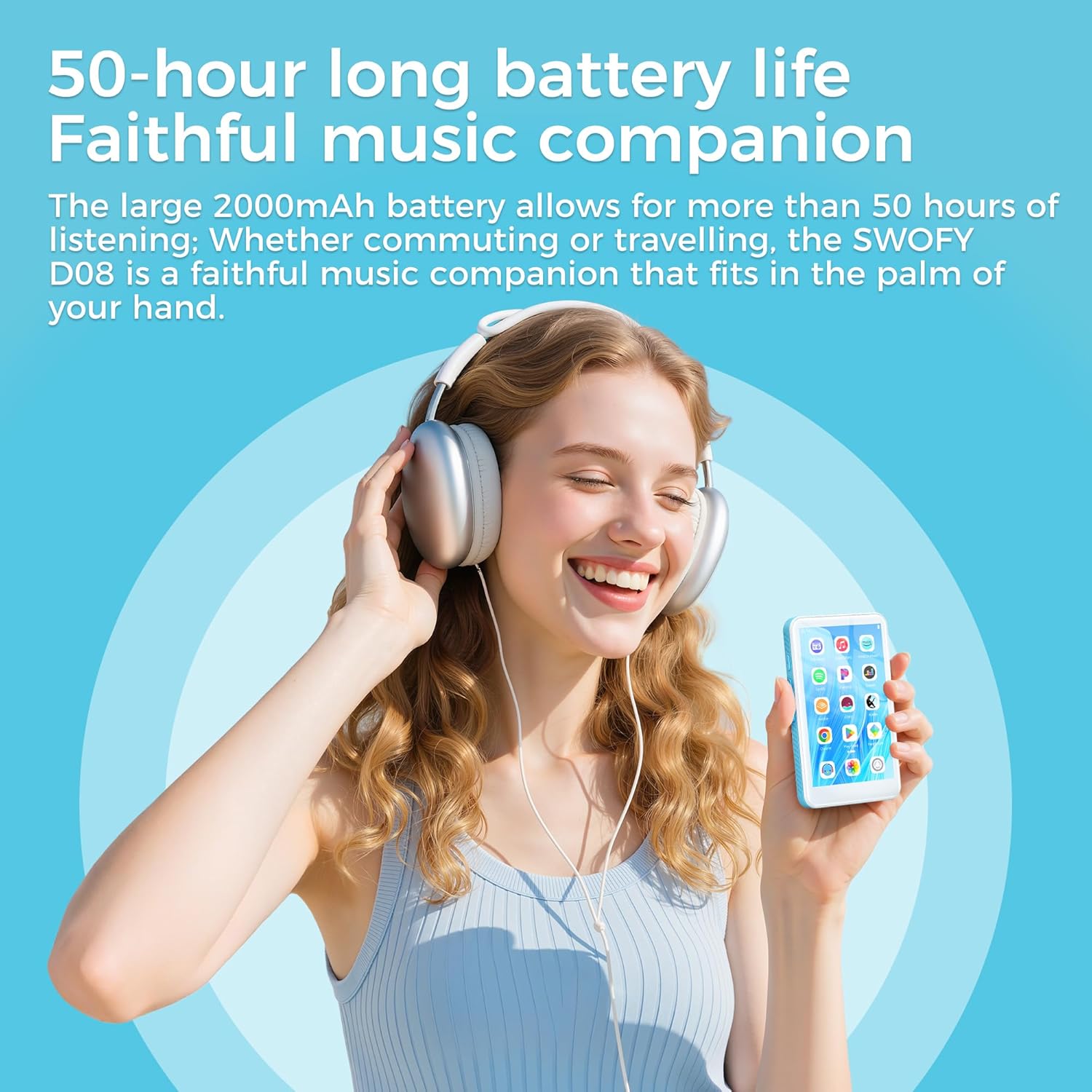
Stampa 3.2.1: A user enjoying music with the SWOFY D08, illustrating its extended battery life of up to 50 hours for continuous music playback.
3.3 Aġġornamenti tas-Software
The SWOFY D08 runs on Android 13 OS. Periodically check for software updates to ensure optimal performance and security.
- Qabbad ma' netwerk Wi-Fi stabbli.
- Go to 'Settings' > 'System' > 'System update'.
- Segwi l-istruzzjonijiet fuq l-iskrin biex tniżżel u tinstalla kwalunkwe aġġornament disponibbli.
4 Issolvi l-problemi
This section addresses common issues you might encounter with your SWOFY D08 player.
| Problema | Soluzzjoni Possibbli |
|---|---|
| L-apparat ma jixgħelx. | Ensure the battery is charged. Connect to a charger for at least 30 minutes. If still unresponsive, perform a hard reset (refer to manufacturer's support for specific instructions if available). |
| Ma tistax tikkonnettja mal-Wi-Fi. | Check if Wi-Fi is enabled in settings. Verify the Wi-Fi password. Restart your router and the player. Try connecting to a different Wi-Fi network. |
| L-apparat Bluetooth mhux qed jiġi mqabbla. | Ensure Bluetooth is enabled on both devices. Put the accessory in pairing mode. Make sure both devices are within range. Restart both devices. |
| L-apps huma bil-mod jew qed jiġġarraf. | Close background apps. Clear app cache (Settings > Apps > [App Name] > Storage > Clear cache). Restart the device. If the issue persists, consider a factory reset. |
| Storage full. | Ħassar bla bżonn files or apps. Move files to the external SD card. Consider upgrading to a larger microSD card (up to 1TB supported). |
| L-iskrin ma jirrispondix. | Erġa' ibda l-apparat. Jekk il-problema tippersisti, ikkuntattja l-appoġġ għall-klijenti. |
4.1 Irrisettja l-Fabbrika
A factory reset will erase all data on your device and restore it to its original factory settings. Back up important data before proceeding.
- Mur fuq 'Settings' > 'Sistema' > 'Għażliet ta' reset'.
- Agħżel 'Ħassar id-dejta kollha (reset tal-fabbrika)'.
- Confirm your choice and follow the on-screen prompts.
5. Speċifikazzjonijiet
Detailed technical specifications for the SWOFY D08 MP3 Player.
| Karatteristika | Speċifikazzjoni |
|---|---|
| Brand | SWOFY |
| Mudell | D08-160GB |
| Sistema Operattiva | Android 13 OS |
| Proċessur | MTK6762 Octa-core |
| RAM | 3GB |
| Ħażna Interna (ROM) | 32GB |
| Karta SD inkluża | 128GB |
| Total Storage (Internal + SD) | 160GB |
| Ħażna espansibbli | Sa 1TB permezz ta' kard Micro SD |
| Wiri | 4-inch LCD Touchscreen (400*800 resolution) |
| Bluetooth | Bluetooth 5.0 (Bi-directional) |
| Wi-Fi | Faxxa doppja (2.4GHz u 5GHz) |
| Batterija | Polimer tal-Litju 2000mAh |
| Formati tal-Awdjo Appoġġjati | MP3, WAV, FLAC, APE, OGG, M4A, AAC, WMA |
| Formati tal-vidjo appoġġjati | AVI, MKV, RMVB, MP4, MPG, MOV (1080P HD) |
| Karatteristiċi Speċjali | Built-In Speaker, Equalizer, FM Radio, Touch Screen, Video Playback, Voice Recorder |
| Port tal-Iċċarġjar | USB Tip-Ċ |
| Piż tal-oġġett | 222 g |
6. Garanzija u Appoġġ
6.1 Informazzjoni dwar Garanzija
Specific warranty details for your SWOFY D08 player may vary by region and retailer. Please refer to the warranty card included in your product packaging or visit the official SWOFY webis-sit għall-aktar politika ta' garanzija aġġornata.
6.2 Appoġġ għall-Klijent
If you encounter any issues not covered in this manual or require further assistance, please contact SWOFY customer support through their official websit jew l-informazzjoni ta’ kuntatt ipprovduta max-xiri tiegħek.
Nota: No official product videos were provided in the source data for embedding in this manual.


