1. Introduzzjoni
Thank you for choosing the Tacens AEROSLIM500 MicroATX PC Case. This slim mini-tower is designed for efficient and compact PC builds, supporting MicroATX and Mini-ITX motherboards. It features optimized airflow, an integrated 500W TFX power supply, and modern connectivity. This manual provides essential information for safe installation, operation, and maintenance of your new PC case.
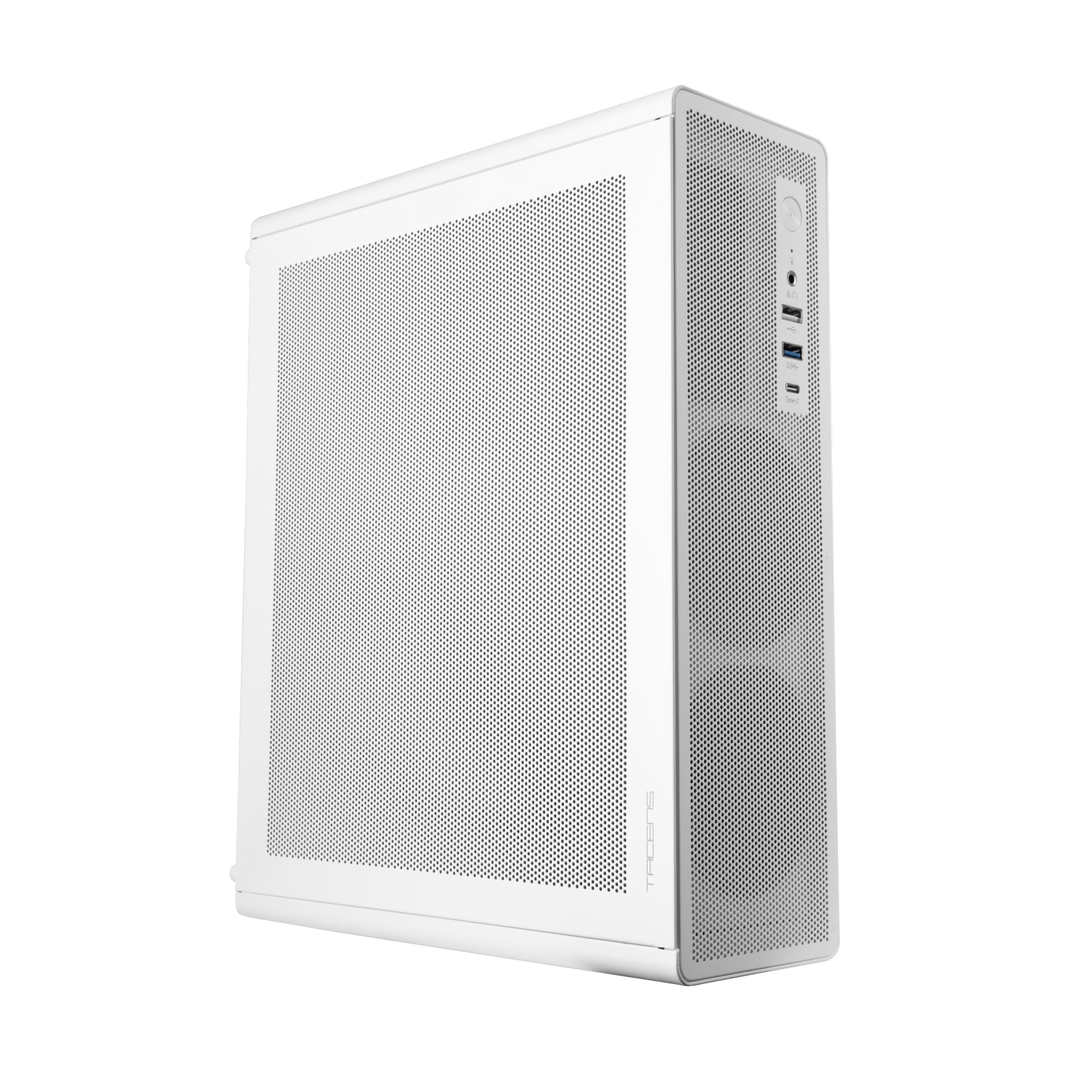
Figure 1: Tacens AEROSLIM500 MicroATX PC Case (Overall View)
2. Informazzjoni dwar is-Sigurtà
Jekk jogħġbok aqra u segwi dawn il-linji gwida tas-sigurtà biex tevita ħsara lill-prodott jew korriment lilek innifsek.
- Skonnettjar tal-Enerġija: Always disconnect the power cable from the wall outlet before opening the case or performing any installation/maintenance.
- Elettriku Statiku: Discharge static electricity from your body before handling internal components. Use an anti-static wrist strap if available.
- Truf li jaqtgħu: Be cautious of sharp edges inside the case during installation.
- Ventilazzjoni: Ensure proper ventilation around the case. Do not block air vents.
- Likwidu u Umdità: Keep the case away from liquids and excessive moisture.
- Installazzjoni professjonali: If you are unsure about any installation steps, seek assistance from a qualified technician.
3. Kontenut tal-Pakkett
Iċċekkja li l-oġġetti kollha huma preżenti fil-pakkett tiegħek. Jekk xi oġġetti huma neqsin jew bil-ħsara, ikkuntattja lill-bejjiegħ tiegħek.
- Tacens AEROSLIM500 MicroATX PC Case with integrated 500W TFX Power Supply
- Pre-installed 90mm FDB Front Fan
- Accessory kit (screws, standoffs, cable ties)
- Manwal għall-Utent (dan id-dokument)
4. Karatteristiċi tal-prodott
The Tacens AEROSLIM500 PC case offers a range of features for a compact and efficient build:
- Integrated TFX 500W Power Supply: Ensures stable and efficient power delivery for your components.
- Tkessiħ Avvanzat: Front and side ultra-fine mesh panels provide constant airflow and act as a dust barrier.
- Pre-installed Front Fan: Includes a 90mm FDB (Fluid Dynamic Bearing) fan for optimal cooling. Supports up to two 90mm front fans.
- Optimized Internal Space: Compatible with MicroATX (up to 210mm wide) and Mini-ITX motherboards.
- Appoġġ GPU: Accommodates low-profile GPUs up to 220mm long and 63mm wide.
- Għażliet ta' Ħażna: Features 5 x 2.5" SSD drive bays.
- Slots ta' Espansjoni: Provides 3 expansion slots for MicroATX or 1-2 for Mini-ITX configurations.
- Konnettività kompluta: Front panel includes USB-C, USB 3.0, USB 2.0 ports, and HD audio/microphone jacks.
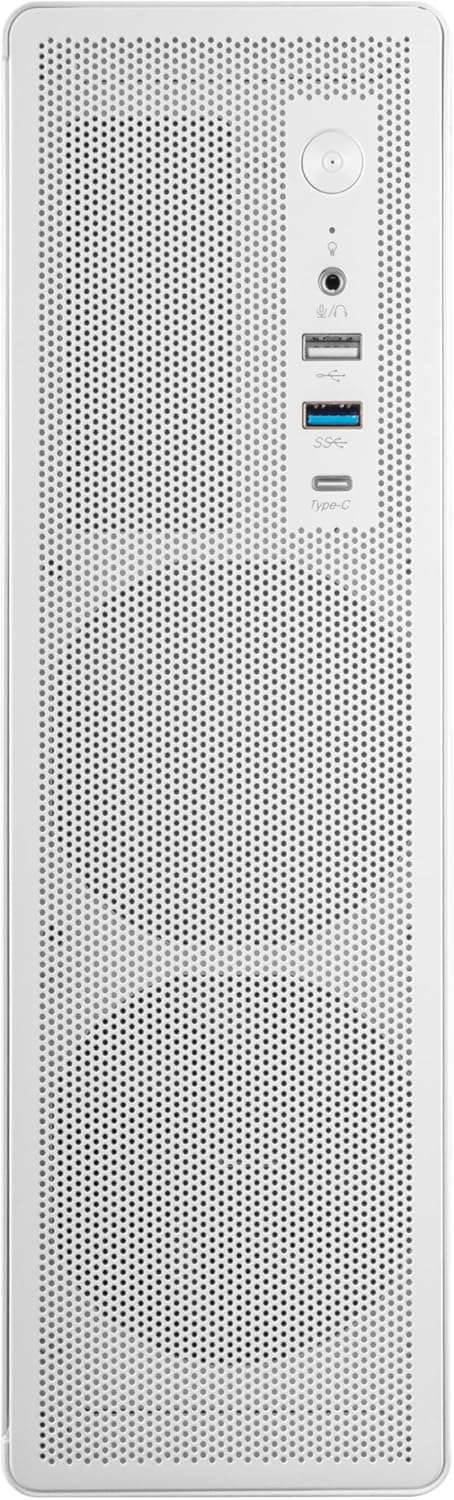
Figura 2: Konnettività tal-Panel ta' Quddiem

Figura 3: Dettaljat View of Front I/O Ports
5. Setup u Installazzjoni
Follow these steps to install your components into the Tacens AEROSLIM500 PC case. Ensure the system is powered off and unplugged before beginning.
5.1. Il-Ftuħ tal-Każ
- Poġġi l-kaxxa fuq wiċċ ċatt u stabbli.
- Locate the thumbscrews or standard screws on the rear panel securing the side panel(s).
- Remove the screws and carefully slide the side panel(s) backward, then lift them off.

Figure 4: Case Interior View with Pre-installed Fan
5.2. Installazzjoni tal-Motherboard
- Install the CPU, CPU cooler (ensure it fits within the 73mm height limit), and RAM onto your MicroATX or Mini-ITX motherboard before placing it in the case.
- Align the motherboard with the pre-installed standoffs inside the case.
- Waħħal il-motherboard billi tuża l-viti xierqa mill-kit tal-aċċessorji.

Figure 5: Motherboard Mounting Area
5.3. Storage Device Installation (2.5" SSD/HDD)
- Locate the 2.5" drive bays/mounting points. The case supports up to 5 x 2.5" drives.
- Secure your 2.5" SSDs or HDDs using the provided screws.
- Connect SATA data and power cables to the drives.

Figure 6: Power Supply and Drive Bay Area
5.4. Installazzjoni tal-Karta tal-Espansjoni (GPU)
- Neħħi l-għata tas-slott ta' espansjoni meħtieġa minn wara tal-kaxxa.
- Carefully insert your low-profile GPU (max 220mm length, 63mm width) into the PCIe slot on the motherboard.
- Secure the expansion card with a screw.
5.5. Konnessjoni tal-Kejbils tal-Pannell ta' Quddiem
Connect the front panel cables (USB-C, USB 3.0, USB 2.0, HD Audio, Power Switch, Reset Switch, Power LED, HDD LED) to their corresponding headers on your motherboard. Refer to your motherboard manual for exact header locations.
5.6. Ġestjoni tal-Kejbil
Route cables neatly to improve airflow and aesthetics. Use the provided cable ties to secure bundles of cables.
5.7. Closing the Case
- Ladarba l-komponenti kollha jkunu installati u l-kejbils ikunu mmaniġġjati, erġa' waħħal il-pannell(i) tal-ġenb.
- Secure the side panel(s) with the thumbscrews or standard screws.
6. Istruzzjonijiet Operattivi
After successful assembly, connect your peripherals (monitor, keyboard, mouse) and the power cable to the integrated TFX 500W power supply.
- Qawwa Mixgħul: Press the power button located on the front panel to turn on your computer.
- Portijiet USB: Use the front USB-C, USB 3.0, and USB 2.0 ports for connecting external devices.
- Ġakki tal-Awdjo: Connect headphones or a microphone to the front audio jacks.
- Itfi: Shut down your computer through the operating system. For a hard shutdown, press and hold the power button for several seconds.
7. Manutenzjoni
Manutenzjoni regolari tgħin biex tiżgura prestazzjoni ottimali u lonġevità tal-komponenti tal-PC tiegħek.
- Tindif tat-Trab: The mesh panels act as dust filters. Periodically clean the front and side mesh panels using compressed air or a soft brush to remove accumulated dust.
- Tindif Intern: Every 6-12 months, open the case (after disconnecting power) and use compressed air to clean dust from internal components, especially CPU coolers and GPU fans.
- Verifika tal-Ġestjoni tal-Kejbils: Kun żgur li l-kejbils jibqgħu mgħoddija sew u ma jostakolawx il-fluss tal-arja.
8 Issolvi l-problemi
Jekk tiltaqa' ma' problemi, irreferi għall-passi komuni li ġejjin għas-soluzzjoni tal-problemi.
- Ebda Qawwa:
- Ensure the power cable is securely connected to both the wall outlet and the PC's power supply.
- Verify that the power supply switch (if present) is in the 'ON' position.
- Check all internal power connections (24-pin ATX, 8-pin CPU, GPU power) to the motherboard and components.
- Kun żgur li l-kejbil tal-buttuna tal-enerġija tal-pannell ta' quddiem huwa konness sew mal-header tal-motherboard.
- Ebda Display:
- Confirm your monitor is powered on and connected to the correct video output on your GPU or motherboard.
- Reseat your GPU and RAM modules.
- Storbju Eċċessiv:
- Check if any cables are obstructing fan blades.
- Clean dust from fans (CPU, GPU, case fans, PSU fan).
- Ensure all screws are tightened to prevent vibrations.
- Il-Portijiet tal-Panel ta' Quddiem Mhux Jaħdmu:
- Verify that the USB and audio cables from the front panel are correctly connected to the motherboard headers.
9. Speċifikazzjonijiet
| Brand | Tacens |
| Isem tal-Mudell | AEROSLIM500 |
| Kompatibbiltà tal-motherboard | Mikro ATX, Mini ITX |
| Tip ta' Każ | Compact Desktop / Mini-Tower |
| Kulur | Abjad |
| Materjal | Metall |
| Provvista tal-Enerġija | Integrated TFX 500W |
| Metodu tat-tkessiħ | Air (Pre-installed 90mm FDB front fan) |
| Limitu tal-Għoli tal-CPU Cooler | Sa 73mm |
| Limitu tat-Tul GPU | Up to 220mm (low-profile biss) |
| GPU Width Limit | Sa 63mm |
| Drive Bays | 5 x 2.5" SSD/HDD |
| Slots ta 'Espansjoni | 3 (MicroATX), 1-2 (Mini-ITX) |
| Portijiet I / O ta 'quddiem | 1x USB-C, 1x USB 3.0, 2x USB 2.0, HD Audio (Headphone/Microphone) |
| Piż tal-oġġett | 2.25 Kilogrammi |
10. Garanzija u Appoġġ
Tacens products are manufactured to the highest quality standards. For information regarding warranty coverage, terms, and conditions, please refer to the warranty card included with your product or visit the official Tacens websit.
For technical support, troubleshooting assistance beyond this manual, or to inquire about replacement parts, please contact Tacens customer service through their official webis-sit jew l-informazzjoni ta' kuntatt ipprovduta fid-dokumentazzjoni tal-prodott tiegħek.
Official Tacens Websit: www.tacens.com (Nota: Dan huwa detentur tal-post URL. Please refer to your product packaging for the correct official websit.)


